
On this page
Start here
Quick answer
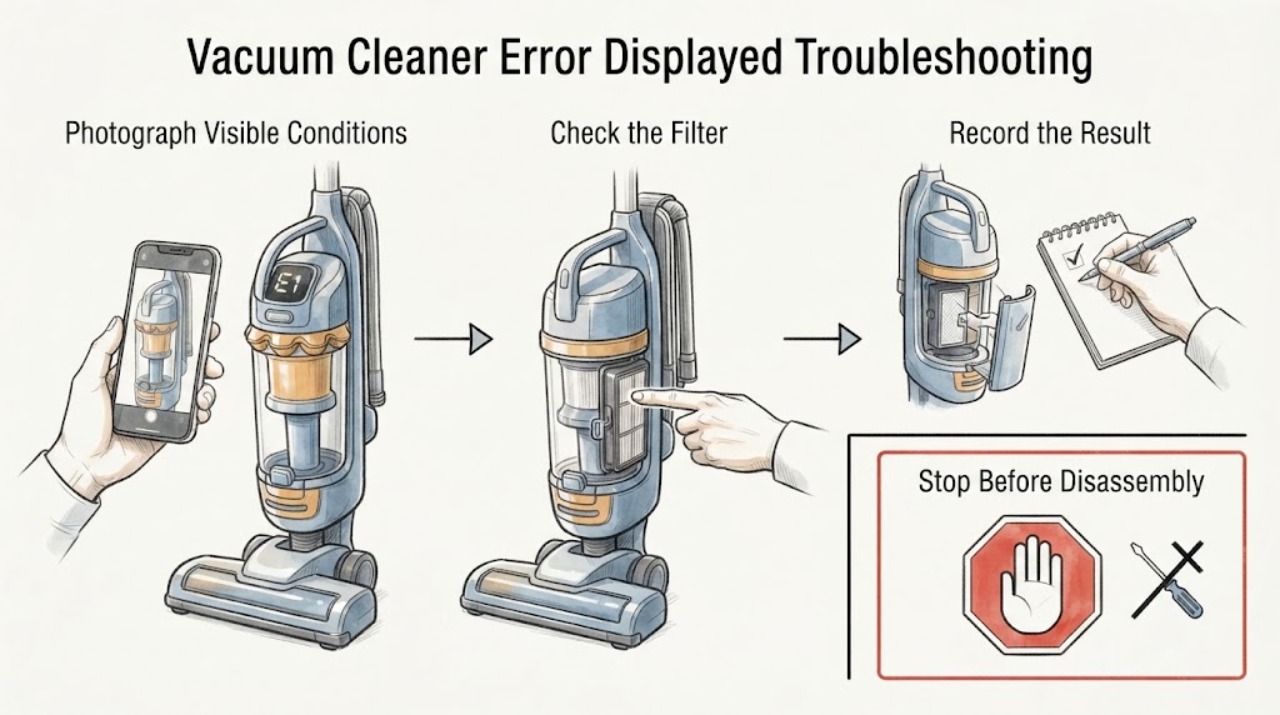
When a vacuum cleaner displays an error, record the exact symbol or light pattern before resetting anything. With the vacuum off and off the charger, check only the accessible wand, head, bin, and filter path using the exact model guide. If the same error returns after the documented correction, or the code cannot be identified, stop repeated testing and contact Dyson or a qualified technician.
Work through in order
Diagnostic checks
Use only checks that match the exact appliance or system and its official guide.
-
Check 1
Record the exact error symbol, light color or flash pattern, sound, and what the vacuum was doing when it appeared. Photograph the display if possible, then check the Dyson support path for the exact product rather than translating the symbol into a guessed part.
Expected result: The indication matches an exact product guide, changes after a documented reset, or cannot be identified from the model information.
Next step: Follow only the exact product instruction and record whether the same indication returns. If it returns or cannot be mapped, keep the vacuum out of use and contact Dyson with the code and model.
Why this matters
Why: Error displays are model-specific. A matching guide can provide a bounded reset or maintenance step; an unidentified pattern remains unresolved evidence rather than proof of a battery, motor, or board failure.
-
Check 2
With the vacuum off and disconnected from its charger, inspect the accessible wand, floor head, bin inlet, brush bar, and filter areas for a visible blockage or packed debris. Do not push tools into the motor housing or cut around a powered brush bar.
Expected result: A blockage is visible, the brush bar is jammed, or the accessible air path is clear while the error remains.
Next step: Clear only accessible debris as the exact manual allows, refit parts correctly, and perform one controlled retest. Escalate if the display returns.
Why this matters
Why: A blockage or jam can trigger a protection or error state on some models. A clear path makes a battery, sensor, charger, motor, or control issue more likely, but does not identify it.
-
Check 3
Check the filter and bin seating using the exact Dyson model instructions. Note whether a filter is wet, overdue for cleaning, missing, or incorrectly fitted; never run the vacuum with a wet filter or an omitted filter.
Expected result: The filter or bin is incorrectly fitted or contaminated, or both are correctly fitted and the error continues.
Next step: Clean and dry the filter only as instructed, refit the bin, and test once. Do not bypass a filter or interlock to make the vacuum run.
Why this matters
Why: A maintenance or seating condition can cause an error or restricted airflow. Persistence after correction shifts attention to model-specific electrical or sensor service.
-
Check 4
Observe whether the error appears only during charging, at startup, under load, or after the vacuum has run and warmed. Inspect the charger, battery contacts, and cord externally for damage without opening the pack.
Expected result: The indication is tied to charging, appears as soon as the trigger is used, follows a warm-up period, or is unrelated to a repeatable event.
Next step: Stop using a damaged or hot charger or battery. Give Dyson the timing, model, and display record for service diagnosis.
Why this matters
Why: Timing can separate a charging or battery path from airflow or thermal protection, but it cannot safely select a replacement battery or board.
Use your observations
Decision map
Find the observation that best matches what you see, then follow the next safe action.
-
PATH 01Next step
What you see
The display identifies a blockage, filter, or seating condition and the indication clears after the accessible correction described for the exact model.
Do this next
Use the exact cleaning and refitting interval in the manual and stop if the error returns.
Why this path and its safety boundary
Why it matters: A maintenance or airflow condition is more likely than a confirmed electronic failure.
-
PATH 02Next step
What you see
The same error returns with clear accessible paths, a correctly fitted dry filter and bin, or no exact model guide matches the indication.
Do this next
Keep the vacuum out of use and contact Dyson with the model, error pattern, and reference code.
Why this path and its safety boundary
Why it matters: The remaining cause may be a sensor, battery, charger, motor, or control fault that the generic symptom cannot distinguish.
Helpful context
Understand the symptom
An error display is a clue, not a universal code. The same looking light can have different meanings across vacuum families, so record the model and exact pattern, then use the product-specific Dyson support route. Accessible blockage, filter, and seating checks are useful only when the model instructions permit them.
When checks do not resolve it
Need a professional?
Stop using the vacuum and arrange Dyson or qualified service for smoke, burning odor, sparks, a hot or damaged cord, repeated circuit trips, liquid ingress, a recurring error after the model's documented reset, or any internal battery, motor, charger, sensor, or control work.
Common questions
FAQ
Can I keep pressing the trigger to clear the error?
No. Record the pattern, perform only the model's documented reset or maintenance, and stop if it returns. Repeated operation can worsen a thermal, battery, or motor fault.
Does an error prove the battery is bad?
No. Timing, filter seating, airflow, charging, sensors, and controls can produce different indications. The exact product guide and service diagnosis are needed.
What should I give Dyson?
Provide the full model, exact light or symbol pattern, when it appears, what accessible checks were performed, and the support reference code if one is shown.
Read the exact guide
Official sources
- Support | Troubleshooting | DysonDyson · vacuum cleaner status or error display and product-specific support
- Support | Troubleshooting | DysonDyson · vacuum cleaner not working, product-specific troubleshooting and service escalation
Community feedback
Share a repair observation
Share a plain-text repair observation. Accepted observations are published automatically; this page may take a moment to update.