
On this page
Start here
Quick answer
A new rattling, whistling, or grinding sound from a vacuum often follows an airflow restriction, a blocked cleaner head, or a loose part. Switch it off and unplug it before removing hair or checking the head, hose, wand, bin, and filters. Compare suction with and without the floor tool, and stop if the motor pulses, the machine becomes hot, smells burnt, or the noise remains after the air path is clear. Do not run a partially dismantled vacuum.
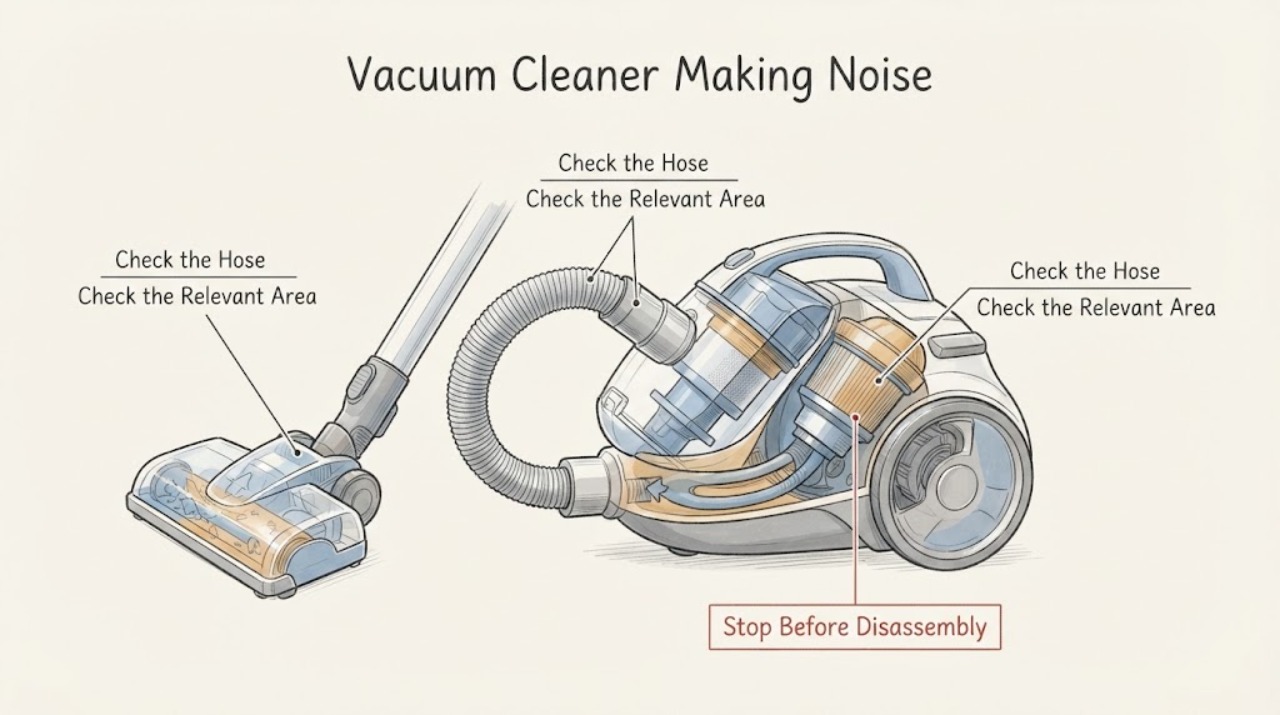
Work through in order
Diagnostic checks
Use only checks that match the exact appliance or system and its official guide.
-
Check 1
Turn the vacuum off, unplug it or remove the battery, and identify whether the sound came from the cleaner head, wand, hose, bin, or main body. Do not test with fingers near a brush bar.
Expected result: The noise follows one removable tool, comes from the head, or remains in the main body with tools removed.
Next step: Continue only with the machine disconnected and the model's owner-removable parts.
Why this matters
Why: A tool or head-specific noise is more localized; a sound that remains in the main body needs greater caution.
-
Check 2
With power disconnected, inspect the cleaner-head opening, wand, hose, and bin inlet for hair, threads, or a lodged object. Cut wrapped fibers carefully and do not push objects deeper.
Expected result: A visible obstruction is found, or the air path looks clear.
Next step: Reassemble the cleared owner-removable parts and perform one brief test; seek service if the noise persists.
Why this matters
Why: A blockage can create turbulence and rattling and can reduce cooling airflow; a clear visible path does not rule out an internal restriction.
-
Check 3
If the model permits it, test suction briefly with the vacuum upright and the wand cap or hose opening accessible. Compare suction with the floor tool attached and removed.
Expected result: Suction is weaker than usual, strong but noisy, or the motor pulses or cuts out.
Next step: Stop the test, cool the machine, and repeat blockage and filter checks only as the model guide permits.
Why this matters
Why: Weak suction supports an airflow restriction; strong suction with noise makes a loose or rotating component more likely; pulsing or cutout can indicate blockage or thermal protection.
-
Check 4
Check the filter condition and seating only if the exact model marks the filter as washable or owner-serviceable. Let a washed filter dry completely before refitting.
Expected result: The filter is visibly clogged, wet, loose, or clean and correctly seated.
Next step: Correct the filter condition per the model guide. If the sound or heat remains, stop use and arrange service.
Why this matters
Why: A clogged or wet filter can restrict airflow and contribute to cutout; a loose filter can create leakage or noise.
Use your observations
Decision map
Find the observation that best matches what you see, then follow the next safe action.
-
PATH 01Next step
What you see
Noise and weak suction improve after clearing the head or hose
Do this next
Reassemble fully and monitor; clean filters on the model schedule
Why this path and its safety boundary
Why it matters: An airflow obstruction was a plausible cause
-
PATH 02Next step
What you see
Suction is strong but a rattle remains with the floor tool removed
Do this next
Stop repeated testing and have the tool or main body inspected
Why this path and its safety boundary
Why it matters: The issue is less consistent with a simple floor-head blockage
-
PATH 03Next step
What you see
The motor pulses, cuts out, or becomes hot
Do this next
Unplug and let the vacuum cool, then perform only the approved performance checks
Why this path and its safety boundary
Why it matters: Dyson identifies blockage or filter condition as common thermal-cutout triggers
-
PATH 04Next step
What you see
Noise remains after owner-removable air-path and filter checks
Do this next
Do not operate it partially dismantled; arrange qualified service
Why this path and its safety boundary
Why it matters: A bearing, motor, belt, or internal component may need diagnosis
Helpful context
Understand the symptom
Noise location and suction change are more useful than the sound label alone. A rattle with weak suction makes an obstruction more likely; a noise with strong suction can point toward a loose tool, brush bar, or motor-related problem.
The checks apply to common vacuum layouts, while access and filter-washing instructions vary. Use the exact model guide for any component that is not designed to be removed by the owner.
When checks do not resolve it
Need a professional?
Stop use and seek qualified service for persistent noise, main-body noise, repeated cutout, hot or burning-smelling operation, or any need to open the motor housing.
Common questions
FAQ
Can I remove a blockage while the vacuum is running?
No. Turn it off and disconnect power before inspecting the head, hose, or wand.
What does pulsing with noise suggest?
It can occur when airflow is restricted and thermal protection intervenes. Cool the vacuum and check blockages and filters using the model guide.
Can I wash every filter?
Only wash a filter the exact model guide identifies as washable, and dry it completely before refitting.
When is a noise a service issue?
Arrange service when the noise persists after safe checks, comes from the main body, or is accompanied by heat, burning odor, or repeated cutout.
Read the exact guide
Official sources
- Support | Troubleshooting | DysonDyson · Dyson vacuum unusual-noise, blockage, suction, and thermal-cutout troubleshooting
Community feedback
Share a repair observation
Share a plain-text repair observation. Accepted observations are published automatically; this page may take a moment to update.