
On this page
Start here
Quick answer
If a vacuum cleaner continues running after its control is released, isolate it first using the plug, battery removal, or the manufacturer’s safe stop method. Check only the external switch/control and accessible brush or airflow condition; a persistent run-on points to a stuck control, relay, or electronic fault that needs service.
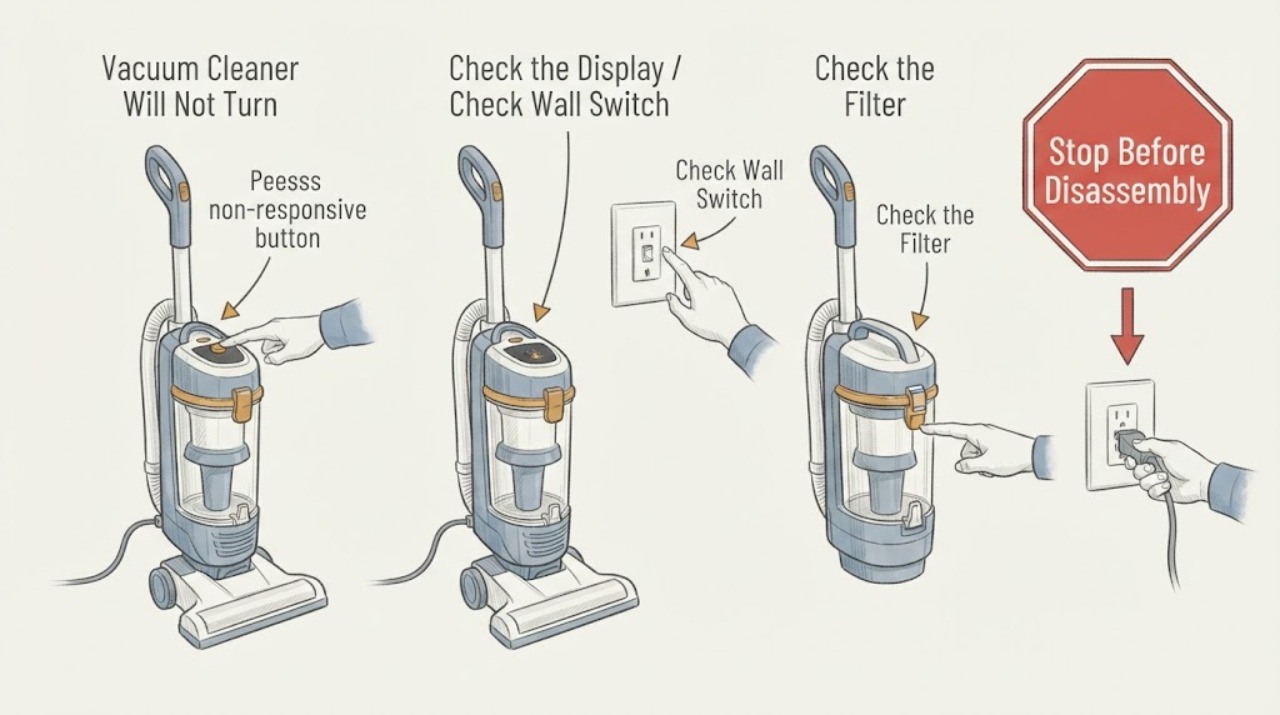
Work through in order
Diagnostic checks
Use only checks that match the exact appliance or system and its official guide.
-
Check 1
Stop the motor safely: release the normal control, then unplug the corded cleaner or remove its removable battery if the design allows; do not pull a damaged cord.
Expected result: Record the visible result of this check and whether the reported symptom changes.
Next step: If the result is normal, continue to the next check; if it is abnormal, correct only the documented condition or stop for service.
Why this matters
Why: This result separates an accessible operating condition from a fault that requires model-specific diagnosis.
-
Check 2
With power isolated, inspect the switch area and controls for a stuck button, trapped debris, moisture, or impact damage, without opening the housing.
Expected result: Record the visible result of this check and whether the reported symptom changes.
Next step: If the result is normal, continue to the next check; if it is abnormal, correct only the documented condition or stop for service.
Why this matters
Why: This result separates an accessible operating condition from a fault that requires model-specific diagnosis.
-
Check 3
Check the floor head, brush, bin, hose, and filter for a blockage or heat buildup that could confuse the symptom with a protection cycle.
Expected result: Record the visible result of this check and whether the reported symptom changes.
Next step: If the result is normal, continue to the next check; if it is abnormal, correct only the documented condition or stop for service.
Why this matters
Why: This result separates an accessible operating condition from a fault that requires model-specific diagnosis.
-
Check 4
Restore power only for one brief retest after the controls and airflow are dry and clear; record whether the motor starts without a command or keeps running after release.
Expected result: Record the visible result of this check and whether the reported symptom changes.
Next step: If the result is normal, continue to the next check; if it is abnormal, correct only the documented condition or stop for service.
Why this matters
Why: This result separates an accessible operating condition from a fault that requires model-specific diagnosis.
Use your observations
Decision map
Find the observation that best matches what you see, then follow the next safe action.
-
PATH 01Next step
What you see
The motor stops when power is isolated but starts again without a command on the retest.
Do this next
Keep it disconnected and arrange qualified vacuum service; do not bypass or bridge the switch.
Why this path and its safety boundary
Why it matters: A stuck switch, relay, trigger, or control electronics fault is more likely than a simple blockage.
-
PATH 02Next step
What you see
The motor stops normally once a blockage is cleared and the control behaves correctly.
Do this next
Use the model’s filter and blockage maintenance schedule and monitor one normal run.
Why this path and its safety boundary
Why it matters: The airflow restriction or brush load may have triggered abnormal protection behavior, but the control itself is not proven faulty.
-
PATH 03Next step
What you see
The cord, battery, housing, or control is hot, wet, cracked, or smells burned.
Do this next
Leave it isolated and contact the manufacturer or a qualified technician.
Why this path and its safety boundary
Why it matters: Electrical damage or overheating creates a safety risk independent of the original run-on symptom.
Helpful context
Understand the symptom
A safe diagnosis uses the stop timing and the vacuum’s accessible airflow or control state to choose the next step. Keep hands and tools away from moving parts until power is isolated.
When checks do not resolve it
Need a professional?
Stop for smoke, burning odor, hot or damaged wiring, water exposure, an uncontrolled motor, or repeated thermal cutout; isolate power and use qualified service.
Common questions
FAQ
Should I keep the vacuum plugged in so it can finish?
No. A motor that ignores its normal off control should be isolated until the control and electrical fault are assessed.
Can clearing the brush fix a vacuum that will not turn off?
It can remove a load or obstruction, but it does not prove a stuck switch or control board is safe. Retest only after power is isolated and parts are correctly refitted.
Is opening the handle a useful next step?
No. Internal switch and control work is model-specific and can expose live parts; use qualified service.
Read the exact guide
Official sources
- Dyson DC40 Animal Complete vacuum thermal cut outDyson · vacuum thermal cut-out after blockage or overheating
- Support | Dyson V15 Detect™ vacuumDyson · cordless vacuum no-power, blockage, filter, and service troubleshooting
Community feedback
Share a repair observation
Share a plain-text repair observation. Accepted observations are published automatically; this page may take a moment to update.