
On this page
Start here
Quick answer
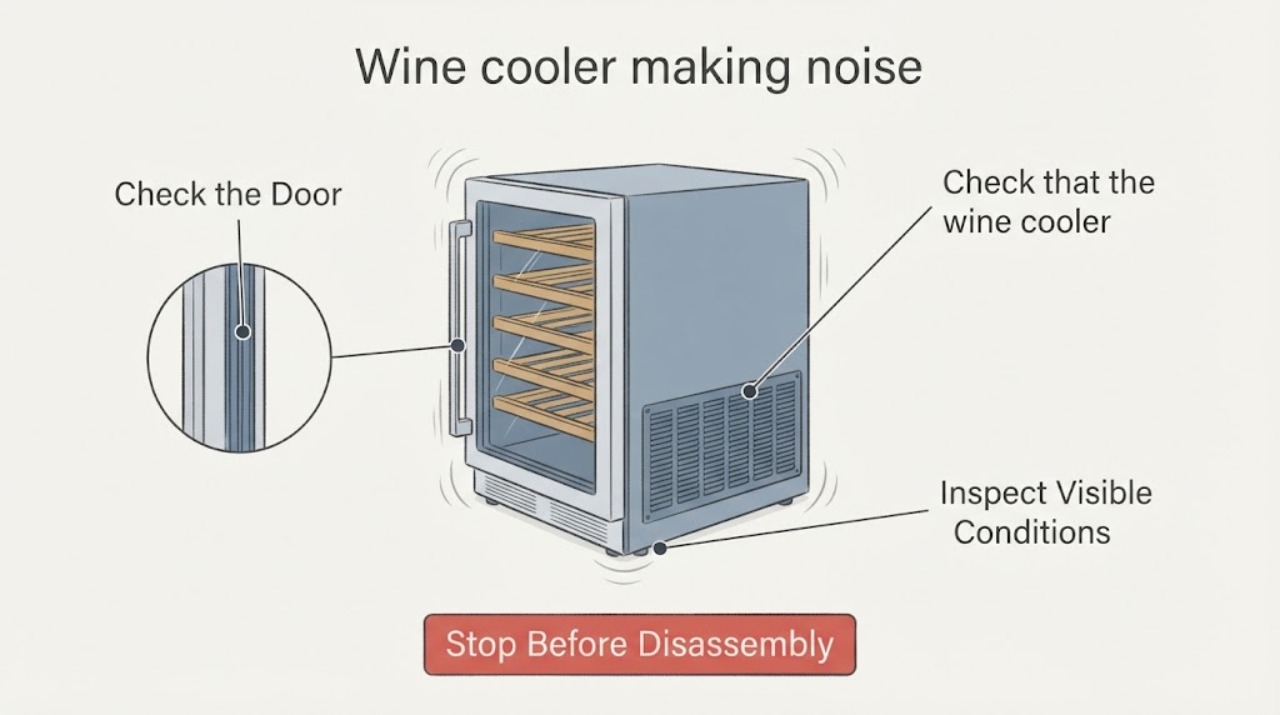
A wine cooler can make normal compressor, fan, refrigerant, or defrost sounds, but a new, loud, grinding, rattling, or performance-linked noise needs diagnosis. Record when the sound occurs and whether cooling is normal, check that the cabinet is level and not touching nearby surfaces, and clean only accessible airflow areas. Arrange service for fan contact, persistent noise, poor cooling, or electrical warning signs.
Work through in order
Diagnostic checks
Use only checks that match the exact appliance or system and its official guide.
-
Check 1
Listen from outside during start, steady cooling, defrost, and door opening; describe hum, click, gurgle, buzz, rattle, scrape, or grind.
Expected result: Sound is brief/phase-limited or loud/continuous/new.
Next step: Record timing and cooling result before moving the cabinet.
Why this matters
Why: Refrigeration and defrost can create normal sounds; new grinding or fan-contact sound is different.
-
Check 2
Check that the wine cooler is level, stable, and not touching a wall, shelf, bottle, or cabinet; inspect accessible vents for blockage.
Expected result: Contact/vibration or blocked airflow is visible, or setup is clear.
Next step: Correct only a loose accessible contact and keep ventilation clear.
Why this matters
Why: External contact and restricted airflow can transmit vibration or stress cooling.
-
Check 3
Observe whether fan airflow is present and whether cooling/temperature holds while listening for repeated clicks or compressor cycling.
Expected result: Cooling normal, airflow weak/absent, or compressor clicks/stops.
Next step: Do not remove panels; arrange service for absent airflow or click-stop cycling.
Why this matters
Why: Cooling result separates acoustic normality from fan, control, or sealed-system diagnosis.
-
Check 4
Retest once after the safe setup correction and record any leak, frost, heat, smell, spark, or code.
Expected result: Noise improves, returns, or is paired with warning symptoms.
Next step: Keep out of use for electrical/heat/smoke symptoms and provide the recording to service.
Why this matters
Why: A repeat abnormal noise or warning requires service even if the unit still cools.
Use your observations
Decision map
Find the observation that best matches what you see, then follow the next safe action.
-
PATH 01Next step
What you see
Brief hum/gurgle/click occurs in a normal cooling/defrost phase and wine temperature remains stable.
Do this next
Monitor and maintain clearance/ventilation.
Why this path and its safety boundary
Why it matters: Normal refrigeration operation is more likely.
-
PATH 02Next step
What you see
Noise changes when cabinet, bottle, grille, or fan contact is corrected.
Do this next
Keep the unit stable and clear; service if noise returns.
Why this path and its safety boundary
Why it matters: External vibration/contact or accessible airflow is plausible.
-
PATH 03Next step
What you see
Fan scrapes/grinds, compressor click-stops, or cooling is poor.
Do this next
Arrange qualified wine-cooler service; do not open the sealed circuit.
Why this path and its safety boundary
Why it matters: Fan, compressor start/control, or sealed-system fault needs diagnosis.
-
PATH 04Next step
What you see
Noise comes with sparks, burning smell, abnormal heat, or trip.
Do this next
Stop, unplug/isolate only if safe, and obtain service.
Why this path and its safety boundary
Why it matters: Immediate electrical safety boundary.
Helpful context
Understand the symptom
The sound phase and cooling result distinguish normal refrigeration operation from a fan, compressor, mounting, or airflow issue.
Do not open the sealed system or touch the compressor/fan while energized.
When checks do not resolve it
Need a professional?
Arrange wine-cooler service for persistent new/loud/grinding noise, poor cooling, fan contact, click-stop cycling, or any internal mechanical/electrical diagnosis.
Common questions
FAQ
Are wine cooler compressor sounds normal?
Brief hums, clicks, gurgles, and defrost sounds can be normal, but new loud/grinding sounds or poor cooling need service.
Can bottles cause vibration noise?
A bottle or cabinet touching the unit can transmit vibration. Correct only accessible contact and retest once.
Should I open the back panel?
No. Fan, compressor, sealed-system, and electrical work require qualified service.
Read the exact guide
Official sources
- Refrigerator - Unusual NoisesGE Appliances · wine cooler / wine chiller compressor, fan, water and normal noise context
- Refrigerators Noise GuideFrigidaire · wine cooler refrigeration noise categories and service boundary
Community feedback
Share a repair observation
Share a plain-text repair observation. Accepted observations are published automatically; this page may take a moment to update.