
On this page
Start here
Quick answer
A wine cooler reported as “not heating” should first be clarified as not cooling enough or actually warming above its setpoint. Check power, set temperature, heat sources, door gasket, ventilation, ambient conditions, and recent loading. If it remains warm on a powered, ventilated unit with a sealed door, protect the wine and arrange refrigeration service; do not open the sealed system.
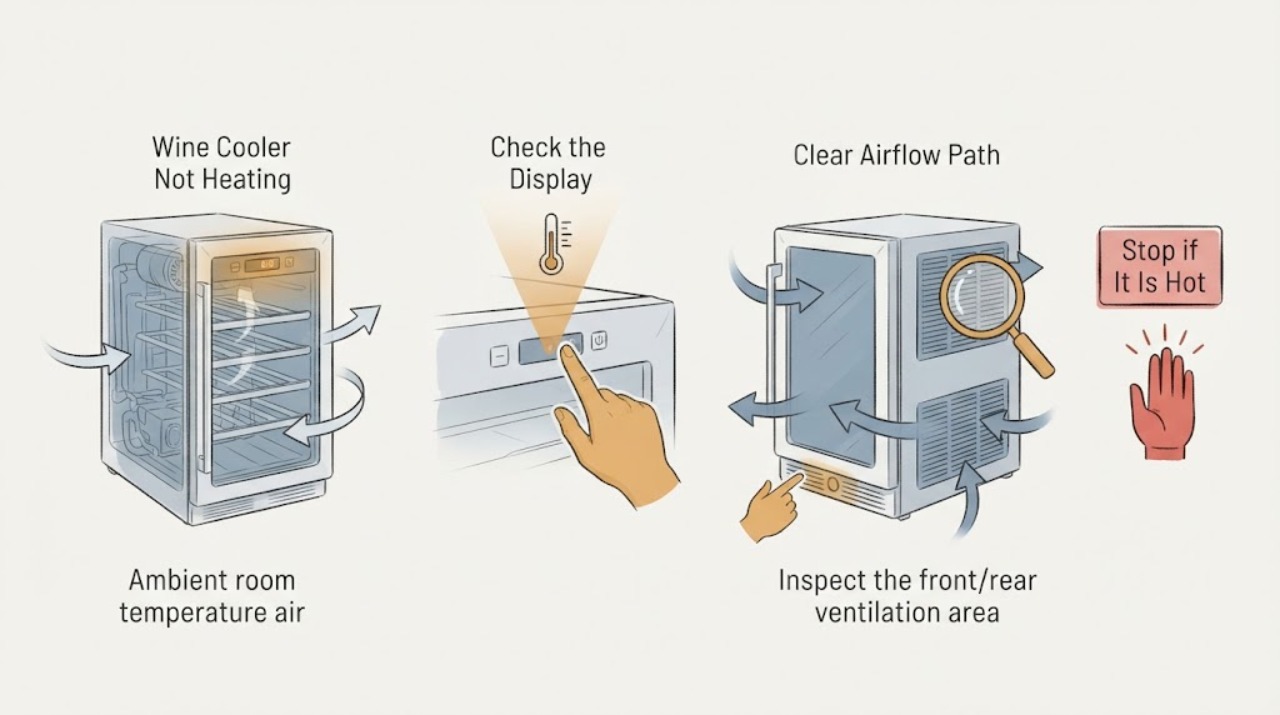
Work through in order
Diagnostic checks
Use only checks that match the exact appliance or system and its official guide.
-
Check 1
Measure the cabinet temperature and confirm whether the complaint is warm wine, no display/power, or a cooler that is actually heating.
Expected result: The display is off, the cabinet is above its setpoint, or the temperature is normal.
Next step: Use the exact model manual and protect contents while diagnosing; do not assume a heating function exists.
Stop if: Stop for a hot cord, burning odor, smoke, water near electrics, or damaged glass.
Why this matters
Why: No power and poor cooling are different paths; normal air temperature suggests the wording or thermometer needs clarification.
-
Check 2
Check the set temperature, mode, door closure, gasket contact, and whether bottles or shelves block internal airflow.
Expected result: The setting was changed, the door/gasket leaks, or airflow is blocked; or these are normal.
Next step: Correct one visible setting, loading, or closure issue and allow the manual’s stabilization period.
Stop if: Do not force the door or remove the liner.
Why this matters
Why: Whynter identifies setpoint, frequent/open doors, gasket seal, and contents as contributors to temperature performance.
-
Check 3
Inspect the front/rear ventilation area and room conditions; move the unit away from direct sun or heat sources only if the installation manual permits.
Expected result: The grille is obstructed, the room is unusually hot/cold, or ventilation is clear.
Next step: Restore approved clearances and monitor with a thermometer; do not block vents.
Stop if: Do not move a built-in cooler or expose refrigerant tubing.
Why this matters
Why: Restricted ventilation or unsuitable ambient conditions can prevent cooling; clear ventilation with persistent warmth needs service.
-
Check 4
After one correction and stabilization, compare temperature at several shelf locations and note compressor/fan behavior.
Expected result: Temperature recovers, remains warm, or cycles abnormally.
Next step: Arrange qualified refrigeration service with readings and the exact model.
Stop if: Do not handle refrigerant or open the sealed system.
Why this matters
Why: Recovery supports setting/load/ambient causes; persistent warmth or abnormal cycling needs cooling-system diagnosis.
Use your observations
Decision map
Find the observation that best matches what you see, then follow the next safe action.
-
PATH 01Next step
What you see
The display is off and the outlet has no power.
Do this next
Restore safe household power or arrange electrical service.
Why this path and its safety boundary
Why it matters: The supply is the first branch.
-
PATH 02Next step
What you see
The setting/door/ventilation correction brings temperatures back toward target.
Do this next
Keep the gasket, airflow, and setpoint stable and monitor.
Why this path and its safety boundary
Why it matters: An installation or user-setting condition was likely contributing.
-
PATH 03Next step
What you see
The cooler is powered, sealed, ventilated, and still warm after stabilization.
Do this next
Protect contents and arrange qualified refrigeration service.
Why this path and its safety boundary
Why it matters: Compressor, fan, sensor, or sealed-system service is more likely.
-
PATH 04Next step
What you see
The unit is actually heating, smells burnt, or the cord is hot.
Do this next
Unplug if safe and seek qualified service.
Why this path and its safety boundary
Why it matters: This is outside normal refrigeration operation and may be unsafe.
Helpful context
Understand the symptom
What to check first
Wine coolers are refrigeration appliances, so “not heating” commonly means the cabinet is not reaching a cold target. Whynter’s official troubleshooting separates no operation from temperature performance and lists setpoint, heat source, door/gasket, ventilation, ambient temperature, and recent contents. Exact temperature ranges and stabilization times remain model-specific.
When checks do not resolve it
Need a professional?
Arrange qualified appliance service when the safe checks do not resolve the symptom or when the exact model manual calls for service. Give the technician the model, observed pattern, and checks already completed. Do not open sealed, gas, high-voltage, or mains compartments.
Common questions
FAQ
Does “not heating” mean the cooler is warm?
Wine coolers cool rather than heat. Confirm whether it fails to cool to the setpoint or has an unusual heat/electrical symptom.
How long should I wait after loading bottles?
Use the exact model’s stabilization guidance. Whynter notes that large loads and ambient conditions affect temperature recovery.
Can I add refrigerant?
No. Persistent warmth after power, setting, gasket, and ventilation checks needs qualified refrigeration service.
Read the exact guide
Official sources
- Official Whynter Troubleshooting and Support GuideWhynter · Whynter wine coolers
Community feedback
Share a repair observation
Share a plain-text repair observation. Accepted observations are published automatically; this page may take a moment to update.