
On this page
Start here
Quick answer
A dryer drum that scrapes or makes metal-on-metal noise should not be kept running. First turn it off, unload it when safe, and look from the door at the front and rear drum edges for a plainly visible object; do not reach into a seam or dismantle the dryer. If the sound occurs with an empty drum, repeats once per rotation, changes with heat, or comes with rubbing, vibration, burning odor, or a visible gap, stop use and arrange service. A single brief empty observation is only reasonable when there is no hazard, and scraping must end the test immediately.
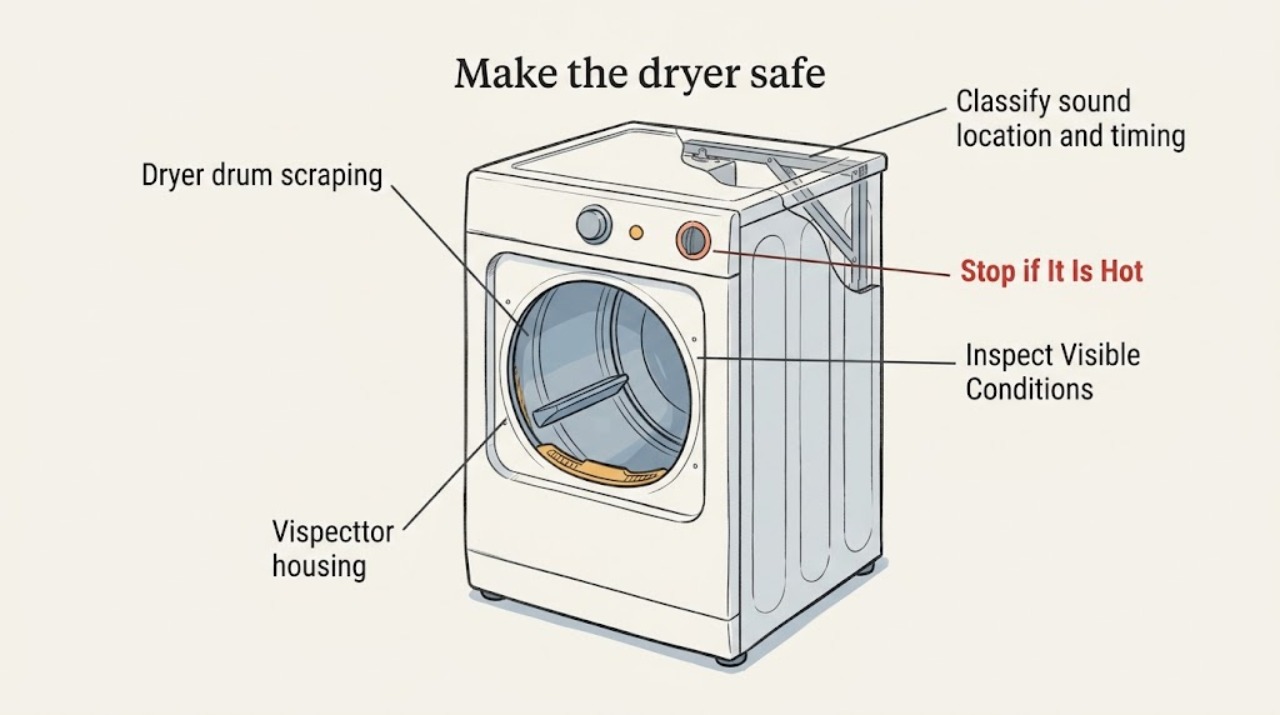
Work through in order
Diagnostic checks
Use only checks that match the exact appliance or system and its official guide.
-
Make the dryer safe and note the first symptom
Turn the dryer off, remove the load only when the drum and laundry are cool enough to handle, and leave the door open for a visual check. Keep the dryer unplugged whenever the owner manual requires disconnection for cleaning; do not open a panel or touch wiring.
Expected result: Record whether the scrape began with a particular load, after an item was dropped, at startup, after heating, or during the whole cycle. Note whether the load was empty when the sound was last heard and whether any laundry was scorched or unusually hot.
Next step: Keep the dryer off while documenting the sound and load context. Do not restart merely to hear it again if the noise was metallic, grinding, or accompanied by heat or odor.
Stop if: Stop use immediately for smoke, sparks, burning smell, scorched laundry, unusual heat, or a scrape that rapidly worsened.
Why this matters
Why: A sound tied only to one item or load may be an object or load interaction, while an empty-drum scrape is more concerning for the drum support or seal path. Heat or scorching changes this from a noise check to a stop-use safety event.
-
Look at the visible drum edges for a foreign item
With the dryer off, cool, and safely disconnected as directed by the manual, look through the door along the front and rear edges of the drum. Do not put a hand into the seam, use a tool, pry the seal, or remove an object that is wedged or sharp.
Expected result: Record a clear edge, a coin or other small item plainly visible at the seam, a frayed-looking edge, an uneven gap, or a drum that appears to sit off-center. Take a photo only from a stable standing position and do not reach deeper to improve the view.
Next step: If an item is not plainly loose and safe to remove without reaching into the seam, leave it in place and tell the technician. If the edge looks damaged or uneven, keep the dryer out of use.
Stop if: Stop if an item is sharp, wedged, near a damaged seal, or would require reaching, prying, or removing any hardware.
Why this matters
Why: Whirlpool identifies small hardware caught where the drum meets the front or rear as one cause of scraping. A visible seal, glide, alignment, or gap concern is not a reason to dismantle the dryer; GE identifies worn or loose drum slides and foreign objects as possible metal-scrape clues that may need service.
-
Classify sound location and timing
Use the last known occurrence, or make one brief empty observation only if the dryer is cool, there is no odor, smoke, unusual heat, visible damage, or severe grinding, and the manual permits normal operation. Stand clear of the opening and listen without touching the dryer; stop the cycle at the first scrape.
Expected result: Record whether the sound is at the front edge, rear area, side or cabinet, or cannot be localized. Note startup-only, once-per-rotation, continuous, heat-related, or intermittent timing, and whether it is scraping, squealing, thumping, rattling, or grinding.
Next step: Write the sound description and timing in the service request. Do not repeat the cycle to compare sounds or continue after the first metallic scrape.
Stop if: Stop the test immediately for any scraping, grinding, rubbing, burning odor, smoke, sparks, or unusual heat; do not operate again.
Why this matters
Why: Front or rear timing can help a technician distinguish a visible edge/object clue from a support or drive concern, but sound location cannot identify a component. GE says some brief startup sounds may be normal, while persistent or abnormal noise warrants service; Samsung treats noise with an empty drum as a service clue.
-
Observe drum movement without manually forcing it
From outside the dryer, observe the drum through the door during the one safe observation only; do not put a hand inside, push the drum, or turn it by hand. Note whether the drum turns smoothly, appears to wobble, pauses, or makes the scrape at a repeatable point.
Expected result: Record normal-looking rotation, visible wobble, an uneven gap, a scrape synchronized with rotation, or a drum that stops. Note whether the motor sound continues when the drum result changes, but do not diagnose the motor or drive by sound alone.
Next step: Stop use and provide the movement result to a qualified servicer. Do not remove the drum, adjust support parts, or attempt to realign it.
Stop if: Stop immediately if the drum binds, wobbles, stops, contacts metal, or the sound becomes grinding or louder.
Why this matters
Why: A rotation-synchronized scrape or wobble can be consistent with a drum edge, glide, seal, roller, bearing, or alignment issue. Continued operation can add wear, so this observation is for triage rather than a repair decision.
-
Check external surroundings and odor clues
From a safe standing position, look for objects leaning against the dryer, a visibly unstable floor contact, a vent or cord rubbing the exterior, lint around accessible areas, or a burning or electrical odor. Do not move the appliance, adjust leveling feet, disconnect the vent, open the cabinet, or touch hot surfaces.
Expected result: Record clear surroundings or a visible external contact, and distinguish no odor from hot lint, burning plastic, electrical odor, smoke, or gas-like odor. Note whether the sound changes when the dryer is hot only if that was already observed; do not heat-test it.
Next step: Keep the dryer off and tell the technician the exact external and odor observations. For smoke, fire, or a gas-like odor, leave the area and use the appropriate emergency or utility response from safety.
Stop if: Stop immediately for smoke, sparks, burning odor, gas-like odor, abnormal heat, or a damaged cord or vent.
Why this matters
Why: An external contact can create vibration or rattling, but it does not explain a persistent drum-edge scrape. Odor, smoke, or unusual heat can indicate a fire, electrical, airflow, or gas hazard and requires immediate stop-use action.
Use your observations
Decision map
Find the observation that best matches what you see, then follow the next safe action.
-
PATH 01Safety boundary
What you see
A metallic scrape, grinding, rubbing, visible wobble, or rotation-synchronized contact occurs with an empty drum.
Do this next
Stop using the dryer and arrange qualified appliance service. Provide the sound location, timing, visible edge result, and drum movement observation.
Why this path and its safety boundary
Safety stop: Do not run another cycle, manually force the drum, or open the cabinet.
-
PATH 02Safety boundary
What you see
A small object is plainly visible at the front or rear drum edge but is wedged, sharp, or not safely removable without reaching.
Do this next
Leave it in place and request service; tell the technician what it is and where it sits.
Why this path and its safety boundary
Safety stop: Do not pry, reach into the seam, remove the seal, or use a tool.
-
PATH 03Safety boundary
What you see
The sound occurred only with a specific load and there is no heat, odor, visible damage, or empty-drum symptom.
Do this next
Keep the dryer off until pockets and load items can be checked safely outside the drum, then follow the owner manual for normal loading. If the sound returns, stop and request service.
Why this path and its safety boundary
Safety stop: Do not repeat operation if the sound is metallic, persists without the load, or becomes louder.
-
PATH 04Safety boundary
What you see
There is burning odor, smoke, sparks, unusual heat, scorched laundry, or a gas-like odor.
Do this next
Leave the dryer off and use the appropriate emergency, utility, electrical, or appliance response from a safe location. Keep people and pets away.
Why this path and its safety boundary
Safety stop: Do not restart, reset, open panels, touch wiring, or continue diagnosis near a hazard.
Helpful context
Understand the symptom
What scraping can indicate
A small item at the drum edge can make an intermittent scrape, while a metal scrape that continues with an empty drum can point to a worn seal, glide, roller, bearing, alignment, or another internal support. Sound location and timing are useful clues, not a safe part diagnosis. The dryer cabinet and drum support system should be opened or repaired only by a qualified appliance professional.
Stop-use boundary
Do not put hands or tools into the drum seam, manually force or spin the drum, remove the drum, open a cabinet or rear panel, adjust a belt, bearing, motor, roller, seal, glide, gas part, or wiring, or keep operating a dryer that scrapes. Stop immediately for grinding, sparks, smoke, burning odor, unusual heat, or a rapidly worsening sound.
Only after diagnosis
Potential parts
- dryer drum seal
Only consider this category if a technician confirms that a worn or displaced seal is allowing drum-edge contact or scraping.
Seal profiles vary by dryer model; verify the complete model and approved fitment before ordering. - dryer drum glide
Only consider this category after inspection confirms a worn or loose glide is causing the scraping symptom.
Confirm model-specific glide shape and fit; do not infer compatibility from appearance. - dryer drum roller
Only consider this category if professional inspection finds a worn, seized, or misaligned roller contributing to wobble or contact.
Match the exact dryer model and manufacturer fit information before selecting a roller.
When checks do not resolve it
Need a professional?
Call qualified appliance service when scraping persists with an empty drum, repeats with rotation, comes from an unknown location, or is accompanied by wobble, rubbing, heat, odor, or a visible gap. Stop immediately for metal contact, grinding, smoke, sparks, or burning odor.
Have this ready
- Provide the dryer brand/model, gas or electric type, empty or loaded status, sound description and location, startup/rotation timing, visible item or edge condition, wobble or binding observation, odor/heat clues, and any recent move or service.
Common questions
FAQ
Can a coin or small object cause a dryer drum to scrape?
Yes, a small object at the front or rear drum seam can scrape as the drum turns. Look only from a safe, cool, disconnected position; do not reach or pry. Leave a wedged object for service.
Should I run the dryer empty to see whether the scraping continues?
Only one brief empty observation is reasonable when there is no heat, odor, visible damage, or severe grinding, and stop at the first scrape. Do not repeat the cycle; an empty-drum scrape is a reason for service.
What if the dryer scrapes only after it heats up?
A heat-related sound can still indicate a worn or shifting support, seal, glide, or another internal condition. Do not heat-test it; record that timing and arrange qualified appliance service.
Read the exact guide
Official sources
- Dryer - NoisesGE Appliances · Supports distinguishing normal brief startup sounds from persistent noise and treating metal scraping, foreign objects, and worn slides as service clues.
- Samsung dryer is too noisySamsung · Supports using sound category and empty-versus-loaded context, stopping grinding, and seeking service when noise persists.
- Scraping Sound - DryerWhirlpool · Supports turning the dryer off and visually checking the front and rear drum edges for small objects before service.
- 6 reasons a dryer is making loud noisesWhirlpool · Supports treating grinding, front/rear sound location, drum glides, rollers, bearings, and small objects as conditional clues requiring professional diagnosis.
Community feedback
Share a repair observation
Share a plain-text repair observation. Accepted observations are published automatically; this page may take a moment to update.