
On this page
Start here
Quick answer
A KitchenAid cooktop error display is a symptom, not one universal diagnosis: the meaning depends on the exact characters, whether the cooktop is electric or induction, and what the surface and controls were doing. Photograph or write down the complete code before clearing it, turn all controls off, remove objects or liquid from the touch-control area, and allow a hot surface or overheated unit to cool. If the exact KitchenAid guidance for that code permits a power reset, use the normal safe disconnect described for the model and monitor the display after restoring power; do not remove covers or test wiring. A code that returns, prevents normal operation, appears with a cracked glass surface, burning smell, smoke, sparking, uncontrolled heat, or a tripped breaker needs the cooktop left off and qualified appliance or electrical service.
Before you begin
Safety first
- This article supports recording the code, cool and dry surface checks, applicable cookware observations, and only the power reset described by the exact KitchenAid guidance. Internal controls, elements, sensors, wiring, junction boxes, and damaged glass belong to qualified service.
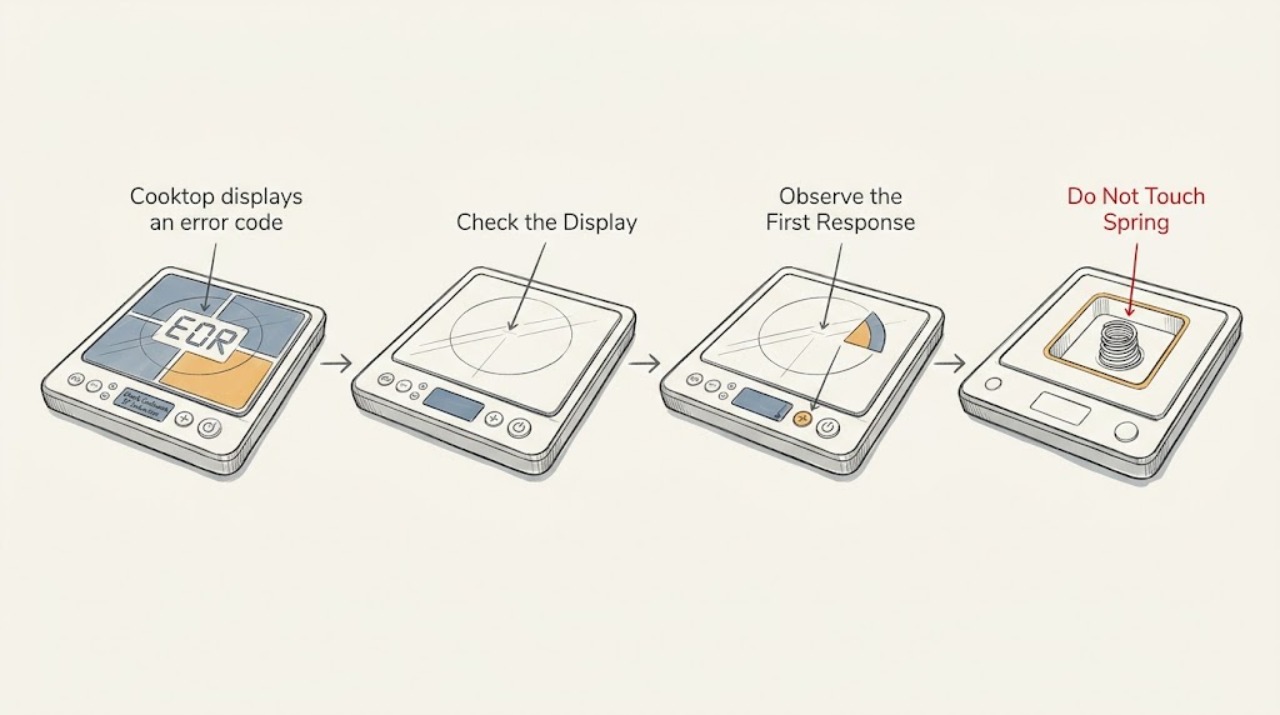
Work through in order
Diagnostic checks
Use only checks that match the exact appliance or system and its official guide.
-
Check 1
Turn every cooktop control off and, from a safe position, record or photograph the complete display exactly as shown, including letters, numbers, dashes, flashing behavior, beeps, which element was selected, and whether the glass or cookware is hot.
Expected result: The display is a stable code, a flashing indicator, H or HOT, a pan-detection message, an unfamiliar character, or the display disappears before it can be recorded.
Next step: Keep the code and context with the cooktop model number and locate the matching KitchenAid product-help entry or exact manual. If the surface is too hot, wait before touching cookware or cleaning.
Stop if: Do not touch a hot surface, grab hot cookware, or continue using the cooktop if heat remains on after controls are off, smoke, sparking, cracked glass, or exposed wiring is present.
Why this matters
Why: The exact characters and the electric-versus-induction design determine which KitchenAid guidance applies. H or HOT can be a heat indication rather than a component failure, while an unknown or recurring code must not be interpreted from a generic chart.
-
Check 2
With all controls off and the surface safe to touch, remove utensils, cookware, spills, and residue from the touch-control area; wipe it with the model-approved soft cloth or cleaner, and allow a hot surface or hot electronic area to cool before retrying.
Expected result: The code clears after the control area is dry and unobstructed, the surface remains hot, the control area was wet or pressed by an object, or the code remains after cooling and cleaning.
Next step: If the display clears and the surface is normal, test only the basic operation allowed by the manual. If it remains or returns, record the code again and continue to the exact code entry rather than repeatedly wiping or pressing controls.
Stop if: Do not pour cleaner onto the panel, scrape hot glass, use abrasive tools, or operate with a cracked surface, uncontrolled heating, smoke, or an electrical smell.
Why this matters
Why: KitchenAid identifies objects, liquid, or soil pressing the control area as a possible cause for some display faults, and identifies excessive internal temperature as a cause for applicable induction errors. A code that remains on a cool, clean surface needs the code-specific path.
-
Check 3
If the appliance is an induction cooktop and the display appears only when a pan is placed or a burner is selected, turn the burner off, remove the pan when safe, and check that the pan is centered, flat-bottomed, and suitable for induction according to the exact KitchenAid instructions; do not use an empty pan for a heat test.
Expected result: The pan is not detected, is not compatible, is empty, is warped or off-center, or the same error appears with a suitable pan correctly placed.
Next step: Use a suitable, centered pan only if the display clears and the surface behaves normally. If the code persists with the correct pan or occurs with no pan, stop using the affected zone and follow the code-specific service boundary.
Stop if: Do not heat an empty pan to provoke a code, place metal objects on the controls, or continue if the glass is damaged or the cooktop becomes abnormally hot.
Why this matters
Why: The quick-start guidance distinguishes pan detection, pan compatibility, and internal-temperature messages from a persistent electronic error. A suitable pan that still produces the code makes cookware less likely and the control, temperature, or power path more likely.
-
Check 4
After the surface and controls are cool, read the exact KitchenAid code entry for the cooktop model; only if it directs a power reset, use the normal safe disconnect described there, restore power, and monitor the display without opening the cooktop.
Expected result: The code clears and operation returns, the same code reappears, another code appears, the breaker trips, or power cannot be disconnected safely.
Next step: If the exact code entry says service is required or the display returns, leave the cooktop off and arrange qualified service. Provide the original and post-reset codes, model, affected zone, and the conditions when each appeared.
Stop if: Do not repeatedly cycle power, remove a junction-box or cabinet cover, reset a breaker that trips again, or test live voltage as an ordinary user check.
Why this matters
Why: A successful reset can clear a temporary control state, but a returning or changed code indicates an unresolved condition. A tripped breaker or unsafe disconnect changes the problem from routine code clearing to an electrical or appliance-service issue.
-
Check 5
If the display has cleared and the exact guidance permits use, run one brief supervised operation on the affected zone with the normal cookware and controls; watch for the code, abnormal heat, loss of control, unusual noise, smell, or breaker activity.
Expected result: The zone operates normally, the code returns immediately, it returns only after heating, the zone cannot be turned off, the glass or controls behave erratically, or the breaker trips.
Next step: Stop the test at the first abnormal symptom, leave the cooktop off, and arrange appliance service; use the recorded code and behavior to avoid a blind part replacement.
Stop if: Do not continue cooking with a returning error, uncontrolled element, smoke, sparking, burning odor, cracked glass, or a breaker that trips.
Why this matters
Why: Normal operation after a one-time condition supports a temporary heat, control-surface, pan, or power-state issue but does not guarantee the fault will not recur. A heat-dependent or immediate recurring code is more consistent with an unresolved sensor, control, power, or element issue; uncontrolled heat or breaker action is an active hazard.
Use your observations
Decision map
Find the observation that best matches what you see, then follow the next safe action.
-
PATH 01Safety boundary
What you see
The display is H or HOT and all controls are off, with no other code or unsafe behavior.
Do this next
Keep the cooktop off and let the surface cool before cleaning or touching it. If the indication remains after cooling or operation is abnormal, use the exact model guidance and arrange service.
Why this path and its safety boundary
Why it matters: The indicator may be reporting residual surface heat rather than a failed component.
Safety stop: Do not touch the surface while it is hot or use it if a burner remains energized with controls off.
-
PATH 02Safety boundary
What you see
The code or flashing display appears with liquid, soil, or an object on the touch-control area and clears after the cool, dry area is cleaned.
Do this next
Keep the area clear and dry and use the cooktop only if normal operation returns. If the display returns on a clean surface, follow the exact code entry.
Why this path and its safety boundary
Why it matters: The control surface was likely being pressed or misread, rather than the display proving an internal part failure.
Safety stop: Do not scrape the glass with metal, operate a wet panel, or continue if controls activate by themselves.
-
PATH 03Safety boundary
What you see
An induction zone reports no pan, an incompatible pan, or an error only with an empty, warped, off-center, or unsuitable pan, and the display clears with a suitable centered pan.
Do this next
Use cookware that the exact KitchenAid model identifies as suitable and centered. If the same code appears with correct cookware or without a pan, stop using that zone and request service.
Why this path and its safety boundary
Why it matters: Cookware detection or pan condition is more likely than a failed zone control.
Safety stop: Do not test with an empty pan, place loose metal objects on the surface, or continue if the cooktop overheats.
-
PATH 04Safety boundary
What you see
An induction error appears after high heat, poor ventilation, or an empty pan, and the display clears only after the cooktop cools and the condition is removed.
Do this next
Allow the cooktop to cool, keep ventilation clear as required by the installation instructions, and use a pan with food or liquid as applicable. If the code returns during ordinary use, leave it off and arrange service.
Why this path and its safety boundary
Why it matters: The electronics may have reached an excessive temperature; the triggering condition must be corrected rather than bypassed.
Safety stop: Do not cover vents, continue heating during an overtemperature code, or operate with smoke, burning odor, or uncontrolled heat.
-
PATH 05Safety boundary
What you see
The exact KitchenAid code page permits a power reset, the display clears after that reset, and one brief supervised operation remains normal.
Do this next
Record that the reset cleared the code and monitor normal use. If the code returns, stop repeating resets and provide the code history to qualified service.
Why this path and its safety boundary
Why it matters: A temporary power or control state is possible, but the reset is not evidence that a board, sensor, or element is healthy long term.
Safety stop: Do not reset a breaker that trips again, open the cooktop, or continue operation with abnormal heat or control response.
-
PATH 06Safety boundary
What you see
The code returns after the permitted reset, appears across multiple zones, occurs with normal cookware, or is accompanied by uncontrolled heating, a breaker trip, smoke, sparking, burning odor, or cracked glass.
Do this next
Leave the cooktop off and arrange qualified appliance or electrical service. Share the exact model, every code, affected zone, timing, cookware condition, reset result, and any hazard symptoms.
Why this path and its safety boundary
Why it matters: An unresolved control, sensor, power, element, wiring, or physical-safety fault is possible; the public checks cannot isolate it safely.
Safety stop: Do not keep cooking, repeatedly cycle power, bypass controls, remove covers, or touch exposed wiring or damaged glass.
Helpful context
Understand the symptom
The characters matter more than the word error
KitchenAid cooktops do not use one meaning for every display. The official product-help index separates induction and electric cooktop entries and lists different code families. A letter, number, or indicator can point to heat, cookware detection, a control-area obstruction, or an internal control problem. Record the complete display and the cooktop type before trying to clear it; a guessed code can send troubleshooting in the wrong direction.
Start with conditions the user can safely change
A hot surface, an empty or unsuitable induction pan, liquid or an object pressing a touch key, and an overheated control area can all produce a display or prevent normal operation on the applicable KitchenAid models. Turn controls off, remove cookware only when it is safe to handle, wipe the controls with the surface cool, and allow the cooktop to cool. Do not use a generic code chart in place of the exact model instructions.
A reset is a test, not proof of a repair
Some KitchenAid code pages recommend disconnecting power briefly, restoring it, and monitoring the display. If the same code returns, the reset has only shown that the condition persists; it has not identified a board, sensor, element, or wiring part. Leave the unit off when the symptom is accompanied by heat that will not shut down, damage, smoke, sparking, or a breaker that trips again.
Safety boundary
Stop conditions
- Leave the cooktop off for uncontrolled heating, smoke, sparking, burning odor, cracked glass, exposed wiring, water entering electrical areas, or a breaker that trips again.
- Do not touch a hot surface or cookware, and do not use an empty pan to provoke an induction error.
- Do not repeatedly reset power, defeat a control lock, remove the cabinet or junction-box cover, bend or repair wiring, or test live voltage as an ordinary user check.
- Stop after the exact code-specific reset or one brief supervised retest if the code returns, a second code appears, controls behave erratically, or a zone will not turn off.
- Do not order or replace a control board, sensor, element, or glass based only on a display code; confirm the exact model-specific diagnosis first.
Only after diagnosis
Potential parts
- cooktop touch-control interface
Consider this part class only after qualified diagnosis confirms the control surface or user interface is causing a recurring code or false input after the surface is clean and dry.
Confirm the exact KitchenAid model, control layout, revision, wiring, and manufacturer fit information before ordering. - cooktop power-control or induction module
Consider this part class only when qualified diagnosis ties a recurring code to the power or induction control module rather than cookware, surface heat, or the household supply.
Confirm the exact model and diagnostic result; power-electronic replacement and wiring work require qualified service. - cooktop temperature sensor
Consider this part class only after qualified testing confirms an inaccurate temperature signal or heat-related code that persists with correct use and adequate cooling.
Confirm the exact model, sensor location, connector, and manufacturer fit information; do not infer sensor failure from a hot-surface indicator alone. - cooktop heating element or induction coil
Consider this part class only when qualified diagnosis identifies an affected zone or coil as the cause of the recurring code and the glass and control system are otherwise sound.
Confirm the exact model, element or coil geometry, electrical rating, and manufacturer fit information before any replacement.
When checks do not resolve it
Need a professional?
Arrange qualified appliance service when the exact KitchenAid code is not listed for the model, returns after the permitted surface, cookware, cooling, and power-reset checks, appears with normal cookware, affects more than one zone, or prevents normal operation. Seek prompt electrical or appliance help for uncontrolled heat, a breaker that trips again, smoke, sparking, burning odor, cracked glass, water near electrical parts, exposed wiring, or controls that activate without being touched.
Safety scope: This article supports recording the code, cool and dry surface checks, applicable cookware observations, and only the power reset described by the exact KitchenAid guidance. Internal controls, elements, sensors, wiring, junction boxes, and damaged glass belong to qualified service.
Common questions
FAQ
Does every KitchenAid cooktop error code mean the same thing?
No. KitchenAid organizes help by cooktop type and code family, and the exact characters matter. Record the complete display and use the matching model-specific entry rather than applying a generic code chart.
Can a wet or dirty touch panel cause a KitchenAid error display?
It can on applicable models. KitchenAid identifies objects, liquid, or soil pressing the control area as a possible cause for some codes. Turn controls off, wait for the surface to be safe, clean it using the model-approved method, and stop if the controls activate on their own or the code returns.
What should I do if my KitchenAid induction cooktop says no pan or incompatible pan?
Turn the zone off and, when safe, check that the pan is suitable for induction, flat, and centered. Do not use an empty pan as a test. If the same display occurs with suitable cookware or without a pan, stop using that zone and follow the model-specific service guidance.
Is it safe to reset the breaker for a KitchenAid cooktop error?
Only when the exact KitchenAid code guidance directs a power reset and the disconnect can be used safely. A reset is a limited test; if the code returns, the breaker trips again, or the cooktop behaves abnormally, leave it off and arrange qualified service.
When should I stop using a KitchenAid cooktop with an error code?
Stop for recurring or unknown codes, uncontrolled heat, a zone that will not turn off, a breaker that trips, smoke, sparking, burning odor, cracked glass, water near electrical parts, or exposed wiring. Do not open the cooktop or replace a control, sensor, or element based only on the display.
Read the exact guide
Official sources
- F0EA - Induction Cooktop - Product Help | KitchenAidKitchenAid · Official KitchenAid code-specific guidance; F0EA is an example and must not be generalized to an unspecified code or cooktop type.
- Displaying H or HOT - Electric Cooktop - Product Help | KitchenAidKitchenAid · Official KitchenAid indicator guidance; H or HOT must not be treated as an arbitrary error code or used to infer a failed part.
- F0 or F00 - Electric and Induction Cooktop - Product Help | KitchenAidKitchenAid · Official manufacturer product-help page for the Whirlpool family; use it only when the exact KitchenAid model's code mapping agrees, because the assigned cooktop model is unspecified.
- Error Code or Indicator Light - Product Help | KitchenAidKitchenAid · Official KitchenAid product-help index; use the exact code and cooktop model entry because meanings differ by cooktop type and model.
- F1E1 - Induction Cooktop - Product Help | KitchenAidKitchenAid · Official KitchenAid code-specific guidance; F1E1 is an example and does not establish the meaning of another code.
- KitchenAid® 36" Sensor Induction Cooktops | Quick Start GuideKitchenAid · Official KitchenAid quick-start guide for a named 36-inch sensor-induction model; use as cross-model context only and defer to the exact model guide.
- F63 - Electric and Induction Cooktop - Product Help | KitchenAidKitchenAid · Official KitchenAid product-help page; use its one-code example only when it matches the exact displayed code and model.
Community feedback
Share a repair observation
Share a plain-text repair observation. Accepted observations are published automatically; this page may take a moment to update.