
On this page
Start here
Quick answer
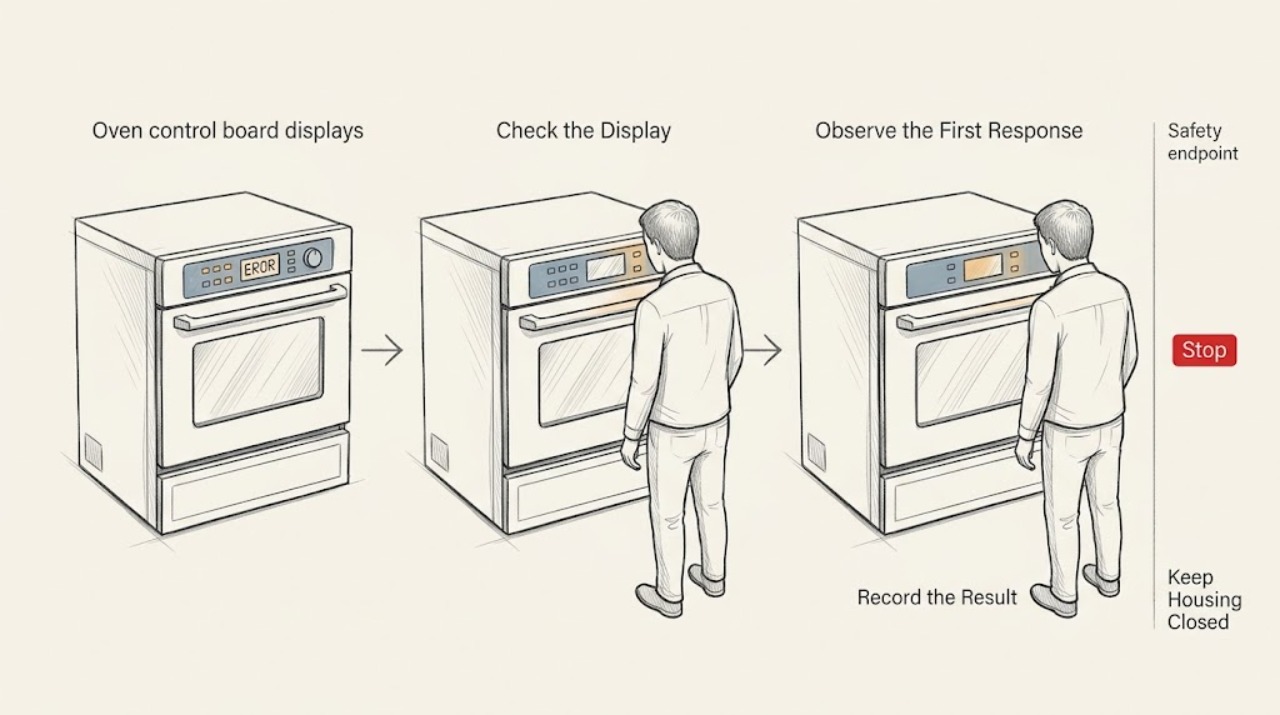
An oven error code is a symptom reported by the electronic control, not proof that the control board itself has failed. Write down the complete code exactly as shown, note whether the oven heats and whether the keypad responds, and look up that code in the owner's manual for the precise model. Safe checks include drying a damp control surface, confirming that a control lock or self-clean state is not active, and performing one model-approved power reset when there is no active cooking or safety hazard. If the code returns, the oven will not heat, a breaker trips, the display is damaged, or there is a burning odor, stop using the oven and arrange qualified appliance service. Do not open the console, test live wiring, or replace the board before the code and model-specific diagnosis identify the failed part.
Before you begin
Safety first
- Homeowner checks are limited to recording the code, drying the exterior panel, checking normal lock or mode states, and one documented reset when safe. No powered-console access, live testing, lock bypass, or high-heat operation after an unsafe fault.
Work through in order
Diagnostic checks
Use only checks that match the exact appliance or system and its official guide.
-
Check 1
Copy the entire error display exactly, including letters, numbers, spaces, and whether it alternates with another message. Note when it appears: at startup, during heating, after a power outage, during self-clean, or after a button is pressed.
Expected result: A repeatable code differs from a one-time power-failure message, an invalid-entry message, a lock or mode indicator, and a display with missing segments.
Next step: Photograph the display and write down the oven model from its visible rating label or paperwork. Do not guess at a code that is difficult to read.
Why this matters
Why: The timing and complete text narrow the relevant manual section. A partial or changing display can be a panel or power symptom rather than a confirmed control-board failure.
-
Check 2
Use the owner's manual or the manufacturer's model support page to look up the exact code. Compare the code's listed meaning and remedy with the oven's actual symptoms, without relying on a code list from a different model.
Expected result: The manual may classify the display as a control, keypanel, sensor, door-lock, power, temperature, or mode issue; some codes have more than one possible cause.
Next step: Follow only the manual's user-level remedy. If it calls for internal testing, component access, or service, stop at that point and arrange a qualified appliance technician.
Why this matters
Why: A code reference can prevent replacing the control board when the manual points first to a lock, sensor, keypad, or power condition. Codes and reset sequences vary by model.
-
Check 3
With the oven off and cool, inspect the outside of the control panel for moisture, food residue, or a button held down by debris. Wipe the exterior dry with a soft cloth and verify that a control-lock or child-lock indicator is not active, using the model manual for the release method.
Expected result: A damp or obstructed touch area, a held key, or an active lock indicator differs from a clean, dry panel that shows the same code with responsive controls.
Next step: Allow the panel to dry and retry only the manual's normal control sequence. Do not insert tools between keys or remove the console to clean behind it.
Why this matters
Why: Moisture, residue, an invalid input, or a lock state can produce a display or keypad symptom without a failed control board. A persistent code on a clean and unlocked panel needs the code-specific branch.
-
Check 4
If the manual permits a power reset and there is no active cooking, self-clean, smoke, burning odor, or other hazard, use the documented household disconnect procedure once. Restore power only as directed and watch the display without starting a high-heat cycle immediately.
Expected result: The code clearing and staying away differs from a code that returns immediately, returns when a function starts, or appears with a blank or flickering display.
Next step: Do not repeat resets as a substitute for diagnosis. If the code returns, leave the oven off and arrange service; do not open the control area while it is connected to power.
Why this matters
Why: A one-time reset can clear a transient control state after a power interruption, but a returning code indicates an unresolved fault in the control, keypad, sensor, lock, wiring, or supply.
-
Check 5
Check the oven's functional pattern without opening it: whether the display stays on, whether buttons respond, whether the door unlocks normally when cool, and whether the oven heats or stops before heating. Stop if the oven overheats, smells burnt, sparks, or trips power.
Expected result: A responsive display with a code differs from no display, unresponsive keys, a door-lock message, no heat, uncontrolled heat, or a repeated power trip.
Next step: Record the pattern and provide it with the code and model to a qualified appliance technician. Keep the oven off for any unsafe or persistent behavior.
Why this matters
Why: Different symptoms shift suspicion toward the keypad or display, door-lock circuit, temperature sensing or heating control, or the household supply. A control-board replacement cannot be justified from the code alone.
-
Check 6
Prepare a service note with the exact code, model, recent outage or installation event, selected oven function, temperature behavior, keypad response, and whether a reset changed the display. Include photos of the code and exterior panel if safe.
Expected result: A well-documented repeatable code differs from a code that cannot be reproduced or a display that changes after every reset.
Next step: Give the note to the technician and request a diagnosis of the control board and connected circuits before authorizing a replacement. Do not provide live electrical measurements yourself.
Why this matters
Why: The record helps the technician distinguish a transient display state from a recurring control, sensor, keypanel, lock, wiring, or supply fault and reduces the chance of ordering the wrong board.
Use your observations
Decision map
Find the observation that best matches what you see, then follow the next safe action.
-
PATH 01Next step
What you see
The code appeared once after an outage or power interruption, clears with the model-approved reset, and the oven operates normally afterward.
Do this next
Monitor the oven and keep the code record. If it returns, stop treating it as a one-time event and arrange service.
-
PATH 02Next step
What you see
The code identifies a lock, mode, invalid entry, or damp/unresponsive keypad condition, and the display responds after the manual's user-level remedy.
Do this next
Keep the exterior panel dry and use the manual's normal unlock or mode procedure. Call service if the code returns without that condition.
-
PATH 03Next step
What you see
The same code returns after one reset, appears whenever a heating function starts, or the oven does not heat correctly.
Do this next
Leave the oven off and arrange a qualified appliance diagnosis. Do not order a control board until the connected circuit and model-specific code are tested.
-
PATH 04Next step
What you see
The display is blank or flickering, keys do not respond, the door remains locked while cool, or the code appears with a power trip.
Do this next
Stop using the oven and arrange service. Do not open the console, bypass the lock, or repeatedly reset a tripping circuit.
-
PATH 05Next step
What you see
There is a burning odor, smoke, sparking, uncontrolled heating, or visible damage around the control panel.
Do this next
Stop using the oven, keep clear of the appliance, and use the household disconnect only if it is safely accessible without contact with heat, smoke, or water. Seek qualified appliance or emergency help.
Helpful context
Understand the symptom
Why the code does not name the failed part by itself
The control board receives signals from the keypad, temperature sensor, door-lock circuit, power supply, and other oven components. Manufacturers use different codes and display formats, and even a code associated with a control can be caused by its wiring or a connected component. Treat the exact display as a diagnostic clue and use the model-specific manual before ordering anything.
Keep powered-oven work outside the homeowner check
The safe boundary is a dry exterior panel, a documented control-lock or mode check, and a model-approved reset. Do not remove the control console, probe voltage, bypass a lock, or reach behind the display. If the oven smells burnt, sparks, trips power, or becomes unusually hot, leave it off and arrange qualified service.
Only after diagnosis
Potential parts
- oven electronic control board
Consider this only when a qualified diagnosis confirms the control board is defective after the code, keypad, sensors, wiring, lock circuit, and supply are evaluated.
Control boards are model-specific and may require programming or configuration; confirm the complete oven model and technician diagnosis before ordering. - oven keypad or user interface
Consider this only when the code or symptoms identify the keypad or user interface, such as unresponsive or falsely held keys, rather than the main control.
Keypad and interface assemblies vary by model and panel design. Confirm fitment and the exact fault before ordering. - oven temperature sensor
Consider this only when the model code and professional testing point to the temperature sensor or its circuit and the oven's heating symptom supports that diagnosis.
Sensor type, connector, and mounting depend on the oven model; do not substitute a generic sensor from a code alone.
When checks do not resolve it
Need a professional?
Call a qualified appliance technician when an oven error code returns after the model-approved reset, the code is not covered by the manual, the oven will not heat or may overheat, the display or keypad fails, the door remains locked while cool, or a breaker trips. Stop immediately for smoke, burning odor, sparking, visible electrical damage, or uncontrolled heat. Do not open the control console, test live wiring, bypass a door lock, or replace the control board before model-specific diagnosis.
Safety scope: Homeowner checks are limited to recording the code, drying the exterior panel, checking normal lock or mode states, and one documented reset when safe. No powered-console access, live testing, lock bypass, or high-heat operation after an unsafe fault.
Common questions
FAQ
Does an oven error code always mean the control board is bad?
No. Codes can involve the keypad, temperature sensor, door-lock circuit, power connection, wiring, internal control, or a mode state. Use the exact model manual and have persistent codes diagnosed before replacing a board.
Can I reset an oven error code by turning off the breaker?
Some manufacturers describe a model-appropriate power reset for certain codes or display states. Do it only when the oven is safe and the manual permits it, and do not repeat resets when the code returns or a breaker trips.
What information should I give the appliance technician?
Provide the complete code, oven model, when it appears, recent outage or installation details, keypad response, door-lock behavior, heating symptom, and whether a documented reset changed it. A photo of the display can help.
Should I use an oven that displays an error code but still heats?
Only follow the model manual's guidance for that exact code. If the code returns, heating is abnormal, the oven overheats, the display fails, or there is an odor or power trip, stop using it and arrange qualified service.
Read the exact guide
Official sources
- Range & Wall Oven - Oven Error, Fault or Function CodesGE Appliances · oven electronic control error codes, model-specific meanings, reset, and technician diagnosis
- Error Codes for Cooking AppliancesWhirlpool · oven error-code formats, model-specific code meanings, control lock, power reset, and manual lookup
- Samsung range or wall oven panel is blank, blinking, or incorrectSamsung · oven display symptoms, safe exterior checks, power restart, and service escalation
Community feedback
Share a repair observation
Share a plain-text repair observation. Accepted observations are published automatically; this page may take a moment to update.