
On this page
Start here
Quick answer
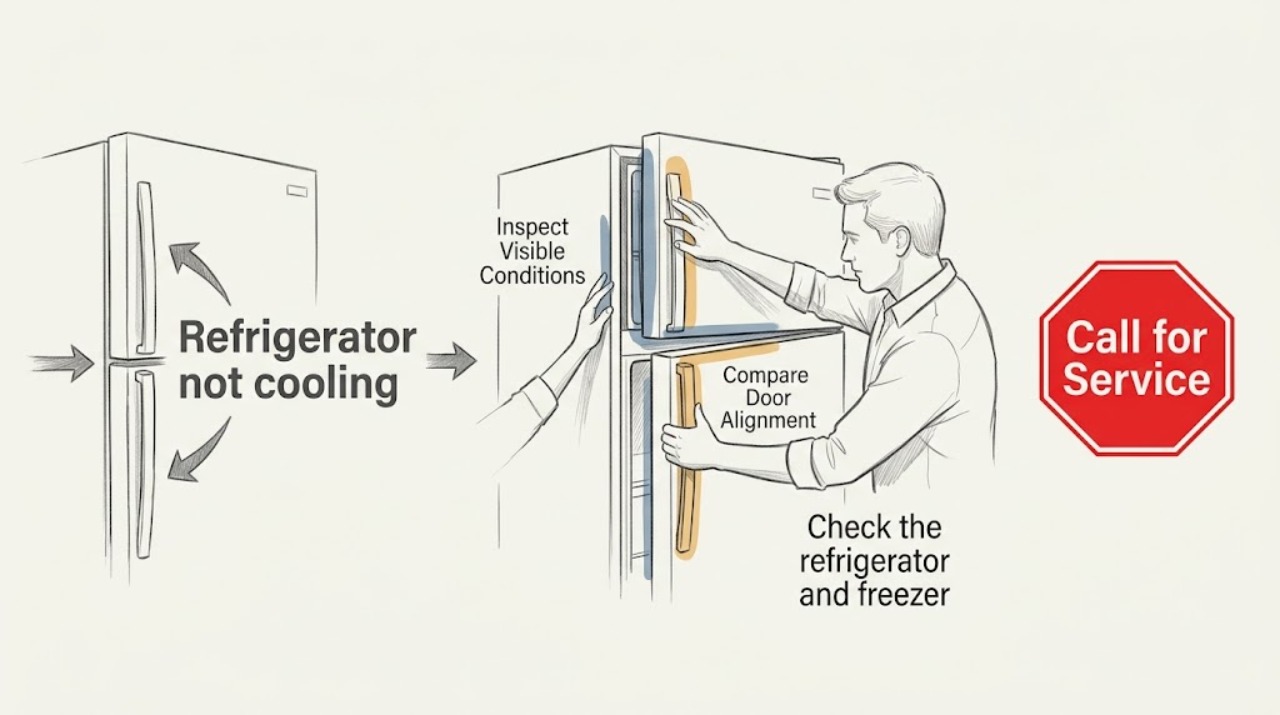
Protect the food first, then check the actual compartment temperature, cooling setting, door seal, blocked vents, visible frost, and the sound of the refrigerator running. A recent power interruption, demo mode, crowded vents, or a door that does not seal can make a refrigerator feel warm. Do not open panels or test live electrical or sealed cooling parts. If the measured temperature stays unsafe, the refrigerator repeatedly trips power, or you see damage, leaking, burning odor, or heavy frost, stop using it and arrange qualified appliance service.
Work through in order
Diagnostic checks
Use only checks that match the exact appliance or system and its official guide.
-
Check 1
Check the refrigerator and freezer temperature with an appliance thermometer if one is available, placing it in a stable central location without touching food or vents. Note the reading, when you first noticed the problem, and whether perishable food may have been above a safe temperature.
Expected result: The refrigerator is at or below the food-safety target, above it, or the reading is unavailable; the freezer may be cold, warm, or also affected.
Next step: Keep the doors closed, move food only to a known-safe cold location if available, and continue with external observations. Do not taste questionable food or keep opening the door to compare items.
Stop if: Stop using questionable perishables when their temperature history is uncertain, and stop troubleshooting if there is leaking liquid near electricity, a burning odor, smoke, or a damaged power cord.
Why this matters
Why: A measured warm compartment confirms a cooling concern more reliably than a warm shelf or a single item. If food safety is uncertain, prioritize safe food handling before troubleshooting; if both sections are warm, a shared power or cooling fault is more likely than a single blocked vent.
-
Check 2
Look at the control panel or temperature dials and verify that cooling is enabled, the refrigerator is not in a showroom, demo, vacation, or cooling-off state, and the displayed settings have not changed after a power interruption or cleaning. Make only a small model-approved setting change if the owner guide permits it, then record the time.
Expected result: Cooling is off or a demo-style state is shown, the setting is unexpectedly warm, or the controls appear normal; note any alert or power-interruption indication.
Next step: Use the model's owner guide for the exact control meaning and allow the manufacturer's stated stabilization period after a permitted adjustment. Do not repeatedly change settings or use a generic reset sequence.
Stop if: Stop if the display is damaged, controls behave unpredictably, the appliance repeatedly loses power, or a breaker trips; leave electrical diagnosis to a qualified professional.
Why this matters
Why: A disabled cooling function or changed setting can make the interior warm while lights still work. If the controls look normal, the symptom is less likely to be a simple setting and should be checked against airflow, sealing, frost, and operating sounds.
-
Check 3
With the doors open only briefly, visually inspect the door gasket and the visible shelf area for a gap, folded seal, packaging, or food packages pressed against an air vent. Check that the doors close without being held open by a bin or container; do not pry, remove the gasket, or force a hinge.
Expected result: The gasket appears continuous and contacts the cabinet, or a gap, fold, obstruction, or blocked vent is visible; note whether the freezer and refrigerator sections are affected differently.
Next step: Rearrange only loose food that is visibly blocking a vent, close the door, and monitor the measured temperature without frequent openings. Arrange service for a torn or distorted gasket, a door that will not close, or continuing warmth.
Stop if: Stop if the door, hinge, shelf, or liner is cracked or unstable, or if the seal cannot contact the cabinet without force.
Why this matters
Why: A sealing gap admits warm, moist air, while a blocked vent can prevent chilled air from circulating between compartments. A visible defect that remains after rearranging only loose food is a service issue rather than a reason to dismantle the door.
-
Check 4
From the normal user-accessible areas, observe the rear interior wall and listen briefly during ordinary operation. Note whether there is a thick or spreading frost layer, no airflow where the model normally circulates air, an unusual clicking or grinding sound, or no operating sound while the temperature rises.
Expected result: There is little visible frost and a normal operating sound, a heavy frost buildup, unusual noise, or no recognizable operating response.
Next step: Photograph the visible condition and record when the sound occurs. Keep the appliance closed and request qualified service for heavy frost, abnormal sounds, or a warm compartment with no operating response.
Stop if: Stop immediately for smoke, burning odor, sparking, refrigerant-like odor, a rapidly worsening leak, or any need to remove an interior or electrical cover.
Why this matters
Why: Heavy frost can restrict airflow, while an unusual sound or a silent warm appliance can point to a fan, control, or cooling-system fault. These signs cannot identify the failed part without model-specific testing, and frost should not be chipped or melted with a heat source.
-
Check 5
If the refrigerator can be safely unplugged without moving it or touching a damaged cord, inspect only the user-accessible condenser grille or coil area described by the owner guide. After power is disconnected, use a soft brush or vacuum on reachable dust without removing panels, guards, or wiring.
Expected result: The accessible area is lightly dusty, heavily coated with dust or pet hair, or not safely reachable without disassembly or moving the appliance.
Next step: Restore power only after the accessible area is clear and dry, then monitor temperature according to the owner guide. If cooling remains poor, or if cleaning cannot be done safely, arrange service rather than extending the inspection.
Stop if: Stop if the cord, outlet, floor, grille, or nearby water is damaged or wet, or if the only route to the coil requires removing a cover, moving a heavy appliance, or exposing live parts.
Why this matters
Why: Restricted external airflow can contribute to poor cooling, but cleaning an accessible surface does not correct a sealed-system or internal electrical fault. A location that requires moving the appliance or opening a cover is outside this observation-only check.
Use your observations
Decision map
Find the observation that best matches what you see, then follow the next safe action.
-
PATH 01Next step
What you see
Food safety is uncertain or the measured refrigerator temperature remains above the safe target.
Do this next
Keep the doors closed, protect or relocate perishable food using official food-safety guidance, and arrange appliance service if the temperature does not recover.
-
PATH 02Next step
What you see
Cooling is off, a demo/showroom state is displayed, or a recent setting or power event explains the change.
Do this next
Use the model's owner guide to restore the intended cooling state and allow the specified stabilization period; do not keep changing controls.
-
PATH 03Next step
What you see
A vent is blocked or the door gasket visibly fails to seal, but there is no electrical, structural, or fluid hazard.
Do this next
Rearrange only loose food that blocks a visible vent and close the door. Request service for a damaged seal or continuing warm temperatures.
-
PATH 04Next step
What you see
Heavy frost, abnormal fan or compressor sound, no operating response, repeated power trips, or a leak is present.
Do this next
Stop user troubleshooting, keep the appliance off when safe to do so, and arrange qualified appliance repair. Do not open panels or test sealed cooling or energized electrical parts.
-
PATH 05Next step
What you see
The safe checks are normal but temperatures remain warm.
Do this next
Provide the technician with measured temperatures, timing, control state, frost pattern, sound description, door-seal observations, and model information; an internal component or sealed cooling diagnosis is needed.
Helpful context
Understand the symptom
Start with food safety
Keep the doors closed while you decide what to do so the compartments warm as slowly as possible. FoodSafety.gov advises using an appliance thermometer rather than judging safety by touch or smell; its cold-storage guidance uses 40°F (4°C) or below for the refrigerator and 0°F (-18°C) for the freezer. Follow the site's storage guidance for specific foods, and discard food when its safety is uncertain instead of tasting it to check.
What these checks can and cannot establish
These observations separate a setting, airflow, seal, frost, or accessible dust issue from a likely internal fault. They do not prove that a fan motor, sensor, compressor, start device, refrigerant circuit, or control board is good. Do not remove covers or attempt an energized test; give the observations and the model number to a qualified appliance technician when the safe checks do not restore cooling.
Only after diagnosis
Potential parts
- refrigerator evaporator fan motor
Consider this category only if model-specific diagnosis confirms a failed evaporator fan and the observed airflow or frost pattern supports that finding; a warm refrigerator alone does not identify this part.
Confirm the refrigerator model, fan assembly design, connector, and manufacturer fit information before ordering. - refrigerator condenser coil brush
This is relevant only when the owner guide identifies an accessible condenser area and visible dust is restricting airflow; it is not a substitute for an internal cooling repair.
Choose a tool that can reach the documented accessible area without removing guards or contacting wiring, and follow the model instructions. - refrigerator temperature sensor
Consider this category only after model-specific diagnosis identifies a sensor fault rather than a setting, door-seal, airflow, frost, fan, or sealed-system issue.
Sensor shape, connector, placement, and control compatibility are model-specific; verify the exact model documentation before ordering.
When checks do not resolve it
Need a professional?
Arrange service when safe observations do not restore cooling, food temperatures remain unsafe, or there is heavy frost, abnormal sound, repeated power loss, a damaged seal, a leak, smoke, or odor.
Have this ready
- Provide the model number, compartment temperature readings, time the issue began, control or alert state, freezer-versus-refrigerator behavior, visible frost, door-seal and vent observations, accessible dust condition, and sound description.
Common questions
FAQ
How can I tell whether the refrigerator is actually too warm?
Use an appliance thermometer in a stable central location rather than judging by a single drink or by touching a shelf. Record both refrigerator and freezer readings and compare them with official food-safety guidance.
Why are the lights on if the refrigerator is not cooling?
Interior lighting can work while cooling is disabled, a control state has changed, airflow is restricted, or an internal cooling component has failed. Check the cooling setting and visible vents, but do not open panels or test live parts.
Can I clean the condenser area myself?
Only if the owner guide identifies an accessible area and you can safely unplug the appliance before cleaning reachable dust with a soft brush or vacuum. Do not remove guarded panels, move a heavy refrigerator, or touch wiring.
When should I stop troubleshooting?
Stop for unsafe food temperatures, smoke, burning odor, sparking, a damaged cord, a leak near electricity, repeated power trips, heavy frost, or any need to open a cover. Keep the appliance and area safe and arrange qualified service.
Read the exact guide
Official sources
- Cold Food Storage ChartFoodSafety.gov · Refrigerated and frozen food temperature targets and storage decisions when an appliance is warm
- Not Cooling - Product HelpWhirlpool Product Help · User-level checks for controls, installation environment, condenser access, vents, door use, and escalation
- Tips for Properly Setting the ControlsWhirlpool Product Help · Control state, demo/showroom mode, small setting changes, stabilization, and thermometer placement
Community feedback
Share a repair observation
Share a plain-text repair observation. Accepted observations are published automatically; this page may take a moment to update.