
On this page
Start here
Quick answer
A washer that appears stuck is not proof that the control board has failed. A normal soak or sensing pause, control lock, door or lid-lock feedback, unbalanced load, excess suds, water-supply or drain problem, or a power interruption can keep the cycle from advancing. From a dry, safe position, note the display and whether the tub contains water, check the selected cycle and visible hoses, and use only the model's normal Start/Pause or cancel controls. If the washer is safe to handle and has no standing-water or leak hazard, perform one model-appropriate power reset; do not open the console or defeat a door or lid safety. If the same stage repeats after those checks, the control board is only one possibility and a qualified appliance technician should test the lock, pump, inlet valve, sensors, wiring, and board as a system.
Before you begin
Safety first
- Owner checks are limited to safe observation, documented controls, visible supply and drain-hose checks, load repositioning only after a safe unlock, and one model-appropriate reset when conditions are safe. A technician should handle electrical testing, console or panel access, lock, pump, valve, sensor, harness, motor, and control-board diagnosis or replacement.
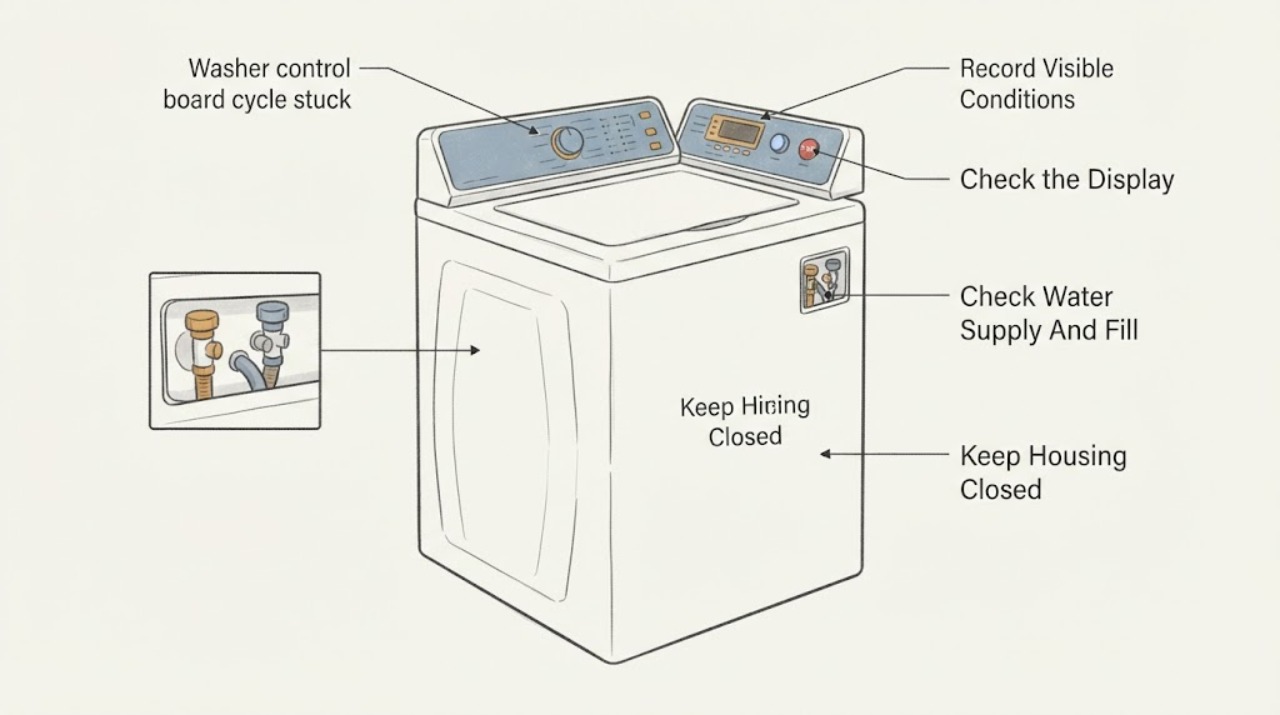
Work through in order
Diagnostic checks
Use only checks that match the exact appliance or system and its official guide.
-
Check 1
From a dry, stable position, stop adding laundry and record the displayed stage, error code or blinking pattern, whether the panel is lit, whether the tub is moving, and whether water is visible inside or on the floor. Keep hands out of the tub and do not force a locked door or lid.
Expected result: Record an idle but powered panel, a blank or rebooting panel, a locked door or lid, standing water, a leak, hot water or steam, unusual odor or smoke, or a tub that is still moving.
Next step: If there is smoke, burning odor, a leak near electrical parts, hot spray, or uncontrolled water, stop and arrange urgent qualified service. Otherwise continue with the visible cycle and control checks without opening the machine.
Stop if: Stop immediately for smoke, burning odor, exposed wiring, uncontrolled water, hot water or steam, or any moving tub that cannot be stopped with the normal control.
Why this matters
Why: A locked door, water, heat, movement, leak, smoke, or burning odor changes this from a routine cycle check to a safety boundary. A blank or rebooting panel keeps power and control faults in consideration; a readable stage may instead be waiting for a normal condition.
-
Check 2
Check the selected program and the panel for Pause, Soak, Delay, Child Lock or Control Lock, and a cycle-time estimate that is changing slowly. Use the model's normal Start/Pause or cancel control once; do not hold random button combinations or treat a soak phase as a failed board.
Expected result: The panel shows a soak or sensing phase, a lock indicator, a paused state, a delayed start, an error code, or no response to the normal button.
Next step: Clear a user-enabled lock or resume/cancel only according to the exact model instructions. If the panel remains unresponsive or the same stage returns, record the display and continue to the non-invasive supply and drain checks.
Stop if: Stop if the washer ignores the normal stop control, if the panel is damaged or wet, or if changing controls would require opening the console.
Why this matters
Why: Soak and sensing can intentionally pause movement; a control lock can make buttons appear dead; a paused state may resume with the documented control. An error or persistent nonresponsive panel needs the model-specific manual or service path rather than guessed board replacement.
-
Check 3
If the washer stopped while filling or before washing, inspect only the visible hot and cold supply faucets, inlet hoses, and hose ends for a closed faucet, kink, leak, or obvious obstruction. Keep the washer unplugged before any cleaning or disconnection and do not remove a valve, screen, panel, or wiring.
Expected result: Both faucets are open and hoses are straight with no leak, or one faucet is closed, a hose is kinked, water flow is weak, or a connection leaks.
Next step: Correct only a clearly closed faucet or safely accessible hose kink without moving the loaded machine. If flow is weak, a hose leaks, or the fill still does not complete, close the faucet if it turns freely and request service.
Stop if: Stop for a leaking hose, seized faucet, water near electrical equipment, or any need to disconnect plumbing or expose the inlet valve.
Why this matters
Why: Insufficient or interrupted water can leave the control waiting for a fill or level condition and can resemble a stuck board. A leak or damaged hose is a water-service issue; visible supply is normal evidence that does not rule out an inlet valve or sensor fault.
-
Check 4
If water remains or the cycle stopped before rinse or spin, inspect the visible drain hose from the washer to the standpipe or sink for a kink, crushing, a fallen hose, or a sealed connection. On a front loader, use the model manual to decide whether its accessible pump-filter procedure is appropriate; do not open a filter with a full or hot tub unless the manual gives a safe drain method.
Expected result: Water drains normally, the drain hose is kinked or displaced, the hose connection is airtight or damaged, the machine reports a drain error, or water remains after the documented drain function.
Next step: Correct only a plainly displaced or kinked visible hose while keeping the appliance stable. If water remains, the hose is damaged, or a filter or pump needs access, stop and arrange model-specific qualified service unless the manual provides a safe owner procedure for the empty, cool appliance.
Stop if: Stop for standing water that cannot be safely drained, hot water, flooding, a locked door, a damaged hose, or any need to reach the pump or wiring.
Why this matters
Why: The washer often cannot advance to spin until it detects that draining is complete. Samsung notes that a drain restriction can prevent the spin step, and Whirlpool lists small objects, hose installation, and excess suds as causes of slow draining or spinning. Persistent water can also keep a door locked.
-
Check 5
After the tub is stopped and the door or lid is safely unlocked, check for a tightly packed or one-sided load, an item caught at a front-load gasket, and a door or lid that closes normally. Rearrange or remove a few items only when the model permits it; do not press, tape, or defeat the lock switch.
Expected result: The load is tightly packed or unbalanced, an item blocks the door or gasket, the lock indicator clears after normal closure, or the lock indication persists with an empty, correctly closed tub.
Next step: Run the model's documented restart or rinse-and-spin test with a suitable load only if the door or lid locks normally and no water or leak hazard remains. If lock feedback persists, request service.
Stop if: Stop for a locked door or lid, water inside, a damaged latch or gasket, movement that resumes unexpectedly, or any temptation to defeat the lock.
Why this matters
Why: An unbalanced load can prolong or stop spin, while a door or lid feedback problem can prevent the next phase. Persistent lock feedback with a clear closure keeps the lock assembly, wiring, sensor, or control input in consideration rather than proving a board failure.
-
Check 6
Look through the door or lid window only if safe for visible foam and note whether the timer is extending, tumbling intermittently, or stopping during a documented sensing or soak phase. Do not add detergent or water to force the cycle forward.
Expected result: There is heavy foam, the cycle time extends, the machine pauses and resumes, or the same phase remains indefinitely without foam or a normal explanation.
Next step: Follow the exact manual's rinse or suds-removal procedure without adding detergent. If the phase never advances or the symptom recurs with the correct detergent and load, keep the washer out of service and request diagnosis.
Stop if: Stop for overflow, a leak, hot water or steam, a locked door, or foam escaping the tub.
Why this matters
Why: Excess suds can slow draining and spinning or trigger a suds-reduction routine; intermittent tumbling can be normal in some phases. An indefinite repeat without a water, load, lock, or program explanation is evidence for a stored fault or component diagnosis.
-
Check 7
Only when there is no standing water, leak, heat, smoke, or exposed electrical hazard, turn the washer off with its normal control, disconnect power using the plug or labeled breaker, wait for the interval stated by the exact model manual, restore power, and run the documented test cycle. Do not repeatedly reset a washer that trips the breaker or stops at the same point.
Expected result: The panel returns normally and the cycle completes, the panel remains blank, the breaker trips, an error returns, or the same stage repeats after the reset.
Next step: If the cycle completes once, monitor it and record the event; if the problem returns, stop using the washer and request a qualified diagnosis with the model and observations. Never increase breaker size or use an extension cord to keep testing.
Stop if: Stop for a tripped breaker, burning odor, sparks, water near the outlet, a blank or damaged control, or any repeat failure after one reset.
Why this matters
Why: A single reset can clear a transient control state or power interruption, but it cannot distinguish a board from a lock, pump, inlet, sensor, motor, or harness fault. A returning error, breaker trip, or repeatable stop makes continued owner testing less useful and may increase damage.
Use your observations
Decision map
Find the observation that best matches what you see, then follow the next safe action.
-
PATH 01Next step
What you see
The timer changes, the machine intermittently tumbles, and the display shows soak, sensing, delay, pause, or a control-lock indicator without a leak or error.
Do this next
Follow the exact cycle guide, clear only a user-enabled lock using the documented control, and allow the phase to complete. Request service if the same phase never advances on a correctly selected cycle.
-
PATH 02Next step
What you see
The machine stops before wash or repeatedly tries to fill, while a faucet is closed, a hose is kinked, flow is weak, or an inlet error appears.
Do this next
Correct a plainly closed faucet or kink only if safe. If the fill still fails, stop and have the inlet path and control inputs tested.
-
PATH 03Next step
What you see
Water remains, clothes are wet, the washer stops before spin, the drain hose is restricted, or foam is heavy and the time extends.
Do this next
Use only the model-documented drain or rinse procedure. Do not open a hot or full appliance; arrange service for persistent water, a damaged hose, or a pump/filter access job outside the manual's safe owner scope.
-
PATH 04Next step
What you see
The door or lid is closed but the lock indication persists, the machine pauses at the lock-dependent transition, or a door/lid error returns after closure and one reset.
Do this next
Keep the appliance out of service and request a technician to test the lock and its wiring. Never force the door or alter the safety switch.
-
PATH 05Next step
What you see
The panel is blank or reboots, a breaker trips, a power-failure indication appears, or the cycle resumes only after power is removed and then stops again.
Do this next
Stop repeated testing. If safe, document the breaker and display behavior and have an appliance technician or electrician determine whether the supply or washer is at fault.
-
PATH 06Next step
What you see
The same cycle stage repeats with the correct program, normal supply and drain, suitable load, secure lock, no excess suds, and no external power issue, including after one model-approved reset.
Do this next
Stop owner troubleshooting and book model-specific diagnosis. Give the technician the exact stage, error or blink pattern, fill/drain state, reset result, and model label; replace no board until the related inputs and outputs are tested.
Helpful context
Understand the symptom
A stalled display is a symptom, not a board diagnosis
The control board makes decisions from door or lid status, water-level feedback, temperature, drain completion, motor behavior, and the selected program. A cycle can therefore wait for an input that never arrives even when the board is working. Whirlpool describes pauses during some phases and delays from suds or a tightly packed load, while LG notes that a soak course can intentionally leave the washer stopped at a phase. Confirm the state of those inputs before considering a board replacement.
Protect the lock, water, and electrical boundaries
Do not pull open a locked door, reach into a moving tub, remove the console, or defeat a lid or door-lock device. If water remains inside, use only the drain or spin function specifically documented for the model and stop if the machine leaks, the water is hot, or the door remains locked. LG explains that heat, water level, and a brief power outage can keep a front-load door locked; a locked door is a safety state, not an invitation to force it.
When the board becomes a service-level suspect
A board becomes more plausible only after the same failure repeats with a known-good power supply, the correct cycle, a secure lock, adequate fill, a clear drain path, a reasonable load, and no relevant error indication. A technician still needs the exact model and stored fault history and must verify low-voltage inputs, harnesses, actuators, and output circuits before condemning the board. A one-time reset that restores operation does not prove the board is healthy or failed.
Use the symptom pattern to choose the next safe path
The stage at which the cycle stops changes the diagnosis. Stopping while filling points toward supply, inlet, or sensing; stopping before spin points toward draining, balance, or motor conditions; a locked door with water present points toward safe drain and temperature handling; a dead or rebooting panel points toward power or service. Record what the washer was doing rather than treating the last lit cycle name as a failed part.
Safety boundary
Stop conditions
- Stop and arrange urgent qualified service for smoke, burning odor, sparks, a breaker that trips again, exposed wiring, uncontrolled water, or a leak reaching the outlet or other electrical equipment.
- Do not force a locked door or lid, reach into a moving tub, defeat a door or lid safety, or continue a cycle that cannot be stopped with the normal control.
- Do not open the console, test live voltage, remove wiring, disconnect plumbing, or access a pump, valve, sensor, or board unless the exact manual and your training make that work appropriate; otherwise use qualified service.
- Do not repeatedly reset a washer, change breaker protection, use an extension cord, add water or detergent to force progress, or order a control board before the symptom and model fit are confirmed.
Only after diagnosis
Potential parts
- washer control board
Consider only after a technician confirms the power supply and wiring and verifies that the board is not receiving or producing the required signal for the repeatable failure.
Confirm the full model and revision, board configuration, software or calibration requirements, and the manufacturer's fit information before any replacement; a symptom alone does not establish compatibility or failure. - door or lid lock assembly
Relevant only when the lock does not engage or report correctly after the door or lid is clear and properly closed, and a technician confirms the lock circuit is the cause.
Match the exact model and lock design and verify the harness and safety procedure; do not defeat or substitute the safety device. - drain pump or pump filter
Relevant only when water remains or drain flow is inadequate after the visible hose path is correct and a technician confirms pump, filter, or impeller failure.
Confirm washer type, exact model, pump configuration, seal requirements, and safe draining procedure before ordering or opening the appliance. - water inlet valve
Relevant only when supply faucets and hoses are adequate but the washer does not fill correctly and testing identifies the valve as the failed element.
Verify the exact model, valve port arrangement, coil specification, and hose seals; visible low flow can instead be a household supply or sensor problem. - water-level or temperature sensor and harness
Relevant only when the cycle stops at a fill, heat, or level decision and professional testing finds an incorrect sensor signal or open harness.
Match the exact model and connector, and diagnose the harness and control input before replacing a sensor.
When checks do not resolve it
Need a professional?
Call a qualified appliance technician when the washer repeats the same stop, shows a persistent error, will not drain or unlock safely, has a blank or rebooting panel, trips a breaker, leaks, or needs access behind a panel. A board replacement should follow tests of the lock, pump, inlet valve, sensors, harnesses, power supply, and other loads rather than the symptom alone.
Safety scope: Owner checks are limited to safe observation, documented controls, visible supply and drain-hose checks, load repositioning only after a safe unlock, and one model-appropriate reset when conditions are safe. A technician should handle electrical testing, console or panel access, lock, pump, valve, sensor, harness, motor, and control-board diagnosis or replacement.
Have this ready
- Provide the full model and serial label, washer type, selected cycle and options, exact stop stage, display or blink pattern, water level and temperature observed without touching, whether the door or lid locks, supply and drain observations, load and detergent details, power-reset result, photos of safe external conditions, and any leak or breaker history.
Common questions
FAQ
Does a washer that is stuck on one cycle need a new control board?
Not necessarily. A normal soak or sensing phase, control lock, door or lid feedback, water supply, drain restriction, unbalanced load, suds, power interruption, sensor, pump, valve, or harness can stop progression. A technician should test those inputs and outputs before condemning the board.
Why does the washer stop with time still showing?
The displayed time is an estimate and can extend while the washer senses the load, reduces suds, waits for fill or drain completion, or retries balance. If the time never changes and the same stage repeats with normal supply and drain, record the pattern and request service.
Can I reset a washer control board?
You can perform one power reset only when the washer is dry and safe, using the interval and procedure in the exact model manual. A reset may clear a temporary state; it does not prove that the board or another component is good. Stop if the breaker trips, the panel reboots, or the same fault returns.
Why is the door locked when the cycle is stuck?
A front-load door can remain locked because water is present, the drum is hot or moving, or power was interrupted. Do not force it. Use only the documented drain or spin procedure after the appliance is safe, and call service if water remains or the lock will not release.
Can an unbalanced load make a cycle look stuck?
Yes. A tightly packed or one-sided load can make the washer retry balance or delay spin. Once the tub is stopped and the door or lid is safely open, remove or rearrange a few items as the manual allows. Persistent stops with a suitable load need diagnosis.
What if the washer stops before it drains?
Check the visible drain hose for a kink, crushing, displacement, or an airtight connection. Water remaining in the tub can also keep a door locked. Do not open a hot or full pump filter unless the exact manual gives a safe procedure; persistent water or a leak calls for service.
What does a blank or rebooting washer display mean?
It can reflect an outlet, cord, breaker, power interruption, wiring, or control fault. Check the outlet and breaker only from a dry, safe position and do not increase protection or use an extension cord. A repeat trip or reboot requires qualified diagnosis.
Should I replace the board if a reset makes the washer run again?
No. A one-time recovery can be a temporary control state or power event. Monitor and record the cycle stage and any code; if the problem returns, have the lock, pump, inlet, sensors, wiring, power, and board tested in the order appropriate to the model.
What information should I give the appliance technician?
Give the complete model and serial information, cycle and options, exact stopping stage, code or blinking pattern, whether water remains, lock status, visible hose and load observations, detergent used, power-reset result, and safe photos. This is more useful than reporting only that the board seems stuck.
Read the exact guide
Official sources
- LG Front Load Washer - Error Code List(New)LG Electronics · Manufacturer error guidance covering control lock, motor, door lock, overcurrent, suds, pressure, power and temperature conditions
- Owner's ManualWhirlpool · Manufacturer washer manual troubleshooting for stopped cycles, water supply, electrical supply, lid, pauses, suds, loading, draining, and spinning
- Owner's ManualWhirlpool · Manufacturer washer manual guidance for normal pauses, tightly packed loads, model-specific reset, error codes, drain hose and suds
- LG Washer - Recovering From a Locked WasherLG Electronics · Manufacturer guidance for locked doors caused by high water level, high temperature, or brief power outage
- [LG washing machine washing] The tub does not spin after water is supplied.LG Electronics · Manufacturer guidance distinguishing a pressed Pause/Add Item control or Soak course from a fault requiring service
- Samsung washing machine does not spin at allSamsung · Manufacturer guidance connecting drain restrictions, hose setup, pump filter and incomplete spin to a washer that does not advance
- Power issues with Samsung washing machineSamsung · Manufacturer guidance for a washer that stops unexpectedly, turns off, will not turn off, or has power and breaker symptoms
Community feedback
Share a repair observation
Share a plain-text repair observation. Accepted observations are published automatically; this page may take a moment to update.