
On this page
Start here
Quick answer
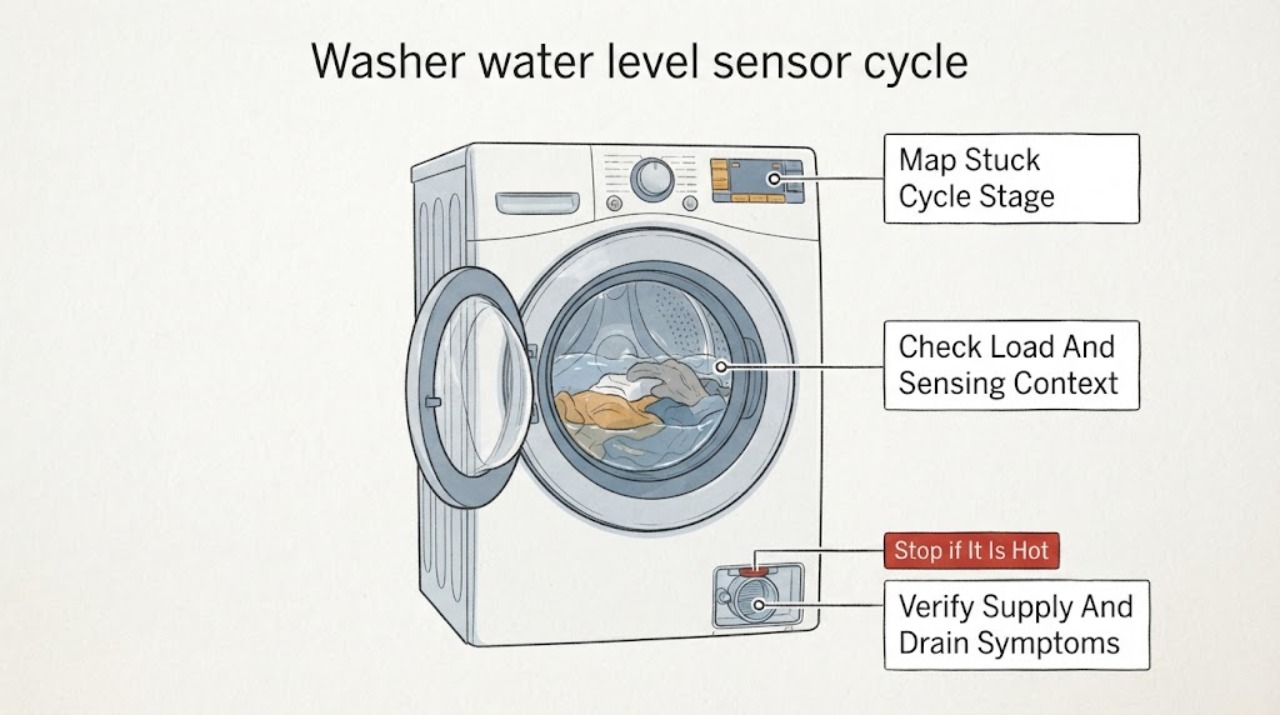
A washer can appear stuck while it is sensing load size, waiting for water, pausing with the lid or door open, removing excess suds, or waiting for a drain. First note where the cycle stops, whether water is entering or leaving, and what the display says. The water level sensor works with the control and an air or pressure path, so a sensor-related error can also be caused by a blocked or kinked sensor hose, excess suds, a water-supply or drain problem, or a control fault. Turn the washer off and disconnect power before any model-directed access; never open the cabinet or test sensor wiring as a homeowner. If the tub is overfilling, water is leaking, the pump cannot drain, a sensor code returns after the manual's restart step, or the cycle remains stuck, keep the water supply off when appropriate and call a qualified appliance technician.
Work through in order
Diagnostic checks
Use only checks that match the exact appliance or system and its official guide.
-
Check 1
Observe the washer without opening it and record whether the cycle stops during sensing, filling, washing, draining, or spinning, along with the display text or indicator.
Expected result: Record a sensing or fill light, a water-level-sensor message, a low-water or inlet message, an overfill message, a drain message, a lid or door message, or no message.
Next step: Use the exact model manual for the displayed status and select the matching branch. Do not repeatedly restart a cycle that is overfilling, leaking, or not draining.
Stop if: Stop immediately for overflowing water, a leak, burning odor, smoke, water near electrical equipment, or an unstable washer.
Why this matters
Why: The stage and message separate normal sensing or a lid pause from supply, drain, overfill, sensor, or control paths; the word sensor alone does not identify a failed part.
-
Check 2
Note the selected course, whether the load is bulky, unusually light, wet from a prior cycle, packed tightly, or floating, and whether the machine is using an automatic-sensing setting.
Expected result: Record a normal mixed load, a bulky or light load, wet items added after sensing, an overloaded or tightly packed load, or an empty tub that still shows an implausible level.
Next step: Use the manual's load and course guidance, redistribute or remove an obviously unsuitable load, and call service if the cycle remains stuck with an empty or normal load.
Stop if: Do not add water manually, reach into a moving tub, override a lid or door lock, or keep running an overfill.
Why this matters
Why: Load weight, absorbency, and course limits can change the detected or visible water level; an implausible empty-tub reading or repeated stuck sensing makes the sensor or control path more relevant.
-
Check 3
Check only accessible hot and cold supply valves and hoses, the accessible drain hose, and the household drain for a closed valve, kink, compression, blockage, or water backup.
Expected result: Record no water entering, slow filling, normal filling followed by a stall, water left in the tub, a kinked hose, or water backing up at the drain.
Next step: Correct only an obvious accessible hose or valve position according to the manual. Call a plumber for household drain backup and an appliance technician for a clear path with a persistent stall.
Stop if: Do not open the inlet valve, remove sensor hoses, use chemicals in the washer, or move a stacked or tightly installed unit alone.
Why this matters
Why: A supply restriction can mimic incorrect level sensing during fill; a drain restriction can leave the sensor detecting a high level and prevent the next phase; household backup points toward plumbing.
-
Check 4
Confirm that the lid or door is fully closed and not blocked by laundry, and observe whether excessive suds, repeated re-filling, or a pause occurs during the drain or spin transition.
Expected result: Record a lid or door pause, excess suds, repeated fill attempts, normal closure with no suds, or a leak or overfill condition.
Next step: Close the lid or door and use only the manual's detergent guidance. Stop and call service for overfill, a leak, or a recurring sensor message.
Stop if: Do not defeat a door or lid lock, scoop or touch moving water, continue an overfill, or add detergent to counteract suds.
Why this matters
Why: An open lid or door can pause a cycle; excess suds or overfill can distort water-level behavior; a closed machine with a repeated sensor status needs model-specific diagnosis.
-
Check 5
If the exact model guidance permits it and no hazard is present, turn the washer off, disconnect power for the manual's stated interval, and restart once after the visible supply, load, lid, and drain conditions are normal.
Expected result: Record a normal cycle restart, the same water-level-sensor message, a different inlet or drain message, no response, or water that begins to enter or overflow immediately.
Next step: Stop the cycle and keep the washer off if the message returns, it overfills, it will not drain, or it makes an unusual noise. Preserve the exact code for the technician.
Stop if: Do not repeat resets, run an unattended test, restore water after an overfill, or continue with a leak or electrical warning.
Why this matters
Why: A single successful restart may indicate a temporary control state; a recurring sensor message or immediate abnormal water behavior requires service rather than more resets.
-
Check 6
Record the washer brand and model, cycle and load, stop stage, display code, water level or fill behavior, drain result, lid or door state, suds, recent movement or service, and whether a restart changed the symptom.
Expected result: Confirm that the record contains external observations only, with no cabinet opened, sensor hose disconnected, wiring tested, or safety lock bypassed.
Next step: Contact a qualified appliance technician and provide the model, exact display text, photos of visible conditions, and the sequence of safe checks already performed.
Stop if: Stop homeowner troubleshooting when a sensor hose, control board, wiring, inlet valve, pump, or internal pressure path requires access or testing.
Why this matters
Why: The cycle stage and competing supply, drain, load, and door symptoms help a technician distinguish sensor, pressure path, valve, pump, control, and installation causes.
Use your observations
Decision map
Find the observation that best matches what you see, then follow the next safe action.
-
PATH 01Next step
What you see
The washer pauses in sensing with a suitable load, no warning, no overfill, and normal water entry, or resumes when the lid or door is closed.
Do this next
Follow the cycle and load guidance in the exact manual. Arrange service only if sensing repeatedly never completes with a normal load and closed lid or door.
Why this path and its safety boundary
Why it matters: Normal load sensing or a lid or door pause is more likely than a failed water-level sensor.
-
PATH 02Next step
What you see
The washer stalls while filling with little water, or water remains when it should drain; an accessible supply or drain hose is kinked, blocked, or backed up.
Do this next
Correct only an obvious accessible routing or valve issue per the manual, call a plumber for household backup, and call appliance service if the path is clear but the stall remains.
Why this path and its safety boundary
Why it matters: A water-supply or drain-path restriction can make the water level appear incorrect without proving a sensor failure.
-
PATH 03Safety boundary
What you see
A water-level-sensor message returns after one manual-permitted restart, or the machine stops with an implausible level despite a normal load and clear supply and drain paths.
Do this next
Leave the washer off and request qualified appliance service. Provide the exact code, model, water behavior, and cycle stage.
Why this path and its safety boundary
Why it matters: The sensor, its pressure or air path, harness, control, or related water valve may need diagnosis; the code does not identify a replaceable part by itself.
Safety stop: Do not remove panels, disconnect the sensor hose, test continuity or voltage, or order a sensor without model-specific diagnosis.
-
PATH 04Safety boundary
What you see
The tub fills above its expected level, continues filling, produces excess suds, leaks, or shows an overfill condition.
Do this next
Stop the cycle, close the water valves if safe, keep power away from water, and arrange qualified appliance service. Do not restart to see whether the sensor corrects itself.
Why this path and its safety boundary
Why it matters: A water-level sensing, inlet-valve, control, detergent, or drain condition can be involved, and the immediate risk is water damage.
Safety stop: Do not defeat a lid or door lock, touch overflowing water near power, or leave the supply open while the washer is unattended.
-
PATH 05Safety boundary
What you see
There is a burning odor, smoke, arcing, water near electrical equipment, a damaged or unstable appliance, an uncontrolled leak, or a breaker that trips again.
Do this next
Keep clear, disconnect power only from a safe dry position, close water valves if safely accessible, and use appropriate emergency, electrical, plumbing, or appliance help.
Why this path and its safety boundary
Why it matters: The immediate risk is fire, shock, water damage, or physical injury rather than identifying a water-level component.
Safety stop: Do not touch wet electrical equipment, enter standing water, move the washer, or restore power or water to test it.
Helpful context
Understand the symptom
Identify the exact pause before blaming the sensor
Watch the control panel and note whether the washer is sensing, filling, agitating, draining, spinning, or simply paused. Whirlpool explains that an automatic-sensing cycle can fill and sense load size and balance before the wash phase, and that an unlocked lid pauses sensing and washing. A cycle that is waiting for a lid or door, water, or drain has a different next check from one showing a water-level-sensor message.
Compare the water level with the load and cycle
The visible water level is not a universal test. LG explains that the selected course limits water level and that the machine estimates load weight; bulky, light, or wet items can change the detected or visible level. Use the model's normal cycle guidance, check that the load is not packed or floating, and do not add water to force a sensor decision. If the machine never reaches the next phase or displays a sensor code, preserve that status for service.
Rule out supply, drain, lid, and suds conditions
A low fill, endless fill, or stalled transition can result from closed or restricted water supplies, a kinked drain hose, an unlocked lid or door, excess suds, or a drain that cannot empty. LG's error guidance separates water inlet errors, drain errors, overfill, and water-level-sensor errors; Samsung similarly lists water-level-sensor information codes and recommends model-specific support when a code remains. Check only accessible hoses, the lid or door, and the display. Do not remove panels or disconnect the sensor hose.
Use a restart only as the manual allows
If the exact model manual or displayed guidance allows a power restart, turn the washer off, disconnect power for the stated interval, and restart only after correcting an obvious lid, supply, or load condition. A restart can clear a temporary control state, but it cannot prove that a water-level sensor, pressure path, valve, pump, or control board is healthy. If the message or stuck cycle returns, stop repeating resets and arrange service.
Safety boundary
Stop conditions
- Stop immediately for overfilling, an uncontrolled leak, water near electrical equipment, burning odor, smoke, arcing, an unstable washer, or a breaker that trips again.
- Leave the washer off when a water-level-sensor code returns, the cycle remains stuck after one permitted restart, the supply and drain paths are clear but the level is implausible, or internal access is required.
- Do not open the cabinet, disconnect a sensor hose, test wiring or voltage, defeat a lid or door lock, bypass a valve or pump, add water to force sensing, or repeatedly reset an abnormal cycle.
Only after diagnosis
Potential parts
- water-level pressure sensor
Consider this only after a qualified technician confirms the sensor is inaccurate or failed after checking the pressure or air path, hose, wiring, valve, and control.
Match the exact washer model and sensor specification; a sensor code alone does not prove the sensor is the failed component. - water-level sensor hose or air-trap component
Consider this only when service diagnosis finds a blocked, kinked, leaking, or damaged pressure hose or air-trap path associated with the sensor reading.
Use the exact model's hose routing and approved component. Do not disconnect or blow through a sensor hose as a homeowner test. - water inlet valve or main control
Consider these only when a qualified technician confirms that filling remains abnormal after the sensor path and supply are verified, or that the control is not interpreting a valid sensor signal.
Confirm the exact model, electrical and water connections, and manufacturer-approved fit; do not order a valve or control from the error message alone.
When checks do not resolve it
Need a professional?
Call a qualified appliance technician for a recurring water-level-sensor message, an implausible level with a normal load, a stuck cycle after safe supply, drain, lid, and model-permitted restart checks, overfilling, or any diagnosis requiring sensor-hose, valve, pump, wiring, control, or cabinet access. Call a plumber for household drain backup or a water-supply valve problem. Use emergency or electrical help for smoke, arcing, flooding, water near energized equipment, or an unsafe appliance.
Have this ready
- Provide the washer brand and model, exact display message, cycle and load, stop stage, water entry and drain behavior, lid or door status, suds or overfill observations, recent movement or service, restart result, photos of visible conditions, and any electrical or leak warning.
Common questions
FAQ
Why is my washer cycle stuck on sensing?
The washer may still be measuring load size or balance, waiting for water, or paused because the lid or door is open. Check the selected course, load, water supply, lid or door, and display. If sensing never completes with a normal load and clear supply, arrange service.
Does a water-level-sensor error always mean the sensor is bad?
No. A blocked or kinked pressure path, excess suds, water-supply or drain issue, valve, wiring, or control can create similar behavior. Use one model-permitted restart, then call a technician if the message returns; do not open the cabinet or disconnect the sensor hose.
Why is the visible water level different from what the washer expects?
Course limits, load weight, absorbency, bulky light items, and wet laundry can change the detected or visible level. Follow the model's load guidance and do not add water manually to force a sensor decision.
When should I stop using a washer with a stuck cycle?
Stop for overfilling, a leak, water near electrical equipment, smoke, burning odor, arcing, a recurring sensor code, failure to drain, or a cycle that remains stuck after safe external checks. Keep the washer off and use qualified appliance, plumbing, electrical, or emergency help as appropriate.
Read the exact guide
Official sources
- LG Top Load Washing Machine Water Supply: The Water Level Cannot Be Adjusted; The Water Level Is Too High; The Water Level Is Too LowLG Electronics · LG's official water-level guidance supports load and course interpretation; it does not diagnose a different brand or authorize sensor access.
- Bosch Washing Machine Troubleshooting & Repair GuideBosch · Bosch's official troubleshooting guide supports the general principle of using the exact model manual and escalating persistent washer faults; it does not establish a brand-specific sensor code.
- LG Front Load Washer - Error Code List (New)LG Electronics · LG's official support page provides model-general error distinctions and safe restart or service boundaries; exact brand and model manuals control the installed washer.
- How to fix error codes in Front Load Washer Dryer ComboSamsung · Samsung's official combo-appliance page provides independent error-code context and emphasizes model-specific manuals and support; it is not a diagnosis of another washer.
- Fill or Sensing Light On - Product HelpWhirlpool · Whirlpool's official product-help page supports the distinction between automatic sensing, filling, water supply, and lid state; exact washer instructions govern other models.
Community feedback
Share a repair observation
Share a plain-text repair observation. Accepted observations are published automatically; this page may take a moment to update.