
On this page
Start here
Quick answer
Treat a flickering GFCI outlet or its associated switch as an electrical warning until you know whether only a status light is changing or power is actually unstable. From a dry, safe position, note the exact flicker, the outlet's model and indicator pattern, whether nearby lights or outlets also change, and whether moisture, warmth, discoloration, buzzing, odor, smoke, or arcing is present. Do not touch the outlet or switch, press TEST or RESET, plug in or unplug a load, remove a cover, or use energized test equipment. Stop using the circuit and arrange qualified electrical service; urgent emergency help is appropriate for smoke, fire, arcing, shock, burning odor, or rapid heating.
Before you begin
Safety first
- Keep the affected outlet and switch unused. Do not touch, reset, unplug, open, replace, bypass, or measure the devices; do not work in a wet area or near smoke, heat, arcing, or damaged wiring.
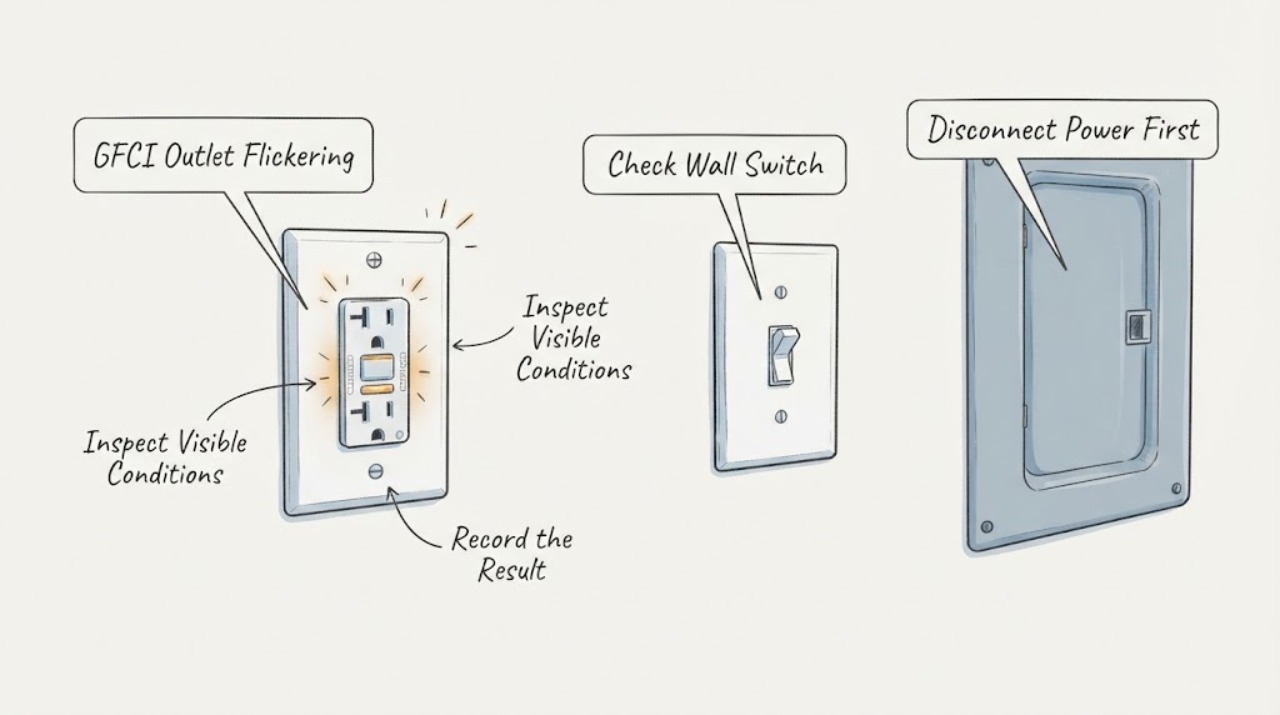
Work through in order
Diagnostic checks
Use only checks that match the exact appliance or system and its official guide.
-
Check 1
From a dry standing position, observe exactly what flickers: the GFCI status LED, a lamp or other light, power at the outlet, a switch-controlled light, or more than one of these. Do not touch the outlet, switch, TEST button, RESET button, plate, cord, or connected load.
Expected result: Only the small indicator changes, the light or load visibly pulses, the outlet appears to lose power, or several devices flicker together.
Next step: Record the symptom and stop using the affected outlet and switch. Continue only with non-contact observations; arrange an electrician assessment if the flicker is real power or the indicator pattern is not clearly identified by the exact model manual.
Why this matters
Why: An indicator-only pattern may be a model-specific status or fault signal. Visible load or lighting flicker is a circuit symptom and can involve the GFCI, switch, connection, neutral, branch wiring, or another load; it cannot be cleared safely by guessing at the outlet.
-
Check 2
Read the brand, model, and visible status-light legend from the front or from the owner's documentation without opening the device. Note whether the LED is solid, slow blinking, fast blinking, red, green, amber, or off, and whether the model is a standard, smart, audible, or combination GFCI/switch.
Expected result: The exact manual identifies the pattern as normal or setup, or it identifies a fault, end-of-life, no-power, or protection warning; the model cannot be identified; or the visible pattern does not match the documentation.
Next step: Keep the outlet and switch unused and give the electrician the model and observed pattern. If the device is clearly in a documented setup mode but actual lights or loads also flicker, treat the actual power symptom as the higher-priority branch.
Why this matters
Why: GFCI indicator meanings vary by model. A persistent red or blinking fault signal, no-power indication, or unexplained pattern means the device may not be protecting the circuit; it is not a reason to press buttons repeatedly or replace it without qualified evaluation.
-
Check 3
Visually inspect the face, wall plate, surrounding wall, and any visible cord or plug from a safe distance. Look for moisture, water tracks, discoloration, melting, cracking, looseness, a plate that is visibly displaced, heat shimmer, or a cord with obvious damage; do not touch anything to check temperature or fit.
Expected result: The area is dry and intact, or there is moisture, a warm-looking or discolored surface, damage, a loose-looking connection, or a damaged cord.
Next step: Stop using the circuit. Keep people away and request urgent electrical service; if smoke, active arcing, rapid heating, or fire is present, leave the area and use emergency help. Do not spray water or handle the outlet, switch, cord, or breaker in the hazard area.
Why this matters
Why: A dry intact appearance does not rule out an internal fault. Moisture, heat, discoloration, damage, or a loose connection increases shock and fire risk and overrides attempts to diagnose a flicker at the face of the device.
-
Check 4
From a safe position, note whether the symptom changes when a nearby light, appliance, or switch is operated by someone else as part of normal use, without plugging, unplugging, pressing the GFCI buttons, or repeatedly operating the suspect switch yourself. Record the load, location, and timing.
Expected result: The flicker follows one load, appears when a switch is operated, occurs at random, or several lights change brightness together.
Next step: Stop operating the suspect switch and keep the affected loads off. Give the electrician the exact load and timing; do not chase the source by moving loads between outlets or by opening a switch or receptacle.
Why this matters
Why: A load-linked symptom can involve a faulty appliance or downstream ground fault. A switch-linked symptom keeps the switch, connection, or branch wiring in scope. Multiple lights changing together or random flicker raises a circuit, neutral, supply, or wiring concern rather than an isolated GFCI indicator issue.
-
Check 5
Look from a safe distance at other outlets, lights, and the visible breaker-panel labels without opening the panel or operating a breaker. Note whether another GFCI or protective device shows a trip or fault indication, whether the problem is limited to one location, and whether the home recently had water entry, remodeling, or electrical work.
Expected result: Only this GFCI area is affected, downstream outlets or lights are also affected, a protective device appears tripped, or the symptom follows recent moisture or electrical work.
Next step: Do not reset or cycle any protective device. Stop using the affected circuit and request an electrician to trace and test it with the power safely isolated.
Why this matters
Why: A GFCI can protect downstream outlets on the same branch, so a wider pattern may not originate at the visible receptacle. Moisture or recent work increases concern for a ground fault, wiring error, damaged cable, or compromised device. A panel label cannot prove which conductor or device is safe.
-
Check 6
Record the location and environment without approaching a hazard: bathroom, kitchen, garage, outdoors, basement, or dry living space; recent cleaning, rain, plumbing leak, condensation, or flooding; and whether the flicker is accompanied by buzzing, crackling, popping, odor, smoke, shock, or repeated protective-device operation.
Expected result: The outlet or switch is in a wet or damp area, the symptom followed moisture, or any sound, odor, smoke, shock, heat, or arcing is present.
Next step: Stop using the area and keep clear. If there is smoke, fire, active arcing, shock, or a strong burning odor, leave and obtain emergency help; otherwise request urgent electrical inspection. Do not touch wet surfaces or attempt to dry the device while it is connected.
Why this matters
Why: Water can create an unintended current path, and flicker plus heat, sound, odor, or arcing is a possible shock or fire event. The absence of an obvious visible hazard does not make a repeated unexplained flicker safe.
-
Check 7
Prepare a service note with the exact flickering item, GFCI model and indicator pattern, outlet and switch location, affected lights or loads, timing, other-outlet pattern, visible moisture or damage, recent plumbing or electrical work, and any sound, odor, heat, smoke, shock, or arcing. Take photographs only from a dry, safe position and do not include exposed wiring.
Expected result: The symptom persists, cannot be matched to a documented normal indicator pattern, affects a switch or load, or has any safety warning.
Next step: Request qualified electrical service. Ask for the cause of the flicker and confirmation that GFCI protection and the switch circuit are safe before returning the outlet or switch to use.
Why this matters
Why: A qualified electrician may need to isolate the branch, inspect the GFCI and switch, check upstream and downstream protection, and test wiring and loads with proper de-energized procedures. The observation record helps locate the decision point without unsafe user testing.
Use your observations
Decision map
Find the observation that best matches what you see, then follow the next safe action.
-
PATH 01Next step
What you see
Only the GFCI indicator flickers and the exact model manual identifies that pattern as normal setup or status behavior; no actual light or load flickers.
Do this next
Follow only the model documentation's non-invasive interpretation and monitor from a safe distance. If the pattern persists outside that state, changes to a fault color, or the load flickers, keep the device unused and call an electrician.
Why this path and its safety boundary
Why it matters: The LED may be reporting a model-specific state, but the visible status does not prove that an unexplained device is suitable for continued use.
-
PATH 02Next step
What you see
The LED is red or blinking, is off unexpectedly, does not match the manual, or the GFCI appears unable to provide its normal indication.
Do this next
Do not press TEST or RESET and do not replace or rewire the device. Keep it unused and arrange qualified electrical service.
Why this path and its safety boundary
Why it matters: The GFCI may have a self-test, end-of-life, wiring, or no-power fault, and its protection status is uncertain.
-
PATH 03Next step
What you see
A light, appliance, or switch-controlled load visibly flickers, dims, pulses, or loses power.
Do this next
Stop using the suspect outlet and switch and request an electrician to trace the circuit. Do not move loads, operate the suspect switch repeatedly, or open the devices.
Why this path and its safety boundary
Why it matters: This is an actual circuit symptom, not merely an indicator question. The GFCI, switch, load, neutral, branch connection, or other wiring remains in scope.
-
PATH 04Next step
What you see
The symptom is limited to one location, while other lights and outlets remain stable and there is no visible hazard.
Do this next
Keep the local outlet and switch unused and provide the model, indicator pattern, and timing to an electrician. Do not attempt a face-level repair.
Why this path and its safety boundary
Why it matters: A local GFCI, switch, load, or connection is plausible, but a stable neighboring outlet cannot clear an internal fault.
-
PATH 05Next step
What you see
Several outlets or lights change together, the issue follows moisture or recent work, or a protective device appears tripped.
Do this next
Stop using the affected circuit and request urgent electrical tracing. Do not reset the protective device or work in a wet or recently damaged area.
Why this path and its safety boundary
Why it matters: A branch, upstream GFCI, neutral, supply, wiring, water intrusion, or downstream load may be involved; the visible outlet may only be the symptom location.
-
PATH 06Next step
What you see
There is water, warmth, discoloration, melting, cracking, buzzing, crackling, popping, burning odor, smoke, visible arcing, shock, or rapid heating.
Do this next
Leave the area and keep others away. Use emergency help for smoke, fire, active arcing, or shock; otherwise obtain urgent qualified electrical service. Do not touch, reset, unplug, spray, open, or test the outlet or switch.
Why this path and its safety boundary
Why it matters: This is a shock or fire hazard and overrides all ordinary flicker troubleshooting.
Helpful context
Understand the symptom
First separate an indicator flicker from an electrical flicker
A small LED on a GFCI can have different normal, setup, fault, or no-power patterns depending on the model. That is different from a lamp dimming, a switch-controlled light pulsing, a receptacle losing power, or lights changing when another load operates. Record which part is flickering without touching the device, then treat any heat, sound, smell, moisture, or unstable power as a reason to stop.
Keep the outlet and switch closed
The visible face, indicator, plate, nearby wall, and connected cords can provide useful clues from a safe distance. Do not press TEST or RESET, remove the plate, tighten a terminal, replace the GFCI, bypass a switch, use a plug-in tester, or use energized test equipment as a diagnostic experiment. A flickering protection device may not be providing dependable protection.
Why water and GFCI symptoms need a fast boundary
GFCI protection is especially relevant where electricity and water can meet, but it does not make a wet, hot, damaged, or arcing device safe to handle. Keep clear of a wet outlet, sink or floor water near the circuit, a warm or discolored plate, crackling, smoke, or burning odor, and get qualified help.
Safety boundary
Stop conditions
- Stop immediately for smoke, fire, visible arcing, a burning or electrical odor, rapid heating, melting, crackling, popping, shock, or repeated protective-device operation. Leave the area, keep others away, and obtain emergency help when appropriate.
- Stop using the outlet and switch for any moisture, water entry, wet wall or floor, discoloration, cracking, loose-looking plate, damaged cord, or suspected water path. Do not touch or attempt to dry a connected electrical device.
- Do not press TEST or RESET, cycle a breaker, plug in or unplug a load, remove a cover, loosen or tighten wiring, replace or bypass the GFCI or switch, use a tester, or perform an energized meter check.
- Do not assume a stable neighboring outlet or a normal-looking LED clears the affected circuit. An electrician must confirm the protective device, switch, branch wiring, downstream loads, and safe return to service.
Only after diagnosis
Potential parts
- GFCI receptacle
Consider only if a qualified electrician confirms the receptacle has failed, reached an end-of-life state, or cannot provide protection after the branch and connected loads are checked.
Rating, self-test behavior, wiring configuration, environment, downstream protection, and local code must be confirmed by the electrician; do not select or install from the flicker symptom alone. - wall switch or switch-controlled device
Consider only if the flicker changes with the switch or controlled load and professional inspection identifies a failed switch or compatible controlled device rather than a branch or load fault.
Switch type, load, rating, box wiring, location, and code requirements are installation-specific; replacement belongs to a qualified electrician. - branch wiring or connection repair
Consider only after safe tracing identifies a damaged, loose, miswired, moisture-affected, or otherwise defective connection or conductor.
The repair method depends on the circuit, enclosure, conductor condition, access, and local electrical requirements; no wiring part should be chosen from the symptom alone.
When checks do not resolve it
Need a professional?
Call after recording the visible indicator and circuit pattern without touching the devices, or immediately for moisture, heat, discoloration, buzzing, crackling, odor, smoke, arcing, shock, or repeated protective-device operation.
Safety scope: Keep the affected outlet and switch unused. Do not touch, reset, unplug, open, replace, bypass, or measure the devices; do not work in a wet area or near smoke, heat, arcing, or damaged wiring.
Common questions
FAQ
Is a blinking GFCI light always dangerous?
Not always: indicator colors and blinking patterns differ by model, and some smart devices use a blink for setup or connectivity. If the pattern is unexplained, persists outside the documented state, is red, or occurs with actual load flicker, heat, noise, odor, moisture, or a trip, keep the device unused and call an electrician.
Can I press RESET to see whether the flicker stops?
For this high-risk symptom, do not press RESET or TEST. Record the visible state without touching the device and have a qualified electrician determine whether the GFCI, switch, load, or branch circuit is safe.
Why does a switch matter when the GFCI outlet is flickering?
The switch may control a load on the same branch, and a switch-linked flicker can point to the switch, load, neutral, or branch wiring rather than the GFCI face alone. Do not open or repeatedly operate the switch; note the timing for the electrician.
What should I do if the GFCI is near water?
Stop using the area for any moisture, water entry, wet wall or floor, or water near electrical equipment. Keep clear and obtain urgent electrical service; use emergency help for smoke, fire, visible arcing, shock, or rapidly heating equipment.
Should I replace the GFCI outlet myself?
Not from flicker alone. A qualified electrician should first determine whether the fault is the GFCI, a related switch, a connected load, downstream protection, moisture, or branch wiring, then select a correctly rated device if replacement is actually needed.
Read the exact guide
Official sources
- What the LED Light on Your GFCI Outlet Is Telling You and When to Take ActionLeviton · Leviton-specific indicator information; other GFCI models can use different colors or patterns.
- 07 SwitchesElectrical Safety Foundation International · General residential electrical-safety education; local emergency and code requirements also apply.
- GFCI Trips: What to do when your GFCI tripsLeviton Manufacturing Co., Inc. · Manufacturer guidance for Leviton GFCI devices; it does not authorize opening or testing an unknown installation.
- CPSC Guide to Home Wiring HazardsU.S. Consumer Product Safety Commission · General consumer safety guidance; it is not a repair procedure or a substitute for local code and qualified service.
- GFCI Outlets & ReceptaclesLeviton · Manufacturer product and support guidance; exact device instructions take precedence.
Community feedback
Share a repair observation
Share a plain-text repair observation. Accepted observations are published automatically; this page may take a moment to update.