
On this page
Start here
Quick answer
First determine whether only the GFCI indicator is blinking or whether power at the receptacle is actually flickering. Indicator behavior is model-specific: Leviton describes some blinking colors as setup or fault indications, and a red indication that remains after TEST and RESET or a device that will not reset needs an electrician. If lamps or connected equipment flicker, or the outlet is warm, discolored, buzzing, smells overheated, wet, loose, or sparking, stop using it and keep clear; do not remove the cover or touch wiring. From a dry, safe position you may disconnect an appliance only if its plug and the receptacle look undamaged, then try the manufacturer-described TEST and RESET buttons once on an apparently intact outlet. Any repeated trip, failed reset, unexplained flicker, or flicker at other outlets needs a qualified electrician to inspect the GFCI, connected load, branch circuit, and wiring.
Before you begin
Safety first
- This article permits observation from a safe position, disconnecting only an intact cool plug when safe, and one model-directed TEST/RESET check on a dry, undamaged GFCI. Wiring, receptacle replacement, panel work, circuit tracing, and hazard isolation belong to a qualified electrician.
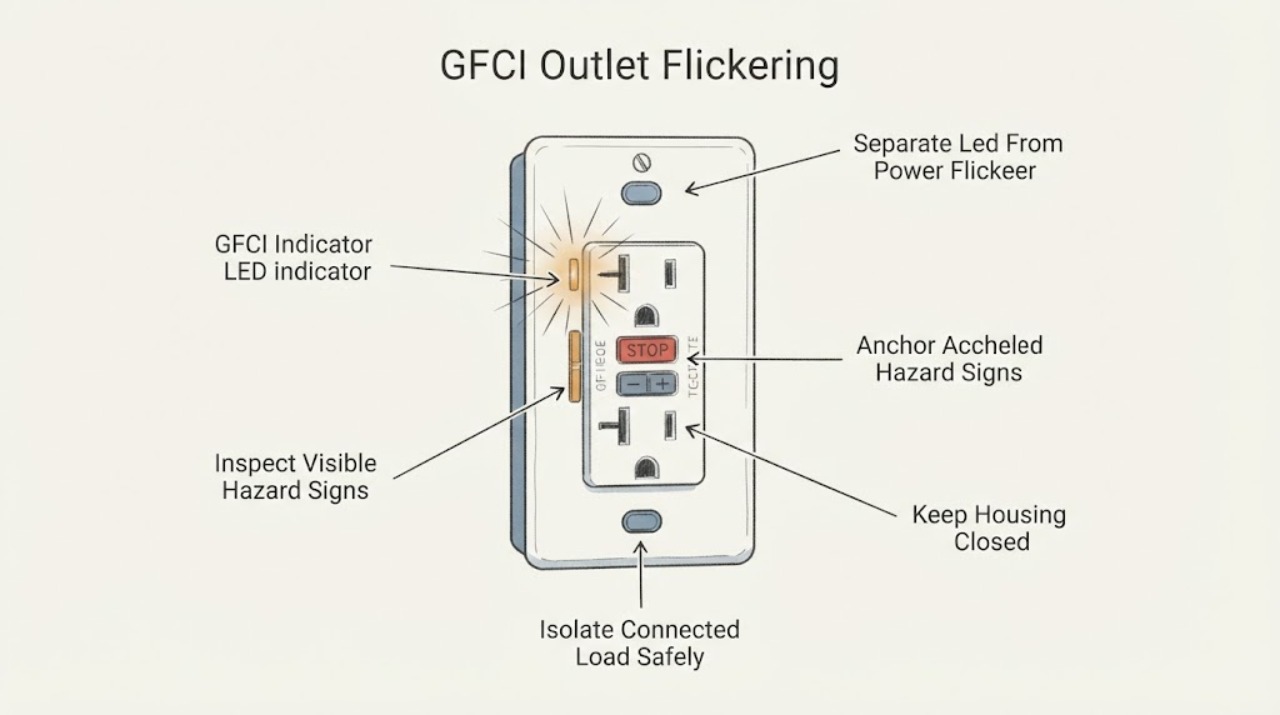
Work through in order
Diagnostic checks
Use only checks that match the exact appliance or system and its official guide.
-
Check 1
From a normal standing position, observe whether only the GFCI indicator blinks or whether a lamp or other connected load loses and regains power; note the indicator color, timing, and whether the RESET button is in or out without removing the faceplate.
Expected result: Classify the behavior as indicator-only blinking, actual load flicker, a complete trip or loss of power, or a pattern that cannot be observed safely.
Next step: Use the exact GFCI model instructions to interpret the indicator; if power flickers, the indicator remains in a fault state, or the pattern is uncertain, stop using the outlet and arrange qualified electrical assessment.
Stop if: Do not remove the cover, probe the slots, touch terminals, or keep a load connected to make the flicker repeat.
Why this matters
Why: Indicator-only blinking may be a model-specific status or fault signal. Actual load flicker or a trip can involve the GFCI, a connected device, a downstream outlet, or the branch circuit and should not be dismissed as an LED behavior.
-
Check 2
Without touching the receptacle, inspect from a dry, safe position for warmth, discoloration, melting, cracks, moisture, loose mounting, buzzing or sizzling, sparks, hot-plastic odor, damaged cords, or plugs that wobble or pull out.
Expected result: Record the outlet as visibly and audibly normal, or as showing one or more heat, noise, odor, moisture, spark, damage, or loose-connection signs.
Next step: If any warning sign is present, keep people away, stop using the outlet, and contact a qualified electrician or emergency responders for smoke or active fire; if the correct breaker can be turned off without approaching a damaged or wet outlet, follow local safety guidance.
Stop if: Do not touch, wiggle, tighten, unplug from, spray, dry with a tool, or open a warm, wet, noisy, sparking, or discolored GFCI.
Why this matters
Why: CPSC treats flickering together with heat, unusual sounds, odor, sparks, damaged insulation, or loose plugs as potential electrical hazards. A normal appearance does not make a persistent flicker safe, but a warning sign raises the urgency and rules out further button testing.
-
Check 3
Only when the GFCI and plug appear cool, dry, intact, and quiet, disconnect the appliance that was running when the flicker or trip began; do not reconnect it merely to reproduce the problem.
Expected result: Note whether the flicker or trip stops with that load removed, continues with no load, or affects another connected or downstream device.
Next step: Leave a suspect appliance disconnected and have it and the GFCI checked; if the outlet still flickers or trips with loads removed, stop using it and request an electrician to inspect the circuit.
Stop if: Do not pull a plug that is hot, melted, wet, sparking, or stuck, and do not use an extension cord or another receptacle to continue operating a suspect appliance.
Why this matters
Why: A problem that follows one appliance or cord makes that load a possible contributor. Flicker with no load, or flicker that affects other outlets, points toward the GFCI or circuit and requires professional diagnosis rather than repeated resets.
-
Check 4
If the outlet is dry, cool, intact, and free of noise or odor, use the GFCI's TEST button once and then RESET button once as directed for the exact model; do not hold, force, or repeatedly cycle the controls.
Expected result: Record whether TEST removes power with an audible action, whether RESET restores it, whether the indicator returns to the model's normal state, or whether the GFCI will not reset or immediately trips again.
Next step: If the result is anything other than a stable, model-expected response, leave the outlet unused and contact a qualified electrician; do not replace or rewire the device yourself.
Stop if: Stop immediately for heat, sound, odor, sparks, moisture, a stuck control, or any need to remove the cover or access wiring.
Why this matters
Why: A normal test and reset show only that the device responded during that brief check. A failed reset, persistent red or fault indication, immediate retrip, or return of flicker indicates an unresolved outlet, load, wiring, or protection problem.
-
Check 5
From normal use only, note whether other receptacles or lights in the room or on the same known circuit also flicker, lose power, or trip; do not remove any outlet or electrical-panel cover to trace the circuit.
Expected result: Classify the issue as isolated to this GFCI, present at downstream receptacles, present at multiple rooms or loads, or accompanied by broad power variation.
Next step: Keep affected outlets unused and provide the electrician with the locations, timing, connected loads, indicator behavior, and TEST/RESET result; seek urgent help for smoke, sparks, or active overheating.
Stop if: Do not open the panel, tighten terminals, replace a breaker, bypass the GFCI, or install a higher-rated protective device.
Why this matters
Why: An isolated indicator fault may be device-specific. Flicker at multiple outlets, broad variation, repeated breaker action, or a problem that changes with other loads can involve the branch circuit or service equipment; CPSC says flickering and related signs warrant electrical inspection.
Use your observations
Decision map
Find the observation that best matches what you see, then follow the next safe action.
-
PATH 01Safety boundary
What you see
Only the indicator blinks, power is stable, the outlet is cool and dry, and the pattern matches a documented model-specific status.
Do this next
Follow the exact device documentation and monitor without opening the device; request electrical service if the pattern changes, turns red, will not clear, or power begins to flicker.
Why this path and its safety boundary
Why it matters: The blinking may be a status or setup signal rather than power flicker, but model-specific instructions control its interpretation.
Safety stop: Do not assume an undocumented blinking pattern is normal or continue using the outlet if heat, noise, odor, damage, or repeated trips appear.
-
PATH 02Safety boundary
What you see
The indicator remains red or in a fault state, RESET will not hold, or the GFCI trips again immediately.
Do this next
Leave the outlet unused, disconnect only an intact and cool load if safe, and contact a qualified electrician to identify the cause and compatible repair.
Why this path and its safety boundary
Why it matters: The device may be detecting a ground fault, have an internal fault or end-of-life condition, or be affected by wiring or a connected load.
Safety stop: Do not keep pressing RESET, replace the device without identifying the model and circuit, or touch line/load conductors.
-
PATH 03Safety boundary
What you see
The outlet is warm, discolored, melted, wet, loose, sparking, buzzing or sizzling, or smells of hot insulation.
Do this next
Keep clear, stop using the outlet, and contact a qualified electrician or emergency responders for smoke or active fire; turn off the correct breaker only if it can be done without approaching the hazard.
Why this path and its safety boundary
Why it matters: These are potential electrical hazard signs; the flicker is not an ordinary indicator issue.
Safety stop: Do not touch the device, pull a damaged plug, spray it, remove its cover, or re-energize it for testing.
-
PATH 04Safety boundary
What you see
The problem begins with one appliance or cord and stops when that intact, cool load is disconnected.
Do this next
Leave the suspect load disconnected and have the appliance, cord, and GFCI evaluated before reuse.
Why this path and its safety boundary
Why it matters: The appliance or cord may be contributing to a ground fault or overload, but a stopped symptom does not prove the GFCI or circuit is safe.
Safety stop: Do not move a suspect load to another outlet, use an extension cord, or repeatedly reconnect it to test the result.
-
PATH 05Safety boundary
What you see
Flicker continues with no load, appears at other outlets or lights, or varies across rooms or other loads.
Do this next
Keep affected equipment disconnected and request qualified electrical inspection, providing the locations and timing of every affected outlet or light.
Why this path and its safety boundary
Why it matters: The issue may involve downstream wiring, the branch circuit, or service equipment rather than only the GFCI receptacle.
Safety stop: Do not open the electrical panel, alter wiring, change breaker ratings, or bypass protective devices.
Helpful context
Understand the symptom
A blinking indicator is not the same as flickering power
A GFCI's small indicator communicates status, but the colors and blink patterns depend on the specific device. Leviton describes normal, fault, no-power, and model-specific setup indications. In contrast, a lamp or appliance that loses power, an outlet that trips, or multiple outlets that flicker points to a circuit or load problem. Identify which behavior is changing before assuming the GFCI itself has failed.
Treat heat, noise, odor, moisture, or visible damage as a stop signal
CPSC lists dimming or flickering, unusual sizzling or buzzing, overheating, hot-insulation odor, sparks, damaged insulation, and loose plugs among electrical warning signs. A GFCI in a damp area can also trip when current imbalance is detected. Do not touch a warm, wet, discolored, sparking, or noisy receptacle to investigate it; keep the area clear and arrange qualified electrical help.
Use only the device buttons on an intact, dry outlet
Leviton recommends visual inspection and, when the device appears sound, checking what load was connected and using the TEST and RESET controls. A reset that holds after a single safe test does not prove the branch wiring is sound if flicker returns. A red fault indication, a reset that will not hold, repeated trips, or unexplained power variation is a reason to stop using the outlet and have the circuit examined.
Safety boundary
Stop conditions
- Stop using the GFCI for warmth, discoloration, melting, moisture, buzzing or sizzling, hot-insulation odor, sparks, loose fit, damaged insulation, or smoke; seek qualified electrical or emergency help.
- Do not remove the faceplate, open the receptacle, expose terminals, probe slots, move conductors, or remove the electrical-panel cover.
- Do not repeatedly reset a tripping GFCI, bypass its protection, install a higher-rated protective device, or replace wiring based on a guess.
- Do not pull a hot, wet, melted, sparking, or stuck plug; do not move a suspect appliance to another outlet or use an extension cord to continue operation.
- Keep the outlet and affected loads out of service and arrange a qualified electrician for a failed reset, persistent indicator fault, actual power flicker, no-load flicker, or flicker at other outlets.
When checks do not resolve it
Need a professional?
Contact a qualified electrician for any GFCI that will not reset, immediately retrips, remains in a fault indication, or flickers power; also call for flicker at other outlets or any unexplained variation. Treat heat, sparks, smoke, burning odor, buzzing, visible damage, or moisture as an urgent electrical hazard and contact emergency responders when there is active fire or immediate danger.
Safety scope: This article permits observation from a safe position, disconnecting only an intact cool plug when safe, and one model-directed TEST/RESET check on a dry, undamaged GFCI. Wiring, receptacle replacement, panel work, circuit tracing, and hazard isolation belong to a qualified electrician.
Common questions
FAQ
Is a blinking GFCI light always a fault?
No. Indicator colors and blink patterns are model-specific, and some patterns can indicate normal status or setup. Check the exact device instructions. A persistent red or fault indication, failed reset, warmth, noise, or actual power flicker needs an electrician.
What should I do if the power at a GFCI outlet flickers?
Stop using the outlet and inspect it only from a safe position for heat, discoloration, moisture, noise, odor, sparks, or loose plugs. If the outlet is cool, dry, and intact, disconnect an appliance only if its plug is undamaged and try the model-directed TEST and RESET controls once. If flicker returns or the reset fails, call a qualified electrician.
Can I open the GFCI to tighten a loose wire?
No. Do not remove the cover, expose terminals, move conductors, or remove the electrical-panel cover. Flickering can indicate a hazard beyond the receptacle, so have a qualified electrician inspect and repair it.
Should I keep resetting a GFCI that keeps tripping?
No. Repeated trips indicate an unresolved device, load, or circuit problem. Leave the outlet unused, disconnect only an intact cool load if safe, and arrange qualified electrical inspection instead of repeatedly pressing RESET.
When is a flickering GFCI an emergency?
Treat heat, melting, sparks, smoke, burning odor, buzzing or sizzling, moisture, or visible damage as an urgent electrical hazard. Keep clear and contact emergency responders for active fire or immediate danger; use a qualified electrician for the remaining fault assessment.
Read the exact guide
Official sources
- What To Do When Your GFCI Outlet TripsLeviton Manufacturing Co., Inc. · Leviton homeowner guidance for GFCI trips; the exact device instructions and a qualified electrician control repairs and wiring decisions.
- What the LED Light on Your GFCI Outlet Is Telling You and When to Take ActionLeviton Manufacturing Co., Inc. · Leviton guidance explains its GFCI indicator behavior and emphasizes checking the specific model; it does not establish the indicator pattern of an unidentified device.
- CPSC Guide to Home Wiring HazardsU.S. Consumer Product Safety Commission · CPSC home-wiring safety guidance; it supports hazard recognition and professional escalation, not user wiring or panel repair.
Community feedback
Share a repair observation
Share a plain-text repair observation. Accepted observations are published automatically; this page may take a moment to update.