
On this page
Start here
Quick answer
A GFCI outlet with no power may be tripped, unpowered because of an upstream device or fuse, locked out by its self-test protection, or defective. From a dry position, unplug loads, inspect only the visible RESET and TEST state, and perform at most one manufacturer-appropriate reset when there is no damage or moisture. If RESET will not stay in, TEST does not interrupt a known lamp, a fuse or breaker keeps opening, or the outlet is warm, wet, scorched, or sparking, stop and call a qualified electrician. Never remove the outlet cover, probe live wiring, bypass the GFCI, or keep resetting it.
Before you begin
Safety first
- Do not remove the faceplate or cover, touch wiring, probe a live circuit, bypass GFCI protection, change a fuse or protective-device rating, or keep resetting after a failure or hazard.
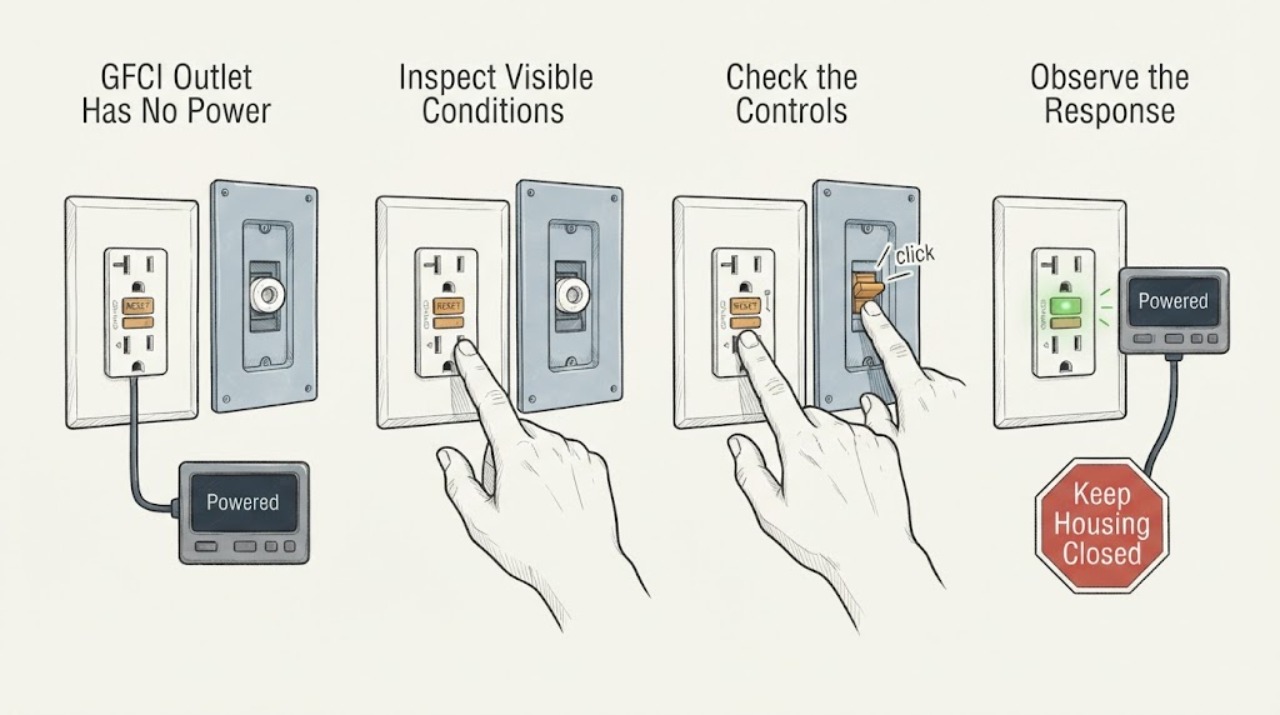
Work through in order
Diagnostic checks
Use only checks that match the exact appliance or system and its official guide.
-
Check 1
Stand on a dry surface and look at the outlet, plug, faceplate, nearby floor, and visible cord ends without touching damaged or wet equipment. If there is moisture, a warm or discolored faceplate, a burning smell, smoke, buzzing, a spark, or a loose outlet, stop using it and arrange electrical help from a safe location.
Expected result: The receptacle is dry, cool, intact, and quiet, or it shows moisture, heat, damage, odor, noise, or arcing.
Next step: If the outlet is safe and dry, unplug accessible loads without disturbing damaged equipment and continue. Otherwise keep clear and call a qualified electrician.
Stop if: Stop immediately for water, heat, scorch marks, smoke, buzzing, a spark, exposed conductors, or a burning smell.
Why this matters
Why: Only the first condition supports a limited visible reset check. The second indicates shock or fire risk and cannot be safely diagnosed by repeatedly pressing buttons or opening the box.
-
Check 2
Record the visible RESET button position, TEST button position, and indicator state. Look for another GFCI receptacle in the same wet-area branch and note whether other nearby outlets or lights also lost power, without removing any cover or touching wiring.
Expected result: RESET is extended, RESET appears set but the indicator is dark, another GFCI is tripped, or several outlets are dead.
Next step: Use the matching branch below. Do not assume a dark indicator means the outlet is safe to open or that replacing it is the next step.
Stop if: Stop if the outlet condition changes, a protection device opens again, or any visible damage is found.
Why this matters
Why: An extended RESET commonly indicates a tripped device; a dark indicator can also mean the device is not receiving circuit power. A second tripped GFCI or several dead outlets points toward an upstream device, fuse, or branch-circuit issue rather than only this faceplate.
-
Check 3
If the receptacle is dry and undamaged, unplug loads from it and from any visibly protected downstream outlet. Press RESET once using normal hand pressure, then release it and observe whether it stays in and whether the indicator or a small lamp returns to its prior state; do not force the button.
Expected result: RESET stays in and power returns, RESET will not stay in, or the button feels stuck or abnormal.
Next step: If power returns without any hazard, keep loads unplugged until the cause is understood and continue to a single functional check. If RESET will not hold, stop and call an electrician.
Stop if: Do not force RESET or repeat it after a failed reset, a trip, heat, odor, moisture, or a spark.
Why this matters
Why: A successful reset suggests the device was tripped, but it does not prove the connected load is safe. A reset that will not hold can indicate no upstream supply, an active ground fault, incorrect wiring, or a failed device.
-
Check 4
Only after a successful safe reset, connect a simple known-good lamp or other low-risk indicator without using an extension cord. Press TEST once and observe whether the lamp turns off and the GFCI indicates a trip; then press RESET once and observe whether the lamp returns.
Expected result: TEST interrupts the lamp and RESET restores it, TEST does not interrupt it, or RESET does not restore power.
Next step: Remove the lamp and stop using the outlet if the sequence fails. Have an electrician correct the supply, wiring, or receptacle instead of continuing to test.
Stop if: Stop the sequence immediately for a spark, heat, odor, buzzing, visible damage, or a second trip.
Why this matters
Why: The first pattern is consistent with a functioning protection sequence for that device. Failure of either part means the GFCI may be defective, incorrectly wired, or not properly supplied; a no-power condition prevents a meaningful test.
-
Check 5
From outside the equipment, identify whether the dead outlet is in a bathroom, kitchen, garage, unfinished basement, laundry area, exterior location, or another damp area, and note any recent leak, rain, cleaning, appliance use, or power interruption. Do not use the outlet until the moisture source and connected equipment are dry and inspected.
Expected result: The loss of power follows moisture, a leak, weather, one appliance, or a power disturbance, or there is no clear trigger.
Next step: Keep the suspected load disconnected and tell the electrician when the outage began and what was operating. Never defeat protection to keep using the circuit.
Stop if: Stop if water is present near electrical equipment, the appliance cord is damaged, or the outlet trips again.
Why this matters
Why: A GFCI can interrupt power when current takes an unintended path, including through water or damaged equipment. A recurring trip after one load or wet event points to the connected equipment or environment; an unexplained outage may involve the branch supply or device itself.
-
Check 6
Observe the visible fuse or circuit-protection status only from a safe position and compare whether other equipment on the same branch is also without power. Do not remove a panel, replace a fuse, operate a device that is hot or damaged, or use a larger protective device as a substitute.
Expected result: Only this GFCI is dead, several downstream outlets are dead, or the circuit protection will not remain in its normal state.
Next step: Provide the electrician with the outlet location, visible button and indicator state, affected rooms, connected loads, and any recent moisture or power event.
Stop if: Stop for repeated fuse or breaker operation, a hot panel, smoke, arcing, water, or any need to touch internal electrical parts.
Why this matters
Why: A single dead receptacle keeps the GFCI, its connections, and its immediate supply in focus. Several dead points or recurring protection operation indicate a branch-circuit or load fault that needs professional diagnosis.
-
Check 7
Before service, photograph the outlet face and record the exact sequence: no power, RESET state, TEST result, indicator behavior, affected outlets, and any load or moisture trigger. Leave the receptacle unused if the protection sequence failed or if the outlet is damaged.
Expected result: The symptom sequence is complete and repeatable, or the outlet cannot be safely approached for documentation.
Next step: Request qualified electrical service and provide the device type, location, visible markings, affected circuit behavior, and safe photos from outside the box.
Stop if: Do not reopen the box, probe wiring, bypass the device, or restore use after a failed protection test.
Why this matters
Why: A precise sequence helps separate upstream supply loss, a connected-equipment ground fault, a failed GFCI, and a fuse or branch issue without unsafe probing. An unsafe location needs an electrician's assessment rather than more observations.
Use your observations
Decision map
Find the observation that best matches what you see, then follow the next safe action.
-
PATH 01Next step
What you see
The outlet is dry and intact, RESET is extended, and one safe reset restores power.
Do this next
Arrange qualified service and follow the exact model guidance.
Why this path and its safety boundary
Why it matters: Leave connected loads unplugged until each load and the environment are checked; use the TEST and RESET sequence once to confirm protection, then stop if it fails.
-
PATH 02Next step
What you see
RESET will not stay in or the indicator remains dark after a safe reset attempt.
Do this next
Arrange qualified service and follow the exact model guidance.
Why this path and its safety boundary
Why it matters: Do not force or repeat the reset. The device may lack upstream power, have an active fault, be miswired, or have failed; call a qualified electrician.
-
PATH 03Next step
What you see
TEST does not interrupt a known lamp, or RESET does not restore it.
Do this next
Arrange qualified service and follow the exact model guidance.
Why this path and its safety boundary
Why it matters: Treat the GFCI protection sequence as failed and leave the outlet unused until an electrician corrects the device, supply, or wiring.
-
PATH 04Next step
What you see
Several outlets are dead or a visible fuse or circuit-protection device will not remain normal.
Do this next
Arrange qualified service and follow the exact model guidance.
Why this path and its safety boundary
Why it matters: Stop troubleshooting at the receptacle and arrange branch-circuit diagnosis; do not operate protection repeatedly or alter its rating.
-
PATH 05Next step
What you see
The outlet or connected equipment is wet, hot, scorched, buzzing, smoking, or sparking.
Do this next
Arrange qualified service and follow the exact model guidance.
Why this path and its safety boundary
Why it matters: Keep clear, do not touch the equipment, and obtain urgent qualified electrical help from a safe location.
Helpful context
Understand the symptom
No power at a GFCI receptacle does not prove that the receptacle itself has failed. One GFCI can protect other outlets farther along the same branch, and a fuse or upstream protective device can remove power before the GFCI can reset. A GFCI can also refuse a reset when it is not receiving power or when its self-test system detects a fault.
The first distinction is safety: a dry, cool, intact outlet with a simple tripped indicator permits a limited visible check; moisture, heat, discoloration, a loose faceplate, or a spark changes the problem to an electrical service call. Do not treat a reset button as permission to keep using an outlet that shows damage.
The Consumer Product Safety Commission explains that a receptacle GFCI can protect downstream outlets and recommends a lamp-based TEST and RESET sequence. Manufacturer guidance also shows that indicator behavior varies by model, so record the button and light state rather than applying a color code from a different device.
Only after diagnosis
Potential parts
- GFCI receptacle
Consider replacement only after an electrician confirms the existing device is defective or incompatible with the installation and identifies the correct device requirements.
Confirm the electrical system, location, device markings, wiring configuration, and local requirements; do not select a receptacle from the symptom alone. - Fuse or circuit protection device
Consider this only when a qualified electrician confirms a failed or incorrectly specified protective device rather than an active load or wiring fault.
The rating and type must match the panel and circuit requirements. Never substitute a larger device or bypass protection.
When checks do not resolve it
Need a professional?
Safety scope: Do not remove the faceplate or cover, touch wiring, probe a live circuit, bypass GFCI protection, change a fuse or protective-device rating, or keep resetting after a failure or hazard.
Common questions
FAQ
Why does a GFCI outlet have no power after I press RESET?
The circuit may not be supplying the GFCI, another upstream GFCI or protective device may be open, a connected load may still have a ground fault, or the receptacle may be defective. Do not force or repeatedly press RESET; arrange electrical diagnosis if one safe attempt does not restore power.
Should I replace the fuse when the GFCI outlet is dead?
Do not replace or change a fuse based only on the dead outlet symptom. Several causes can remove power, and a recurring protective-device opening can indicate a load or wiring fault. A qualified electrician should identify the correct device and cause.
How can I tell whether a dead GFCI is protecting other outlets?
From a safe, dry position, note whether nearby outlets or lights also lost power and look for another visible GFCI in the same area. A receptacle GFCI can protect outlets farther downstream, so a second device or several dead points may be upstream of the outlet you first noticed.
When should I stop troubleshooting a GFCI outlet?
Stop for moisture, heat, discoloration, buzzing, smoke, sparks, a failed TEST and RESET sequence, a reset that will not hold, or repeated loss of power. Leave the outlet unused and contact a qualified electrician; never remove its cover or bypass its protection.
Read the exact guide
Official sources
- GFCI Fact SheetU.S. Consumer Product Safety Commission · Consumer GFCI operation, testing, downstream protection, and qualified installation guidance
- GFCI Outlets & Receptacles | Leviton Safety DevicesLeviton Manufacturing Co., Inc. · Leviton GFCI outlet indicator states, reset behavior, and manufacturer-specific protection guidance
Community feedback
Share a repair observation
Share a plain-text repair observation. Accepted observations are published automatically; this page may take a moment to update.