
On this page
Start here
Quick answer
A Hampton Bay LED fixture that flickers on a dimmer is most often a compatibility, dimmer-setting, wiring, or LED-driver issue, but the exact fixture and dimmer model determine the answer. First stop using the dimmer if there is heat, buzzing, arcing, a burning smell, or a tripping breaker. From ordinary access, record whether flicker occurs only while dimming, at one end of the range, at full brightness, or with the wall switch set to ON; check the fixture's Hampton Bay manual for its compatible dimmer list and whether it is dimmable. Do not remove the fixture, open the wall box, handle conductors, or assume that any LED-rated dimmer is compatible. If the flicker remains with a model-approved compatible dimmer or with the dimmer bypassed by a qualified electrician, the fixture or LED driver may need service or replacement.
Before you begin
Safety first
- This article supports ordinary-access label and symptom observation only. Do not open the wall box or fixture, handle conductors, bypass or rewire a dimmer, or service an integrated LED driver without qualified electrical work.
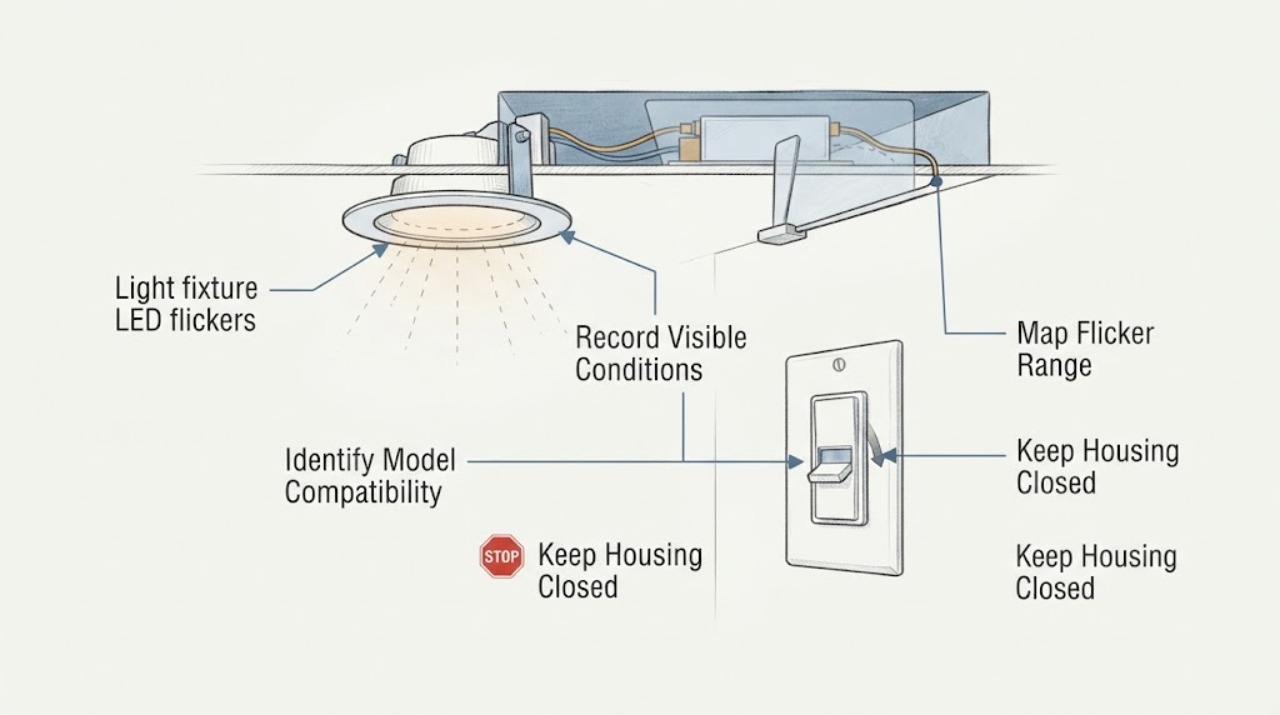
Work through in order
Diagnostic checks
Use only checks that match the exact appliance or system and its official guide.
-
Check 1
Stop using the dimmer and fixture if there is a burning smell, buzzing with heat, visible arcing, smoke, damaged insulation, a hot wall plate, or a tripping breaker; otherwise observe the light from a safe position without touching the fixture.
Expected result: Record whether the flicker is a brief startup event, a repeated shimmer, a strobe, a brightness jump, or a total loss of light, and whether the dimmer or wall plate feels unusually warm.
Next step: Leave the circuit off when an unsafe symptom is present and arrange qualified electrical service; otherwise continue by identifying the fixture and dimmer models.
Stop if: Do not touch a hot plate or fixture, reset a tripping breaker repeatedly, or continue operating when smoke, arcing, burning odor, or damaged wiring is visible.
Why this matters
Why: Heat, arcing, smoke, damage, or breaker activity signals an electrical safety problem rather than a dimming preference. Flicker without those signs can still indicate incompatibility or a failing driver, but it permits only low-risk identification checks.
-
Check 2
From normal user access, note how the Hampton Bay LED behaves as the dimmer is left at OFF, turned ON at full brightness, moved through its range, and held near the lowest usable setting; do not remove the wall plate.
Expected result: Record whether flicker occurs only during adjustment, only at low output, throughout the dimming range, at full output, or with the dimmer apparently bypassed by an ordinary ON/OFF control.
Next step: Save the pattern with a short video and compare it with the exact Hampton Bay manual's dimming guidance before changing any hardware.
Stop if: Do not keep cycling a hot, buzzing, or arcing dimmer to reproduce the flicker.
Why this matters
Why: Low-end-only flicker makes dimmer range or minimum-level compatibility more likely. Flicker at full output or with no dimming command makes the dimmer, wiring, supply, or fixture driver more suspect; the pattern does not identify one part by itself.
-
Check 3
Read the Hampton Bay fixture label, item or model number, and dimmer label from ordinary access, then consult the fixture's manual for whether it is dimmable and for its compatible-dimmer list.
Expected result: Record the exact fixture item or model, whether the LED is integrated or uses a bulb, the dimmer type, any minimum or maximum setting guidance, and whether the manual lists that dimmer or control family.
Next step: Use only the exact manual's compatibility information to select the next step; ask a qualified electrician to assess the control when model information is missing or the list does not match.
Stop if: Do not infer compatibility from brand, wattage, or an LED label alone, and do not access wiring to read a hidden label while energized.
Why this matters
Why: A dimmer absent from the fixture's compatibility information is an unresolved compatibility risk even if it is marketed as LED-rated. A non-dimmable fixture or an integrated LED with a dimmer mismatch can flicker, stay on, or fail to reach the intended range.
-
Check 4
Inspect the visible Hampton Bay diffuser, fixture mount, and surrounding environment without opening the housing; note moisture, impact, loose trim, obstruction, or signs of heat around the fixture.
Expected result: Record whether the fixture is dry and secure, whether flicker changes when the fixture is warm, whether the diffuser or mount is loose, and whether moisture or discoloration is present.
Next step: Stop using a damaged, wet, or heat-affected fixture and arrange service; if it is dry and secure, retain the observation for the compatibility check and service handoff.
Stop if: Do not remove the diffuser, apply liquid cleaner, tighten energized hardware, or reach into the fixture.
Why this matters
Why: Moisture, impact, heat damage, or a loose fixture can indicate a separate installation or fixture fault and makes continued dimmer experimentation unsafe. A dry, secure fixture with a range-specific flicker keeps dimmer compatibility higher on the list.
-
Check 5
If the manual permits a compatible non-dimming ON/OFF control for that fixture, have a qualified electrician compare the light with the dimmer removed or isolated; do not bypass or rewire the control yourself.
Expected result: Record whether flicker disappears with the compatible non-dimming control, remains unchanged, or the light cannot be safely operated for comparison.
Next step: Use the result to guide a model-specific dimmer replacement or fixture diagnosis by the electrician, keeping the Hampton Bay compatibility list and video available.
Stop if: Do not connect the fixture directly, handle conductors, or restore power after switch access unless a qualified electrician has completed and verified the work.
Why this matters
Why: Flicker that disappears when the dimmer is removed points toward dimmer compatibility or dimmer failure. Flicker that remains points toward the fixture driver, wiring, supply, or another electrical issue; the comparison does not authorize a DIY switch change.
-
Check 6
Prepare a service record with the Hampton Bay fixture model or item number, integrated-versus-bulb design, dimmer model, flicker range, temperature or odor observations, installation history, compatible-dimmer lookup, and any qualified comparison result.
Expected result: Confirm whether the symptom is isolated to this fixture, whether other lights on the dimmer behave the same way, and whether the flicker persists with a model-approved control or without dimming.
Next step: Leave an unsafe or persistently flickering circuit out of use and give the record, manual, and video to a qualified electrician or Hampton Bay support for the exact model.
Stop if: Do not continue using a flickering fixture that is hot, damaged, wet, arcing, or associated with a tripping breaker.
Why this matters
Why: A problem isolated to one integrated fixture after compatibility is confirmed makes the LED driver or fixture more likely. Several lights flickering together makes the dimmer, shared wiring, load, or circuit more likely; either result needs electrical diagnosis when unresolved.
Use your observations
Decision map
Find the observation that best matches what you see, then follow the next safe action.
-
PATH 01Safety boundary
What you see
The Hampton Bay LED is steady at full output but flickers only near the bottom of the dimming range, with no heat, odor, arcing, or breaker activity.
Do this next
Check the exact Hampton Bay manual and dimmer compatibility list, then have a qualified electrician set the approved low-end range or install the listed compatible dimmer.
Why this path and its safety boundary
Why it matters: A dimmer low-end setting or compatibility limitation is more likely than a complete fixture failure.
Safety stop: Do not open the wall box or adjust an unverified dimmer while energized.
-
PATH 02Safety boundary
What you see
The Hampton Bay LED flickers or strobes at full brightness, including when the dimmer is not being moved.
Do this next
Stop repeated dimmer experiments, save a video and model numbers, and arrange qualified electrical diagnosis of the dimmer, circuit, and fixture.
Why this path and its safety boundary
Why it matters: An incompatible or failing dimmer, wiring or supply issue, or LED driver fault is more likely than a simple low-end adjustment.
Safety stop: Do not continue using the light if the dimmer is hot, buzzing, arcing, or causing a breaker trip.
-
PATH 03Safety boundary
What you see
Several lights share the dimmer, but only one Hampton Bay fixture flickers while the others remain steady and the dimmer is listed as compatible.
Do this next
Keep the affected fixture out of use if the symptom persists and have a qualified electrician inspect the fixture and circuit; do not open an integrated LED housing.
Why this path and its safety boundary
Why it matters: The affected fixture, integrated LED module, driver, connection, or local installation is more likely than the shared dimmer alone.
Safety stop: Do not substitute a random bulb or replace the driver without model-specific service guidance.
-
PATH 04Safety boundary
What you see
Multiple fixtures on the same dimmer flicker together, especially across the whole dimming range.
Do this next
Have a qualified electrician verify the dimmer type, supported load, wiring configuration, and fixture compatibility before selecting a replacement control.
Why this path and its safety boundary
Why it matters: The dimmer's compatibility, load, setting, wiring, or shared circuit is more likely than one Hampton Bay LED driver.
Safety stop: Do not rewire the dimmer, exceed its rating, or use a non-LED control to suppress the symptom.
-
PATH 05Safety boundary
What you see
The Hampton Bay manual does not identify the fixture as dimmable, or the installed dimmer is absent from the exact compatible-dimmer information.
Do this next
Stop dimming and use only a model-approved ON/OFF control until a qualified electrician confirms a compatible solution or the fixture is replaced with a compatible model.
Why this path and its safety boundary
Why it matters: Compatibility is not established; flicker, partial shutoff, or unstable brightness may be expected from the mismatch but still should not be ignored if heat or damage is present.
Safety stop: Do not treat an LED-rated label as universal approval and do not install a new control without circuit isolation and qualified wiring work.
-
PATH 06Safety boundary
What you see
The dimmer or fixture is hot, buzzing, arcing, smoking, wet, visibly damaged, or associated with burning odor or repeated breaker trips.
Do this next
Stop using the fixture, isolate the circuit at the breaker when safe, keep clear of damaged parts, and arrange qualified electrical service.
Why this path and its safety boundary
Why it matters: The immediate issue is electrical safety, regardless of whether the original trigger was dimmer compatibility, wiring, or an LED driver.
Safety stop: Do not reset the breaker repeatedly, touch the wall box or fixture, or continue troubleshooting under power.
Helpful context
Understand the symptom
A Hampton Bay fixture may need a specific dimmer, not just an LED label
Hampton Bay manuals do not promise that every LED-rated dimmer will work with every fixture. One Hampton Bay LED manual says dimming depends on the dimmer, its settings, wiring method, and the number of LED modules, and points owners to the compatible list for the fixture's item number. Treat the manual and exact item number as the compatibility source; the brand name alone is not enough.
Use the flicker pattern to separate compatibility from a fixture fault
Flicker only while the dimmer is moving or only near the lowest level often points to dimmer range, minimum-load behavior, or control compatibility. Flicker throughout the range, at full brightness, or with a standard ON/OFF switch points farther toward the dimmer, wiring, supply, or LED driver. Home Depot's Hampton Bay guide specifically notes that integrated LED or CCT lights can strobe even with the wall dimmer at full brightness. This pattern is evidence for the next check, not proof of a failed driver.
Integrated LED fixtures change the replacement decision
Some Hampton Bay fixtures contain an integrated LED module and driver rather than a replaceable screw-in bulb. Do not order a bulb simply because the fixture flickers, and do not open the housing to reach the driver. If the exact compatible dimmer and wiring are confirmed but the fixture still flickers, a qualified electrician or the manufacturer must determine whether the driver or complete fixture is serviceable.
Power and wiring work belong behind the safety boundary
Hampton Bay's fixture instructions require power to be disconnected at the breaker or fuse before work, and recommend a qualified electrician when electrical questions or driver replacement arise. A wall switch being OFF is not a substitute for safely isolating the circuit before switch or fixture access. Keep the troubleshooting to labels, controls, visible symptoms, and the manual unless a qualified electrician performs the electrical work.
Safety boundary
Stop conditions
- Turn off power at the accessible circuit breaker or fuse before any switch or fixture access; a wall switch being OFF is not a substitute for circuit isolation.
- Stop using the circuit for heat, smoke, arcing, buzzing with heat, burning odor, damaged insulation, moisture, hot wall plates, or repeated breaker trips; arrange qualified electrical service.
- Do not open the wall box or integrated LED housing, handle conductors, bypass a dimmer, adjust wiring, or replace an LED driver without qualified electrical work.
- Do not assume every LED-rated dimmer is compatible with a Hampton Bay fixture; use the exact fixture manual and compatible-dimmer information.
- Do not keep cycling a flickering fixture to reproduce the symptom or leave an unresolved, overheating, or damaged light in service.
Only after diagnosis
Potential parts
- dimmable LED bulb
Consider this class only when the Hampton Bay fixture uses a replaceable bulb, the fixture manual confirms dimmability, and the installed dimmer is compatible with that bulb type.
Match the fixture socket, bulb shape, electrical rating, dimmability marking, color-temperature requirements, enclosure rating, and exact dimmer compatibility; do not use a bulb swap to conceal a wiring or control fault. - LED compatible dimmer
Consider this class only after the exact Hampton Bay fixture manual identifies the appropriate dimmer family and a qualified electrician confirms the circuit, load, switching arrangement, and wiring.
Match the exact fixture compatibility list, dimmer load range, single-pole or multi-location arrangement, low-end adjustment, and local electrical requirements; do not choose by an LED label alone. - light switch
Consider this class only when the fixture is not dimmable, a compatible ON/OFF control is the model-approved remedy, or a qualified electrician confirms the existing switch is defective.
Match the fixture's control requirements, circuit configuration, ratings, box and grounding conditions, and applicable electrical rules; power must be isolated before switch work.
When checks do not resolve it
Need a professional?
Arrange qualified electrical service when the Hampton Bay LED flickers at full brightness, flickers with a model-approved dimmer, several lights flicker together, the fixture is integrated and its driver is suspected, compatibility is unknown, wiring or circuit behavior is abnormal, or any check would require switch or fixture access. Stop using the circuit and isolate it safely for heat, buzzing, arcing, smoke, burning odor, moisture, damage, or repeated breaker trips.
Safety scope: This article supports ordinary-access label and symptom observation only. Do not open the wall box or fixture, handle conductors, bypass or rewire a dimmer, or service an integrated LED driver without qualified electrical work.
Common questions
FAQ
Why does my Hampton Bay LED flicker with a dimmer?
The dimmer may be incompatible with that fixture or LED driver, its low-end setting may be unsuitable, the circuit may have a wiring or load issue, or the fixture may be failing. Check the exact Hampton Bay manual and dimmer model, record where in the range flicker occurs, and arrange qualified electrical diagnosis for persistent flicker.
Can a Hampton Bay LED light flicker even when the dimmer is at full brightness?
Yes. Home Depot's Hampton Bay guide notes that some LED CCT or integrated lights can flicker or strobe even at full brightness when the wall dimmer is incompatible. Do not assume the full-brightness position proves compatibility; use the exact fixture's compatible-dimmer information.
Does an LED-rated dimmer work with every Hampton Bay fixture?
No. Hampton Bay says dimming depends on the dimmer, its settings, wiring method, and the number of LED modules, and directs owners to the compatible list for the fixture item number. Brand and LED labels alone do not establish compatibility.
Should I replace the Hampton Bay LED driver when the light flickers?
Not based on flicker alone. First rule out the exact dimmer, setting, circuit, and wiring with a qualified electrician. Many fixtures use an integrated LED module, and opening the housing or replacing a driver without model-specific service guidance creates electrical and compatibility risks.
When should I call an electrician for a flickering Hampton Bay light?
Call when flicker remains with the listed compatible dimmer, occurs at full brightness, affects several lights, or requires switch or fixture access. Stop using the circuit for heat, buzzing, arcing, smoke, burning odor, moisture, visible damage, hot wall plates, or repeated breaker trips.
Read the exact guide
Official sources
- Hampton Bay Ceiling Fan Troubleshooting GuideThe Home Depot · Home Depot's Hampton Bay ceiling-fan support guide; its dimmer observation applies specifically to Hampton Bay fan lights and must be confirmed against a particular fixture manual.
- LED CEILING LIGHT WITH SELECTABLE COLOR TEMPERATURE Use and Care GuideHampton Bay / The Home Depot · Hampton Bay use-and-care guide for models 54448111 and 54448211; exact fixture manual controls a different Hampton Bay model.
- Relectric Range and Cooktop - Infinite vs Electroinc "No Pulse" BurnersGE Appliances · Included only as a manufacturer example that control behavior is design-specific; it does not establish Hampton Bay fixture compatibility.
- How to Install a Dimmer SwitchThe Home Depot · Home Depot general electrical guidance; local code, exact product instructions, and qualified electrical work control a real installation.
Community feedback
Share a repair observation
Share a plain-text repair observation. Accepted observations are published automatically; this page may take a moment to update.