
On this page
Start here
Quick answer
A flickering Lutron-controlled light fixture is often a mismatch between an LED lamp or driver and the dimmer, an LED load outside the control's supported range, a low-end dimming limitation, or a failing lamp, driver, socket, or circuit connection. First determine whether one fixture flickers or several lights do, and whether the effect follows dimmer position or occurs when the control is off. With power off and the fixture cool, check the lamp's dimmable marking and the fixture label, then record the Lutron control model for a documented compatibility check. Do not open a dimmer or fixture box. Leave the circuit off and arrange a licensed electrician for flicker with buzzing, heat, discoloration, burning odor, sparks, shock, water, or repeated breaker trips.
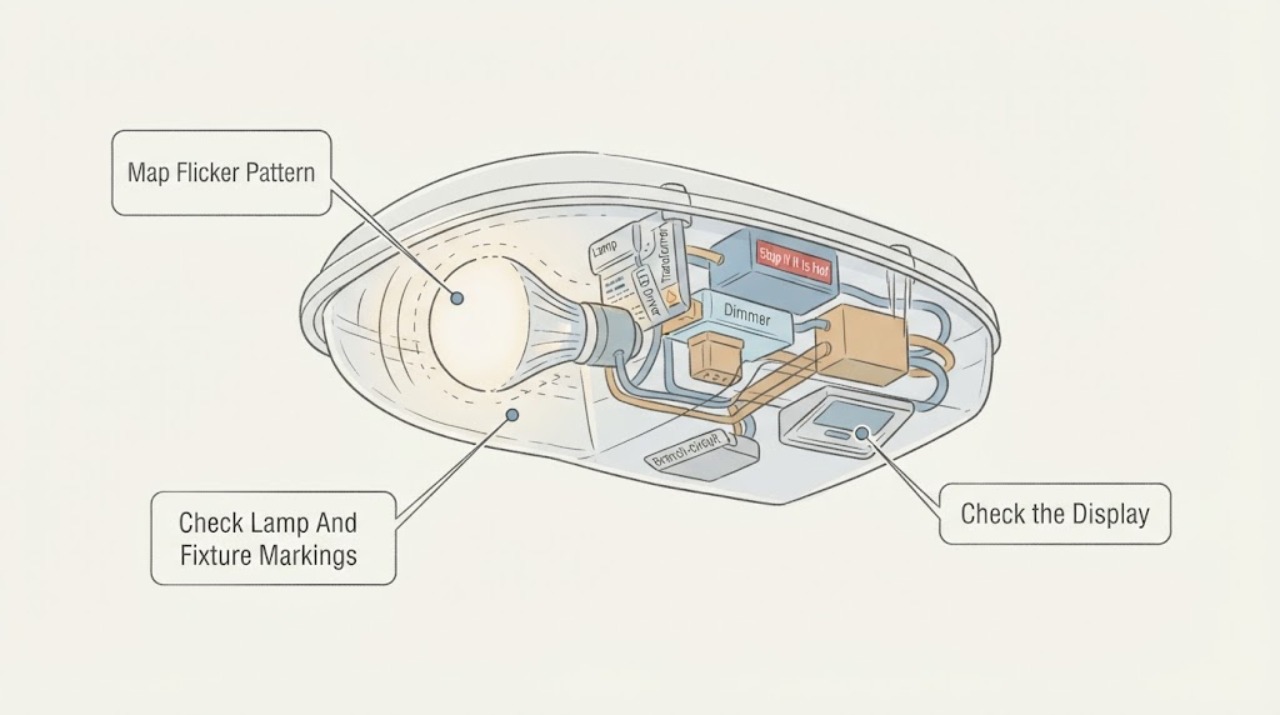
Work through in order
Diagnostic checks
Use only checks that match the exact appliance or system and its official guide.
-
Check 1
From a safe position, watch the Lutron-controlled fixture during one normal on cycle. Note whether only this fixture flickers, whether other lights on the same control or circuit change too, whether the effect follows slider position, and whether it happens when the control is switched off.
Expected result: Record one-fixture flicker, several lights flickering together, low-end-only flicker, full-range flicker, flicker while off, or a change linked to another appliance starting.
Next step: Leave the light off if flicker is new, worsening, or paired with any warning sign. Otherwise record the pattern and continue only with the label and compatibility checks; do not repeatedly toggle the control.
Stop if: Stop immediately for smoke, burning odor, sparks, a hot or discolored switch or fixture, shock, water exposure, damaged insulation, or a breaker that trips again.
Why this matters
Why: One-fixture flicker makes the lamp, LED driver, transformer, dimmer pairing, or fixture connection more likely. Low-end-only behavior makes dimming-range compatibility more likely. Several lights changing together or load-linked flicker makes a circuit or supply issue more likely.
-
Check 2
After switching the light off, turning off the circuit at the breaker, allowing the fixture to cool, and following the exact fixture instructions, read the lamp and fixture markings from safe access. Note whether the lamp is marked dimmable, its type and wattage, whether the fixture is integrated LED, and any low-voltage or transformer marking.
Expected result: Record a correctly marked dimmable lamp, a non-dimmable lamp, a lamp above the marked limit, a damaged or loose lamp, an integrated LED fixture, or a low-voltage fixture with a transformer.
Next step: Replace a lamp only with one that matches the fixture marking and model instructions, with the circuit de-energized. Do not touch an integrated LED module or continue using a lamp or socket that shows scorching, cracking, or heat damage.
Stop if: Do not exceed the fixture limit, force a lamp into a socket, touch exposed contacts, remove a driver or transformer cover, or proceed when markings are missing and the limits are unknown.
Why this matters
Why: A non-dimmable, over-limit, damaged, or poorly seated lamp is a plausible local cause. An integrated LED or low-voltage fixture adds driver or transformer compatibility to the diagnosis. Correct markings do not rule out a failing driver or connection.
-
Check 3
Record the Lutron control model without removing its wall plate, the number and type of lamps it controls, and the brightness range where flicker occurs. Compare the exact control, Feit or other lamp, fixture, and transformer details with Lutron's compatibility information or the fixture maker's instructions.
Expected result: Record a documented compatible combination, an unlisted combination, a control marked for a different load type, a low-end-only problem, or flicker throughout the range.
Next step: Do not change phase, trim, wiring, or control hardware as a trial. Leave the light off when compatibility is unknown or the symptom persists, and have a licensed electrician evaluate the complete combination.
Stop if: Do not remove the wall plate, bridge terminals, bypass the control, install a shunt, alter line or load conductors, or infer compatibility from a generic wattage label.
Why this matters
Why: An unlisted or mismatched dimmer, lamp, driver, or transformer makes compatibility the leading suspect. Flicker throughout the range with a documented pairing makes a failed lamp, driver, transformer, socket, fixture connection, or circuit more likely.
-
Check 4
With the circuit de-energized and the fixture cool, inspect from stable access for a cracked lens, moisture, loose visible shade or trim, fixture movement, scorch marks, or a damaged housing. Do not remove a canopy, lens that exposes wiring, or integrated LED enclosure.
Expected result: Record no visible damage, a loose shade or trim, a cracked lens or housing, moisture, an unstable mounting point, scorch marks, or access that requires removing a cover or working at an unsafe height.
Next step: Keep a cracked, wet, scorched, unstable, or damaged fixture off and request qualified service. Follow only the exact model instructions for an accessible decorative piece; do not improvise an electrical or housing repair.
Stop if: Do not handle broken glass, support a hanging fixture by its wires, work from an insecure ladder, open an integrated LED housing, or place moisture near energized equipment.
Why this matters
Why: Physical or moisture damage can cause unstable output and create shock, fire, or falling-part risk. No visible damage makes a lamp, control compatibility, driver, transformer, socket, or concealed connection more likely but does not identify which part failed.
-
Check 5
From a safe, dry position, note whether the Lutron control or fixture is warm, discolored, buzzing, or emitting a hot odor; whether there are sparks, shock, moisture, or damaged insulation; and whether the circuit breaker trips when the light operates.
Expected result: Record a cool fixture with steady nearby lights, or flicker with warmth, discoloration, buzzing, burning odor, sparks, shock, water, damaged insulation, or breaker action.
Next step: Leave the circuit off for any warning sign and contact a licensed electrician. Provide the Lutron model, fixture and lamp markings, dimmer position, number of affected lights, and when the flicker began.
Stop if: Do not reset a repeatedly tripping breaker, touch a hot or discolored control, test live voltage, open a junction box, or continue using the circuit after smoke, odor, sparks, shock, or water exposure.
Why this matters
Why: Flicker combined with heat, odor, buzzing, discoloration, sparks, shock, moisture, or breaker action is an electrical warning outside safe lamp troubleshooting. A cool single fixture with no other symptom can still have an internal driver, transformer, or compatibility fault.
Use your observations
Decision map
Find the observation that best matches what you see, then follow the next safe action.
-
PATH 01Next step
What you see
The Lutron-controlled Feit fixture flickers only at a low dim level or when turned off, while the lamp and fixture show no heat, odor, damage, or circuit-wide flicker.
Do this next
Confirm the exact Lutron control and lamp or fixture in compatibility documentation. If the combination is unlisted or remains unstable, leave it off and have a licensed electrician evaluate the control and load together.
Why this path and its safety boundary
Why it matters: The LED load and control may have an incompatible low-end range or a small-current interaction. Lutron describes low-voltage and LED combinations where driver, transformer, load, and control behavior can produce visible instability.
-
PATH 02Next step
What you see
Only one light flickers across the full dimming range, the lamp marking and control pairing appear suitable, and there is no heat, odor, damage, or circuit-wide symptom.
Do this next
Stop repeated lamp swaps and request qualified lighting or electrical diagnosis, especially when the fixture has an integrated LED source or low-voltage transformer.
Why this path and its safety boundary
Why it matters: A failing lamp, LED driver, transformer, socket, or internal fixture connection is more likely than a whole-branch supply problem. External checks cannot separate those components.
-
PATH 03Next step
What you see
Several lights flicker together, or the Feit fixture changes when another appliance starts, while no single lamp or dimmer mismatch explains the symptom.
Do this next
Leave the affected lighting off and have a licensed electrician inspect the circuit. Do not add loads, reset a breaker repeatedly, or open the panel to investigate.
Why this path and its safety boundary
Why it matters: A branch-circuit, supply, overload, or shared connection issue becomes more likely than a single fixture component.
-
PATH 04Next step
What you see
The fixture has a cracked lens or housing, visible moisture, scorch marks, loose mounting, or flicker began after impact or water exposure.
Do this next
Keep the circuit off and arrange qualified service. Preserve the model label and describe the damage; do not open or dry an energized fixture.
Why this path and its safety boundary
Why it matters: Physical or moisture damage can destabilize the light and create shock, fire, or falling-part risk. A replacement component cannot be selected safely without the exact model and damage assessment.
-
PATH 05Next step
What you see
Flicker occurs with a hot or discolored control or fixture, buzzing, burning odor, sparks, shock, damaged insulation, water near electrical parts, or repeated breaker action.
Do this next
Leave the circuit off and contact a licensed electrician. For smoke, active arcing, or a strong burning odor, leave the area and follow local emergency guidance.
Why this path and its safety boundary
Why it matters: This is an electrical safety condition, not routine dimmer troubleshooting. ESFI recommends licensed inspection for these warning signs.
Helpful context
Understand the symptom
The flicker pattern matters more than the brand name
A Lutron control can be working while an attached LED fixture still flickers. Flicker only near the dimmest setting points toward the LED driver's usable range or compatibility. Flicker across the full range points more toward a lamp, driver, transformer, socket, or wiring issue. Flicker that appears with the control off can be a low-current interaction with a sensitive LED load. Several lights changing together or responding to another appliance makes the branch circuit more concerning.
Low-voltage fixtures add a transformer to the compatibility question
Some Lutron-controlled fixtures use a magnetic or electronic low-voltage transformer between the control and the LED load. Lutron explains that dimmer phase, transformer behavior, minimum load, driver design, and line disturbances can make the light shimmer or flicker. Do not infer that a dimmer is suitable from its wattage label alone; the installed lamp, transformer, driver, and control must be evaluated as a set.
Keep checks external and de-energized
A homeowner can record the Lutron model, lamp markings, dimmer position, affected lights, and visible warning signs. Lamp or fixture access should follow the exact product instructions with power off at its source. A flickering control or fixture is not a reason to loosen wires, install a shunt, change phase, or open a wall box without qualified instruction for that exact installation.
Only after diagnosis
Potential parts
- dimmable LED lamp
Consider only when the fixture has a replaceable lamp and the current lamp is non-dimmable, damaged, incorrectly rated, or absent from the documented compatibility information.
Match the socket, voltage, enclosure or damp-location rating, wattage limit, dimmable marking, and the exact fixture and Lutron control instructions. - Lutron-compatible dimmer
Consider only when flicker follows dimmer position and the installed control is not suitable for the exact LED load or fixture.
Confirm the control model, load type, number of fixtures, wiring arrangement, phase requirements, and manufacturer compatibility before a licensed electrician installs it. - LED driver or low-voltage transformer
Consider only after qualified testing identifies an internal driver or transformer as the source of persistent flicker.
Use the exact fixture documentation and electrical ratings; do not substitute a driver or transformer based only on physical size or connector appearance.
When checks do not resolve it
Need a professional?
Call a licensed electrician immediately for flicker with a hot or discolored Lutron control or fixture, buzzing, burning odor, sparks, shock, damaged insulation, moisture, or repeated breaker trips; leave the circuit off. Arrange qualified lighting service for flicker that persists after lamp and compatibility checks, or for an integrated LED or low-voltage fixture. Do not open the fixture, wall control, junction box, socket wiring, driver, or transformer enclosure.
Have this ready
- Give the electrician the Lutron control model if visible, fixture and lamp markings, replaceable or integrated LED source, low-voltage transformer details if visible, number of affected lights, dimmer position and flicker range, when the symptom occurs, and any heat, odor, damage, or breaker history.
Common questions
FAQ
Why does my Lutron light fixture flicker only when dimmed low?
The LED lamp or driver may not operate stably across the dimmer's low-end range, or the control and LED load may not be a compatible pair. Confirm the exact Lutron control and fixture or lamp in compatibility documentation before any hardware change.
Why does a Lutron-controlled LED flicker when it is off?
Some controls pass a small current while off, and some LED loads respond with faint flicker or glow. If the effect is limited to one compatible-looking fixture, record the control and lamp models; leave it off and request qualified diagnosis if compatibility checks do not resolve it.
Can a bad bulb cause a Lutron light to flicker?
Yes. A damaged, loose, incorrectly rated, or non-dimmable lamp can flicker on a dimmer. Turn power off at the breaker, let the fixture cool, and inspect only the accessible lamp and label. Do not touch exposed contacts or a scorched socket.
When is flickering a wiring hazard?
Treat flicker with a hot or discolored switch or fixture, buzzing, burning odor, sparks, shock, damaged insulation, moisture, or repeated breaker trips as an electrical warning. Leave the circuit off and contact a licensed electrician.
Read the exact guide
Official sources
- Challenges of Dimming LED LoadsLutron Electronics · Lutron technical guidance used for general LED-control and low-voltage compatibility reasoning; it is not a model-specific installation instruction.
- Home Wiring Safety TipsElectrical Safety Foundation International · ESFI consumer safety guidance used for flicker, buzzing, heat, discoloration, odor, sparks, shock, damaged insulation, and breaker warnings.
- Electrical Safety DosElectrical Safety Foundation International · ESFI safety guidance used for escalation when lighting flicker accompanies heat, discoloration, buzzing, or burning odor.
Community feedback
Share a repair observation
Share a plain-text repair observation. Accepted observations are published automatically; this page may take a moment to update.