
On this page
Start here
Quick answer
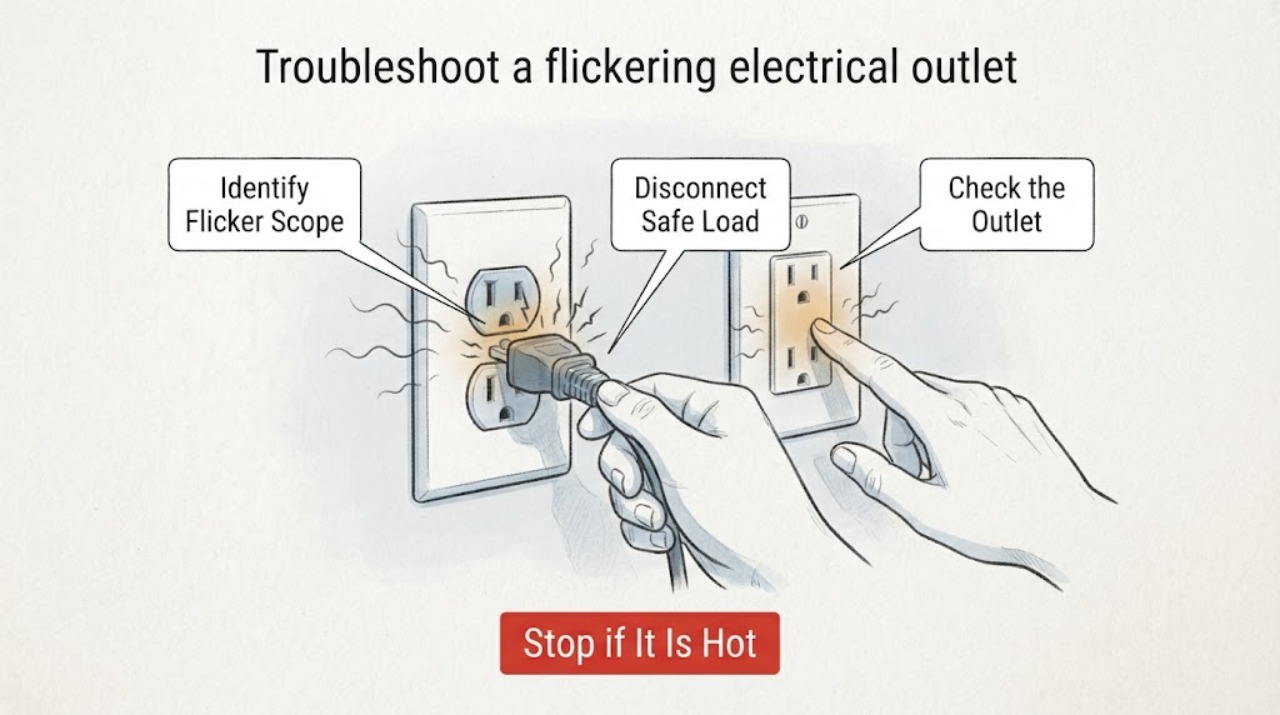
A flickering outlet or a light plugged into it should be treated as an electrical warning. Turn off the connected device and unplug it only if the plug and outlet are cool, dry, intact, and easy to reach; then leave the outlet unused while you note whether the flicker follows that device or affects other points on the circuit. Heat, discoloration, buzzing, burning odor, sparks, looseness, a shock or tingle, or repeated breaker or GFCI trips means stop and call a qualified electrician.
Work through in order
Diagnostic checks
Use only checks that match the exact appliance or system and its official guide.
-
Check 1
From a safe position, note exactly what flickers and when: one plugged-in lamp or appliance, the outlet indicator, several outlets or lights, or the whole room; also note whether it changes when a large load starts.
Expected result: The flicker is isolated to one device, occurs at several points on the circuit, or appears with dimming, buzzing, heat, or a protective-device trip.
Next step: Record the pattern and stop using the suspect outlet while completing only the external checks. Do not switch loads repeatedly to reproduce the flicker.
Stop if: Stop immediately for smoke, sparks, heat, a burning odor, buzzing or crackling, a shock or tingle, or visible damage.
Why this matters
Why: A one-device pattern makes the device, cord, plug, or local receptacle possible contributors; a multi-point pattern suggests a branch-circuit, overload, protective-device, or upstream wiring issue. Dimming or flicker with other warning signs increases the safety concern.
-
Check 2
If the connected device and plug are cool, dry, intact, and easy to reach, switch the device off and unplug it by holding the plug body; if not, leave it alone and use only the circuit's normal switch or breaker control if that is safe.
Expected result: The flicker stops when the device is disconnected, or it continues at the outlet with no device connected.
Next step: Keep the device and outlet out of service and arrange inspection if the flicker returns, remains unloaded, or the device or plug shows damage. Do not move a hot or damaged device to another outlet.
Stop if: Do not pull by the cord, touch a hot or wet plug, or reach around a sparking or loose outlet.
Why this matters
Why: A stopped flicker makes the device, plug, cord, or outlet under load a possible contributor; a continuing flicker points more toward the receptacle or fixed wiring. Neither result makes the outlet safe to reuse.
-
Check 3
Without removing the cover, inspect the visible outlet face, cover, plug, and nearby wall for a loose fit, scorch mark, discoloration, melted plastic, moisture, cracked cover, or damaged cord insulation.
Expected result: The plug fits loosely, the outlet or plug is warm, or there is discoloration, scorching, melting, moisture, cracking, or visible cord damage; alternatively, no abnormality is visible.
Next step: For any warning sign, leave the outlet unused and call a qualified electrician. If the exterior looks normal but flickering persists, keep it unused and arrange diagnosis rather than opening it.
Stop if: Do not touch exposed conductors, wipe a wet outlet, remove the faceplate, or use another plug to test how firmly it fits.
Why this matters
Why: A loose fit can indicate poor contact and overheating; heat, damage, or moisture can indicate an electrical fault or shock and fire risk. A normal appearance does not rule out a hidden connection problem.
-
Check 4
Using only normal switches and observation from safe locations, check whether nearby lights or outlets also flicker, buzz, feel warm, or lose power, and note whether a breaker or GFCI has moved.
Expected result: Only one outlet is affected, several points on the circuit are affected, or the protective device trips or will not stay set.
Next step: Leave the affected circuit unloaded and arrange an electrician's assessment. Do not add a power strip, extension lead, or larger protective device to work around the flicker.
Stop if: Stop if any other outlet or switch is hot, discolored, buzzing, sparking, or smells of overheated plastic.
Why this matters
Why: One affected outlet suggests a local receptacle, plug, or connection issue; several affected points or a recurring trip suggests an overload, short, ground fault, protective-device, or wiring issue beyond that outlet.
-
Check 5
Consider whether the flicker began after water exposure, cleaning, a leak, a renovation, a new appliance, or a change to the outlet or switch, without opening the installation or applying power to dry it.
Expected result: Moisture or a recent electrical change is present, or there is no known change and the installation is dry.
Next step: Keep a wet or recently altered outlet off and have a qualified electrician assess it. For a dry outlet with persistent flicker, schedule the same inspection rather than relying on a visual pass.
Stop if: Do not spray, dry with energized equipment, open the box, or restore power after water has entered the outlet.
Why this matters
Why: Water, damaged insulation, altered wiring, or added load can create leakage, poor connections, or overload; no known trigger does not rule out an aging or hidden fault.
Use your observations
Decision map
Find the observation that best matches what you see, then follow the next safe action.
-
PATH 01Next step
What you see
The flicker stops when one cool, intact device is unplugged.
Do this next
Keep that device and the outlet out of service until the device, cord, plug, and receptacle are checked; do not assume the device alone is at fault.
-
PATH 02Next step
What you see
The flicker continues with nothing connected.
Do this next
Leave the outlet unused and arrange qualified inspection of the receptacle and fixed wiring.
-
PATH 03Next step
What you see
Several outlets or lights flicker, or the circuit loses power together.
Do this next
Leave the affected circuit unloaded and have an electrician assess the branch load, protective device, and wiring.
-
PATH 04Next step
What you see
The outlet or plug is hot, loose, discolored, scorched, melted, wet, cracked, or smells of burning.
Do this next
Do not touch or reuse it. Switch off the circuit through its normal control if safely accessible and call a qualified electrician.
-
PATH 05Next step
What you see
A breaker or GFCI trips again or will not stay set.
Do this next
Leave it off and call a qualified electrician; do not repeatedly reset, bypass, or replace the protective device with a different rating.
-
PATH 06Next step
What you see
The exterior looks normal but flickering persists or returns.
Do this next
Stop using the outlet and schedule electrical diagnosis because a hidden receptacle or wiring fault cannot be cleared by visual inspection.
Helpful context
Understand the symptom
What flickering at an outlet can mean
An outlet itself does not normally regulate a load, so first distinguish a flickering lamp or appliance from a small indicator on a receptacle. The problem may be the plugged-in device or cord, a loose contact at the receptacle, an overloaded branch circuit, a protective-device response, or wiring farther upstream. A flicker limited to one device is different from several lights or outlets changing together, but neither pattern identifies a repair a homeowner should make inside the box.
Keep the investigation non-invasive
Use normal switches and unplug only a cool, undamaged plug by its body. Do not remove the faceplate, tighten terminals, insert a tester or tool, open the receptacle box, bend plug blades, bypass a protective device, or replace a fuse or breaker with a different rating. If there is smoke, arcing, heat, water, or a burning smell, keep clear and leave the circuit off if that can be done without contact with the damaged area.
When checks do not resolve it
Need a professional?
Leave the outlet and, when safely accessible, its circuit off and call a qualified electrician for persistent or returning flicker, any heat, discoloration, scorch mark, odor, buzzing, crackling, spark, moisture, looseness, damaged cord or plug, a shock or tingle, or a breaker or GFCI that trips or will not stay set.
Common questions
FAQ
Why does a light plugged into an outlet keep flickering?
The lamp or cord may be failing, or the outlet, branch circuit, or wiring may have a loose or overloaded connection. Turn the device off, disconnect it only if cool and intact, and keep the outlet unused if the flicker returns or continues without a load.
Can I keep using an outlet that flickers but is not warm?
No. A normal temperature does not rule out a hidden connection or wiring problem. Stop using the outlet and arrange qualified inspection, especially if the flicker is persistent or affects more than one load.
Should I replace the outlet if it causes flickering?
Do not replace it as a first DIY step. A flicker can involve the connected device, circuit, or wiring as well as the receptacle, and replacing a fixed outlet requires safe isolation and correct wiring by a qualified electrician.
Read the exact guide
Official sources
- Electrical Safety DosElectrical Safety Foundation International · Electrical safety guidance identifying flickering or dimming lights, buzzing, warmth, discoloration, and burning odor as warning signs requiring qualified inspection
- CPSC Guide to Home Wiring HazardsU.S. Consumer Product Safety Commission · Consumer Product Safety Commission guidance on flickering lights, buzzing, overheating, loose receptacles, protective devices, and qualified electrical repair
- Electrical Safety Advice for Extension Leads, Cable Reels and Block AdaptorsElectrical Safety First · Electrical product safety guidance on outlet warning signs, damaged plugs and cords, overheating, arcing sounds, and qualified repair
Community feedback
Share a repair observation
Share a plain-text repair observation. Accepted observations are published automatically; this page may take a moment to update.