
On this page
Start here
Quick answer
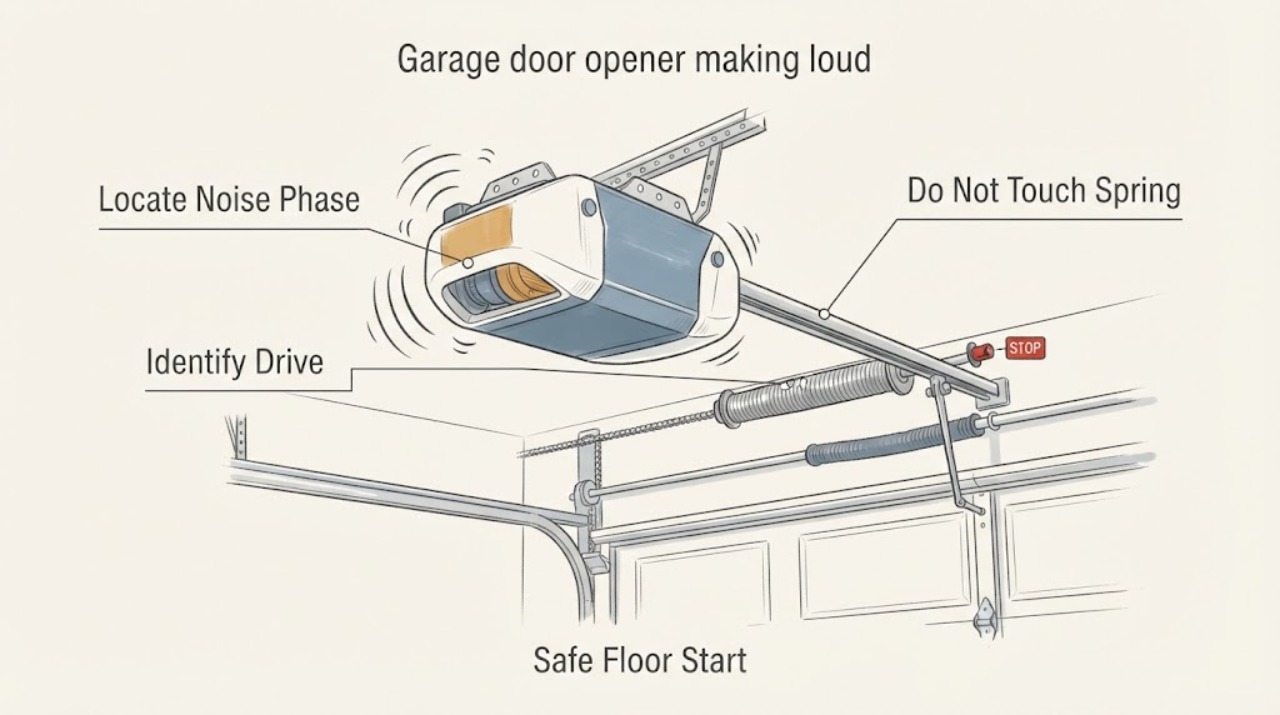
If a Genie garage door opener suddenly becomes loud, keep the door area clear and make only a floor-level observation of when the sound starts and where it comes from. Read the exact Genie model and identify the drive style from a safe label view; belt, chain, screw, and wall-mount systems have different normal characteristics and compatible guidance. Do not climb, touch springs or lift cables, open the power head, adjust force or travel, or perform an energized check. Stop using the opener and arrange prompt garage-door service for grinding, stalling, a jerky or unbalanced door, smoke, a burning smell, or a sound that seems to come from the spring or cable area.
Before you begin
Safety first
- The professional confirms the door load and Genie drive, interprets model-specific diagnostics, and selects compatible parts or maintenance only after the cause is established.
Work through in order
Diagnostic checks
Use only checks that match the exact appliance or system and its official guide.
-
Check 1
Stand on the garage floor, keep people, pets, and vehicles out of the door path, and photograph or read any Genie model label that is already visible. Do not climb, use a ladder, touch springs or lift cables, pull the emergency release, open the power head, or reach toward moving parts.
Expected result: The label and the opener head or rail may be identifiable from the floor, or the identity may be unreadable without elevated or disassembly access.
Next step: Record the full model and any visible drive style, then leave the opener untouched until the sound pattern is documented.
Stop if: Stop immediately for an unstable or crooked door, exposed wiring, smoke, burning odor, unexpected movement, a damaged spring or cable, or any need for a ladder, cover removal, or energized access.
Why this matters
Why: The exact model controls which Genie manual, drive information, diagnostics, and replacement parts apply; an unreadable label is a reason to call, not to guess.
-
Check 2
If the door is stable and the sound is not grinding or scraping, observe at most one ordinary open or close from a clear floor position. Note whether the noise starts on startup, follows the trolley along the rail, occurs at the stop, or continues with motor sound but little door travel; do not repeat cycles to chase the sound.
Expected result: The noise may be a rattle or vibration at the opener head or rail, a sound that follows door hardware, a squeal or scrape, or a motor sound with little or no travel.
Next step: Write down the sound character, phase, direction, and location and select the matching branch; keep the opener off if the sound is new, worsening, or hazardous.
Stop if: Stop and keep the door closed for grinding, jerking, stalling, unexpected reversal, a falling or crooked door, smoke, burning smell, or repeated breaker trips.
Why this matters
Why: Timing and location distinguish a drive or mounting concern from door hardware, loading, or a potentially unsafe spring or cable condition, but they do not prove an internal failure.
-
Check 3
From the floor, use the visible rail and model information to identify whether this Genie installation uses a belt, chain, screw, or wall-mount drive; do not infer the drive from the sound and do not remove a cover to see it.
Expected result: The drive may be clearly labeled or visible, may appear to be a belt, chain, screw, or wall-mount arrangement, or may remain uncertain.
Next step: Match the exact model and drive to Genie support before selecting lubricant, gear, isolator, or any adjustment; do not substitute a generic drive procedure.
Stop if: Stop if identification requires climbing, handling the rail or chain, opening the head, touching wiring, or any live or overhead work.
Why this matters
Why: Genie's official drive guidance is not interchangeable: belt units are described as quiet with no metal-on-metal rail contact, chain units are rugged chain systems, and direct-drive screw units have no belts, chains, or wearing gears. A wall-mount unit requires its own model manual.
-
Check 4
From the same standing position, watch the door and visible hardware during the allowed observation for rubbing, shaking, crooked travel, a displaced cable, or noise that follows hinges, rollers, tracks, or the spring area. Do not lift the door manually, disconnect it, touch springs or cables, or adjust brackets.
Expected result: The door may move smoothly while the Genie rail or head vibrates, or it may bind, shake, scrape, sit crooked, or show a spring or cable concern.
Next step: Keep the door closed and provide the exact source and movement notes to qualified garage-door service.
Stop if: Stop all operation for a heavy or falling door, loose or off-track cable, visible spring damage, sharp hardware, or any access above normal standing height.
Why this matters
Why: A load or door-hardware pattern can make a healthy-looking opener sound loud; a heavy, jerky, or crooked door points to door-system service rather than an opener part order.
-
Check 5
If the exact Genie model has a visible status light, GenieSense indication, or Aladdin Connect history, record the displayed state and the time of the noisy event from the normal wall control or phone interface. Do not reprogram force or travel, alter the safety sensors, open the head, or use the app to keep cycling a noisy opener.
Expected result: A supported model may show a normal state, a change or alert associated with the event, no status feature, or an indication that cannot be interpreted without its model manual.
Next step: Give the exact model, drive, indicator or app wording, event time, and door response to Genie support or a qualified technician; use only model-specific interpretation.
Stop if: Stop for smoke, burning smell, sparking, shock, exposed conductors, repeated tripping, or any need to probe, open, or work inside the powered unit.
Why this matters
Why: Genie lists GenieSense monitoring and Aladdin Connect connectivity for specific models, including SilentMax Connect 3053; an app or indicator observation can help a technician but does not identify a failed gear, motor, or sensor by itself.
-
Check 6
Assemble a service note with the Genie model, drive type, sound character, timing, location, door movement, visible rail or mounting vibration, control or app state, recent work, and every safety stop; take only safe floor-level photos.
Expected result: The record may point to rail or drive vibration, door hardware or loading, a supported Genie diagnostic event, or an unresolved source that cannot be viewed safely.
Next step: Request qualified garage-door service for any internal opener, overhead hardware, spring, cable, electrical, balance, or adjustment work.
Stop if: End the observation-only check if the next step requires a ladder, disassembly, spring or cable handling, force or travel adjustment, live testing, or repeated operation.
Why this matters
Why: A precise handoff lets the technician inspect the correct Genie drive and confirm compatibility before choosing a gear, screw-rail lubricant, mounting isolator, or other part.
Use your observations
Decision map
Find the observation that best matches what you see, then follow the next safe action.
-
PATH 01Safety boundary
What you see
The noise is grinding or scraping, the opener stalls, the door jerks or becomes crooked, a spring or cable looks damaged, or smoke or burning odor appears.
Do this next
Stop using the opener, keep the door area clear, and request prompt qualified garage-door service.
Why this path and its safety boundary
Why it matters: These signs can indicate a dangerous door load, spring or cable issue, or internal drive fault that cannot be safely isolated by sound.
Safety stop: Do not run more cycles, lift or release the door, touch springs or cables, climb, or open the power head.
-
PATH 02Safety boundary
What you see
The Genie head is relatively quiet but the sound follows rollers, hinges, tracks, brackets, or a binding or shaking section of the door.
Do this next
Keep the door closed and arrange qualified inspection of the door hardware and balance.
Why this path and its safety boundary
Why it matters: The opener may be reacting to door resistance or transmitting vibration; an opener gear or lubricant is not established by this pattern.
Safety stop: Do not lubricate, bend, tighten, realign, disconnect, or manually lift hardware that requires overhead or spring access.
-
PATH 03Safety boundary
What you see
The model and drive are identifiable from the floor and the sound is localized to the Genie rail or opener head without a hazardous door symptom.
Do this next
Use the exact Genie model manual or support guidance to classify belt, chain, screw, or wall-mount behavior before any maintenance or part decision.
Why this path and its safety boundary
Why it matters: Genie states that belt, chain, and direct-drive screw mechanisms have different construction and noise characteristics; an appropriate check or part depends on that identity.
Safety stop: Do not generalize another model's adjustment, lubricant, gear, or mounting instructions and do not work overhead.
-
PATH 04Safety boundary
What you see
The exact Genie unit is confirmed as a screw-drive opener, the door is stable, and the only observation is a mild rail squeak or vibration without grinding.
Do this next
Ask qualified service or consult the exact Genie manual whether the screw rail is an approved maintenance point; do not apply product based on sound alone.
Why this path and its safety boundary
Why it matters: Genie's official lubricant page identifies its lubricant for Genie screw-drive rails and says proper lubrication supports quiet operation, but that does not authorize use on a belt, chain, wall-mount, spring, cable, or unknown location.
Safety stop: Do not spray the motor, lubricate springs or cables, climb, remove covers, or use lubrication to mask grinding or an unbalanced door.
-
PATH 05Safety boundary
What you see
The exact Genie model supports GenieSense or Aladdin Connect and the status or event history changes with the noisy event.
Do this next
Save the model-specific status wording or event time and provide it to Genie support or a qualified technician.
Why this path and its safety boundary
Why it matters: A supported Genie monitoring or connectivity result adds a brand-specific diagnostic clue, but it does not prove which mechanical part has failed.
Safety stop: Do not reprogram force or travel, bypass a safety system, open the power head, or use a connectivity feature as a repair.
-
PATH 06Safety boundary
What you see
The sound source, model, drive, or status cannot be identified safely, or the next view requires elevated access, disassembly, spring or cable access, or energized work.
Do this next
Keep the door closed and opener off, preserve the safe photos and description, and request qualified diagnosis.
Why this path and its safety boundary
Why it matters: An unclear source cannot safely support a generic Genie repair or part choice.
Safety stop: Do not improvise a brand-generic repair, climb, open the unit, touch springs or cables, or repeat operation to obtain more evidence.
Helpful context
Understand the symptom
A loud Genie opener is not diagnosed by volume alone. First separate an opener-head or rail sound from noise that follows the door, hinges, rollers, tracks, springs, or cables, and note whether it begins at startup, during travel, at the stop, or when the motor runs without moving the door. These checks are observations from the floor, not a repair procedure.
Genie identifies meaningful drive differences: belt drives are designed for quiet operation with no metal-to-metal contact in the rail, chain drives use a rugged chain, and direct-drive screw units use a different mechanism. Genie also lists GenieSense monitoring and Aladdin Connect on particular models such as the SilentMax Connect 3053, so an app or indicator result applies only when the exact model supports it. Do not generalize that model information to another Genie opener.
Safety boundary
Stop conditions
- Stop using the opener for grinding or scraping, stalling, jerky or unbalanced movement, visible spring or cable damage, smoke, burning odor, sparking, shock, or repeated breaker trips.
- Do not climb, use a ladder, touch springs or lift cables, pull the emergency release, open the power head, adjust force or travel, bypass safety sensors, or perform energized testing.
- Do not keep cycling a loud or unstable door to gather more evidence; keep people and pets clear and request qualified service.
Only after diagnosis
Potential parts
- garage door opener gear
Consider only after qualified diagnosis confirms an internal gear fault and the exact Genie model requires this part; loud noise alone does not prove a gear failure.
Confirm the complete model, drive configuration, revision, and manufacturer fit before ordering; do not open the power head as a user check. - garage door rail lubricant
Consider only when the exact Genie unit is a screw-drive model and its manual or qualified service confirms rail lubrication is appropriate; this is not a general belt, chain, spring, or cable treatment.
Genie identifies its lubricant for Genie screw-drive rails. Confirm the model and application point before ordering or applying, and keep it away from springs, cables, motors, and unknown mechanisms. - garage door vibration isolator
Consider only after a technician confirms that opener mounting vibration is the source and that an isolator is suitable for the exact Genie mounting arrangement.
Confirm model, bracket pattern, load, and mounting compatibility; an isolator will not correct a door balance, spring, cable, rail, or internal drive fault.
When checks do not resolve it
Need a professional?
Use prompt service for grinding, scraping, stalling, a jerky or unbalanced door, spring or cable concerns, smoke, burning odor, or electrical symptoms. Arrange planned service when a new loud noise persists or the source cannot be identified from the floor.
Safety scope: The professional confirms the door load and Genie drive, interprets model-specific diagnostics, and selects compatible parts or maintenance only after the cause is established.
Have this ready
- The complete Genie model and visible drive type
- Where the sound occurs and whether it starts at startup, during travel, at the stop, or with little door movement
- Door movement, rail or mounting observations, and any spring or cable concern seen from the floor
- Any GenieSense indication or Aladdin Connect event wording, only if the model supports it
- Safe floor-level photos, recent work, and the reason operation was stopped
Common questions
FAQ
What should I check first when a Genie opener gets loud?
From the floor, note the exact model, drive type, sound location, and phase of operation. Separate a rail or opener-head sound from noise that follows the door or spring and cable area, and stop for grinding, stalling, or an unbalanced door.
Does every Genie opener use the same noise diagnosis?
No. Genie describes different belt, chain, screw, and wall-mount designs. Use the exact model manual or support guidance; a feature or maintenance instruction for one model is not proof for another.
Can I lubricate a loud Genie opener myself?
Do not apply lubricant based on sound alone. Genie identifies a lubricant for its screw-drive rails, but the exact model and application point must be confirmed, and springs, cables, motors, and unknown mechanisms are outside this observation-only check.
Can GenieSense or Aladdin Connect identify the failed part?
They can add a model-specific status or event clue when supported, such as on the SilentMax Connect 3053, but an app history or indicator does not prove a bad gear, motor, rail, or sensor. Give the model and exact message to qualified service.
When should I stop using the opener?
Stop for grinding or scraping, stalling, jerky or crooked movement, a heavy or falling door, visible spring or cable damage, smoke, burning odor, sparking, shock, or repeated tripping. Do not climb, open the power head, touch springs or cables, or perform energized checks.
Read the exact guide
Official sources
- SilentMax Connect- 3053The Genie Company · Applies only when the opener label identifies Genie model 3053; do not generalize its features to other models.
- Product Selection - What's the difference between Belt Drive, Screw Drive and Chain Drive?The Genie Company · Applies to Genie drive-type selection; use the exact model manual for a particular opener.
- Lubricant for Screw Drive Garage Door OpenersThe Genie Company · Applies to Genie brand screw-drive operator rails; confirm the exact model and application point.
Community feedback
Share a repair observation
Share a plain-text repair observation. Accepted observations are published automatically; this page may take a moment to update.