
On this page
Start here
Quick answer
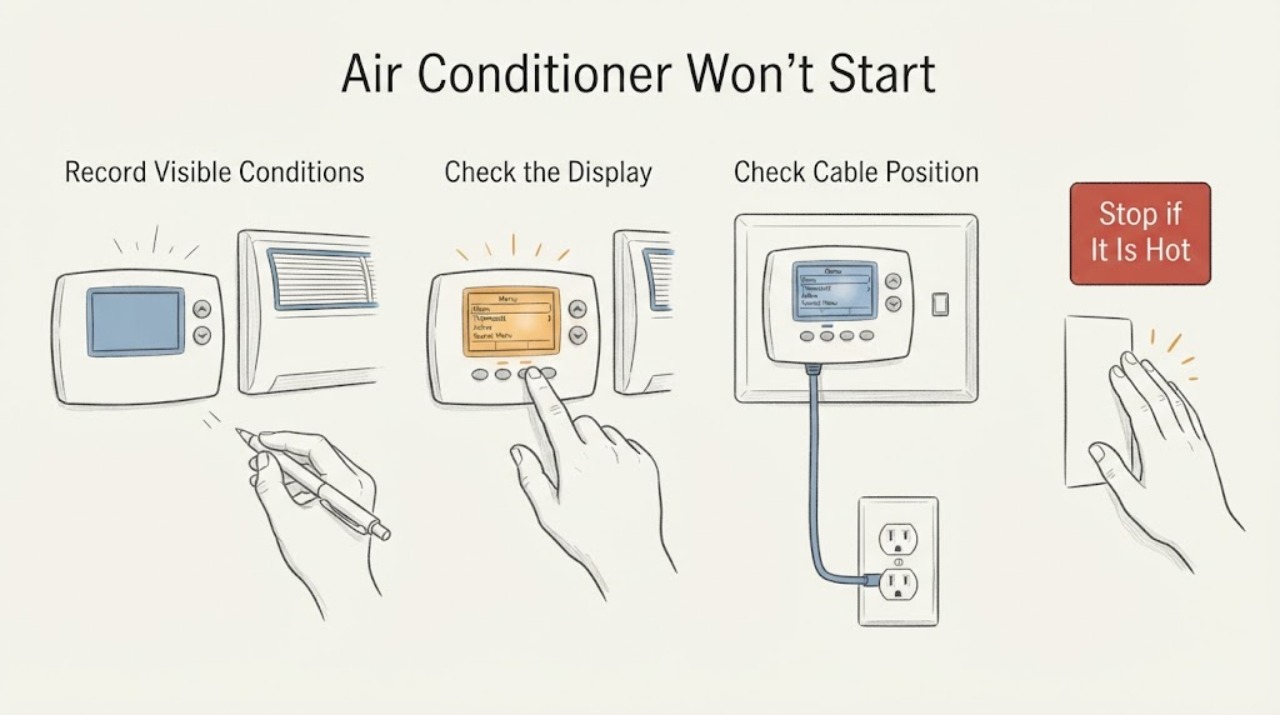
If an air conditioner will not start and the thermostat is the suspected component, confirm that the control is awake, set to Cool, and below the current room temperature. Check whether a schedule, hold, Eco or away mode, fan-only setting, lock, or displayed delay is preventing a cooling call. If the thermostat uses user-replaceable batteries, follow its model-specific instructions once. Then observe the indoor and outdoor equipment from a safe distance during one normal call. If the display shows a valid cooling call but neither unit responds, or if there is ice, water, burning odor, smoke, arcing, exposed wiring, or a repeated trip, leave the system off and call an HVAC professional; do not open panels, handle wiring, capacitors, or refrigerant.
Work through in order
Diagnostic checks
Use only checks that match the exact appliance or system and its official guide.
-
Check 1
Record the thermostat's current temperature and target, then select Cool and set a target below the current room reading. Leave the fan on Auto unless the model's instructions say otherwise, and note any cooling icon, call-for-cooling message, lock, Eco, or fan-only indication.
Expected result: The display shows Cool with a target below the room temperature and a cooling call, or it remains in Heat, Off, Fan-only, Eco, a locked state, or shows no call.
Next step: Correct only the visible mode, target, fan, or user-control setting permitted by the model instructions, then make one normal observation. If a correct call still produces no response, continue to the safe response check and plan HVAC service.
Stop if: Stop if the thermostat or wall is wet, hot, damaged, smells burnt, sparks, or has exposed wiring. Do not remove the faceplate to inspect terminals.
Why this matters
Why: The first result supports a thermostat request that the equipment should receive; the second explains why the air conditioner may not be asked to start yet.
-
Check 2
Open only the thermostat's normal user menu or app and check the current cooling schedule, hold, away or Eco state, control lock, and any displayed delay. Do not change wiring or advanced equipment configuration.
Expected result: The schedule is at a warmer setpoint, an active hold or Eco/away state is overriding the expected target, a lock prevents the change, or the thermostat shows no such override and is calling for cooling.
Next step: Use the model's normal end-hold, schedule, or mode control only if you recognize it and the manual permits it. Record the displayed state and do not repeatedly toggle settings to force a start.
Stop if: Stop if the control becomes hot, wet, unresponsive with an electrical odor, or reports a recurring fault. Leave internal controls and wiring to HVAC service.
Why this matters
Why: A schedule or mode can make a working thermostat intentionally wait or maintain a different temperature; a clear schedule with a cooling call makes an equipment-side fault more likely.
-
Check 3
If the display is blank, dim, or reports low power, identify the thermostat model and follow its owner instructions for a user-accessible battery replacement, if that model uses replaceable batteries. Do not remove a faceplate or disturb wires.
Expected result: The display returns and accepts a Cool target, remains blank or weak, or was already bright and responsive.
Next step: After one permitted battery change, set the mode and target again and record the result. If the display remains blank, returns to a fault, or a valid call is unanswered, leave the system off and request HVAC service.
Stop if: Stop for battery leakage, a damaged holder, heat, sparks, exposed conductors, or any need to access wiring or a power supply.
Why this matters
Why: A replaceable-battery or display-power issue can prevent a cooling call; a persistent blank display or a responsive display with no equipment response needs professional diagnosis rather than a guessed battery or wiring change.
-
Check 4
During one normal cooling call, observe from a safe distance whether air begins moving at an indoor register and whether the outdoor unit responds. Do not reach into a fan, remove an access cover, or touch the disconnect, capacitor, compressor, or wiring.
Expected result: The indoor blower starts, the outdoor unit starts, one responds without the other, or neither responds while the thermostat continues to show a cooling call.
Next step: Record the exact display and which unit responded, then stop repeated start attempts and arrange HVAC service. A brief displayed delay should be handled only according to the model manual; do not bypass it.
Stop if: Stop immediately for smoke, burning odor, arcing, unusual heat, metal scraping, exposed wiring, water near equipment, or a repeated electrical trip.
Why this matters
Why: A mismatch between the thermostat request and equipment response can involve a control, safety switch, motor, contactor, power, or other HVAC fault; it cannot be diagnosed safely by opening the equipment.
-
Check 5
With the thermostat set Off, inspect only the accessible return filter and nearby return or supply openings. Note whether the filter is clean and dry, gray and loaded, wet, collapsed, damaged, or incorrectly seated; replace it only when the label and equipment instructions identify the correct filter.
Expected result: The filter or airflow opening is restricted, wet, or damaged, or the accessible airflow path is clear.
Next step: Restore the correct filter and cover, then make only one normal cooling observation. If the filter is wet, ice is visible, airflow remains absent, or the system still will not start, leave it off and call HVAC service.
Stop if: Stop for standing water, ice, sharp or damaged cabinet parts, a burning odor, or any need to open the indoor unit.
Why this matters
Why: A restricted filter can reduce airflow and contribute to freezing or a protective shutdown; a clear filter does not explain a valid thermostat call with no start.
-
Check 6
Prepare a service record containing the thermostat model if known, display and error text, mode, target, schedule or hold state, battery result, indoor and outdoor response, filter condition, and any ice, water, odor, noise, or trip observed.
Expected result: The air conditioner starts and remains stable after a visible setting or accessible filter correction, or the cooling call remains unanswered or the symptom returns.
Next step: Keep the record and request HVAC service for persistent or recurring symptoms. Do not open high-voltage equipment, test a capacitor, handle refrigerant, or bypass a safety switch.
Stop if: Stop at once for smoke, burning odor, arcing, hot or exposed wiring, active water near electrical equipment, ice, or a repeated breaker trip.
Why this matters
Why: A stable recovery supports a setting or accessible maintenance issue; persistent or recurring nonresponse needs diagnosis of controls, safety devices, blower, condenser, electrical supply, or refrigeration components.
Use your observations
Decision map
Find the observation that best matches what you see, then follow the next safe action.
-
PATH 01Next step
What you see
The thermostat is not in Cool, the target is not below the room temperature, or the fan-only, Eco, hold, lock, or schedule state prevents a cooling call.
Do this next
Correct the recognized user-facing setting according to that model's instructions and make one normal cooling observation. Persistent nonresponse after a valid call needs HVAC service.
-
PATH 02Next step
What you see
The display is blank, dim, or reports low power.
Do this next
Use the model-specific user battery procedure once if applicable. If the display stays blank or the thermostat still cannot make a call, leave the system off and request HVAC diagnosis; do not expose wiring.
-
PATH 03Next step
What you see
The thermostat shows a valid cooling call but the indoor blower, outdoor unit, or both do not respond.
Do this next
Stop repeated testing and give HVAC the response record. Controls, safety switches, motors, power, and high-voltage starting components require professional diagnosis.
-
PATH 04Next step
What you see
The filter is loaded or wet, airflow is weak, or ice is visible.
Do this next
Leave cooling off, correct only an accessible filter issue if the model instructions allow it, and arrange HVAC service for ice, wetness, persistent weak airflow, or a repeated shutdown. Do not chip ice or open the unit.
-
PATH 05Next step
What you see
Smoke, burning odor, arcing, hot or exposed wiring, active water near electrical equipment, or a repeated electrical trip is present.
Do this next
Stop immediately, keep people away from the equipment, and obtain qualified HVAC or electrical help as appropriate. Do not operate, reset, or open the equipment again.
Helpful context
Understand the symptom
A thermostat problem can look like a dead air conditioner. Start by recording what the screen says: current temperature, target, mode, fan setting, schedule or hold indicator, lock or Eco state, and any delay or error. A normal cooling request is more useful evidence than repeatedly changing the setpoint. Google documents that available modes, holds, schedules, and settings vary by thermostat model, so do not apply a control sequence from another model.
Keep the homeowner checks at the thermostat surface and other accessible items. Correct the displayed mode or schedule, use only the battery procedure allowed by the thermostat manual, and inspect an accessible filter with the system off. A dirty filter can restrict airflow and contribute to freezing or poor operation, but a clean filter does not rule out a control, safety, blower, condenser, or refrigeration fault.
After one normal cooling request, observe whether the indoor blower and outdoor unit respond without approaching fans or opening covers. A valid thermostat call with no response is a handoff to HVAC service. Smoke, burning odor, arcing, hot or exposed wiring, water near electrical equipment, ice, or a repeated electrical trip is an immediate stop condition.
Safety boundary
Stop conditions
- Stop immediately for smoke, burning odor, arcing, exposed or hot wiring, water near electrical equipment, or a repeated electrical trip.
- Stop cooling when ice, active water, or a wet filter is visible near the indoor unit; leave the system off and arrange service rather than forcing another start.
- Stop any check that requires removing a thermostat faceplate, opening an equipment enclosure, reaching into a fan, testing high voltage, handling a capacitor, or working on refrigerant tubing.
Only after diagnosis
Potential parts
- thermostat batteries
Consider batteries only when the thermostat model uses user-replaceable batteries and the display is blank, dim, or reporting low power.
Confirm the battery type and replacement procedure in the thermostat manufacturer's instructions; do not infer compatibility from the air-conditioner brand. - HVAC air filter
Consider a replacement only when the accessible filter is loaded, wet, damaged, or due for replacement and its size and type are confirmed.
Confirm dimensions, airflow direction, and equipment requirements from the existing filter or owner instructions before installation.
When checks do not resolve it
Need a professional?
Arrange HVAC service when a correct thermostat cooling call does not start the system after one safe observation and an accessible filter check., Call promptly for a blank or recurring-error display, repeated failed starts, a silent indoor or outdoor unit, visible ice or water, persistent weak airflow, or suspected control, power, motor, or refrigerant trouble., Do not open thermostat, blower, coil, or condenser enclosures; handle capacitors or refrigerant; reach into fans; bypass safety controls; or continue tests after electrical or burning warning signs.
Common questions
FAQ
Can a thermostat keep an air conditioner from starting?
Yes. A wrong mode or target, schedule, hold, Eco or away state, lock, low battery, or unresponsive control can prevent a cooling call. If the thermostat clearly calls for Cool but the equipment does not respond, the cause may be in HVAC controls, power, safety devices, or the equipment itself.
What thermostat settings should I check first?
Record the current and target temperatures, select Cool, set the target below the room reading, check Fan Auto, and look for schedule, hold, Eco, away, lock, or displayed delay states. Use only the normal controls documented for that thermostat model.
What if the thermostat is on but the AC still will not start?
Observe one normal cooling call from a safe distance and note whether the indoor blower and outdoor unit respond. If a valid call is unanswered, stop repeated tests and arrange HVAC service rather than opening panels or handling high-voltage starting components.
Should I keep trying the AC if I see ice or water?
No. Leave cooling off and arrange service. A restricted filter, airflow fault, condensate problem, or refrigeration issue may be involved; do not chip ice, open the unit, or handle refrigerant.
Read the exact guide
Official sources
- AC Unit Not Turning On: Reasons Why And What To DoCarrier · Residential air-conditioner no-start causes, thermostat checks, airflow, and professional-service boundary
- Control your Nest thermostat with the appGoogle Home and Nest Help · Google Nest thermostat app controls, modes, target temperature, fan, and user settings
- HomeCooling101U.S. Department of Energy · U.S. Department of Energy home cooling guidance on thermostat, filters, airflow, and certified service
- Temperature schedules for the Nest Learning Thermostat and Thermostat EGoogle Home and Nest Help · Google Nest thermostat schedule behavior and model-specific schedule controls
Community feedback
Share a repair observation
Share a plain-text repair observation. Accepted observations are published automatically; this page may take a moment to update.