
On this page
Start here
Quick answer
An air handler can sound loud because a filter is dirty, wet, damaged, missing, reversed, or the wrong size; return or supply grilles are blocked; a loose cover or duct is resonating; or an internal blower, motor, bearing, electrical, coil, or drain problem is present. First classify the sound as a whistle, rattle, buzz, hum, grinding, or bang and note whether it occurs at startup, steady airflow, or shutdown. With the system safely off, inspect only the user-accessible filter and visible grilles as the exact manual allows; use the same size and type and point the airflow arrow correctly. Do not open the air handler, touch a blower or wiring, reach past the filter, or use tools to tighten the cabinet. Stop for burning odor, smoke, sparks, exposed wiring, water near electrical equipment, ice, violent vibration, or a breaker trip and arrange HVAC service. A clean, correctly installed filter does not rule out an internal blower or high-pressure HVAC diagnosis.
Before you begin
Safety first
- This article supports only safe listening and visible grille or filter inspection, with filter access and replacement explicitly allowed by the exact manual. It does not authorize cabinet opening, blower or motor access, live electrical work, refrigerant or high-pressure work, ice removal, drain chemicals, or repeated resets.
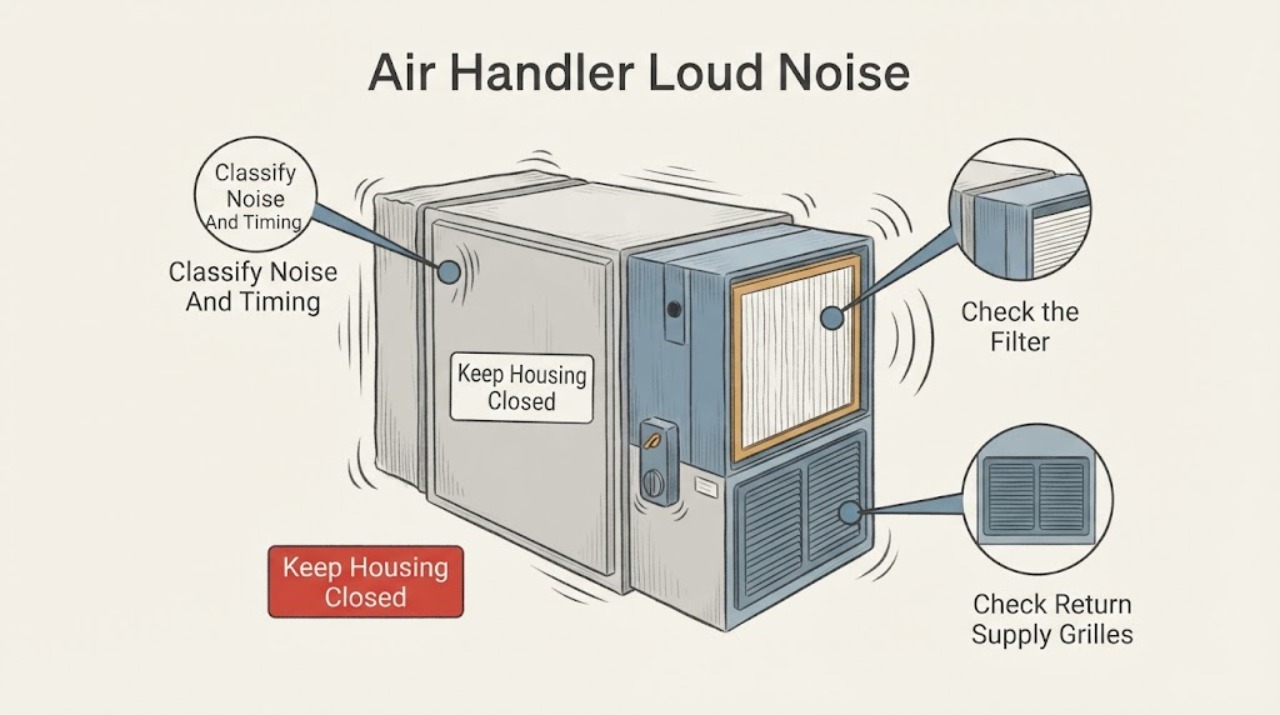
Work through in order
Diagnostic checks
Use only checks that match the exact appliance or system and its official guide.
-
Check 1
From a safe location, listen without touching the air handler and record whether the sound is a whistle, rattle, buzz, hum, grinding, squeal, or bang, and whether it occurs at startup, during steady airflow, when the system changes speed, or after shutdown.
Expected result: The sound changes with airflow, follows a startup or shutdown event, is a loose-sounding rattle, or is a sudden grinding, banging, electrical buzz, or violent vibration.
Next step: Record the pattern and continue only with safe visible filter and grille checks. Leave the system off and arrange HVAC service for a sudden, severe, or internal-sounding noise.
Stop if: Stop immediately for burning odor, smoke, sparks, arcing, shock, a hot enclosure, exposed wiring, water near electrical equipment, ice, or violent movement.
Why this matters
Why: An airflow-linked sound supports a filter, grille, duct, or pressure branch; a loose rattle may be an external panel or duct. Grinding, banging, persistent buzz, or violent vibration can indicate internal mechanical or electrical trouble and does not identify a filter as the cure.
-
Check 2
Place the system in the safe off state and inspect only the filter access identified by the exact manual or a clearly user-accessible return grille. Note the filter size and type, airflow arrow, loading, wetness, damage, missing sections, gaps, or a collapsed frame.
Expected result: The filter is visibly dirty, wet, damaged, missing, reversed, the wrong size, or clean and correctly seated.
Next step: Clean a reusable filter or install the exact same size and type specified by the manual, with the arrow in the airflow direction. If it is wet, damaged, or the noise persists, keep the unit off and call HVAC service.
Stop if: Do not reach past the filter, remove an air-handler panel, touch coils or the blower, or continue if there is water, ice, odor, smoke, exposed wiring, or a damaged cabinet.
Why this matters
Why: A loaded, wet, damaged, reversed, or poorly fitting filter can increase airflow resistance and noise. A clean and correctly seated filter makes it less likely that the filter alone explains a loud sound, but it does not clear internal airflow or blower faults.
-
Check 3
From the room side and with the system off, inspect visible return and supply grilles for furniture, rugs, dust buildup, loose decorative covers, or objects that could whistle or rattle. Do not remove ductwork or reach into a grille.
Expected result: A return or supply opening is blocked, a grille vibrates visibly, dust is excessive, or the openings are clear and quiet while off.
Next step: Restore normal clearance without forcing or modifying the grille, then observe one ordinary cycle. If noise or weak airflow remains, leave the system off if severe and arrange HVAC inspection.
Stop if: Do not remove a grille that exposes wiring or moving parts, insert tools, clean inside the duct, or continue for smoke, odor, water, ice, sparks, or violent vibration.
Why this matters
Why: A restricted opening or vibrating external grille can change airflow noise without a failed air-handler filter. Clear only ordinary movable objects; a clear grille with persistent noise moves the issue toward duct, blower, cabinet, or control service.
-
Check 4
After one permitted filter correction and only when there are no stop conditions, observe airflow and sound during one normal call without changing settings repeatedly. Record whether the whistle or hum changes, the airflow improves, or the noise is unchanged.
Expected result: Noise improves with the correct filter, airflow improves but noise remains, or the same loud noise continues with a clean correctly installed filter.
Next step: Keep the correct filter installed and provide the before-and-after result to an HVAC technician. Do not remove the filter and run the system as a test or keep operating a severe noise.
Stop if: Stop for burning odor, smoke, sparks, water, ice, exposed wiring, overheating, violent vibration, or a breaker trip.
Why this matters
Why: Improvement supports a filter or airflow contribution but does not prove there is no second problem. Unchanged noise after a correct filter check makes internal blower, motor, duct, cabinet, control, coil, or drain causes more important.
-
Check 5
With panels closed, observe only from safe access for cabinet vibration, visible movement of an external cover, condensate or water around the unit, ice, rust staining, or a change in airflow. Do not touch the cabinet while operating or remove fasteners to find the source.
Expected result: The cabinet or duct vibrates visibly, water or rust is present, ice is visible, airflow is weak, or the exterior remains dry and stable.
Next step: Turn the system off for water, ice, severe vibration, or weak airflow and arrange HVAC service. Do not tighten hardware, chip ice, touch wet equipment, or open the unit.
Stop if: Stop for water near electrical equipment, ice, smoke, burning odor, sparks, exposed wiring, a hot enclosure, or violent movement.
Why this matters
Why: Visible vibration can be transmitted by a loose external cabinet or duct but can also accompany blower or motor wear. Water, ice, or rust can indicate drain or coil conditions that need service; a dry stable exterior does not rule out internal trouble.
-
Check 6
If the filter and grilles are correct but the sound persists, stop trying to locate it by opening the air handler. Record whether the sound resembles a blower, motor, bearing, electrical, coil, duct, or drain problem only as a symptom description, not as a part diagnosis.
Expected result: The noise persists with normal airflow, follows fan speed, sounds mechanical or electrical inside the cabinet, or is accompanied by cooling or heating loss.
Next step: Leave the system off if the sound is loud, new, worsening, or accompanied by abnormal performance and arrange qualified HVAC service. Do not test the blower, motor, electrical controls, refrigerant, or high-pressure system yourself.
Stop if: Do not remove covers, touch wiring or moving parts, use live test instruments, handle refrigerant, or continue after odor, smoke, sparks, water, ice, heat, shock, or a breaker trip.
Why this matters
Why: Carrier identifies unusual noises, weak airflow, moisture, and electrical or mechanical issues as reasons for professional air-handler repair. A symptom cannot safely establish a blower, motor, bearing, coil, control, or other replacement part.
-
Check 7
Prepare a service note with air-handler brand and model, filter size and type, airflow arrow and condition, grille clearance, noise type and timing, visible vibration, water or ice, temperature or airflow change, recent installation or filter change, and any odor or electrical event.
Expected result: The record separates an airflow-linked whistle, external rattle, persistent internal noise, filter-related improvement, or a noise with water, ice, heat, odor, smoke, sparks, or breaker behavior.
Next step: Keep the unit off when a stop condition or severe persistent noise is present and arrange qualified HVAC service. Ask the technician to verify airflow and internal safety before returning it to operation.
Stop if: Do not open cabinets, touch moving parts or wiring, tighten internal hardware, handle refrigerant, chip ice, or keep operating after abnormal heat, smell, water, smoke, sparks, shock, or breaker events.
Why this matters
Why: A structured symptom history helps the technician choose filter or duct, cabinet, blower, motor, coil, drain, control, or electrical diagnostics without asking the homeowner to reproduce a hazardous condition.
Use your observations
Decision map
Find the observation that best matches what you see, then follow the next safe action.
-
PATH 01Safety boundary
What you see
The sound changes with airflow and the filter is dirty, wet, damaged, reversed, missing, or the wrong size.
Do this next
With the system safely off, clean or replace the filter exactly as the manual permits and point the arrow in the airflow direction. Call HVAC service if noise or weak airflow remains.
Why this path and its safety boundary
Why it matters: Filter restriction or fit can increase airflow resistance and fan noise, but it does not prove the filter is the only fault.
Safety stop: Stop for water, ice, odor, smoke, sparks, exposed wiring, heat, or a damaged cabinet; do not access internal parts.
-
PATH 02Safety boundary
What you see
A return or supply grille is blocked or visibly vibrating, or the sound is an external rattle that follows airflow.
Do this next
Restore ordinary clearance without tools or duct disassembly and observe one normal cycle. Arrange HVAC service if the rattle or weak airflow persists.
Why this path and its safety boundary
Why it matters: An external airflow restriction or loose-looking grille or duct may resonate; an unchanged sound after normal clearance needs HVAC inspection.
Safety stop: Do not remove grilles that expose moving or electrical parts, insert tools, or continue for smoke, odor, water, ice, sparks, or violent vibration.
-
PATH 03Safety boundary
What you see
A clean, correctly installed filter and clear visible grilles do not change a grinding, banging, squealing, electrical buzz, or loud internal noise.
Do this next
Leave the system off if severe or worsening and arrange qualified HVAC diagnosis. Do not open the air handler or test the blower, motor, wiring, refrigerant, or high-pressure system.
Why this path and its safety boundary
Why it matters: Blower, motor, bearing, control, cabinet, coil, drain, duct, or another mechanical or electrical condition may be involved; no user-accessible observation selects a part.
Safety stop: Stop for heat, odor, smoke, sparks, shock, water, ice, exposed wiring, or a breaker trip.
-
PATH 04Safety boundary
What you see
Noise is accompanied by condensate, rust, visible ice, weak airflow, or a change in heating or cooling output.
Do this next
Turn the system off and arrange HVAC service. Keep away from wet electrical equipment and do not chip ice or open panels.
Why this path and its safety boundary
Why it matters: Drain, coil, airflow, blower, or control problems may be involved and can worsen if the system keeps running.
Safety stop: Do not touch water or ice near wiring, remove panels, use chemicals in a drain, or restart repeatedly to reproduce the issue.
-
PATH 05Safety boundary
What you see
The loud noise is accompanied by burning odor, smoke, sparks, arcing, a hot enclosure, shock, exposed wiring, or a breaker trip.
Do this next
Move away and keep others away. Use emergency responders for fire, smoke, arcing, shock, or immediate danger and arrange HVAC or electrical service once safe.
Why this path and its safety boundary
Why it matters: This is an electrical or fire-safety stop condition, not an air-filter troubleshooting branch.
Safety stop: Do not touch, open, reset repeatedly, spray, or operate the unit after an electrical warning.
Helpful context
Understand the symptom
Classify the sound before opening anything
A whistle often changes with airflow, a rattle can come from a cover or duct, and a buzz or hum can be an electrical or motor warning. Grinding, banging, or a sudden new loud sound is not made safe by changing the filter. Note when the sound begins and whether airflow is weak, then stop if the sound is accompanied by heat, odor, water, smoke, sparks, or violent movement.
The filter is a specific, low-risk branch
Trane says air-handler filters may be behind return grilles, in a filter rack, or at the unit and should be replaced with the same size and type, with arrows pointing in the airflow direction. A dirty or poorly fitted filter can restrict airflow and increase fan strain, but a normal filter does not prove the blower, duct, coil, or control system is healthy.
Keep blower and internal HVAC work professional
The air handler houses a blower and other electrical or mechanical components. Carrier and ENERGY STAR place blower, controls, coil, refrigerant, condensate, and electrical checks within professional maintenance, while Trane directs homeowners to call an HVAC professional for excessive noise or vibration and burning smells. Do not remove panels or reach into the equipment to find a sound.
Safety boundary
Stop conditions
- Stop the system immediately for burning odor, smoke, fire, sparks, arcing, shock, a hot or discolored enclosure, exposed wiring, water near electrical equipment, ice, violent vibration, or a breaker that trips again.
- Do not open the air-handler cabinet, reach past the filter, touch the blower, motor, coil, wiring, or moving parts, tighten internal hardware, use live test instruments, handle refrigerant, or perform high-pressure diagnosis.
- Do not run without a filter, install a different size or type by guesswork, block or modify grilles, chip ice, add drain chemicals, or keep restarting a loud or damaged system to reproduce the noise.
- Arrange qualified HVAC service when noise persists after the exact manual-authorized filter and visible grille checks, airflow is weak, water or ice appears, or blower, motor, duct, coil, drain, control, electrical, or other internal diagnosis is needed.
When checks do not resolve it
Need a professional?
Arrange qualified HVAC service for a sudden, severe, persistent, or internal-sounding air-handler noise, weak airflow, visible vibration, water, ice, or any noise unchanged by a correct filter and visible grille check. Stop immediately for smoke, fire, burning odor, sparks, arcing, shock, heat, exposed wiring, water near electrical equipment, or a repeated breaker trip.
Safety scope: This article supports only safe listening and visible grille or filter inspection, with filter access and replacement explicitly allowed by the exact manual. It does not authorize cabinet opening, blower or motor access, live electrical work, refrigerant or high-pressure work, ice removal, drain chemicals, or repeated resets.
Common questions
FAQ
Can a dirty filter make an air handler loud?
It can restrict airflow and make a whistle or airflow noise more noticeable, but it does not prove the filter is the only cause. With the system safely off, replace or clean it only as the exact manual allows and use the same size and type with the arrow in the airflow direction.
What does a rattling air-handler sound mean?
An external grille, duct, or cabinet may resonate, but a persistent or sudden rattle can also involve internal mechanical parts. Note when and where it occurs, check only visible grilles and the filter, and arrange HVAC service if it remains or is severe.
Should I run an air handler without its filter to see if the noise stops?
No. Do not run the system without a filter or open the cabinet to test the blower. Install the exact permitted filter correctly and have HVAC service diagnose persistent noise or weak airflow.
When is a loud air-handler noise an emergency?
Stop immediately for burning odor, smoke, sparks, arcing, shock, a hot enclosure, exposed wiring, water near electrical equipment, ice, violent vibration, or a repeated breaker trip. Move away and use emergency response for fire, smoke, arcing, shock, or immediate danger.
Read the exact guide
Official sources
- Air Handler MaintenanceTrane · Trane residential air-handler guidance used for general filter and symptom branches; exact equipment manual controls access and maintenance.
- Air Handler Repair: Restoring Efficiency and ComfortCarrier · Carrier residential air-handler guidance used for general symptom and service boundaries; exact equipment manual controls model-specific procedures.
- Maintenance ChecklistENERGY STAR · ENERGY STAR residential HVAC maintenance guidance used for filter and professional airflow or equipment branches; exact model instructions govern access.
- Where is the Air Filter in My HVAC System?Trane · Trane filter-location guidance used for general return-side identification; exact system layout and manual control access.
Community feedback
Share a repair observation
Share a plain-text repair observation. Accepted observations are published automatically; this page may take a moment to update.