
On this page
Start here
Quick answer
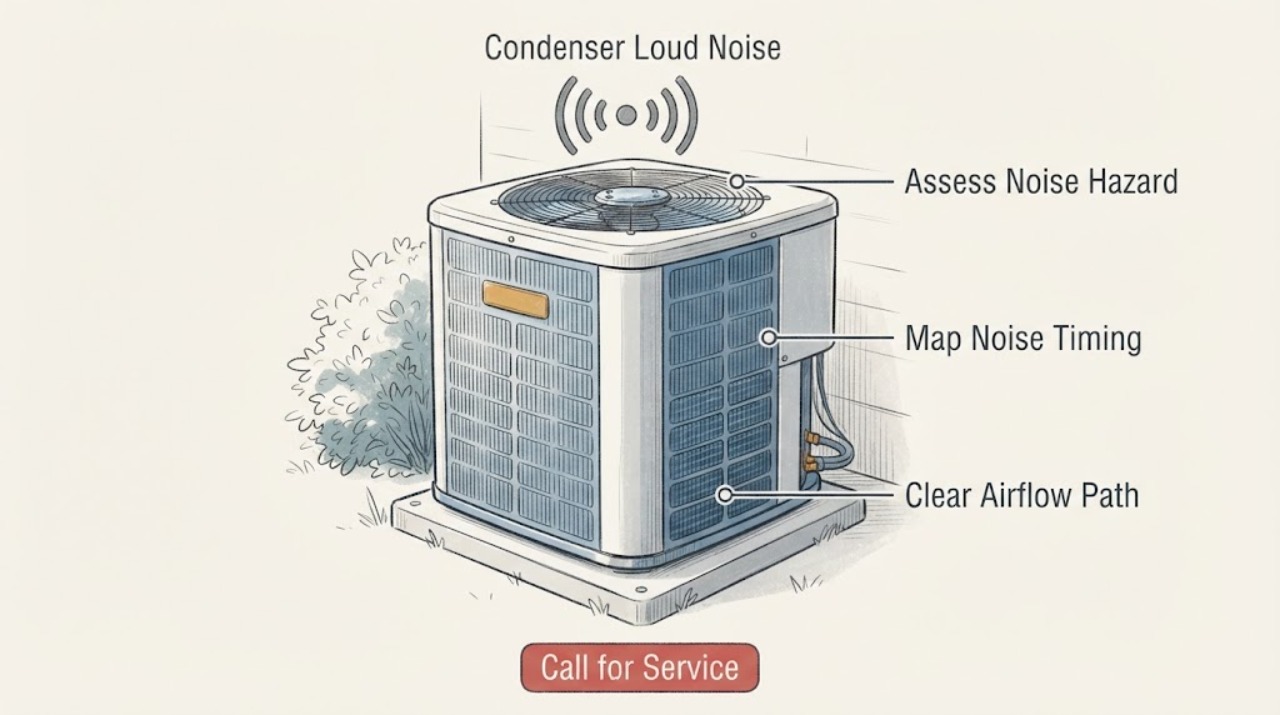
If an HVAC condenser suddenly becomes loud, turn the system off when the sound is scraping, grinding, banging, high-pitched, or accompanied by a burning smell, smoke, ice, poor cooling, or strong vibration. From a safe position, identify whether the sound comes from the fan, cabinet, compressor area, or refrigerant lines; note whether it occurs at startup, during operation, shutdown, or defrost. Check only for loose outdoor debris, a visibly unstable base, blocked airflow around the unit, and an accessible indoor filter. Do not open the electrical panel, touch the fan or capacitor, move the unit, or handle refrigerant. A persistent or newly changed loud noise needs qualified HVAC service, even if the system still cools.
Work through in order
Diagnostic checks
Use only checks that match the exact appliance or system and its official guide.
-
Check 1
From a safe distance, listen briefly for scraping, grinding, repeated banging, electrical buzzing, high-pitched whining, hissing, or a sudden change from the unit’s usual sound. Check for smoke, burning odor, arcing, strong vibration, ice, or poor cooling without touching the unit.
Expected result: The noise is new or harsh; a safety sign is present; the sound is a familiar temporary startup or defrost change; or the sound is unchanged and mild.
Next step: For a hazard or persistent abnormal sound, turn the system off if safe and arrange qualified HVAC service. If the sound is brief and familiar with normal operation, continue with the external observations and monitor for change.
Stop if: Stop immediately for smoke, burning electrical odor, arcing, hissing with suspected refrigerant or gas, severe vibration, exposed wiring, or a fan that appears to strike the guard.
Why this matters
Why: A new harsh sound or safety sign can indicate a fan, compressor, electrical, refrigerant, mounting, or other fault and should not be tested repeatedly. A temporary familiar sound can be normal for some systems, but sound alone cannot confirm that.
-
Check 2
Note whether the condenser noise occurs at startup, while the outdoor fan is running, when the system stops, during a heat-pump defrost period, or continuously. Compare it with indoor airflow and the thermostat’s active heating or cooling call.
Expected result: The sound is only a brief startup or shutdown event; it follows a defrost or inverter speed change; it continues throughout operation; or the timing is irregular.
Next step: Record the timing and mode. Do not alter thermostat settings repeatedly to recreate a loud event; use the service branch if the cause is not clearly a normal documented behavior for the exact model.
Why this matters
Why: Some system designs change sound during startup, shutdown, speed control, or defrost. A noise that persists, worsens, or is unrelated to a known operating phase is more concerning and may involve the fan, compressor, mount, controls, or refrigerant circuit.
-
Check 3
With the system off, look around the condenser for leaves, branches, packaging, snow, tall vegetation, or other visible obstructions at the air inlet and outlet. Do not remove the grille, reach toward the fan, or wash the coil with power applied.
Expected result: A loose external obstruction is present; the unit has little clearance or is heavily dirty; or the airflow path appears open from the outside.
Next step: Remove only loose debris that is safely reachable without approaching the fan or damaging fins, then observe one normal cycle. If the noise remains or the coil needs cleaning, stop and arrange service.
Stop if: Do not bend fins, dismantle guards, use a pressure washer, or reach into the fan area.
Why this matters
Why: Obstructed airflow can affect condenser operation and may create noise or poor cooling, but a clear exterior does not rule out a dirty coil, fan fault, electrical issue, or refrigerant problem inside the unit.
-
Check 4
From the ground, observe whether the condenser cabinet and its pad or bracket remain stable while operating and whether vibration transfers into a wall, railing, or nearby structure. Do not push, lift, level, or wedge the unit.
Expected result: The cabinet or support visibly shakes, shifts, rattles against another surface, or appears stable while the noise comes from inside.
Next step: Keep clear of a moving or unstable unit and provide photos and timing to a qualified HVAC professional. Do not tighten concealed fasteners or place improvised padding under the unit.
Stop if: Stop if the unit is leaning, moving, suspended above a walkway, or accessible only by ladder or elevated platform.
Why this matters
Why: A loose support, contact point, or unlevel installation can amplify vibration, while stable mounting does not clear an internal fan, compressor, motor, or electrical fault.
-
Check 5
If the indoor filter is safely accessible and the system is off, inspect it for heavy dust, moisture, collapse, or an incorrect fit. Replace it only with the size and type specified by the equipment instructions; do not remove the filter to run the system.
Expected result: The filter is dirty, wet, damaged, missing, or obstructive; or it is clean, dry, correctly fitted, and unobstructed.
Next step: Fit the specified replacement if the old filter is clearly due, then observe one supervised cycle. If the condenser remains loud, the system has ice, or cooling is poor, turn it off and arrange service.
Why this matters
Why: A restricted filter can reduce airflow and contribute to poor system operation or coil icing, which may accompany outdoor-unit noise. A clean filter makes that cause less likely but does not identify a condenser fault.
-
Check 6
During a brief, safe observation, note whether the home is cooling or heating normally, whether indoor airflow is present, and whether frost or ice appears on accessible tubing or around the outdoor unit. Do not scrape ice, touch refrigerant lines, or continue operation to force a temperature result.
Expected result: Cooling or heating is weak; frost or ice is visible; indoor airflow is absent; or performance and airflow appear normal despite the noise.
Next step: Turn the system off for ice, absent airflow, or persistent loud noise and request qualified service. Give the technician the mode, performance, frost, and timing observations.
Stop if: Do not handle refrigerant tubing, remove ice with tools, or troubleshoot electrical or refrigerant circuits.
Why this matters
Why: Weak performance, ice, or absent airflow can accompany airflow, refrigerant, fan, or control problems that require professional instruments. Normal performance does not make a new loud sound safe to ignore.
-
Check 7
Only after an obvious loose external obstruction is removed or a specified filter is replaced, observe one supervised operating cycle from a safe position. Do not repeatedly start and stop the condenser to compare sounds.
Expected result: The noise returns to the normal familiar sound; it remains loud; it worsens; the fan stops or scrapes; or a warning sign appears.
Next step: For persistent, recurring, or worsening noise, turn the system off and arrange qualified HVAC service. Keep the unit off for scraping, grinding, electrical noise, ice, smoke, or severe vibration.
Stop if: Do not continue testing after a warning sign or run the unit unattended while the abnormal noise is active.
Why this matters
Why: A quieter cycle after an obvious external correction suggests that condition contributed, but recurrence or worsening means the underlying system still needs assessment. Fan contact or a warning sign is not a DIY adjustment opportunity.
Use your observations
Decision map
Find the observation that best matches what you see, then follow the next safe action.
-
PATH 01Next step
What you see
Smoke, burning electrical odor, arcing, hissing with suspected refrigerant or gas, severe vibration, ice, or exposed wiring is present.
Do this next
Turn the system off only if safe, keep clear of the condenser, and arrange qualified HVAC or emergency assistance; do not restart it for another sound check.
-
PATH 02Next step
What you see
The sound is a familiar, brief startup, shutdown, inverter speed, or documented heat-pump defrost change and the system performs normally.
Do this next
Monitor from a safe position and consult the exact equipment manual; arrange service if the sound becomes persistent, louder, or different.
-
PATH 03Next step
What you see
Loose debris or vegetation is visibly blocking the outdoor air path without requiring contact with the fan or coil.
Do this next
Remove only the loose external obstruction safely, observe one cycle, and use the service branch if noise or poor cooling remains.
-
PATH 04Next step
What you see
The cabinet, pad, bracket, or nearby structure visibly shakes, shifts, or rattles against another surface.
Do this next
Keep the unit off if unstable and request qualified HVAC service to assess mounting and vibration; do not wedge or level it yourself.
-
PATH 05Next step
What you see
The filter is restricted, indoor airflow is weak or absent, frost or ice is visible, or cooling is poor.
Do this next
Correct only a clearly due filter if safe, then turn the system off for persistent symptoms and arrange service for airflow, coil, fan, or refrigerant diagnosis.
-
PATH 06Next step
What you see
Scraping, grinding, high-pitched, electrical, compressor-area, or persistent noise remains after safe external observations.
Do this next
Turn the condenser off and arrange qualified HVAC service; do not open the cabinet or select a motor, capacitor, compressor, or control part from the sound alone.
-
PATH 07Next step
What you see
The noise improves briefly but returns, or it is becoming louder while the system still appears to operate.
Do this next
Stop treating the symptom as resolved and provide the technician with the recording, timing, mode, performance, and correction history.
Helpful context
Understand the symptom
First separate normal operating sound from a changed noise
A condenser includes the outdoor coil, compressor, condenser fan, and electronic controls, so “loud” does not identify one failed component. An inverter unit may change pitch as compressor speed changes, and a heat pump can sound different during defrost. The useful distinction is whether the sound is familiar and temporary or new, harsh, persistent, and linked to vibration, poor cooling, ice, or a fan problem.
Keep the condenser inspection external
Do not remove the service panel, reach through the grille, touch the fan, test a capacitor, adjust wiring, open refrigerant tubing, or climb onto a platform to inspect the unit. Keep hands, tools, and objects away from moving parts. Turn the system off and arrange service for a burning electrical smell, smoke, arcing, hissing refrigerant or gas concerns, severe vibration, or ice.
What to record for service
Record the noise description in plain words, where it is loudest, when it starts, whether the fan spins normally, whether the unit vibrates or shifts, the thermostat mode, cooling performance, frost or water, visible debris, recent weather or maintenance, and the equipment model. A short recording made from a safe distance can help a technician, but do not stay near a hazardous unit to capture it.
Safety boundary
Stop conditions
- Do not open the condenser cabinet, reach through the grille, touch the fan or capacitor, handle refrigerant lines, move or level the unit, bypass controls, or use powered cleaning equipment near the unit.
- Stop immediately for smoke, burning odor, arcing, exposed wiring, hissing with a suspected leak, ice, severe vibration, structural instability, or unsafe elevated access.
When checks do not resolve it
Need a professional?
Use qualified HVAC service when safe external debris, mounting, filter, and performance observations do not explain the loud condenser noise, or when the unit has abnormal sound, ice, poor output, electrical symptoms, or internal access is required.
Have this ready
- Provide the equipment model, system mode, plain-language noise description, timing, fan and vibration observations, visible debris or ice, indoor airflow and cooling performance, filter result, recent weather or maintenance, and a safe-distance recording if available.
Common questions
FAQ
Can a condenser make a loud sound normally?
Some systems change pitch or volume during startup, shutdown, inverter speed changes, or heat-pump defrost. A sound that is new, harsh, persistent, or linked to vibration, ice, poor cooling, or a fan problem should be inspected rather than assumed normal.
What can I safely check on a loud outdoor condenser?
From a safe position, note the sound and timing, look for loose debris around the air path, observe stability and vibration, and check an accessible indoor filter with power off. Do not remove panels, touch the fan or capacitor, or handle refrigerant.
Should I keep running the AC if the condenser is loud but still cools?
Do not keep running it when the sound is newly abnormal, scraping, grinding, electrical, accompanied by ice or severe vibration, or getting worse. Turn it off safely and arrange qualified HVAC service; normal cooling does not identify a safe internal condition.
Does a loud condenser prove the capacitor or fan motor failed?
No. Similar sounds can involve the fan, compressor, capacitor, controls, mounting, coil, airflow, or refrigerant circuit. A technician needs to inspect and test the system before selecting a part.
Read the exact guide
Official sources
- [LG Air Conditioner] Noise Guide: Normal vs Abnormal NoisesLG USA Support · LG air-conditioner normal and abnormal outdoor-unit noise guidance; used for comparable fan contact, pipe contact, mounting, and inverter sound distinctions, not a model-specific claim
- Is This Normal? HVAC Smells and Sounds, ExplainedTrane · Trane residential HVAC sound and safety guidance; used for comparable condenser noise timing, vibration, filter, and professional-service boundaries, not a model-specific claim
- Troubleshoot an Air ConditionerCarrier · Carrier residential central-air troubleshooting; used for condenser components, airflow, ice, electrical, refrigerant, and service boundaries, not a model-specific claim
Community feedback
Share a repair observation
Share a plain-text repair observation. Accepted observations are published automatically; this page may take a moment to update.