
On this page
Start here
Quick answer
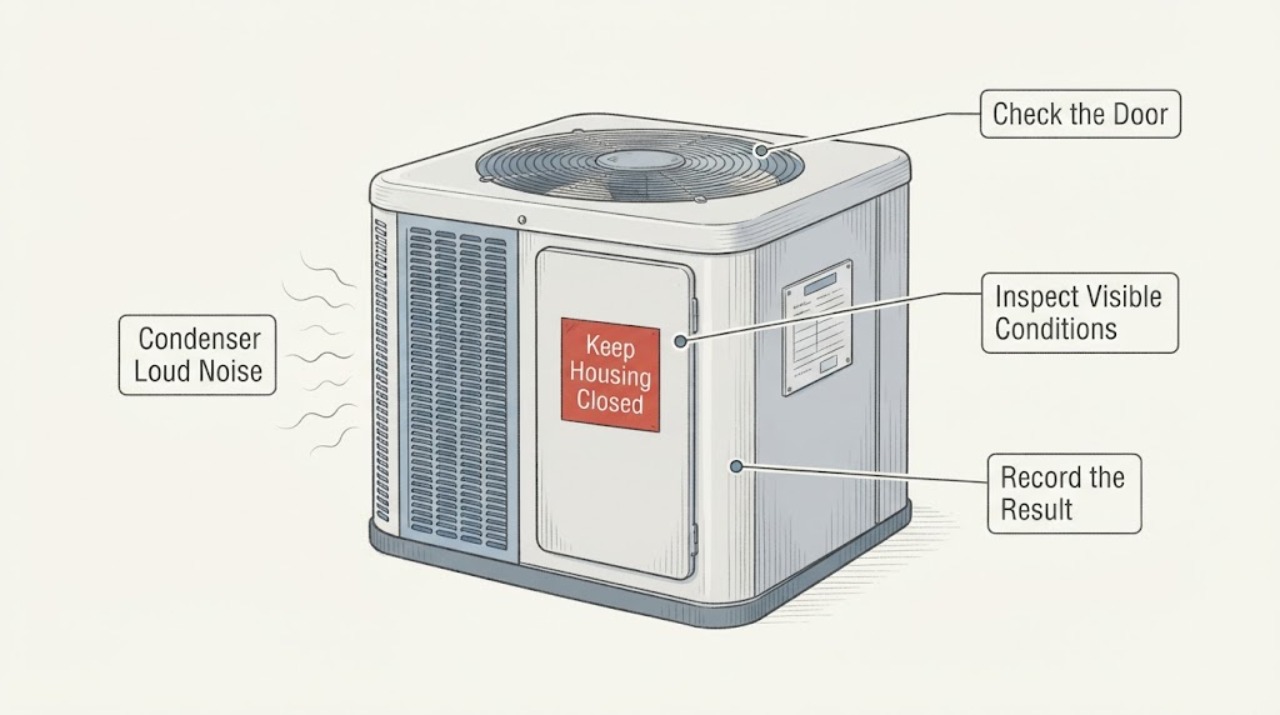
A loud-noise complaint needs the sound source identified before any diagnosis: the outdoor condenser cabinet contains the condenser fan and compressor, while the indoor blower is in the air handler or furnace. From a safe distance, note whether the noise is rattling or scraping at the outdoor fan grille, a deep hum or hard start from the compressor area, or a register/indoor-cabinet sound from the blower. Turn the system off and call an HVAC professional for grinding, banging, repeated hard starts, a fan that is slow or not spinning, smoke, burning odor, abnormal heat, visible damage, ice, or refrigerant residue. Do not remove panels, insert anything into a fan grille, touch a capacitor, test live voltage, handle refrigerant, or keep running a noisy condenser.
Before you begin
Safety first
- Do not open panels or grilles, touch a capacitor, measure live voltage, insert anything into a fan, handle refrigerant, bypass controls, or repeatedly restart a noisy unit.
Work through in order
Diagnostic checks
Use only checks that match the exact appliance or system and its official guide.
-
Check 1
From a safe position, identify where the loudest sound is heard: at the outdoor condenser grille, near the indoor air handler/furnace, at a supply or return register, or along a wall/duct. Do not touch the cabinet, grille, line set, or ductwork.
Expected result: The sound is clearly outdoors, clearly indoors, strongest at a register, or difficult to localize because vibration is transmitted through the structure.
Next step: Record the location and continue only with the matching safe observation. If the sound is violent, metallic, electrical, or worsening, turn cooling off and arrange HVAC service.
Stop if: Stop for smoke, burning odor, arcing, abnormal heat, a damaged grille or blade, refrigerant residue, or any need to approach moving or energized parts.
Why this matters
Why: An outdoor sound keeps the condenser fan, compressor, cabinet, mounting, and outdoor airflow in scope; an indoor/register sound keeps the blower, wheel, duct, filter, or indoor coil in scope. Location alone cannot identify the failed component.
-
Check 2
During one normal cooling call, listen from outside the condenser and observe only through the grille. Keep clear of the fan, and never place a hand or object above or inside the unit.
Expected result: The fan rotates smoothly, rotates slowly, does not rotate, wobbles, scrapes, or the sound is a deep hum/click from the compressor area rather than a blade or grille sound.
Next step: Turn cooling off for a slow, stopped, damaged, scraping, or abnormally noisy fan, and for a compressor that repeatedly hums or struggles to start. Give the technician the exact sound and fan response.
Stop if: Stop immediately for a broken or loose blade, grinding, arcing, smoke, burning odor, hot cabinet, repeated start attempts, or a trip.
Why this matters
Why: A blade/grille rattle or slow/non-rotating fan suggests a fan, motor, mounting, obstruction, or electrical branch. A deep hum or hard-start sound can involve the compressor or capacitor. These are service distinctions, not DIY part diagnoses.
-
Check 3
Observe whether the indoor blower is moving air at several registers during the same cooling call, and note whether the sound is inside the air handler or only at the outdoor condenser. Do not remove an access panel or reach toward the blower wheel.
Expected result: Airflow is normal, weak, absent, or accompanied by a register rattle, indoor vibration, or a blower hum while the outdoor unit is quiet or loud.
Next step: If airflow is absent or abnormal, turn cooling off and call HVAC service. If airflow is normal but the condenser remains loud, keep the outdoor branch in service diagnosis.
Stop if: Stop for ice, smoke, burning odor, electrical noise, repeated cycling, or any need to open the air handler.
Why this matters
Why: Normal airflow with an outdoor noise points toward the condenser fan/compressor/cabinet branch. Weak or absent airflow points toward the indoor blower, filter, coil, duct, or control branch and can allow the coil to freeze; an outdoor noise does not prove the indoor blower is faulty.
-
Check 4
With the system off at the thermostat, inspect only the normally accessible air filter and visible clearance around the outdoor unit. Do not wash, bend coil fins, remove a grille, or touch the unit; simply note leaves, plastic, ice, blocked clearance, or visible physical damage.
Expected result: The filter is visibly loaded, the outdoor coil is crowded by debris or vegetation, the fan grille/blade appears damaged, or no visible obstruction is present.
Next step: Replace an accessible filter only when the equipment instructions allow it and no water or electrical hazard is present. Keep the system off for ice, a damaged blade/grille, or an obstruction that cannot be cleared without touching the condenser.
Stop if: Stop for ice, water, oil-like residue, damaged metal, exposed wiring, hot surfaces, or any need to clean inside the outdoor cabinet.
Why this matters
Why: Restricted indoor or outdoor airflow can increase noise and operating stress, but visible obstruction does not explain every compressor or motor sound. A damaged fan or ice is a stop-and-service finding.
-
Check 5
Record when the noise occurs: at start-up, after the fan starts, continuously while running, at shutdown, only during defrost/heat-pump operation if applicable, or when the indoor blower changes speed. Do not cycle the system repeatedly to reproduce it.
Expected result: The sound is a brief start-up click, steady vibration, repeated hard start, intermittent buzz, scraping that changes with fan speed, or a deep compressor hum that continues without cooling.
Next step: Stop normal operation for a new or persistent loud sound, especially if cooling is poor or the sound is accompanied by repeated cycling. Provide the timing record to HVAC service.
Stop if: Stop for escalating noise, hard starts, smoke, odor, heat, trips, or an urge to open the electrical compartment or test a capacitor.
Why this matters
Why: Timing can separate a cabinet/fan vibration from a compressor start problem or indoor blower speed issue, but only a technician can verify capacitors, electrical controls, refrigerant pressures, compressor condition, and mounts.
-
Check 6
Prepare a service handoff with the sound location, sound description, start/stop timing, fan response, indoor airflow, cooling result, filter/ice/obstruction observations, recent repairs, and any trip or odor. Leave the system off if the noise is abnormal.
Expected result: The record identifies an outdoor fan-like noise, compressor-like hum, indoor blower/airflow noise, or an unclear vibration path.
Next step: Request qualified HVAC diagnosis. The technician may evaluate fan/motor mounting, compressor operation, capacitors and controls, airflow, coil condition, refrigerant, and vibration transmission under safe conditions.
Stop if: Stop all homeowner troubleshooting for any safety sign, repeated trip, ice/water, or persistent loud noise.
Why this matters
Why: This lets the HVAC technician inspect the correct assembly first without assuming that the condenser, blower motor, or compressor is defective from sound alone.
Use your observations
Decision map
Find the observation that best matches what you see, then follow the next safe action.
-
PATH 01Safety boundary
What you see
The sound is scraping, grinding, banging, severe rattling, or the outdoor fan is slow, stopped, wobbling, or visibly damaged.
Do this next
Turn cooling off and keep the condenser out of service. Call an HVAC professional to inspect the fan blade, motor, mounting, grille, and electrical controls.
Why this path and its safety boundary
Safety stop: Do not insert objects, straighten a blade, remove the grille, or restart the unit to check whether the sound goes away.
-
PATH 02Safety boundary
What you see
The noise is a deep hum, repeated hard start, click-and-stop, or compressor-like sound from the outdoor cabinet.
Do this next
Turn cooling off and arrange HVAC service. Compressor and capacitor diagnosis requires trained electrical and refrigeration work.
Why this path and its safety boundary
Safety stop: Do not touch or discharge a capacitor, measure live voltage, bypass a control, or keep cycling the compressor.
-
PATH 03Safety boundary
What you see
The sound is strongest indoors, airflow is weak or absent, or the blower hums while the condenser response is normal.
Do this next
Turn cooling off if airflow is abnormal and call HVAC service for the indoor blower, filter/coil, duct, control, and condensate-safety branch. Do not open the air handler.
Why this path and its safety boundary
Safety stop: Stop for ice, water, smoke, burning odor, electrical noise, or a need to reach the blower or capacitor.
-
PATH 04Safety boundary
What you see
The condenser is loud and cooling is poor, the system short-cycles, ice is visible, or oily/refrigerant residue is present.
Do this next
Turn the system off and request professional diagnosis of airflow, coil, compressor, and refrigerant conditions. Do not handle refrigerant or continue operation to test it.
Why this path and its safety boundary
Safety stop: Stop for ice, liquid/oily residue, hissing, smoke, odor, heat, or repeated cycling.
-
PATH 05Safety boundary
What you see
Smoke, burning smell, arcing, abnormal heat, exposed wiring, or a circuit trip accompanies the noise.
Do this next
Leave the equipment off, keep people away, and contact qualified HVAC service; use emergency fire assistance if smoke or fire is present. Do not reset repeatedly or approach the cabinet.
Why this path and its safety boundary
Safety stop: No panel opening, electrical testing, moving-part inspection, or restart.
Helpful context
Understand the symptom
“Condenser” can mean the whole outdoor cabinet, not one single motor. The outdoor fan moves air across the condenser coil, and the compressor circulates refrigerant; the indoor blower moves conditioned air through the ducts. A sound can travel through the cabinet, refrigerant lines, ducts, or building structure, so listening from safe locations is more useful than guessing a part from the word condenser.
A brief start-up or cycling sound can be normal for some systems, but a new grinding, banging, scraping, harsh buzzing, repeated hard start, or rapidly worsening vibration is not a safe noise to troubleshoot by continued operation. Do not put a hand over the fan, insert a stick through the grille, or open an electrical compartment.
The safest homeowner checks are location, timing, visible damage, airflow, thermostat demand, filter condition, ice, and water or oil-like residue. A capacitor can retain a dangerous charge, and compressor, refrigerant, and internal blower work require trained service.
Safety boundary
Stop conditions
- Smoke, fire, arcing, burning odor, abnormal heat, exposed wiring, a trip, or a shock/tingle.
- Grinding, scraping, banging, a damaged or wobbling blade, a stopped/slow fan, or repeated compressor hard starts.
- Ice, water near electrical equipment, oily/refrigerant residue, hissing, short cycling, or severe vibration.
- Any need to remove a panel or grille, touch a capacitor, test live voltage, insert an object into a fan, handle refrigerant, bypass a control, or repeatedly restart the unit.
When checks do not resolve it
Need a professional?
Call HVAC service for any new persistent condenser noise, especially grinding, banging, severe rattle, deep hum, hard start, or a fan that is slow or stopped., Request prompt diagnosis when loud noise is paired with poor cooling, short cycling, weak/absent indoor airflow, ice, water, or visible residue., Use an emergency response for smoke, fire, arcing, burning odor, or immediate electrical danger, and do not approach the equipment.
Safety scope: Do not open panels or grilles, touch a capacitor, measure live voltage, insert anything into a fan, handle refrigerant, bypass controls, or repeatedly restart a noisy unit.
Common questions
FAQ
Is a condenser loud noise coming from the compressor or fan?
Listen from safe locations and note whether the sound follows visible fan movement at the outdoor grille, or is a deep hum/click from the cabinet. A scraping or rattling fan symptom differs from a compressor-like hard start, but only HVAC service can test the motor, capacitor, compressor, mounting, and controls.
Could the indoor blower sound like a condenser problem?
Yes. The indoor blower and outdoor condenser fan are separate assemblies, and vibration can travel through ducts or the structure. Compare indoor register airflow and air-handler sound with the outdoor cabinet sound without opening either unit.
Can I replace the condenser capacitor or compressor to stop the noise?
No. Capacitors can retain a high-voltage charge, and compressor, electrical, and refrigerant work require qualified HVAC service. Turn the system off for a persistent or abnormal noise and give the technician the sound and timing record.
Should I keep running an AC that has a loud condenser?
Do not keep running it when the noise is new, persistent, scraping, banging, electrical, or paired with poor cooling, ice, heat, odor, or repeated cycling. Turn cooling off and arrange service; continued operation can worsen a fan, compressor, airflow, or refrigeration fault.
Read the exact guide
Official sources
- Troubleshoot an Air Conditioner: 6 Steps to Fix an AC Not WorkingCarrier · General residential AC troubleshooting; exact system instructions control.
- Understanding Your AC Condenser UnitCarrier · General residential central-AC condenser guidance; model-specific behavior may differ.
- Electrical Safety: ChecklistNational Fire Protection Association · General home electrical safety when HVAC equipment shows electrical symptoms.
- AC Not Blowing Cold Air? Learn What to DoTrane · General central-AC troubleshooting and service escalation.
- Furnace Blower Motor Repair & Replacement GuideCarrier · General blower-motor safety guidance used to distinguish indoor blower work from outdoor condenser work.
- AC Fan Not Spinning? Here’s Why and How to Fix ItCarrier · General residential air-conditioner fan guidance; no model-specific component diagnosis.
Community feedback
Share a repair observation
Share a plain-text repair observation. Accepted observations are published automatically; this page may take a moment to update.