
On this page
Start here
Quick answer
If a heat pump will not start, begin at the thermostat: confirm the system is set to Heat or Cool as intended, the setpoint is calling for the chosen mode, and the display has power. Then inspect the accessible air filter, open return grilles, and clear loose leaves or snow from around the outdoor unit. Check the panel only for a clearly tripped heat-pump breaker or obvious power loss; do not keep resetting a breaker, remove covers, or touch wiring. A blank thermostat, repeat breaker trip, clicking without startup, stopped fan, heavy ice, or a system that remains off after safe external checks needs qualified HVAC service because thermostat wiring, a capacitor, controls, or the compressor may be involved.
Before you begin
Safety first
- Keep the system off when protection trips or an electrical or mechanical hazard is present. Do not remove covers, handle wiring, test capacitors or refrigerant, bypass controls, or force the equipment to start.
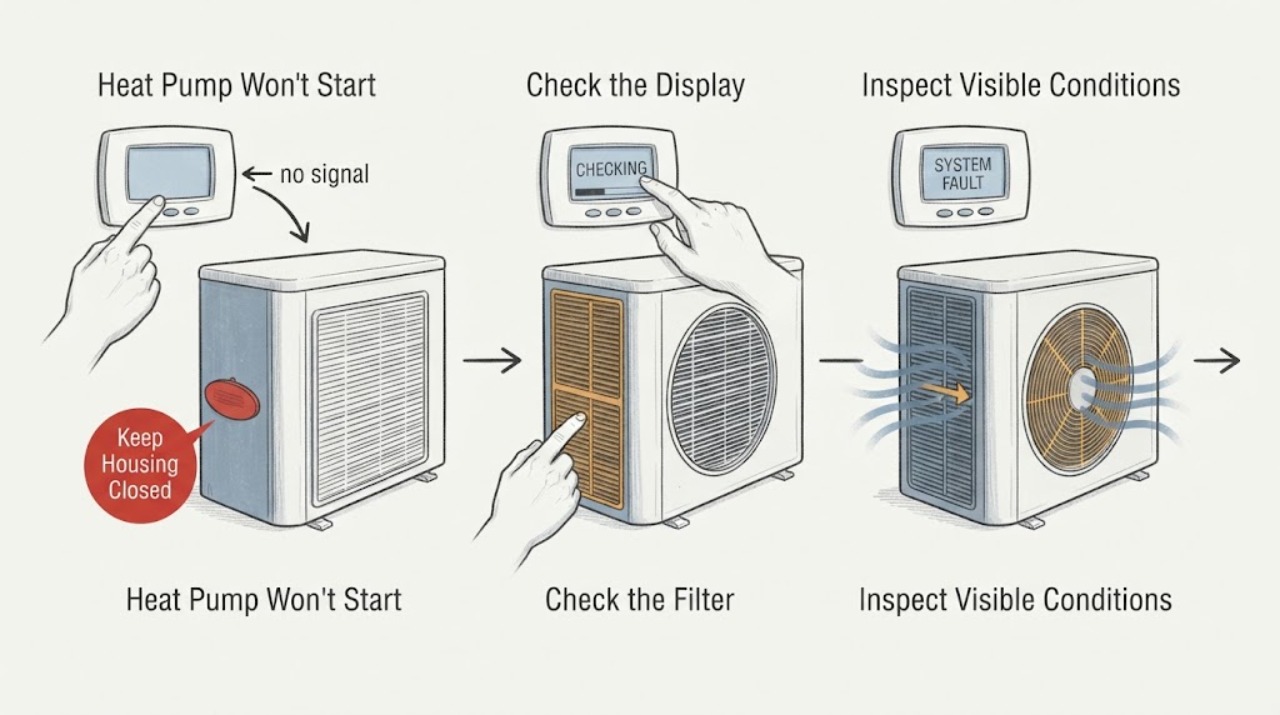
Work through in order
Diagnostic checks
Use only checks that match the exact appliance or system and its official guide.
-
Check 1
Check the thermostat display and settings without removing the thermostat from its base. Confirm it is set to Heat or Cool as intended, the setpoint is actually calling for that mode, and the fan is not being used as a substitute for a heat call. Note whether the display is blank, shows a low-battery message, or shows an equipment alert.
Expected result: The display may be blank, powered but set incorrectly, correctly calling for the heat pump, or showing an alert. The indoor temperature may be above the setpoint, so the system may not currently be asked to start.
Next step: Correct only an obvious mode, setpoint, fan, or applicable battery issue, then wait for the normal start delay. If the display remains blank, the thermostat wiring is uncertain, or the heat pump still does not respond, continue with airflow and power observations and arrange service if needed.
Stop if: Do not remove thermostat wiring, bridge terminals, or install a replacement thermostat without confirming heat-pump compatibility and professional setup.
Why this matters
Why: An incorrect mode or setpoint can make a working heat pump appear not to start. A blank display cannot signal the unit, while an alert or a correctly powered call keeps thermostat wiring, controls, and equipment power in the diagnostic path.
-
Check 2
Inspect the accessible indoor filter and return or supply grilles with the system stopped by normal controls. Replace or clean a visibly dirty filter only as the equipment instructions permit, and move furniture or curtains that block a grille. Do not remove the air-handler cabinet or blower panel.
Expected result: The filter may be visibly clogged, the grilles may be blocked, or the accessible airflow path may already be clear. Note whether the indoor blower runs at all when there is a call for heat.
Next step: Correct only the accessible filter or grille issue and allow one normal start attempt. If the blower remains off or the heat pump still does not start, move to the visible power check and professional branch.
Stop if: Do not operate without a required filter or reach into the blower or coil compartment.
Why this matters
Why: A dirty filter or blocked return can restrict airflow and cause a heat pump to overheat or shut down. If the filter and grilles are clear but there is no blower or no startup, the fault is not established by this check and may involve controls, power, or the motor.
-
Check 3
Look at the electrical panel and any normal equipment power switch from a dry, safe position. Identify whether the indoor and outdoor heat-pump sections have lost power or whether the dedicated breaker is clearly tripped. Do not remove the panel cover or attempt electrical testing.
Expected result: The breaker may be on, visibly tripped, or unable to remain on. The indoor section may have power while the outdoor section does not, or there may be no clear way to identify the equipment circuit.
Next step: If the power arrangement is clear and there is no hazard, restore only a clearly switched-off normal equipment switch if the manual permits. If a breaker is tripped, trips again, or the power arrangement is uncertain, leave it alone and call qualified HVAC or electrical service.
Stop if: Do not hold a breaker on, fit a larger breaker, remove covers, or touch terminals and wiring.
Why this matters
Why: Heat-pump sections can have separate power arrangements. A one-time loss of power may explain a no-start condition, but a tripped breaker can mean the unit has an electrical or equipment fault; repeatedly resetting it is not a diagnosis.
-
Check 4
Inspect the outdoor unit from outside the grille. Look for leaves, twigs, snow, shrubs, or stored items blocking the visible airflow path, and note whether the fan is silent, clicking, trying to start, running normally, or making an unusual sound. Keep hands and tools away from the grille, fan, coil, and tubing.
Expected result: The outdoor unit may be externally obstructed, visibly clear but silent, clicking without starting, or making an abnormal noise. The coil may be lightly frosted or heavily iced.
Next step: Remove only loose debris that is clearly outside the cabinet and safe to reach, then allow one normal start attempt. If the unit remains silent, clicks without starting, stays iced, or sounds abnormal, stop and request HVAC service.
Stop if: Do not chip ice, pressure-wash the coil, reach through the grille, spin the fan, or remove the cabinet.
Why this matters
Why: Outdoor blockage can restrict airflow and cause the system to shut down. A click without startup can be associated with a failed start capacitor, while heavy ice, a stopped fan, or unusual noise requires equipment diagnosis rather than debris removal alone.
-
Check 5
Prepare a technician handoff from the observations rather than testing internal parts. Record the thermostat display and settings, whether the indoor blower responds, breaker position and any repeat trip, filter condition, outdoor obstruction or ice, fan behavior, clicking or humming, and whether the unit worked in the other operating mode.
Expected result: The pattern may be a thermostat or power issue, restricted airflow, an outdoor unit that clicks but does not start, an abnormal fan, or a system that works in one mode only.
Next step: Give the complete model, the exact symptom sequence, and these observations to a qualified HVAC professional. Keep the system off as directed when protection trips, ice is heavy, or an electrical or mechanical hazard is present.
Stop if: Do not test a capacitor, compressor, contactor, refrigerant circuit, thermostat wiring, or live electrical component yourself.
Why this matters
Why: These results narrow the professional check toward thermostat wiring, airflow, power, start capacitor, compressor, or mode-control issues, but they do not identify a part or prove compatibility. Electrical and sealed-system diagnosis requires qualified equipment and training.
Use your observations
Decision map
Find the observation that best matches what you see, then follow the next safe action.
-
PATH 01Next step
What you see
The thermostat was not calling for the intended mode, and the heat pump starts after the setting or applicable battery correction.
Do this next
Keep the correct settings and monitor normal startup; arrange service if the display goes blank or the symptom returns.
Why this path and its safety boundary
Why it matters: The no-start symptom was likely caused by a user setting or thermostat power issue.
-
PATH 02Next step
What you see
The thermostat display is blank, wiring is uncertain, or a newly installed thermostat may not be compatible with a heat pump.
Do this next
Do not rewire it yourself; provide the thermostat and heat-pump models to an HVAC professional.
Why this path and its safety boundary
Why it matters: The thermostat may be unable to signal the system or may need professional configuration.
-
PATH 03Next step
What you see
The filter or a return or supply grille is blocked, and normal airflow and startup return after the accessible restriction is corrected.
Do this next
Maintain the filter and keep grilles clear; request service if the system shuts down or fails to start again.
Why this path and its safety boundary
Why it matters: Restricted airflow likely contributed to the shutdown or no-start symptom.
-
PATH 04Next step
What you see
A dedicated breaker is tripped, trips again, or the indoor and outdoor power status is uncertain.
Do this next
Leave the equipment off and arrange qualified HVAC or electrical service without removing covers or touching wiring.
Why this path and its safety boundary
Why it matters: An electrical or equipment fault may be present and repeated resetting could cause damage.
-
PATH 05Next step
What you see
The outdoor unit is obstructed by loose debris or snow, and startup returns after the safe external obstruction is removed.
Do this next
Keep the outdoor airflow path clear and monitor future starts; call a technician if the condition returns.
Why this path and its safety boundary
Why it matters: The obstruction may have restricted airflow enough to prevent normal operation.
-
PATH 06Next step
What you see
The unit clicks or hums but does not start, the fan is abnormal, the coil is heavily iced, or the system remains silent after safe checks.
Do this next
Stop restart attempts and arrange qualified HVAC diagnosis; do not open the unit or test internal components.
Why this path and its safety boundary
Why it matters: A start capacitor, fan, compressor, control, power, or airflow fault remains possible.
Helpful context
Understand the symptom
Find out what is actually not starting
A heat pump can appear dead because the thermostat is not calling, the indoor air handler has no power, the outdoor unit has lost power, or a protective control has stopped the system. A blank thermostat, no indoor airflow, an outdoor fan that never runs, and a click followed by silence are different observations. Record which sections respond and avoid repeated restarts while you identify the branch.
Safe boundary for a no-start heat pump
User-level checks end at settings, the accessible filter and grilles, visible external obstructions, and a visual check for power loss. Do not remove an electrical-panel cover, handle wiring, open the heat-pump cabinet, test a capacitor, or force a contactor. Tripped protection can signal a unit fault, and restarting it repeatedly can cause further damage; arrange qualified HVAC service when the no-start condition remains.
Safety boundary
Stop conditions
- Stop immediately for smoke, burning odor, sparking, exposed or damaged wiring, an overheated panel, refrigerant tubing damage, unusual mechanical noise, or a fan that is not operating normally.
- Do not repeatedly reset a tripped breaker, hold it on, install a larger protective device, or remove electrical-panel covers.
- Do not open the heat-pump or air-handler cabinet, test a capacitor or compressor, bypass a contactor or control, or handle live wiring.
- Do not chip ice, pressure-wash the coil, spin the fan, or use a tool through the outdoor grille.
Only after diagnosis
Potential parts
- heat-pump thermostat
Consider only if the display, wiring, settings, and professional testing show that the thermostat cannot signal the heat pump or is incompatible.
Confirm the complete thermostat and heat-pump system requirements; do not assume a generic thermostat is compatible. - start or run capacitor
Consider only if a qualified technician confirms a click or hum without startup is caused by a failed capacitor.
Capacitor diagnosis and replacement are professional electrical work; confirm the exact rating and system model. - outdoor fan motor or control
Consider only if professional testing finds that the outdoor fan does not start or run correctly after safe airflow checks.
Verify model-specific electrical and mechanical fit; never work on an energized fan. - compressor or compressor electrical circuit
Consider only after a technician rules out thermostat, airflow, power, controls, and start components and confirms a compressor fault.
A no-start symptom alone does not identify compressor failure or justify a replacement.
When checks do not resolve it
Need a professional?
The thermostat is powered and correctly calling, but the indoor or outdoor unit still does not start., A breaker trips again, the power arrangement is uncertain, or any electrical warning sign appears., The unit clicks or hums without starting, the fan is abnormal, the coil is heavily iced, or the system remains silent., The likely fault involves thermostat wiring, a capacitor, compressor, contactor, control, refrigerant circuit, or another internal component.
Safety scope: Keep the system off when protection trips or an electrical or mechanical hazard is present. Do not remove covers, handle wiring, test capacitors or refrigerant, bypass controls, or force the equipment to start.
Common questions
FAQ
Why will my heat pump not turn on?
Start with thermostat mode, setpoint, display power, filter and grille airflow, and visible power loss. If the thermostat is correct but the system stays off, a tripped breaker, control, capacitor, fan, or compressor issue may be involved and needs professional diagnosis.
What does it mean if the heat pump clicks but does not start?
A click without startup can be associated with a start capacitor problem, but it does not prove that part is faulty. Stop repeated restart attempts and have a qualified technician check the power, controls, capacitor, fan, and compressor circuit.
Should I reset the heat-pump breaker?
Check only whether the dedicated breaker is visibly tripped. If it is tripped, or trips again, do not keep resetting it; the trip may reflect a unit fault and repeated restarting can cause damage. Arrange qualified HVAC or electrical service.
Can a dirty filter keep a heat pump from starting?
Yes. A clogged filter or blocked return can restrict airflow and contribute to overheating or shutdown. Replace or clean an accessible filter as the equipment instructions allow, keep grilles open, and call for service if the unit still will not start or the shutdown returns.
Read the exact guide
Official sources
- Heat Pump Not Turning On? Here’s What to CheckTrane · Trane residential heat pumps that will not turn on, have thermostat or airflow issues, lose power, click without starting, or need professional diagnosis
Community feedback
Share a repair observation
Share a plain-text repair observation. Accepted observations are published automatically; this page may take a moment to update.