
On this page
Start here
Quick answer
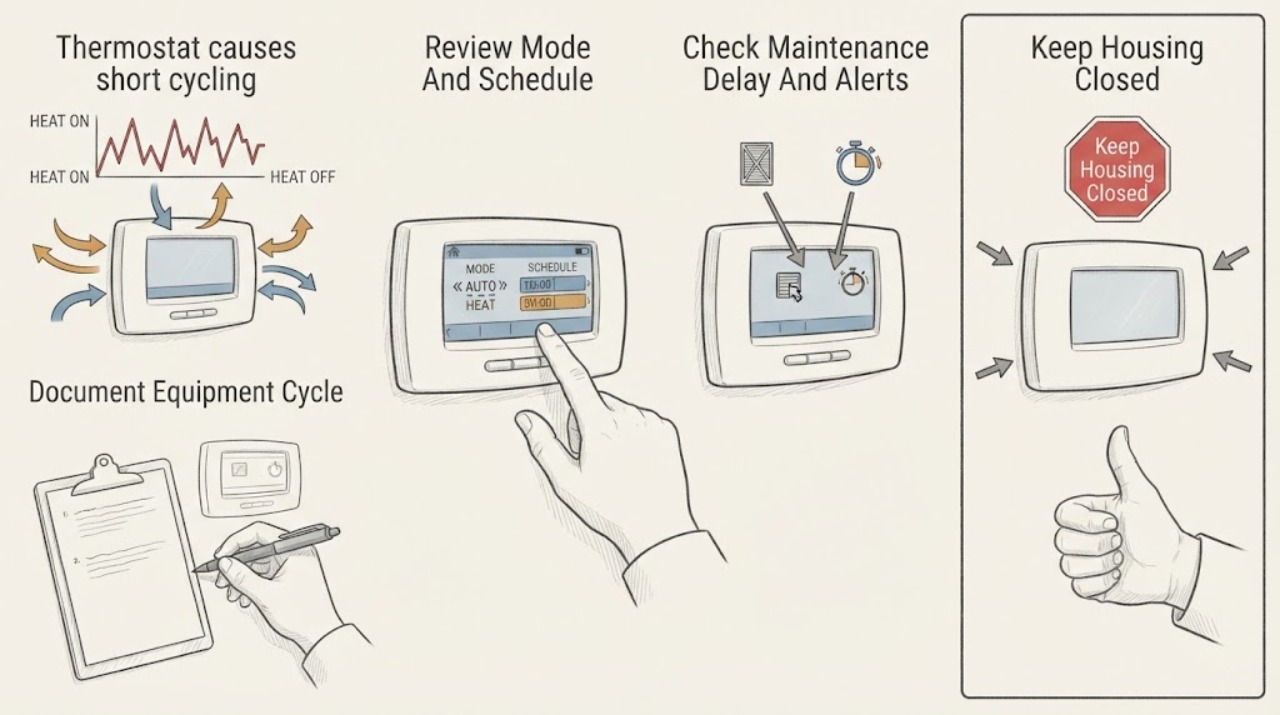
A Nest thermostat can appear to cause short cycling when the heating or cooling equipment starts and stops before it satisfies the target, but the thermostat is not automatically the failed part. Nest uses a maintenance band and delays to limit rapid cycling; a manually scheduled or independent fan run is a different symptom. First record whether the HVAC equipment itself is starting and stopping, then review the Nest mode, schedule, temperature sensor, maintenance-band behavior, and any low-power or compressor alert. Check the accessible filter, supply and return airflow, and outdoor unit clearance without opening equipment. Repeated short cycles, unstable Nest power, a recurring warning, poor airflow, abnormal temperature, or a system that may be oversized or mechanically faulty needs qualified HVAC diagnosis. Do not open panels, alter thermostat wiring, bypass a safety control, or keep resetting a tripping system.
Before you begin
Safety first
- This article covers ordinary app review and safe external observations only. A qualified person must verify thermostat compatibility and wiring, control-board or transformer power, airflow, refrigerant or compressor operation, burner safety, equipment sizing, and any internal repair.
Work through in order
Diagnostic checks
Use only checks that match the exact appliance or system and its official guide.
-
Check 1
From a safe position, observe one normal heating or cooling call and record when the Nest call begins, when the furnace, air conditioner, or heat-pump equipment actually starts, when it stops, and whether it starts again before the room reaches the target; do not remove covers or enter the equipment cabinet.
Expected result: Classify the pattern as equipment cycles rapidly, equipment runs continuously, only the fan runs, the Nest call ends but equipment continues briefly, or no call appears despite a temperature gap; record the mode and target.
Next step: Keep a short time-stamped log for several calls and continue to the matching control or airflow check; arrange service if the equipment stops and restarts repeatedly, makes an abnormal sound, or the home cannot maintain a safe temperature.
Stop if: Do not open HVAC panels, touch terminals, observe a flame, handle refrigerant tubing, or continue operation if there is smoke, burning odor, gas odor, arcing, water near electrical parts, or a tripping protective device.
Why this matters
Why: Repeated equipment starts and stops are a true short-cycle pattern worth diagnosing. Fan-only operation or a normal post-run fan period points to fan control rather than compressor or burner cycling, while no call or an unexpected call points first to mode, schedule, sensor, or control behavior.
-
Check 2
In the Google Home or Nest app, review the active mode, target, schedule, manual hold, Eco or Away state, and any selected temperature sensor; make one ordinary target change only if needed to observe a normal call, then return to the intended setting.
Expected result: Record whether the call follows a schedule or hold, whether a different sensor is controlling the room, whether Eco or Away changes the target, and whether the equipment follows the displayed heating or cooling call.
Next step: Leave the intended schedule and sensor selected, then compare another normal call. If the display and equipment disagree or the symptom returns with a stable setting, save the log and request HVAC service.
Stop if: Do not disable a safety feature, force an extreme target, repeatedly toggle modes, or use manual overrides to keep equipment running through a recurring short cycle.
Why this matters
Why: A schedule, hold, presence state, or remote sensor can explain a call that appears early or late without proving a hardware fault. If the Nest display calls but the equipment does not respond, or the equipment cycles while the call remains steady, the fault is less likely to be a simple schedule setting.
-
Check 3
Read the Nest display and app for a maintenance-band delay, a delayed or starts-in message, a low-power message, a help code, or a Compressor heads-up, and note which mode produced it; do not dismiss a recurring alert as a reset procedure.
Expected result: Record whether the message is a normal delay, an intermittent low-power symptom, a repeated help code, or a compressor or wrong-temperature alert, and whether the measured room temperature moves toward the target.
Next step: Follow the exact Nest help-code guidance for the displayed message and give the complete message, mode, cycle log, and equipment response to a Nest Pro or qualified HVAC technician when it recurs.
Stop if: Do not change wire assignments, bypass a lockout, repeatedly reset the system, or continue a call when the compressor alert, abnormal temperature, burning odor, or repeated protective shutdown returns.
Why this matters
Why: A normal maintenance delay can be protective behavior. Repeated delayed messages or short-period cycling together with power symptoms make inconsistent thermostat power or system wiring more likely. A Compressor heads-up can indicate a safety lockout, wrong mode or wiring configuration, or a compressor-related problem, none of which can be selected safely from the alert alone.
-
Check 4
From ordinary safe access, inspect the accessible air filter, supply registers, return grille, and outdoor unit clearance; replace a filter only with the size and type specified for the installed system and clear loose leaves without opening the unit.
Expected result: Record whether the filter is visibly loaded, returns or supplies are blocked, airflow is weak or uneven, or the outdoor unit is obstructed; note whether cycling differs by heating versus cooling mode.
Next step: Restore only ordinary, accessible airflow conditions permitted by the equipment instructions and observe one normal call. If airflow remains weak, the system short cycles, or the coil or equipment is inaccessible, arrange qualified service.
Stop if: Do not open the furnace, air handler, or outdoor cabinet, wash a coil, handle refrigerant, reach into a fan, or operate the system with a damaged filter, exposed moving parts, ice, smoke, or electrical damage.
Why this matters
Why: Restricted airflow or a blocked outdoor unit can make the system run abnormally or trigger protection, but a clean filter does not rule out duct, blower, coil, refrigerant, or equipment-sizing problems. A mode-specific pattern points toward that mode's equipment and controls rather than the Nest schedule alone.
-
Check 5
Use the Nest display and app to note battery or low-power messages, display restarts, Wi-Fi disconnects, unexpected mode changes, and whether the system fan or HVAC equipment starts and stops with them; inspect only the visible thermostat face and surrounding wall.
Expected result: Record stable operation, a low-power or battery symptom, repeated display or Wi-Fi loss, a C-wire or power-accessory message, or no thermostat symptom while the HVAC equipment still cycles.
Next step: Give the power messages and cycle log to a Nest Pro or HVAC technician. Only a qualified person should verify wiring, transformer or control-board power, and whether a C wire or power accessory is appropriate for the exact system.
Stop if: Do not remove the thermostat display, expose terminals, move wires, test live voltage, install a C wire, or open an HVAC control panel as part of this check.
Why this matters
Why: Nest says inconsistent power can cause unexpected system on/off behavior, short-period cycling, delayed messages, and fan cycling. If Nest remains stable while the equipment cycles, airflow, equipment sizing, safety protection, or a mechanical fault becomes more likely than thermostat power.
-
Check 6
After the safe setting and airflow checks, observe several normal calls without repeated overrides and compare the cycle log with the room temperature trend; keep the system's intended mode and target unchanged during the comparison.
Expected result: The system now completes normal calls, the short cycling persists in one mode, it persists in both modes, or the system never reaches the target and produces an alert or protective shutdown.
Next step: Stop self-troubleshooting and arrange qualified HVAC service with the Nest model, system type, mode, targets, messages, cycle times, filter condition, and observations. Ask the technician to evaluate controls, airflow, sizing, and equipment operation before replacing the thermostat.
Stop if: Do not keep running a system that short cycles repeatedly, overheats, freezes, smells of gas or burning, sparks, leaks water near electrical parts, or trips a breaker or other safety device.
Why this matters
Why: A resolved symptom supports a temporary setting, airflow, or power condition but does not prove a component repair. Persistent cycling in one mode narrows the technician's assessment to that mode; persistent cycling in both modes, poor temperature control, or a protective alert requires system-level diagnosis, including sizing and equipment condition.
Use your observations
Decision map
Find the observation that best matches what you see, then follow the next safe action.
-
PATH 01Safety boundary
What you see
The Nest shows a fan icon or a short delay, but the heating or cooling equipment does not repeatedly start and stop before the target is reached.
Do this next
Review fan scheduling and the active target or mode, allow the documented delay, and log a complete equipment call before changing settings again.
Why this path and its safety boundary
Why it matters: An independent fan schedule, manual fan run, normal post-run behavior, or the maintenance band is more likely than true HVAC short cycling.
Safety stop: Arrange service if the equipment itself cycles rapidly, the fan cycles unexpectedly with low-power symptoms, or an alert recurs.
-
PATH 02Safety boundary
What you see
The cycle or call changes when a schedule, manual hold, Eco or Away state, or remote temperature sensor is active, and the equipment follows the displayed call normally.
Do this next
Restore the intended schedule and sensor, make one ordinary test call, and monitor without repeated overrides. Request service if the equipment still starts and stops prematurely with a stable control state.
Why this path and its safety boundary
Why it matters: The apparent short cycling may be a control target or sensing decision rather than a failed HVAC component.
Safety stop: Do not force extreme targets, disable safety behavior, or use overrides to conceal a persistent equipment fault.
-
PATH 03Safety boundary
What you see
Short-period on/off cycling occurs with delayed messages, display or Wi-Fi interruptions, battery or low-power warnings, or a C-wire or power-accessory message.
Do this next
Keep the wiring untouched, save the exact alerts and cycle times, and have a Nest Pro or qualified HVAC technician verify compatibility and power for the installed system.
Why this path and its safety boundary
Why it matters: Inconsistent thermostat power or system wiring is plausible, and the thermostat may not be controlling the HVAC call reliably.
Safety stop: Do not remove the display, move wires, probe terminals, install a power accessory, or repeatedly reset the HVAC system yourself.
-
PATH 04Safety boundary
What you see
Nest remains stable, but the equipment cycles rapidly, airflow is weak or restricted, the symptom is mode-specific, or the home never reaches the target.
Do this next
Correct only an accessible filter or obstruction allowed by the equipment instructions, then request HVAC diagnosis that includes airflow, equipment condition, and sizing rather than replacing the thermostat by assumption.
Why this path and its safety boundary
Why it matters: Airflow restriction, equipment protection, a mode-specific mechanical or control fault, refrigerant or compressor trouble, or oversized equipment is more likely than a simple Nest setting.
Safety stop: Do not open equipment, handle refrigerant, bypass a safety control, or continue running a system with smoke, burning odor, ice, abnormal temperature, or repeated protective shutdown.
-
PATH 05Safety boundary
What you see
A Compressor heads-up or other help code recurs, the equipment overheats or freezes, the system trips protection, or there is gas odor, smoke, arcing, burning odor, or water near electrical parts.
Do this next
Stop using the affected equipment when safe, follow local emergency guidance for suspected gas or fire, and arrange urgent qualified HVAC or electrical service; provide the displayed code and observations.
Why this path and its safety boundary
Why it matters: This is beyond a routine thermostat setting check and may involve a safety lockout, wiring or configuration fault, compressor or burner trouble, or an electrical, gas, fire, or water hazard.
Safety stop: Do not restart a tripping system, operate near suspected gas or smoke, bypass a lockout, or open the equipment cabinet.
Helpful context
Understand the symptom
Confirm that the equipment is short cycling, not only the fan
A spinning fan or a Nest screen changing state does not by itself prove that the furnace, air conditioner, or heat pump compressor is repeatedly starting. Nest can run a forced-air fan independently through a fan schedule or manual command. A true short-cycle pattern is the heating or cooling equipment starting, stopping, and calling again before the home reaches the target; record that pattern rather than counting fan-only runtime.
Nest control behavior can be normal, while power faults can look similar
Nest's maintenance band allows a small temperature change around the target and may delay a call to reduce wear. Schedule changes, Eco or Away behavior, a manual hold, a remote temperature sensor, or a recently changed target can also change when the system calls. In contrast, inconsistent power can produce unexpected on/off operation, repeated short-period cycling, delayed messages, Wi-Fi or battery symptoms, and fan cycling. Use the app and display history to separate a control decision from an unstable power symptom.
Airflow and equipment condition still matter
A dirty filter, blocked return or supply path, obstructed outdoor unit, incorrect mode or wiring configuration, compressor protection, a refrigerant or mechanical fault, or equipment that is too large for the load can all prevent a normal run. ENERGY STAR notes that oversized systems can cycle frequently and operate inefficiently. A Nest alert is useful evidence, but Google says compressor notifications are not a substitute for regular HVAC service.
Safety boundary
Stop conditions
- Do not open the furnace, air handler, outdoor unit, or thermostat wiring area; do not test live voltage, handle refrigerant, or bypass a safety control.
- Do not repeatedly reset a breaker, lockout, help code, compressor alert, or system that starts and stops rapidly.
- Stop for gas odor, smoke, burning odor, arcing, exposed wiring, hot or damaged electrical parts, water near electrical equipment, ice, overheating, or a protective device that trips again.
- Do not disable the Nest maintenance band, safety delay, or equipment protection to force longer operation; do not use extreme setpoints or repeated overrides as a repair.
- If the Nest remains stable but equipment short cycling persists after the accessible filter and airflow check, stop changing thermostat settings and arrange qualified HVAC diagnosis for controls, airflow, sizing, and equipment condition.
Only after diagnosis
Potential parts
- HVAC air filter
Consider this category only if the accessible filter is loaded and the installed system instructions specify a replaceable filter of that size and type.
Confirm the exact filter dimensions, rating, airflow requirements, and equipment instructions; a filter change does not diagnose a hidden airflow or equipment fault. - Nest Power Connector or compatible common-wire accessory
Consider this category only after a qualified technician or the Google Home app identifies inconsistent Nest power and confirms that the installed system needs a compatible power solution.
Confirm the exact Nest model, HVAC type, wiring, and manufacturer's compatibility guidance; do not infer fit from the symptom or install wiring while energized. - Nest thermostat
Consider a replacement only if diagnosis shows the thermostat is faulty or incompatible after the HVAC equipment, power, wiring, sensor, and settings have been checked.
Confirm the exact model, system type, terminal configuration, and compatibility with Google Nest guidance before ordering or installing. - HVAC run or start component
Consider this category only when a qualified technician's testing identifies a failed start, run, or protection component as the cause of repeated equipment cycling.
HVAC electrical components require exact system specifications and professional installation; do not choose a component from short-cycling symptoms alone.
When checks do not resolve it
Need a professional?
Arrange qualified HVAC service when short cycling persists through a stable Nest mode and target, the display and equipment disagree, power or C-wire symptoms appear, a help code or Compressor heads-up recurs, airflow remains weak, the home cannot reach the target, or the system may be oversized or mechanically faulty. Treat gas odor, smoke, arcing, burning odor, overheating, ice with abnormal operation, water near electrical parts, and repeated protective trips as urgent safety boundaries.
Safety scope: This article covers ordinary app review and safe external observations only. A qualified person must verify thermostat compatibility and wiring, control-board or transformer power, airflow, refrigerant or compressor operation, burner safety, equipment sizing, and any internal repair.
Common questions
FAQ
Can a Nest thermostat itself cause short cycling?
It can contribute when its power, wiring, sensing, or configuration is wrong, but short cycling also comes from airflow, equipment protection, sizing, or mechanical faults. Confirm whether the equipment itself starts and stops rapidly, then use the Nest alerts and a cycle log before replacing the thermostat.
How do I tell short cycling from a Nest fan schedule?
A fan icon or fan-only runtime can be normal because Nest supports independent manual or scheduled fan operation. Short cycling means the heating or cooling equipment repeatedly starts and stops before the target is reached. Observe the equipment response from a safe position and record the mode and times.
Does a Nest delay mean the thermostat is broken?
Not necessarily. Nest uses a maintenance band and delay to reduce frequent HVAC switching and wear. A recurring delay combined with low-power symptoms, repeated short cycling, or a help code needs professional diagnosis rather than repeated resets.
Could a missing C wire make a Nest system cycle?
Google says inconsistent power can cause unexpected on/off operation, repeated short-period heating or cooling, delayed messages, and fan cycling. Do not assume a C wire is the answer or move wires yourself; have the exact Nest and HVAC system checked for compatibility and power.
What should I check before calling an HVAC technician?
Record whether the equipment or only the fan cycles, review the active mode and schedule, save any Nest help code or Compressor heads-up, and inspect the accessible filter, registers, return grille, and outdoor clearance. Do not open equipment or change wiring.
When is Nest thermostat short cycling urgent?
Stop using the affected system and seek urgent qualified help for gas odor, smoke, burning odor, arcing, exposed wiring, water near electrical parts, overheating, ice with abnormal operation, or a breaker or safety device that trips again. Persistent cycling without those hazards still needs HVAC service.
Read the exact guide
Official sources
- Clean Heating and CoolingENERGY STAR · Supports checking filter and airflow conditions, professional maintenance, and considering equipment sizing when frequent on/off cycling persists.
- Fan control with a Nest thermostatGoogle Home and Nest Help · Supports distinguishing a fan schedule or manual fan run from repeated heating or cooling equipment starts.
- Compressor heads-upGoogle Home and Nest Help · Supports treating a recurring Compressor heads-up, wrong-temperature operation, safety lockout, or suspected compressor and configuration issue as a professional diagnostic boundary.
- Learn about your thermostat's maintenance bandGoogle Home and Nest Help · Supports distinguishing a normal Nest delay or temperature band from rapid cycling and explains why the thermostat waits before switching HVAC operation.
- Learn about the common or C wireGoogle Home and Nest Help · Supports the power-related branch because Google lists unexpected on/off operation, short-period cycling, delayed messages, and fan cycling among inconsistent-power symptoms.
- Troubleshoot Nest thermostat help codesGoogle Home and Nest Help · Supports preserving the exact help code and following model-specific guidance instead of changing wiring or repeatedly resetting the system.
Community feedback
Share a repair observation
Share a plain-text repair observation. Accepted observations are published automatically; this page may take a moment to update.