
On this page
Start here
Quick answer
First confirm what is cycling: the HVAC equipment may be starting and stopping, or the indoor fan may simply be set to run continuously. In the Sensi app, check Cycle Rate and the system's Fan, Circulating Fan, humidity-control, schedule, and setpoint settings; a faster cycle rate intentionally produces shorter on/off cycles. Verify that the thermostat is configured for the correct conventional or heat-pump system and that the indoor temperature is not being changed by a schedule or automation. If the equipment still starts and stops unusually often after one controlled test, the thermostat is miswired or misconfigured, the temperature sensor is misplaced or inaccurate, or the HVAC system has an airflow, capacity, control, or safety problem. Stop repeated testing and call an HVAC professional for wiring, live electrical checks, refrigerant, combustion, or equipment diagnosis.
Before you begin
Safety first
- This article supports app and thermostat setting checks, recording run behavior, safe external filter and airflow observations, and one Sensi-documented reset. A qualified professional should handle terminal or equipment wiring, live electrical testing, furnace or air-handler panels, refrigerant, gas, compressor, safety controls, and capacity diagnosis.
Work through in order
Diagnostic checks
Use only checks that match the exact appliance or system and its official guide.
-
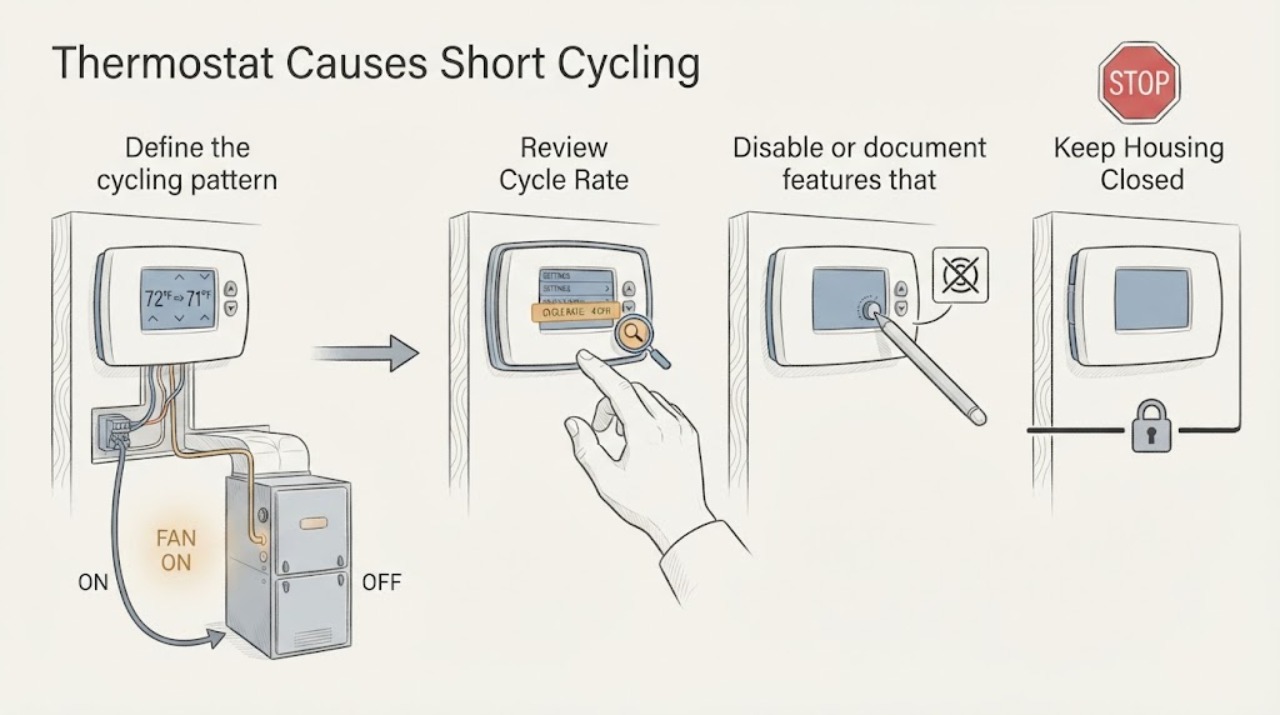
Define the cycling pattern and keep the fan separate
For one supervised observation, record whether the furnace, compressor, outdoor unit, or only the indoor blower starts and stops. Set the thermostat Fan to Auto and turn off any Circulating Fan feature if the model and app expose it, then note the room temperature, setpoint, and approximate run pattern without repeatedly changing the setpoint.
Expected result: Only the blower continues; the compressor or furnace also stops and restarts often; the thermostat display removes the heating or cooling call while equipment continues; or the equipment never reaches the target.
Next step: Keep Fan Auto for the next test and continue to Cycle Rate and feature checks. If equipment runs after the thermostat call is removed, or it becomes hot, noisy, smoky, or otherwise unsafe, turn the system off and request HVAC service.
Stop if: Do not repeatedly force the equipment on and off, bypass a limit, or open the furnace or air-handler cabinet to identify the cycling cause.
Why this matters
Why: A fan-only sound points toward a fan setting rather than HVAC short cycling. Equipment that restarts while a call remains active can reflect a system safety or capacity issue; equipment that runs after the Sensi call disappears can reflect wiring, a relay, or equipment control behavior.
-
Review Cycle Rate in the Sensi app
Open the Sensi app, select the thermostat, open system settings, and review Cycle Rate for the affected system mode. Record whether it is set to Fast, Medium, or Slow and compare that setting with the type of system documented in the installation guide. Change it only within the available Sensi setting and only one step at a time.
Expected result: Cycle Rate is set to Fast; the setting is Slow or Medium; the option is unavailable; or the thermostat is controlling a boiler, heat pump, conventional system, or multi-stage system whose configuration is unclear.
Next step: Use the system-appropriate Sensi setting from the app or model guide, then observe one normal demand. If the HVAC equipment still cycles rapidly, continue to configuration and equipment observations and arrange service if the pattern persists.
Stop if: Do not select a rate intended for a different heating system, change multiple HVAC settings together, or use Cycle Rate to mask an overheating, freezing, or equipment fault.
Why this matters
Why: Sensi says a faster rate creates shorter on/off cycles and a slower rate creates longer cycles. The correct choice depends on the system and comfort behavior; an unavailable or unclear setting means the symptom cannot be solved by guessing at a rate.
-
Disable or document features that alter the call
In the Sensi app and at the thermostat, check for Schedule, Temporary Hold, geofencing, energy-saving events, remote sensors, humidity control, and Circulating Fan. For one test, use a stable manual setpoint and Fan Auto, and record whether any feature changes the setpoint or keeps a heating or cooling call active.
Expected result: The setpoint changes without a local adjustment; humidity control is active; a remote sensor is selected; an energy event or geofence changes the target; or the system stops cycling when those features are removed from the test.
Next step: Leave the feature in the user's intended state after the test, but arrange service if the cycling returns with a stable manual setpoint or if the thermostat cannot hold its settings.
Stop if: Do not defeat a mandatory utility event, repeatedly override a schedule, or change advanced humidity and HVAC settings without the exact model and system documentation.
Why this matters
Why: An automated setpoint or comfort feature can create repeated calls that look like thermostat short cycling. A stable manual test that still produces rapid equipment starts makes configuration, airflow, capacity, temperature sensing, or equipment controls more likely.
-
Verify system type and recent installation changes
From the Sensi app or model installation guide, review the HVAC equipment configuration and write down whether the system is conventional or heat pump, single or multi-stage, and whether a reversing-valve or accessory setting is present. If the Sensi thermostat was recently installed or rewired, compare the terminal labels and configuration with the guide without pulling wires or touching exposed conductors.
Expected result: The configuration does not match the equipment; the thermostat was recently installed; a heat pump changes mode incorrectly; the equipment has separate stages or accessories not represented in Sensi; or configuration matches and the short cycling predates the thermostat.
Next step: Stop changing wiring and have the installer or HVAC professional verify configuration and terminals. If the equipment worked normally before Sensi was installed, provide the old thermostat information and installation date to the technician.
Stop if: Do not move wires, add a common wire, bridge terminals, or test voltage or continuity unless performed by a qualified professional following the correct system procedure.
Why this matters
Why: A wrong system type, stage, or reversing-valve configuration can create inappropriate calls and short runs. A correct configuration with a pre-existing symptom makes the HVAC equipment, airflow, sizing, or safety controls more likely than a Sensi setting.
-
Check safe external HVAC conditions
Without opening equipment panels, look at the accessible return and supply openings, filter condition, outdoor unit clearance, and visible error indicators. Note whether airflow is weak, the filter is heavily loaded, the outdoor coil area is obstructed, the indoor coil or line is icing, or the equipment reports a fault. Replace or clean the filter only as the HVAC equipment manual permits.
Expected result: Airflow is restricted; the filter is dirty; the outdoor unit is blocked; ice or water is visible; the equipment has a fault indicator; or these external conditions are normal.
Next step: Correct only a safe, accessible filter or obstruction issue and observe one demand. Turn the system off and arrange service for recurring ice, water, fault indicators, weak airflow, or rapid cycling that remains after the external correction.
Stop if: Do not chip ice, run with a missing filter, open panels, handle refrigerant or gas, or continue operation when smoke, a burning odor, exposed wiring, or water near electrical parts is present.
Why this matters
Why: Poor airflow, ice, or outdoor obstruction can cause the equipment to reach a safety limit and stop before the thermostat demand is satisfied. A clear, dry system with normal airflow but repeated short starts needs professional checks for controls, capacity, refrigerant, compressor, furnace, or sensor faults.
-
Use one permitted reset and decide on service
If Sensi support instructs a reset for the exact model, record the current settings first and perform that model-specific reset once. Reconnect the app if required, restore only the documented HVAC configuration, and observe one controlled heating or cooling demand. Photograph any Call for Service message or equipment code.
Expected result: The system cycles normally after reset; the same rapid starts return; the display or app loses settings; a Call for Service message appears; or the HVAC equipment does not respond to the Sensi call.
Next step: Stop repeated resets and arrange qualified HVAC or Sensi-supported service. Give the technician the model, configuration, Cycle Rate, feature state, run pattern, installation history, and any message or equipment code.
Stop if: Do not reset repeatedly, restore an unknown factory configuration, remove the thermostat faceplate to make the equipment run, or perform electrical measurements as a homeowner test.
Why this matters
Why: A one-time improvement can indicate a transient thermostat state, but recurrence points toward configuration, wiring, equipment, or sensor trouble. Sensi says a service message or equipment that does not respond as expected needs further support or HVAC service.
Use your observations
Decision map
Find the observation that best matches what you see, then follow the next safe action.
-
PATH 01Next step
What you see
The indoor blower continues but the heating or cooling call disappears when Fan is set to Auto and the system mode is turned Off.
Do this next
Use Fan Auto and review Circulating Fan and humidity-control settings. If the blower continues in Off with those features disabled, arrange HVAC service rather than changing Cycle Rate.
Why this path and its safety boundary
Why it matters: Fan On, Circulating Fan, or a humidity feature is more likely than HVAC equipment short cycling.
-
PATH 02Next step
What you see
The Sensi app shows Fast Cycle Rate, the equipment responds to every call, and the pattern changes when the system-appropriate rate is selected without any ice, airflow, power, or safety symptom.
Do this next
Use the Cycle Rate setting recommended for the system type, change one setting at a time, and monitor comfort and run behavior. Escalate if rapid equipment starts continue.
Why this path and its safety boundary
Why it matters: The thermostat's cycle-rate preference is a plausible contributor to short on/off periods.
-
PATH 03Next step
What you see
The setpoint changes through a schedule, geofence, energy event, remote sensor, or humidity feature, and the short-cycle pattern disappears during one stable manual-setpoint test.
Do this next
Configure the intended schedule, sensor, or humidity behavior using the Sensi guide. If rapid starts return with a stable manual setpoint, continue to HVAC and configuration diagnosis.
Why this path and its safety boundary
Why it matters: An intentional automation or comfort feature is more likely than a failed thermostat relay.
-
PATH 04Safety boundary
What you see
Short cycling began after Sensi installation, the system type or stage settings do not match the equipment, or the equipment keeps running after the Sensi call disappears.
Do this next
Stop changing wires and have the installer or qualified HVAC technician verify the Sensi configuration, terminals, equipment controls, and system type.
Why this path and its safety boundary
Why it matters: A configuration, terminal, relay, or equipment-control issue is more likely than a Cycle Rate preference.
Safety stop: Do not bridge terminals, test live voltage, or add wiring as a trial.
-
PATH 05Safety boundary
What you see
The correct mode and configuration are stable, but the furnace, compressor, or outdoor unit starts and stops rapidly while airflow is weak, ice or water appears, a fault indicator returns, or the space never reaches the target.
Do this next
Turn the system off if the symptom is severe or unsafe and request qualified HVAC service. Provide the run pattern, filter and airflow observations, equipment type, and any codes; do not diagnose by replacing the thermostat first.
Why this path and its safety boundary
Why it matters: An airflow, sizing, refrigerant, compressor, furnace, sensor, or safety-control problem is more likely than the Sensi thermostat setting.
Safety stop: Do not run through repeated protective shutdowns, chip ice, open equipment panels, or handle gas, refrigerant, or live electrical parts.
Helpful context
Understand the symptom
Short cycling may be a setting or an equipment symptom
A Sensi thermostat can influence when the HVAC system is called, but frequent starts can also come from the equipment, airflow, wiring, or a safety control. First observe whether the compressor or furnace actually stops, whether only the blower continues, how long each run lasts, and whether the room reaches the target. A blower on Fan On or Circulate can sound like continuous heating or cooling even when the HVAC call is off. Sensi's Cycle Rate setting is a separate control that changes how tightly the thermostat manages the room temperature.
Check features that can extend or repeat a call
Sensi documents Fan Auto, Circulating Fan, humidity control, schedules, geofencing, energy-saving events, and remote setpoint changes as separate influences on operation. On the Touch 2 guide, humidity control may intentionally cool below the setpoint, while the Cycle Rate setting changes the temperature band used before the system shuts off. Turn off or document only the feature that is relevant to the symptom; do not change every setting at once.
A thermostat reset is not a wiring repair
Sensi provides model-specific reset instructions and warns that a reset can require Wi-Fi reconnection. A reset can clear a transient control state, but it cannot correct a wrong heat-pump configuration, a loose terminal, a shorted wire, restricted airflow, an undersized or oversized system, or an equipment safety fault. Use a reset only when Sensi's support instructions call for it, then repeat one controlled observation rather than cycling power repeatedly.
Know the professional boundary
Short cycling that persists after app settings and safe observation is not proof that the Sensi thermostat itself is defective. A technician may need to check airflow, temperature rise or drop, equipment sizing, compressor or furnace controls, safety limits, wiring, and the thermostat's call. Do not remove a thermostat from its sub-base, bridge terminals, measure live voltage, open the furnace or air-handler panel, or work on refrigerant or gas components as a first-line test.
Safety boundary
Stop conditions
- Stop using the HVAC system for smoke, burning odor, gas odor, arcing, exposed wiring, a hot or damaged connection, water near electrical parts, or repeated breaker trips.
- Turn the system off for recurring ice, severe condensation, weak airflow, abnormal compressor or furnace noise, or repeated protective shutdowns.
- Do not bridge thermostat terminals, test live voltage, open furnace or air-handler panels, handle refrigerant or gas, or bypass a safety control.
- Do not repeatedly reset the thermostat, repeatedly cycle the equipment, or change advanced configuration settings to hide short cycling.
- Arrange qualified HVAC service when the system type, wiring, equipment capacity, airflow, temperature sensor, compressor, furnace, or safety control may be involved, or when short cycling persists after safe Sensi settings checks.
Only after diagnosis
Potential parts
- Sensi thermostat or room-sensor component
Consider this category only after the HVAC professional or Sensi support confirms that the thermostat or compatible room sensor is misreading temperature or failing to control the call correctly.
Confirm the exact Sensi model, sensor feature, and diagnosis; do not replace the thermostat based on short cycling alone. - HVAC control relay or contactor
Consider this category only when qualified testing confirms that equipment continues to run after the Sensi call ends or a control relay is failing.
Confirm the exact HVAC equipment, electrical rating, and professional diagnosis; relay and contactor work is not a thermostat adjustment. - HVAC air filter
Consider this category only when the equipment manual identifies a replaceable filter and the installed filter is damaged, missing, or no longer serviceable after safe cleaning.
Confirm the filter size and equipment requirements from the HVAC manual; a filter change will not repair a wiring, capacity, refrigerant, or safety fault.
When checks do not resolve it
Need a professional?
Arrange qualified HVAC service when a Sensi thermostat and the HVAC system still start and stop unusually often after Fan Auto, Cycle Rate, schedule and feature, configuration, filter, and safe external checks; when equipment runs after the Sensi call ends; when the room cannot reach the setpoint; or when ice, water, weak airflow, fault indicators, or a Call for Service message appears. Stop immediately for smoke, gas odor, arcing, exposed wiring, repeated breaker trips, severe overheating, or water near electrical parts.
Safety scope: This article supports app and thermostat setting checks, recording run behavior, safe external filter and airflow observations, and one Sensi-documented reset. A qualified professional should handle terminal or equipment wiring, live electrical testing, furnace or air-handler panels, refrigerant, gas, compressor, safety controls, and capacity diagnosis.
Common questions
FAQ
Can the Sensi thermostat itself cause short cycling?
It can contribute through Cycle Rate, HVAC configuration, setpoint automation, temperature sensing, or wiring, but short cycling can also originate in the furnace, compressor, airflow, capacity, or safety controls. Check the Sensi settings and run pattern first; persistent equipment starts need HVAC diagnosis.
What Cycle Rate should I use on a Sensi thermostat?
Use the rate appropriate for the actual heating or cooling system and the guidance available for your Sensi model. Sensi says Fast creates shorter on/off cycles and Slow creates longer cycles with a wider temperature swing. Do not choose a rate for a different system type just to hide rapid starts.
Why does my Sensi system keep running when the thermostat is satisfied?
Check Fan Auto, Circulating Fan, humidity control, and whether the Sensi call disappears when Mode is Off. If the furnace, compressor, or outdoor unit continues after the thermostat call ends, a wiring, relay, or equipment-control problem is more likely and needs a qualified HVAC professional.
Can a Sensi schedule or remote sensor make the HVAC short cycle?
A schedule, geofence, energy event, remote sensor, or humidity feature can change the target or keep a demand active in ways that resemble short cycling. Use one stable manual setpoint for diagnosis, then restore the intended feature and its documented configuration.
Should I reset my Sensi thermostat for short cycling?
Only if Sensi support or the exact model instructions advise it. Record settings first because a reset can require Wi-Fi reconnection and restore configuration choices. If rapid starts return after one permitted reset, stop resetting and arrange HVAC or Sensi-supported service.
When is short cycling an HVAC service issue rather than a thermostat setting?
Call when correct Fan Auto, Cycle Rate, feature, configuration, filter, and safe airflow checks do not stop the rapid starts; when the equipment runs after the Sensi call ends; when the space never reaches the target; or when ice, weak airflow, fault indicators, water, smoke, gas odor, or repeated breaker trips appear.
Read the exact guide
Official sources
- Sensi Touch 2 smart thermostat Manual Operation GuideSensi by Copeland · Official Sensi Touch 2 guide for 1F96U-42WF and ST76 series; other Sensi models have different menus and installation details.
- Call for ServiceSensi by Copeland · Official Sensi US support guidance for Sensi thermostat service indications; exact equipment and model determine the appropriate service path.
- My thermostat’s set points are changing, and I am not adjusting them from the Sensi app. What do I do?Sensi by Copeland · Official Sensi US support guidance for smart thermostat setpoint changes; feature availability varies by model, app, and utility program.
- Why Isn't My Cooling Turning On?Sensi by Copeland · Official Sensi US support guidance for smart, Touch, Touch 2, and Lite models; exact model installation guide controls terminal and system details.
- Why is my cooling/heating running constantly?Sensi by Copeland · Official Sensi US support guidance; its wiring and diagnostic details vary by model and should not be used for live homeowner testing.
- Cycle rateSensi by Copeland · Official Sensi support guidance; available options and recommended rate vary by Sensi model, system type, and region.
- How to reset your Sensi thermostatSensi by Copeland · Official Sensi US support page covering Sensi Smart, Lite, Touch, Touch 2, and Room Sensor models; reset steps vary by model.
Community feedback
Share a repair observation
Share a plain-text repair observation. Accepted observations are published automatically; this page may take a moment to update.