
On this page
Start here
Quick answer
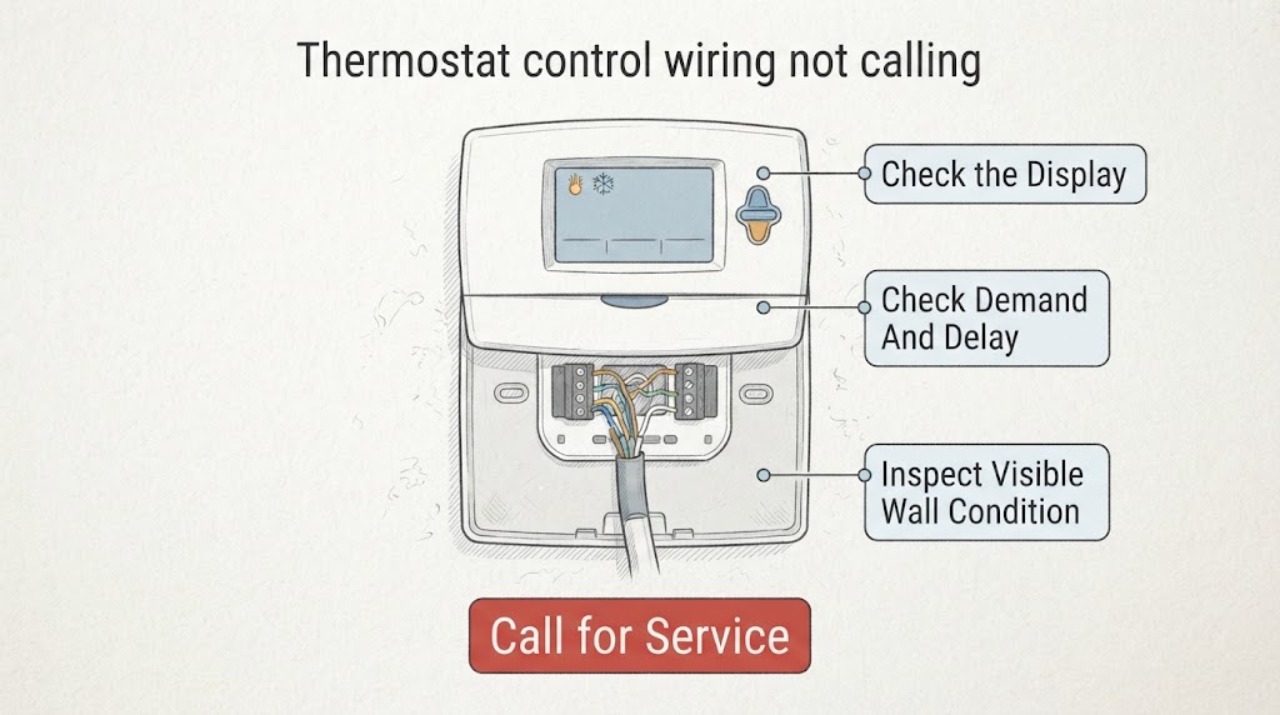
If a thermostat does not show a heat or cool call, first separate a demand problem from a wiring or equipment problem. Confirm that the display is powered and responsive, the correct system mode is selected, the setpoint actually demands heating or cooling, and the screen is not showing a temporary delay or lockout. Then inspect only the visible, accessible thermostat and wall-plate condition for a detached cover, moisture, or frayed wire; do not pull wires, move them between terminals, install a jumper, or make a live voltage measurement. If the thermostat shows a heat or cool call but the equipment does not respond, the thermostat may be working and the fault may be at the equipment, a safety control, or the connection between them. Persistent loss of a call, a blank display, damaged wiring, burning odor, or any need to open the thermostat or HVAC cabinet requires a qualified HVAC technician.
Work through in order
Diagnostic checks
Use only checks that match the exact appliance or system and its official guide.
-
Check 1
Stand at the thermostat and check whether the display is present, readable, and responsive to normal buttons or touch controls. If the model uses batteries, note any battery warning without removing the wall unit; also note whether the thermostat is seated normally on its wall plate.
Expected result: The display is blank; it is dim or intermittently resetting; it is active and responsive; or the face is loose, unlatched, cracked, wet, or visibly damaged.
Next step: Record the display state and any warning. Follow only the exact thermostat manual for a user-accessible battery replacement or seating check; if the display remains blank, wet, damaged, or unstable, arrange HVAC service without opening the device.
Stop if: Stop for moisture, a burning smell, exposed or frayed wire, a cracked device, or any need to remove the thermostat, touch a terminal, or access wiring.
Why this matters
Why: A blank or unstable display points first to thermostat power, battery, mounting, or a control-power interruption rather than a missing heat or cool demand. A powered display with visible damage keeps the device or its connection in scope, but does not identify a failed wire.
-
Check 2
Using only normal thermostat controls, confirm the requested system mode, current room temperature, setpoint, schedule or hold state, keypad lock status, and any visible wait or delay message. Make one ordinary setpoint change within the model's documented user range and return it to the intended setting.
Expected result: The system is Off or in the opposite mode; the setpoint does not demand a change; a schedule, lock, or limit prevents the request; a wait or delay message is shown; or the mode and demand are correct but no call indicator appears.
Next step: Follow the exact manual's normal user controls and allow the documented delay to clear. Do not change installer setup, system type, stage configuration, or changeover settings; document the screen state for the technician if no call appears.
Stop if: Do not bypass a lockout, force a call, change installer configuration, or use a jumper to test the system.
Why this matters
Why: A mode, demand, schedule, lock, or built-in delay can explain why the thermostat is not calling without any wiring fault. If the request is valid and the delay clears but the call indicator never appears, thermostat configuration, sensing, power, or communication becomes more likely.
-
Check 3
Without removing the thermostat or wall plate, use a flashlight to look at the accessible exterior: cover seating, visible wire jacket at the entry, wall moisture or staining, recent painting or remodeling, and whether the wire path has been pinched by a cover or disturbed by another trade.
Expected result: The cover is not seated; a wire jacket is cut, crushed, or frayed; moisture or staining is present; the wall was recently altered; or the exterior is dry and intact.
Next step: Photograph the condition and stop at the wall surface. Have a qualified technician isolate power and inspect the control circuit and terminations using the equipment's wiring diagram and applicable code.
Stop if: Do not pull on conductors, tighten terminal screws, splice wires, remove a cover, drill, or make a continuity or voltage test.
Why this matters
Why: A visible mechanical or moisture event can explain a changed control connection, but appearance alone cannot confirm terminal continuity or compatibility. A normal exterior does not rule out a break inside the wall, at the equipment, or in a communicating system.
-
Check 4
With the thermostat in the intended mode and a legitimate demand present, record whether the screen ever shows a heat or cool call, fan request, wait message, or error. If both heating and cooling are available, compare the displayed result in each mode without changing wiring or installer settings.
Expected result: A call indicator appears and the equipment starts; a call indicator appears but the equipment remains idle; no call appears in either mode; only one mode produces a call; or a wait, lock, or error message persists.
Next step: Write down the exact display wording and the equipment response, then provide it to the HVAC technician. Do not test terminals or substitute a jumper to distinguish the possibilities.
Stop if: Stop if the system makes repeated failed starts, emits a burning or gas odor, shows exposed wiring, or requires access to the furnace, air handler, outdoor unit, or control board.
Why this matters
Why: A displayed call shifts suspicion away from the thermostat's demand decision and toward equipment power, safety controls, the equipment interface, or the connection after the thermostat. No call in both modes points toward power, configuration, sensing, or communication at the wall control; a one-mode-only result narrows the issue but does not identify a conductor.
-
Check 5
From outside the equipment enclosure, note whether the furnace or air-handler service switch appears on, whether a nearby status light or user-visible fault message is present, whether the outdoor unit is visibly obstructed, and whether a recent power interruption, condensate event, filter service, or HVAC visit preceded the missing call.
Expected result: The equipment has no visible power or status indication; a status light or fault message is present; the outdoor unit is obstructed; a recent water or power event occurred; or the equipment appears normal but still does not respond.
Next step: Keep the equipment off if there is water, smoke, burning odor, or another hazard, and give the technician the timeline and visible status. Request a complete thermostat-to-equipment control-circuit assessment rather than a thermostat replacement based only on the symptom.
Stop if: Do not remove equipment panels, reach into a blower or electrical compartment, reset a repeatedly tripping breaker, touch refrigerant or gas components, or work around standing water.
Why this matters
Why: A downstream power, safety, condensate, airflow, or equipment fault can mimic a thermostat wiring problem once a call is made. A normal exterior does not authorize opening the cabinet or measuring the control circuit.
-
Check 6
Prepare a service handoff with the thermostat brand and model if visible, system type if known, display state, exact mode and setpoint, delay or error text, whether heat and cool behave differently, photos of the undisturbed exterior, recent work, and any odor, water, or breaker history.
Expected result: The missing call is repeatable; the display is blank or damaged; only one mode fails; a call appears but equipment stays off; or the problem changed after wiring, painting, power, or equipment work.
Next step: Schedule qualified HVAC service and request that the technician verify the control sequence, thermostat configuration, wiring terminations, equipment-side safeties, and system-specific compatibility with power isolated before wiring work.
Stop if: Do not continue DIY diagnosis when the symptom persists, requires concealed or live access, or involves gas, high voltage, refrigerant, water, repeated breaker trips, or a safety-device bypass.
Why this matters
Why: These patterns determine whether the technician should begin at thermostat power and configuration, the visible control cable, an equipment interface, or the HVAC safety and control board. The record is more useful than a guessed replacement thermostat or wire color.
Use your observations
Decision map
Find the observation that best matches what you see, then follow the next safe action.
-
PATH 01Next step
What you see
The thermostat is blank, repeatedly resets, will not respond, or has visible moisture or damage.
Do this next
Follow only the exact manual's ordinary battery or seating guidance if applicable. If the display stays blank or damaged, call HVAC service and do not open or rewire the thermostat.
Why this path and its safety boundary
Why it matters: The first question is loss of thermostat power, battery or mounting trouble, or device damage; a control-wire call cannot be evaluated until the wall control is stable.
-
PATH 02Next step
What you see
The display is active, but the system is Off or in the opposite mode, the setpoint does not demand a change, a lock or schedule limits it, or a wait message is shown.
Do this next
Correct only normal user settings and allow the model-documented delay to clear. If a valid demand still produces no call indicator, stop changing settings and arrange service.
Why this path and its safety boundary
Why it matters: The thermostat may be behaving as configured rather than failing to transmit a call.
-
PATH 03Next step
What you see
The thermostat displays a heat or cool call, but the furnace, heat pump, air handler, or outdoor unit does not respond.
Do this next
Call a qualified HVAC technician for equipment-side and control-circuit diagnosis. Do not use terminal jumping or live testing to force operation.
Why this path and its safety boundary
Why it matters: The request has reached the thermostat's demand decision; downstream power, equipment safety, control wiring, interface, or equipment failure is more likely than a missing setpoint demand.
-
PATH 04Next step
What you see
The thermostat is powered and correctly set, but no heat or cool call indicator appears in either available mode after the normal delay.
Do this next
Provide the exact display state and model information to a qualified technician and request isolated control-circuit testing under the applicable wiring diagram.
Why this path and its safety boundary
Why it matters: Thermostat sensing, configuration, power, communication, or the wall-to-equipment control path remains in scope; visual inspection cannot distinguish those faults safely.
-
PATH 05Next step
What you see
One mode can display a call but the other mode never does, or heating and cooling use different equipment behavior.
Do this next
Do not infer a wire from its color or move a conductor. Give the technician the two display results and system type so the configuration and control sequence can be checked safely.
Why this path and its safety boundary
Why it matters: Mode-specific configuration, a stage or changeover setup, a mode-specific control path, or equipment-side conditions is more likely than a general loss of thermostat power.
-
PATH 06Next step
What you see
A wire is exposed or frayed, a wall or cabinet is wet, there is a burning or gas odor, a breaker repeatedly trips, or diagnosis would require opening an HVAC enclosure or bypassing a safety.
Do this next
Stop, keep people away, and contact the appropriate qualified HVAC or emergency service. Do not touch the wiring or operate equipment in a hazardous condition.
Why this path and its safety boundary
Why it matters: The issue has crossed from user observation into electrical, gas, water, or equipment safety work.
Helpful context
Understand the symptom
A missing call is not the same as equipment failure
A thermostat can be powered yet intentionally withhold a call because it is in the wrong mode, the setpoint does not demand a change, a schedule or lock limits the setting, or a compressor protection delay is active. If the screen later shows a heat or cool call but the furnace, heat pump, or air conditioner remains idle, the troubleshooting boundary moves downstream. That is why the display state matters more than a guess about a particular wire.
Treat control wiring as low-voltage equipment with real hazards
Thermostat terminals are not a safe place to experiment. Different systems can use conventional heat, heat-pump changeover, multiple stages, communicating controls, or an equipment interface module. Color is not a wiring diagnosis. Do not jumper terminals, relocate a conductor, strip insulation, probe voltage, or remove an HVAC access panel as part of these checks.
Use a call indicator as the decision point
Record what the thermostat screen says while the indoor temperature is stable: no call, a heat or cool call, a wait or delay message, a lock message, or an error. A call indicator that appears after a valid demand means the wall control has at least registered the request; no equipment response then needs equipment-side diagnosis. A call that never appears keeps the focus on settings, timing, power, configuration, sensor, or thermostat-to-equipment communication.
Safety boundary
Stop conditions
- Do not jumper thermostat terminals, move conductors, probe voltage, or perform a live continuity test.
- Stop for exposed or frayed wiring, burning or gas odor, smoke, moisture near the thermostat or HVAC equipment, repeated breaker trips, or any unsafe access.
- Do not remove the thermostat, wall plate, furnace or air-handler panel, outdoor-unit panel, or control-board cover for this user-level check.
- Call a qualified HVAC technician when a valid call is displayed but equipment stays off, no call persists after normal settings and delay are correct, or concealed wiring and equipment-side diagnosis is required.
Only after diagnosis
Potential parts
- thermostat
Consider only after a technician confirms the thermostat itself is faulty and verifies system type, stages, changeover, power requirements, communication method, and compatibility.
Do not choose by appearance or wire color; match the exact equipment and installation documentation. - thermostat control cable
Consider only after isolated testing confirms an open or damaged cable and a qualified installer verifies the route, conductor count, insulation, and code requirements.
Cable replacement is professional wiring work; do not pull or splice it as a user-level check. - thermostat wall plate
Consider only if the technician confirms a broken or incompatible mounting plate is interrupting the model's contacts or seating.
Confirm the exact model revision and mounting system before selection.
When checks do not resolve it
Need a professional?
Arrange service for a persistent no-call, a blank or damaged display, a call that does not start equipment, mode-specific failure, visible wiring damage, or any hazardous odor, water, electrical condition, or unsafe access.
Have this ready
- Thermostat brand and model if visible and known HVAC system type
- Exact display wording, mode, setpoint, delay, lock, or error state
- Whether heat, cool, and fan calls behave differently
- Photos of the undisturbed exterior and visible wall condition
- Recent thermostat, wiring, painting, HVAC, power, condensate, or water events
Common questions
FAQ
Why is my thermostat not calling for heat or cooling?
Check the powered display, selected mode, setpoint demand, schedule or lock, and any wait or delay message. If those are correct and no call indicator appears, power, configuration, sensing, communication, or control wiring may need professional diagnosis.
What does it mean if the thermostat shows Heat On or Cool On?
It means the thermostat has registered a demand. If the HVAC equipment remains idle, the next suspects move downstream to equipment power, safety controls, equipment-side wiring, an interface, or the HVAC unit itself; do not force operation with a jumper.
Can I test thermostat wiring by touching two terminals together?
No. Do not jumper terminals, move conductors, or make a live measurement. Resideo warns that wiring work can cause shock or equipment damage and requires power to be disconnected before wiring is connected; have a qualified technician test the circuit.
Could a thermostat delay look like a wiring failure?
Yes. Resideo documents a minimum off timer that can show a wait state before equipment responds. Allow the exact model's documented delay to clear; if the wait persists or no call appears afterward, arrange service.
What if heating works but cooling does not, or the reverse?
A one-mode-only result narrows the problem to mode configuration, a mode-specific control path, changeover or stage setup, or equipment-side conditions, but it does not identify a wire by color. Record both display results and have the system checked against its wiring diagram.
When should I stop checking the thermostat?
Stop for exposed or frayed wiring, burning or gas odor, smoke, water, repeated breaker trips, a damaged or wet thermostat, or any need to remove panels, bypass a safety, or perform live testing. Keep people away and call qualified service.
Should I replace the thermostat because it is not calling?
Not from this symptom alone. A blank display, mode or delay state, broken control cable, equipment interface, safety switch, and HVAC fault can look similar. Replace a thermostat only after a technician confirms the failure and verifies exact equipment compatibility.
Read the exact guide
Official sources
- Moisture Control Guidance for Building Design, Construction and MaintenanceU.S. Environmental Protection Agency · General building and HVAC maintenance context for safe visual observation; it does not authorize live electrical or thermostat wiring work.
- Common Thermostat Issues and How to TroubleshootCarrier · General manufacturer guidance for thermostat symptoms; exact model instructions and qualified service govern.
- 68-0287—04 - VisionPRO IAQ Total Home Comfort SystemResideo · System-specific manufacturer example used for the diagnostic distinction between no call and call-present states; the reader's exact thermostat and equipment manual governs.
Community feedback
Share a repair observation
Share a plain-text repair observation. Accepted observations are published automatically; this page may take a moment to update.