
On this page
Start here
Quick answer
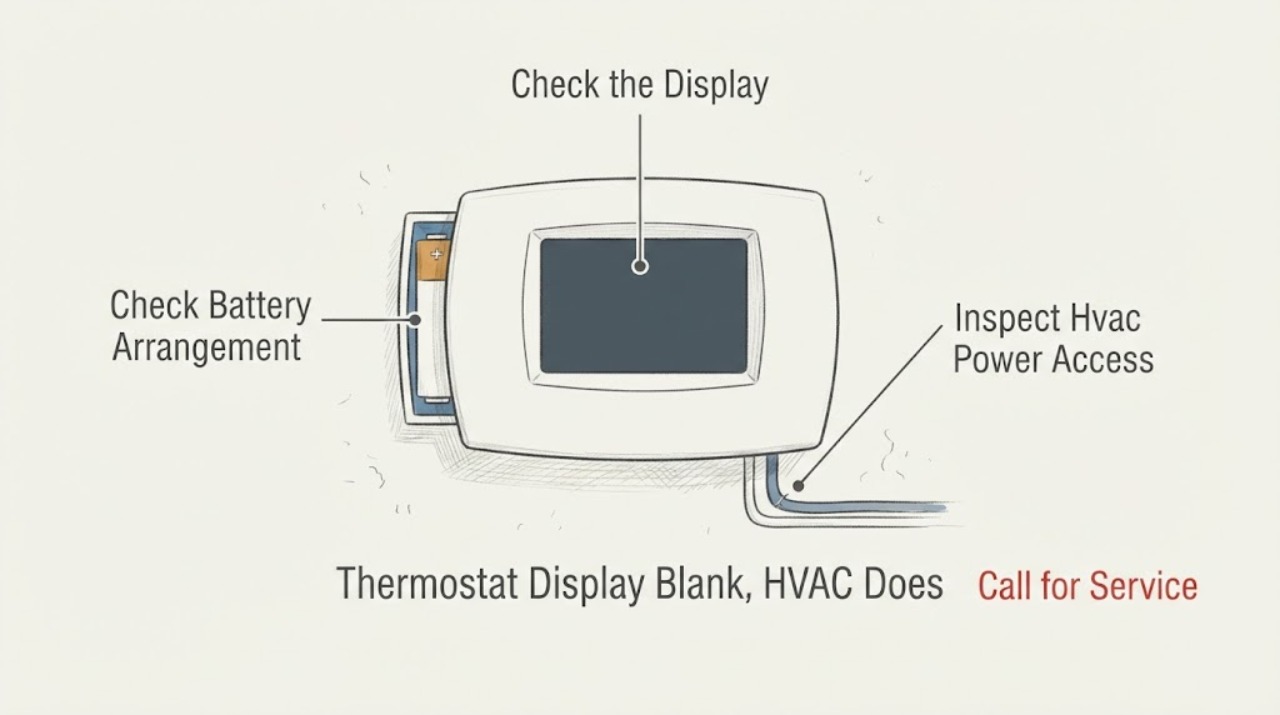
A completely blank thermostat usually means the thermostat has lost power, commonly from exhausted batteries on a battery-powered model, a tripped HVAC breaker or equipment switch, a wiring or control-power problem, or a failed thermostat. First identify whether the thermostat uses batteries or equipment power, then check or replace batteries according to its manual and inspect the HVAC breaker and accessible equipment power switch without repeatedly resetting a trip. If the display returns but the heating or cooling still does not respond, the fault may be at the HVAC equipment, a safety switch, wiring, or control board rather than the screen. Do not remove thermostat wires, open the equipment, bypass a door or safety switch, or keep restoring power after a trip, burning smell, or visible damage.
Before you begin
Safety first
- This article supports ordinary display, battery, breaker, accessible service-switch, and manual-documented restart checks only. It does not authorize thermostat-wire removal, live control testing, HVAC cabinet access, safety bypass, or protective-device changes.
Work through in order
Diagnostic checks
Use only checks that match the exact appliance or system and its official guide.
-
Check 1
From the thermostat's normal user position, press a normal control once and observe the screen without removing the wallplate or touching wiring; confirm that the HVAC system is not already running unexpectedly.
Expected result: Record a completely blank screen, a dim or intermittent screen, a lock or error message, a screen that responds but does not call for heating or cooling, or a screen that returns after a control press.
Next step: Keep the exact display behavior and any visible code in the service record, then identify whether the thermostat is battery-powered or equipment-powered before changing anything.
Stop if: Stop immediately for burning smell, smoke, arcing, exposed or damaged wiring, water near electrical equipment, or an HVAC system that runs without control.
Why this matters
Why: A completely blank or unresponsive display points first toward lost thermostat power or an internal thermostat fault. A visible lock, code, or responsive screen is a different path and may involve settings, a time delay, communication, or the HVAC equipment rather than a dead display.
-
Check 2
If the exact thermostat manual identifies a user battery compartment, turn the system off from normal controls if it is operating, remove only the accessible cover as directed, and inspect or replace the batteries with the type specified by that manual.
Expected result: Record whether batteries are present and correctly oriented, visibly depleted or corroded, recently replaced, or absent because the thermostat is powered by equipment wiring.
Next step: Reattach only the user-accessible cover, wait for the normal display response described by the manual, and continue to the HVAC power check if the screen remains blank or the system stays unresponsive.
Stop if: Do not force the cover, bridge battery contacts, use an unspecified battery type, clean corrosion into the device, or remove any thermostat wires.
Why this matters
Why: Carrier, Trane, and Resideo identify dead, missing, or incorrectly installed batteries as a common blank-display cause on battery-powered thermostats. If fresh correctly installed batteries do not restore the screen, the fault may be the thermostat, its wiring, or HVAC control power rather than another battery change.
-
Check 3
From ordinary safe access, inspect the home electrical panel for an HVAC-labeled breaker in an off or middle position and check an accessible furnace, air-handler, or heat-pump service switch; do not remove covers or reach into equipment.
Expected result: Record normal power indications, a tripped breaker, a service switch that is off, an inaccessible or uncertain equipment switch, or a breaker that trips again after a reset.
Next step: If the manual and local safety conditions permit one normal reset, restore only the identified switch or breaker once and observe the thermostat; if it trips again or the screen stays blank, leave the system off and arrange service.
Stop if: Do not remove panel covers, touch exposed conductors, repeatedly reset a tripping breaker, change a fuse or breaker rating, or approach equipment with smoke, odor, water, or damaged wiring.
Why this matters
Why: Carrier and Trane identify the HVAC breaker or equipment power switch as a possible source of a blank display or unresponsive system. A repeat trip may reflect an equipment or electrical fault; it is not a prompt to keep resetting power or increase protection.
-
Check 4
Only when the exact thermostat or HVAC manual documents a restart and no hazard is present, turn the HVAC system off from normal controls, interrupt its power once from the safely accessible breaker or switch, and restore it according to the manual; do not use a restart to bypass a fault.
Expected result: Record whether the display returns normally, returns with an error, remains blank, or the HVAC equipment comes on but does not follow a heat or cool call.
Next step: Keep the restart result and any code, then use the equipment-response branch: a live display with no HVAC response needs equipment-side diagnosis, while a blank display needs thermostat-power or wiring diagnosis.
Stop if: Do not repeat the restart, restore a breaker that trips again, bypass a safety switch, or continue if the equipment smells hot, sparks, or runs unexpectedly.
Why this matters
Why: Trane describes a model-specific power cycle as a way to reboot some thermostats, while Carrier notes that a blank screen after power irregularities can still indicate lost power or internal failure. A returning display does not prove the wiring or HVAC equipment is healthy; a recurring blank screen or code requires service.
-
Check 5
If the display is restored, make one normal heating or cooling request using the documented mode and setting, then observe the thermostat and equipment from the user position without removing the thermostat or HVAC panels.
Expected result: Record a normal call and equipment response, a heat or cool indication with no airflow or equipment operation, a display that goes blank again, an error or delay, or equipment operation that does not match the selected mode.
Next step: Turn the request off normally, record the sequence and timing in plain language, and arrange qualified HVAC service when the equipment does not respond or the display fails again.
Stop if: Do not jumper thermostat terminals, open the furnace or air-handler cabinet, bypass a door or safety switch, or continue after smoke, burning odor, arcing, water, or a repeat breaker event.
Why this matters
Why: Resideo distinguishes a thermostat that calls for heating or cooling while the equipment does not run from a thermostat that has no display power. Carrier likewise notes that system nonresponse can involve wiring, a thermostat, control board, safety switch, or HVAC equipment. A delay may be a documented equipment-protection feature, but persistent nonresponse is a service condition.
Use your observations
Decision map
Find the observation that best matches what you see, then follow the next safe action.
-
PATH 01Safety boundary
What you see
The thermostat has a documented user battery compartment, the batteries were depleted or incorrectly installed, and the screen returns normally after the correct replacement.
Do this next
Confirm the selected heating or cooling mode and observe one normal call; replace batteries at the interval in the exact manual if the display later warns of low power.
Why this path and its safety boundary
Why it matters: The blank screen was consistent with battery power loss, but the HVAC response still needs a normal user-mode check.
Safety stop: Stop if the screen goes blank again quickly, the equipment does not respond, or a code, odor, or wiring concern appears.
-
PATH 02Safety boundary
What you see
The thermostat remains blank after correctly installed batteries, or the model is equipment-powered and has no display after the HVAC power check.
Do this next
Leave the thermostat and HVAC equipment closed and arrange qualified HVAC service with the model, battery status, breaker or switch result, and display history.
Why this path and its safety boundary
Why it matters: A failed thermostat, loss of control power, wiring fault, equipment fuse or safety shutdown, or another HVAC-side issue is more likely than a simple battery problem.
Safety stop: Do not remove wires, open the equipment, probe control terminals, or install a replacement thermostat before compatibility and wiring are confirmed.
-
PATH 03Safety boundary
What you see
The HVAC breaker or service switch is off, or the breaker trips again after one permitted reset.
Do this next
Keep the system off and arrange qualified HVAC or electrical diagnosis, noting which equipment and protective device were affected.
Why this path and its safety boundary
Why it matters: The system may have an equipment or electrical fault that removed thermostat power; a repeat trip is not evidence that the thermostat alone failed.
Safety stop: Do not repeatedly reset, upsize, bypass, or replace protective devices, and do not open the electrical panel or HVAC cabinet.
-
PATH 04Safety boundary
What you see
The thermostat screen returns and shows a heat or cool call, but the furnace, air conditioner, or heat pump does not operate after any documented delay.
Do this next
Turn the call off normally and arrange qualified HVAC service with the exact call indication and equipment behavior; do not assume a new thermostat will fix it.
Why this path and its safety boundary
Why it matters: The blank-screen symptom has become an equipment-response problem. Wiring, an equipment control board, a safety switch, power, or the HVAC unit may be involved.
Safety stop: Do not jumper terminals, open equipment panels, bypass safety controls, or keep commanding a system that smells hot or trips power.
-
PATH 05Safety boundary
What you see
The display repeatedly goes blank, an error returns after restart, wiring is exposed or damaged, or there is smoke, burning odor, arcing, water, or uncontrolled HVAC operation.
Do this next
Stop using the HVAC system, isolate power only when safely accessible, and request prompt qualified HVAC or electrical service; use local emergency procedures for fire or smoke.
Why this path and its safety boundary
Why it matters: This is an electrical, equipment, or safety fault beyond ordinary thermostat maintenance.
Safety stop: Do not restore power repeatedly, touch wiring, open the thermostat or equipment, or remain near smoke, sparking, or a suspected electrical fire.
Helpful context
Understand the symptom
A blank screen is a power symptom before it is a thermostat diagnosis
When no characters, backlight, or buttons respond, the thermostat is not operating normally. Battery-powered models can go blank when batteries are depleted; wired models depend on power from the HVAC equipment and its control circuit. A blank display can therefore be caused by the thermostat, the wiring, a breaker or service switch, or a problem that has shut down the equipment's control power. Start by identifying the power arrangement rather than replacing the thermostat from appearance alone.
Separate a dead display from an HVAC system that ignores a live call
If the display returns after a battery change or permitted power restart but the furnace, air conditioner, or heat pump still does not run, the thermostat is no longer the only suspect. Carrier and Resideo distinguish a display that cannot power up from a thermostat that shows a heat or cool call while the equipment does not operate. That second pattern can involve equipment power, a safety switch, wiring, a control board, or the HVAC unit itself.
Keep the low-voltage wiring and equipment panels closed
The thermostat face or battery compartment may be user-accessible, but removing wires or opening an HVAC cabinet can create a wiring or electrical hazard and can erase useful evidence. Record the thermostat model, battery state, breaker or switch state, display response, and any error or smell. A technician can use that history to distinguish a power interruption, thermostat failure, and equipment-side fault without guesswork.
Safety boundary
Stop conditions
- Stop using the HVAC system for smoke, burning odor, arcing, exposed or damaged wiring, water near electrical equipment, uncontrolled operation, or a breaker that trips again.
- Do not remove thermostat wires, jumper terminals, open the furnace or air-handler cabinet, or bypass a door, safety switch, fuse, or control.
- Do not repeatedly reset a breaker or equipment switch, change its rating, or restore power to a system that shows a recurring fault.
- Do not install a replacement thermostat from appearance alone; confirm the exact system type, wiring, and manufacturer compatibility with qualified help.
- Do not treat a blank display and a live display with no HVAC response as the same fault; document which pattern is present and use the appropriate service boundary.
Only after diagnosis
Potential parts
- manufacturer-specified thermostat batteries
Consider this category only when the exact thermostat uses a user-replaceable battery compartment and inspection confirms depleted, missing, or damaged batteries.
Use only the battery type and orientation specified by the exact thermostat manual; do not bridge contacts or substitute by appearance. - compatible thermostat
Consider a replacement only after service or model documentation confirms the original thermostat has failed and the new control matches the HVAC system and wiring.
Confirm system type, stages, heat-pump or conventional configuration, wiring, power requirements, and manufacturer compatibility before ordering or installation. - HVAC control protection component
Consider this category only when a qualified technician isolates loss of thermostat control power to an equipment protection or safety component.
Verify the exact equipment model and electrical specification; replacement and root-cause diagnosis are professional work, not a reason to upsize or bypass protection.
When checks do not resolve it
Need a professional?
Arrange qualified HVAC service when the display remains blank after the correct battery and power checks, a wired thermostat has no display, the screen repeatedly fails, an error returns, or the display shows a heat or cool call while the equipment does not respond. Use qualified electrical service for uncertain wiring, repeated breaker trips, damaged conductors, or an equipment power fault. Stop urgently for smoke, burning odor, arcing, water near electrical parts, exposed wiring, or uncontrolled HVAC operation.
Safety scope: This article supports ordinary display, battery, breaker, accessible service-switch, and manual-documented restart checks only. It does not authorize thermostat-wire removal, live control testing, HVAC cabinet access, safety bypass, or protective-device changes.
Common questions
FAQ
Why is my thermostat screen completely blank?
A blank screen usually means the thermostat has lost power. Check whether it uses batteries, inspect the HVAC breaker or accessible equipment switch, and arrange service if the display stays blank after the safe checks.
Will replacing thermostat batteries fix the HVAC?
It can restore a battery-powered thermostat display, but you still need to confirm that the furnace, air conditioner, or heat pump responds to a normal call. A live display with no equipment response is a separate HVAC diagnosis.
Can I reset the breaker for a blank thermostat?
Only follow the exact thermostat or HVAC manual and perform one normal reset when the system is not running and no hazard is present. Do not reset a breaker repeatedly or restore it after it trips again.
What if the display comes back but the HVAC does not run?
Record whether the thermostat shows a heat or cool call and whether the equipment responds. Wiring, a safety switch, control board, equipment power, or the HVAC unit may be involved, so arrange qualified service rather than replacing the thermostat by guesswork.
Should I remove the thermostat wires to test power?
No. Do not remove wires, jumper terminals, or open HVAC panels as a homeowner test. Keep the wiring closed and provide the model, display behavior, power checks, and equipment response to a qualified technician.
Read the exact guide
Official sources
- Common Thermostat Issues and How to TroubleshootCarrier · Official Carrier residential thermostat guidance for blank or unresponsive screens, power checks, batteries, system switches, restart, and separating thermostat from HVAC equipment faults.
- AC Thermostats: Types, Features, & How They WorkCarrier · Official Carrier thermostat guidance identifying battery, breaker, and control-power causes for a blank screen and recommending professional help for complex wiring or systems.
- Thermostat Troubleshooting: Solutions for Common IssuesTrane · Official Trane residential thermostat troubleshooting covering blank screens, battery and breaker checks, model-specific reboot, and escalation for wiring or HVAC faults.
- 63-2636—03 - TB7220 Ultrastat Programmable ThermostatResideo · Official Resideo thermostat manual showing separate troubleshooting paths for a display that does not come on and a thermostat call that does not start heating or cooling.
Community feedback
Share a repair observation
Share a plain-text repair observation. Accepted observations are published automatically; this page may take a moment to update.