
On this page
Start here
Quick answer
A thermostat screen can be blank because the display is asleep, its user-replaceable batteries are depleted, the thermostat is not receiving system power, or the HVAC system has a fault. First try the normal wake control, then check only an accessible battery compartment and visible system or app status. Do not remove the thermostat, open a cover, bridge wires, replace a low-voltage fuse, or test live wiring. If the screen stays blank, the system will not heat or cool, or the home is becoming unsafe, contact an HVAC technician.
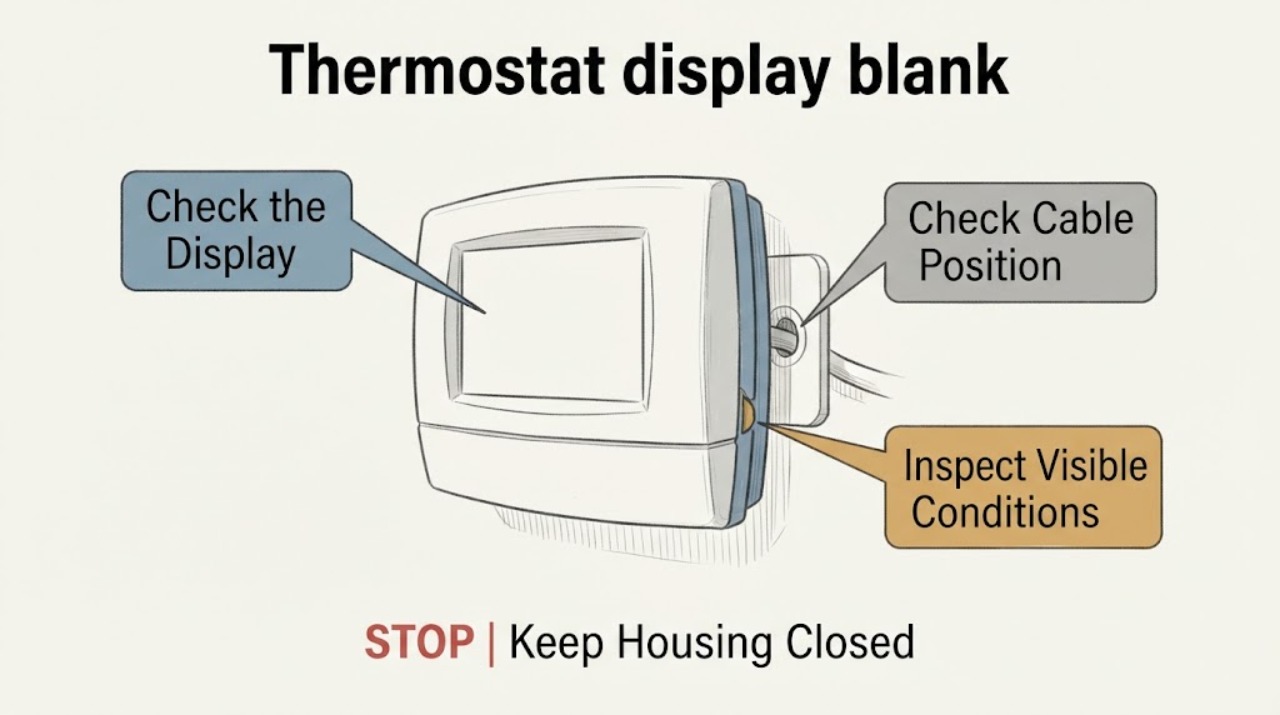
Work through in order
Diagnostic checks
Use only checks that match the exact appliance or system and its official guide.
-
Check 1
Stand near the thermostat and use only its normal wake gesture, button, ring, or touch control once; do not remove the display or press a hidden reset.
Expected result: Note whether the screen wakes, shows a low-battery or error message, flashes briefly, remains completely blank, or responds only in the app.
Next step: Record the visible message, indicator color, or lack of response and continue only with the model-appropriate user-accessible checks.
Stop if: Stop if the thermostat is hot, smells burned, shows smoke or arcing, is wet, or the normal control feels loose or damaged.
Why this matters
Why: A screen that wakes normally may be an idle-display setting, while a blank unresponsive screen points toward a power, battery, display, or system issue. A message or indicator is useful evidence and should not be guessed at.
-
Check 2
If the thermostat has a clearly labeled, user-accessible battery compartment, inspect the batteries and markings without exposing wires, terminals behind a cover, or the wall opening.
Expected result: Note a low-battery indication, missing or leaking battery, corrosion visible in the intended compartment, incorrect orientation, or no battery compartment at all.
Next step: Only if the manufacturer's instructions clearly allow it, install the correct fresh batteries with the marked polarity and observe whether the display returns; otherwise leave the thermostat closed and request service.
Stop if: Stop for leakage, corrosion, heat, a stuck battery, damaged contacts, uncertainty about the battery type, or any need to remove a cover or touch wiring.
Why this matters
Why: A battery warning or accessible depleted battery can explain a blank display on models designed to use replaceable batteries. No battery compartment, a clean battery compartment, or a display that remains blank after a model-approved battery change points toward a different power or device issue.
-
Check 3
Check the HVAC app or other normal user interface, if present, and observe whether it reports the thermostat online, offline, low battery, an error, or a recent power event.
Expected result: Compare the app's last temperature or system state with the blank wall display, and note whether commands are accepted, delayed, or unavailable.
Next step: Save the visible status and time of the last update for the HVAC technician; do not change wiring or repeatedly send commands to reproduce the problem.
Stop if: Stop if the app reports an electrical, equipment, smoke, freeze, or overheating warning, or if operating the HVAC is producing an unsafe condition.
Why this matters
Why: An app that still reports a current state while the wall screen is blank can narrow the issue toward the display or local interaction. An offline or stale state suggests the thermostat or system may not be receiving power or communication.
-
Check 4
Observe the home's HVAC response and the thermostat's visible physical condition without opening it: note whether heating or cooling is running, whether air is moving, and whether the display or base appears visibly loose or displaced.
Expected result: Record whether the home remains near its normal comfort, the system stopped at the same time as the blank display, or the unit is running continuously, cycling abnormally, or not responding.
Next step: Keep the system in its existing safe state, document the timing and behavior, and arrange an HVAC technician inspection if the display does not recover.
Stop if: Stop if there is no safe heating or cooling during an extreme indoor temperature, the equipment smells burned, makes abnormal sounds, leaks, or repeatedly trips power.
Why this matters
Why: A blank display with no HVAC response suggests a shared power or system issue, while a blank display with normal system operation may be a display or battery issue. These observations cannot identify a low-voltage fuse or wiring fault.
-
Check 5
Confirm whether the display returns after the single model-approved user battery check, or after normal power is restored by someone qualified, without opening the thermostat or touching the electrical system.
Expected result: Answer yes if the display returns and normal temperature and mode information are stable; answer no if it remains blank, repeatedly goes blank, or returns with an error.
Next step: Use the display and system only as needed for comfort and schedule an HVAC technician with the recorded symptoms, model information, battery status, and app history.
Stop if: Stop all troubleshooting if the screen or equipment becomes hot, smells burned, sparks, exposes wiring, or leaves the home without safe heating or cooling.
Why this matters
Why: A no result needs professional diagnosis because the cause may be the thermostat, system power, wiring, fuse, or HVAC control equipment. A temporary return does not prove the underlying issue is resolved.
Use your observations
Decision map
Find the observation that best matches what you see, then follow the next safe action.
-
PATH 01Next step
What you see
The screen wakes with the normal control and shows a stable temperature or mode.
Do this next
Treat the prior symptom as an idle-display or intermittent issue, document it, and follow the model's normal display settings rather than opening the thermostat.
-
PATH 02Next step
What you see
The thermostat has a user-accessible low battery or the model documentation identifies replaceable batteries.
Do this next
Use only the model-approved battery type and polarity, then observe whether the display returns; call HVAC service if it does not or quickly goes blank again.
-
PATH 03Next step
What you see
The display is blank but the app or HVAC system still reports normal operation.
Do this next
Save the status and arrange service for a display, battery, or local thermostat issue; do not remove the display or alter wiring.
-
PATH 04Next step
What you see
The display and HVAC system both appear dead, offline, or unresponsive.
Do this next
Stop user-level troubleshooting and contact an HVAC technician to assess system power and controls; do not replace a low-voltage fuse or bridge wires.
-
PATH 05Next step
What you see
There is heat, burning odor, smoke, moisture, exposed wiring, repeated power loss, or unsafe indoor temperature.
Do this next
Stop using the equipment, keep people away from the hazard, and obtain appropriate HVAC or emergency electrical help.
Helpful context
Understand the symptom
Blank is not always the same symptom
Some thermostats turn the display off during normal idle periods and wake when a person approaches or uses the normal control. A completely unresponsive display is different from a screen that wakes but shows a low-power message. Record which behavior you see before touching anything behind the display.
Keep the check at the user boundary
A thermostat may be powered by replaceable batteries, system wiring, or both, depending on the model. The safe reader checks the display, a battery compartment specifically designed for user access, and normal system status. Wiring, fuses, control boards, and power readings belong to an HVAC technician.
Only after diagnosis
Potential parts
- thermostat batteries
Consider only for a thermostat model with a clearly user-accessible, replaceable battery compartment and a manufacturer-approved battery specification.
Confirm the exact thermostat model, battery chemistry and size, polarity markings, and user instructions before replacing batteries. - HVAC thermostat
Consider only after an HVAC technician confirms the thermostat itself has failed or is incompatible with the system; a blank screen alone does not prove replacement is needed.
Verify system type, stages, heat-pump or conventional configuration, voltage requirements, wiring compatibility, and professional installation requirements. - low voltage fuse
This is a technician-diagnosed part only; consider it only when a qualified HVAC professional confirms a fuse fault and its cause.
Do not select or replace a fuse by appearance. The technician must confirm the exact rating, control-board fit, and underlying system fault.
When checks do not resolve it
Need a professional?
Call an HVAC technician when the display remains blank after the permitted model-specific battery check, the display repeatedly goes blank, the app or system is offline, heating or cooling is unavailable, or the cause may involve system power, wiring, a fuse, or the control board.
Have this ready
- Provide the thermostat brand and model if visible, display behavior, messages or indicator colors, battery compartment findings, app status, timing, HVAC response, and any heat, odor, moisture, or power-event observations.
Common questions
FAQ
Could a blank thermostat screen simply be asleep?
Yes, some models turn the display off during idle periods and wake with proximity or a normal control. If it never wakes, shows a low-power message, or the HVAC system also stops, treat it as a fault rather than an idle display.
Can I replace the thermostat batteries?
Only if the exact model has a clearly user-accessible battery compartment and its instructions specify replaceable batteries. Do not remove the thermostat from its base or touch wiring; stop for leakage, corrosion, or uncertainty and call HVAC service.
Should I replace the HVAC fuse when the display is blank?
No. A fuse or system-power issue requires HVAC diagnosis, and replacing a fuse without finding the cause can be unsafe. Record the display and system symptoms and arrange a technician.
When is a blank thermostat urgent?
Seek prompt HVAC help when heating or cooling is unavailable, indoor conditions are becoming unsafe, the equipment smells burned, sparks, shows smoke or moisture, repeatedly loses power, or the display and system are both unresponsive.
Read the exact guide
Official sources
- Learn about when your thermostat's display turns onGoogle Home and Nest Help · Manufacturer guidance supporting the distinction between an idle display and a completely depleted or unresponsive display; other thermostat models differ.
- 69-0862 Electronic Programmable ThermostatResideo · Legacy Resideo thermostat manual; use only as a model-specific example that blank display and low battery are distinct from other HVAC faults.
- Troubleshoot when your thermostat won't turn onGoogle Home and Nest Help · Manufacturer support for Nest models; model-specific behavior varies and is used here only to distinguish display, battery, and system-power observations.
Community feedback
Share a repair observation
Share a plain-text repair observation. Accepted observations are published automatically; this page may take a moment to update.