
On this page
Start here
Quick answer
A thermostat that seems loud may not be the source: a beep can come from a nearby smoke detector, doorbell, or security device, while clicking, chattering, or thumping can be caused by the heating or cooling system cycling rapidly. First identify the sound and whether it comes from the wall control or the equipment, then note what the thermostat display and HVAC system are doing at the same moment. Do not remove the thermostat, pull wires, or open the HVAC cabinet as a general noise check. If the system is repeatedly turning on and off, the display is blank or shows an alert, the noise is accompanied by burning odor or sparking, or the sound persists after safe external checks, turn the system off with its normal control if safe and arrange qualified HVAC service.
Before you begin
Safety first
- Use the normal system-off control and keep clear of the equipment when safe if cycling is abnormal or a hazard is present. Do not remove the thermostat, alter wiring, open HVAC panels, or test low-voltage or line-voltage components.
Work through in order
Diagnostic checks
Use only checks that match the exact appliance or system and its official guide.
-
Check 1
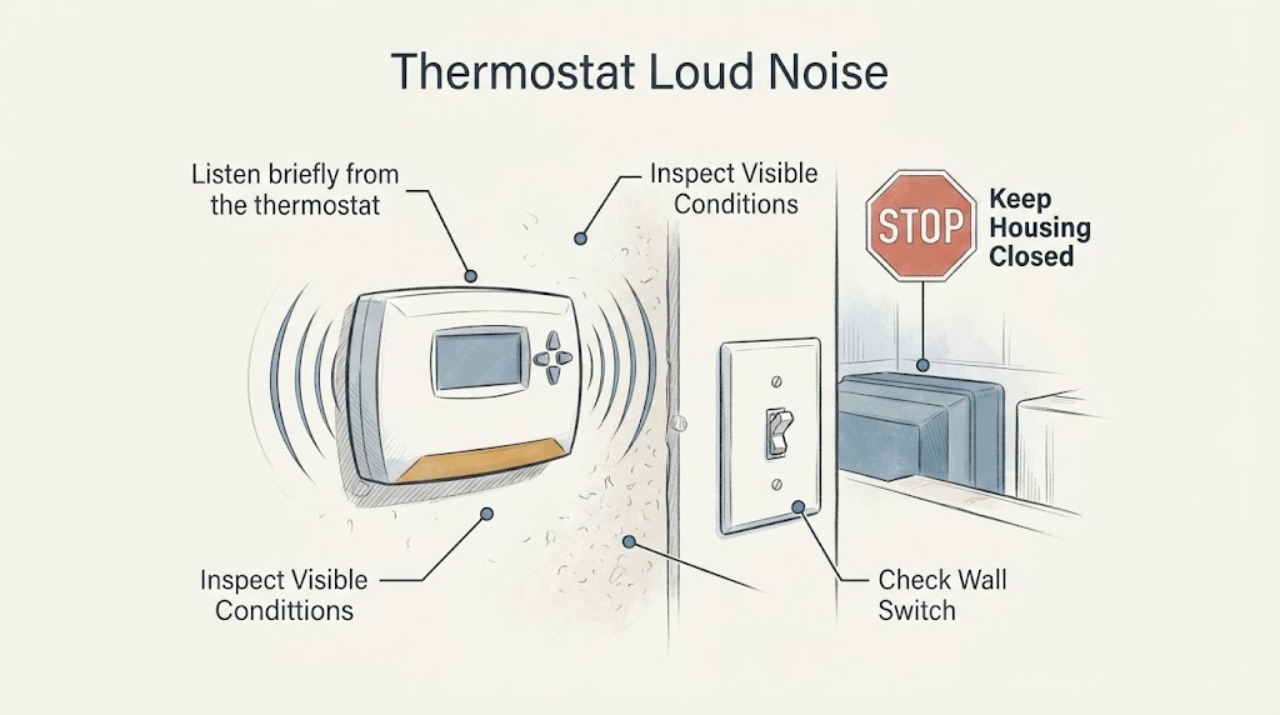
Listen briefly from the thermostat and then from the nearest HVAC equipment and nearby electronic devices, without touching or opening them. Classify the sound as a beep, click, chatter, buzz, thump, rattle, or continuous hum, and note whether it occurs at startup, shutdown, or continuously.
Expected result: The sound may be loudest at the wall control, at the furnace or air handler, at the outdoor unit, or near a smoke detector, doorbell, or security device. The HVAC system may be quiet, starting and stopping rapidly, or running normally while the noise continues.
Next step: If the sound is a beep and the HVAC equipment is quiet, check nearby devices and the thermostat model's documentation. If it follows HVAC startup or rapid cycling, continue to the display and system-behavior checks.
Stop if: Do not place an ear or tool against energized equipment, remove covers, or touch wiring to locate a sound.
Why this matters
Why: The source and timing separate a thermostat alert or nearby device from an HVAC relay, fan, duct, or cycling problem. A sound heard through the wall is not proof that the thermostat itself is making it.
-
Check 2
Observe the thermostat display while the noise occurs. Record whether the screen is blank, shows a heating or cooling call, shows a delayed or start message, displays an error code, or changes unexpectedly. Check only ordinary settings and, if the thermostat uses batteries, follow its model instructions for a low-battery indication.
Expected result: The display may be normal while another device makes the noise, or it may show an alert, delay, repeated call, blank screen, or unexpected temperature or schedule change.
Next step: Write down the exact display message and timing. Correct only an obvious mode or schedule setting; do not remove the thermostat or alter its wires. If the display is blank or an alert returns, arrange professional diagnosis.
Stop if: Do not pry off the display, pull wire connectors, or bridge thermostat terminals.
Why this matters
Why: A display state links the noise to a control event or separates it from the wall thermostat. Google notes that strange sounds can accompany rapid system cycling and directs users to error-code or history guidance when an alert appears.
-
Check 3
Watch one normal heating or cooling call from a safe distance. Note whether the indoor fan, outdoor equipment, or both respond, whether the system turns off and on repeatedly, and whether the noise stops when the HVAC system is quiet. Do not change wiring or repeatedly switch modes to provoke the sound.
Expected result: The noise may coincide with a normal call, accompany rapid on-off cycling, continue with the HVAC system off, or appear only when the fan or outdoor equipment starts.
Next step: If the HVAC system cycles rapidly, stays on unexpectedly, or fails to respond, stop repeated tests and arrange HVAC service. If the HVAC is quiet but the sound remains at the wall, compare it with the thermostat model documentation and nearby devices.
Stop if: Do not force a contactor, remove HVAC panels, or continue cycling equipment that makes a harsh or worsening sound.
Why this matters
Why: Noise synchronized with rapid cycling points toward a system or control issue; noise that continues while HVAC is quiet points toward the thermostat or another nearby device. A system that does not respond to a valid call may have a power, wiring, or equipment fault.
-
Check 4
Check for safe, visible context changes: a recent thermostat installation, battery replacement, power interruption, new schedule, or nearby smoke detector, doorbell, or security device. Do not inspect hidden wires or system control boards. If the thermostat is a connected model, review its available energy or event history without relying on a generic code interpretation.
Expected result: The noise may have started after thermostat work, a power event, a schedule change, or installation of another electronic device. History may show repeated starts, delays, a system alert, or no HVAC activity during the sound.
Next step: Record the event history and recent changes for the technician. If the sound began after wiring or thermostat replacement, stop user-level rewiring and arrange a compatibility and control check.
Stop if: Do not remove a thermostat base, expose terminals, or work on a furnace or air-handler control board.
Why this matters
Why: A recent installation or power change makes compatibility, low-voltage power, and wiring questions more relevant, but history cannot prove which component is defective. No HVAC event during the sound supports looking for a nearby device rather than opening the thermostat.
-
Check 5
Prepare a service handoff rather than replacing a part from the noise description. Record the thermostat brand and model if visible, sound type and location, HVAC mode, display state, event-history result, cycle timing, nearby-device check, recent installation or power change, and any odor, heat, or visible damage.
Expected result: The evidence may point to a nearby alert device, rapid HVAC cycling, a blank or alerting thermostat, a post-installation power or compatibility issue, or an internal HVAC component that cannot be inspected safely.
Next step: Give the observations and exact display text to a qualified HVAC professional or the thermostat manufacturer's support channel. Keep the system off if the noise is harsh, repeated cycling continues, or an electrical warning sign is present.
Stop if: Do not diagnose by replacing random parts, pulling wires, or opening the HVAC cabinet.
Why this matters
Why: The technician can use the timing and system response to distinguish thermostat, low-voltage control, relay, fan, or broader HVAC issues. Loud noise alone does not identify a thermostat replacement, C wire, relay, or control board.
Use your observations
Decision map
Find the observation that best matches what you see, then follow the next safe action.
-
PATH 01Next step
What you see
The sound is a beep, the HVAC equipment is quiet, and a nearby smoke detector, doorbell, or security device is the loudest source.
Do this next
Use the nearby device's own support and safety procedure; do not open the thermostat just because the sound is heard nearby.
Why this path and its safety boundary
Why it matters: The thermostat may not be producing the sound.
-
PATH 02Next step
What you see
The sound is chattering, clicking, or thumping and coincides with the HVAC system turning on and off repeatedly.
Do this next
Stop repeated testing, use the normal system-off control if safe, and arrange qualified HVAC service.
Why this path and its safety boundary
Why it matters: Rapid system cycling or a control issue may be producing the noise.
-
PATH 03Next step
What you see
The thermostat display is blank, shows a recurring alert, or shows a delayed or start message while the sound continues.
Do this next
Record the exact message and arrange model-specific professional diagnosis; do not pull the thermostat wires.
Why this path and its safety boundary
Why it matters: A thermostat power, wiring, system, or control issue remains possible.
-
PATH 04Next step
What you see
The HVAC system operates normally and quietly, but the loud sound continues at the wall thermostat.
Do this next
Check the model documentation and nearby devices, then contact thermostat support if the sound remains unexplained.
Why this path and its safety boundary
Why it matters: The sound may come from the thermostat model or a nearby electronic device rather than the HVAC equipment.
-
PATH 05Next step
What you see
The noise began after a thermostat installation, battery or power change, or schedule change.
Do this next
Do not rewire the thermostat; provide the installation history and model details to a qualified HVAC technician.
Why this path and its safety boundary
Why it matters: A configuration, compatibility, low-voltage power, or control issue is more relevant, but the sound does not identify the cause.
-
PATH 06Next step
What you see
The noise is accompanied by burning odor, sparking, hot plastic, smoke, exposed wiring, or a harsh mechanical sound.
Do this next
Use the normal system-off control or disconnect power only if safe, keep clear of the equipment, and obtain urgent professional service.
Why this path and its safety boundary
Why it matters: This is a safety event, not a routine thermostat-noise check.
Helpful context
Understand the symptom
Locate the sound before diagnosing the thermostat
A sound heard near a wall thermostat may actually be produced by the furnace, air handler, relay, duct, outdoor unit, smoke detector, doorbell, or security system. A short click when a call starts is different from repeated chattering, a thump each time the system cycles, or a beep that continues while the HVAC system is quiet. Walk only far enough to locate the sound and compare it with the thermostat display; do not remove the wall control or open equipment.
Use the sound and system behavior together
A thermostat display that changes state while the equipment chatters, rapidly cycles, or fails to respond suggests a control or HVAC issue rather than a cosmetic noise. A beep with no HVAC response may be an alert or a nearby device. The safe user boundary is visual observation, settings, history, and error text; wiring, low-voltage power, relays, and the equipment cabinet require model-specific instructions or professional service.
Safety boundary
Stop conditions
- Stop immediately for smoke, burning odor, sparking, hot plastic, exposed wiring, or a harsh mechanical sound from HVAC equipment.
- Do not remove the thermostat display or base, pull wires, bridge terminals, open an HVAC cabinet, or touch a control board to locate a noise.
- Do not repeatedly switch modes or restart a system that chatters, cycles rapidly, or fails to respond to a valid call.
- Stop after safe source, display, history, and nearby-device checks if the loud noise persists; arrange qualified HVAC or thermostat service.
Only after diagnosis
Potential parts
- thermostat control
Consider only if professional testing confirms the thermostat is defective or incompatible after nearby-device and system checks.
Confirm the complete thermostat and HVAC system requirements; a loud sound alone does not prove replacement is needed. - low-voltage power accessory or common-wire connection
Consider only if a qualified technician confirms insufficient or unstable thermostat power as the cause of the alert, cycling, or noise.
Wiring and power accessories are system-specific; do not add or move conductors based only on a noise description. - HVAC relay or control assembly
Consider only if professional testing locates the sound at the HVAC control or relay and confirms a failed component.
The thermostat may only be signaling the fault; verify the equipment model and diagnosis before selecting a control part.
When checks do not resolve it
Need a professional?
The noise is synchronized with rapid HVAC cycling, fan or equipment startup, or a system that will not respond normally., The display is blank, shows a recurring alert, or the noise began after thermostat installation or wiring changes., The source is not identifiable without removing the thermostat or opening HVAC equipment., There is burning odor, sparking, smoke, hot plastic, exposed wiring, water near electrical equipment, or a harsh mechanical noise.
Safety scope: Use the normal system-off control and keep clear of the equipment when safe if cycling is abnormal or a hazard is present. Do not remove the thermostat, alter wiring, open HVAC panels, or test low-voltage or line-voltage components.
Common questions
FAQ
Why is my thermostat making a loud noise?
Locate the sound first. A beep may come from a nearby smoke detector, doorbell, or security device, while clicking or chattering may come from HVAC equipment cycling rapidly. Check the display and timing, but do not remove the thermostat or open the equipment.
Is a clicking thermostat sound normal?
A single click associated with a system call may be a control event, but repeated clicking, chattering, or thumping with rapid on-off cycling is a service symptom. If the sound is loud or the system behaves abnormally, stop repeated tests and arrange HVAC diagnosis.
What should I do if the thermostat is buzzing or beeping?
Compare the sound at the thermostat, HVAC equipment, and nearby electronic devices without opening anything. Honeywell says its thermostats do not beep, so a nearby detector, doorbell, or security device may be the source. Persistent buzzing tied to HVAC operation needs professional inspection.
Can I remove the thermostat cover to stop the noise?
Do not remove the thermostat or pull its wires as a general noise fix. Record the display, sound timing, and recent installation or power changes, then follow model-specific support or arrange qualified HVAC service. Stop immediately for smoke, sparking, burning odor, or exposed wiring.
Read the exact guide
Official sources
- Learn to fix strange heating or cooling issuesGoogle Home and Nest Help · Google's official troubleshooting guidance for thermostats and HVAC systems with strange sounds, cycling, alerts, and power or wiring symptoms
- Does My Thermostat Beep?Honeywell Home · Honeywell Home guidance for a suspected thermostat beep or audible sound
Community feedback
Share a repair observation
Share a plain-text repair observation. Accepted observations are published automatically; this page may take a moment to update.