
On this page
Start here
Quick answer
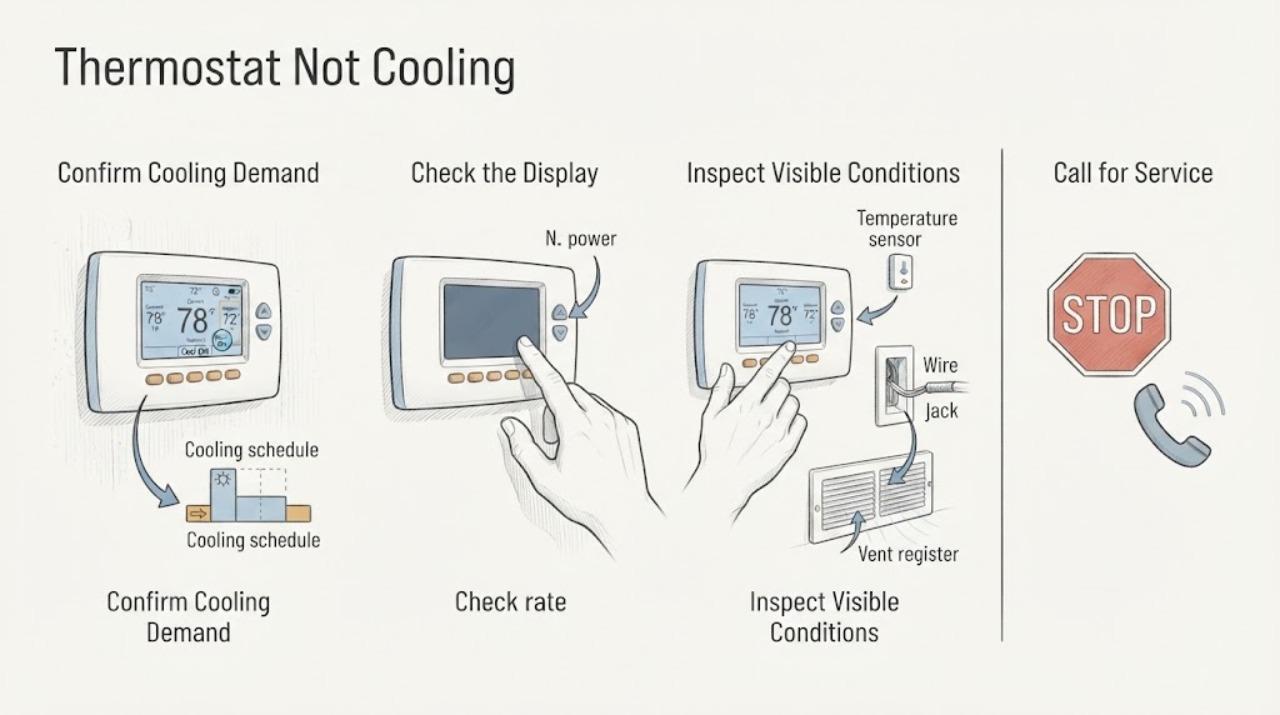
If a thermostat is not cooling, first check that it is calling for Cool, the target temperature is below the room temperature, and the fan is on Auto. Then note whether the display is blank, shows a delay or error, or changes to a cooling state while the HVAC equipment does not start. Check only accessible batteries or the manufacturer's app history, visible breakers from a safe position, the air filter, and unobstructed vents. Do not remove the thermostat base, move wires, open the HVAC cabinet, or repeatedly reset a breaker. If the thermostat remains unresponsive, cooling does not start, a fuse or breaker trips, or ice or water appears, arrange qualified HVAC service.
Work through in order
Diagnostic checks
Use only checks that match the exact appliance or system and its official guide.
-
Check 1
At the thermostat, select Cool, set the target below the current room temperature, and set the fan to Auto unless the model manual says otherwise. Check for a schedule, hold, Eco, or delay message using normal controls only.
Expected result: The thermostat is in Heat, Off, Auto, or constant Fan; the target is not below room temperature; a schedule or delay is active; or a clear cooling demand is shown.
Next step: Correct only the visible setting once and allow one normal start interval. If a delay remains, follow the model's displayed guidance; if a correct demand produces no equipment response, continue to the display and equipment checks.
Stop if: Stop if the thermostat is hot, wet, cracked, sparking, or shows damaged wiring.
Why this matters
Why: An incorrect mode or target can make the system appear not to cool even when it has not been asked to cool. A visible cooling demand means the next question is whether the HVAC equipment responds, not whether the thermostat should be rewired.
-
Check 2
Observe whether the thermostat display is bright and responsive, whether a low-battery or no-power message appears, and whether the system reports an error code. Replace accessible batteries only with the type specified by the manual; do not remove the base or expose terminals.
Expected result: The display is blank or dim; a battery or no-power warning is present; an error appears; or the display is normal and responsive.
Next step: Use the exact manual for an accessible battery replacement or record the complete error. If the display remains blank, the error returns, or the remedy requires wiring or system access, arrange professional service.
Stop if: Do not charge a battery improperly, remove thermostat wiring, or continue if the display or base is damaged.
Why this matters
Why: A thermostat without adequate power may not maintain a cooling call or communicate with the HVAC system. An error code can identify a control or system boundary, but a normal display does not prove that the equipment is powered or healthy.
-
Check 3
With a correct cooling demand displayed, observe from safe positions whether air moves at the indoor registers and whether the outdoor unit starts. Do not open the outdoor disconnect, reach through a grille, or remove an HVAC cover.
Expected result: The indoor blower and outdoor unit run; the blower runs but the outdoor unit is silent; the thermostat calls but neither unit runs; or the outdoor unit runs while air remains warm.
Next step: Record the pattern. If either unit is silent, inspect only the visible breaker or equipment switch from a safe position. If both run but cooling is absent, continue to the airflow and ice checks.
Stop if: Stop for smoke, burning odor, exposed wiring, unusual electrical noise, ice, water near electrical equipment, or a breaker trip.
Why this matters
Why: The thermostat can be making a call that the HVAC equipment does not answer, or the equipment can be running with an airflow, coil, refrigerant, or changeover problem. These patterns narrow the service conversation but do not prove a thermostat failure.
-
Check 4
Inspect the accessible air filter and look at supply registers and return grilles for blockage. Clean or replace the filter only as the HVAC manual directs, and move only loose objects away from vents; do not enter the blower or coil cabinet.
Expected result: The filter is dirty, a vent or return is blocked, airflow is weak, or the filter and visible air path are clear.
Next step: After a safe filter change or removal of an external blockage, allow one normal cycle. If airflow remains weak, cooling stays absent, or ice appears, turn the system off and arrange HVAC service.
Stop if: Do not remove sealed panels, wash an inaccessible coil, or run the system with visible ice.
Why this matters
Why: Restricted airflow can reduce cooling and can contribute to coil icing or shutdown. If airflow is clear and still weak, the issue may involve the blower, internal coil, ductwork, or a control fault beyond a thermostat setting.
-
Check 5
If the panel area is dry and safe, look for a clearly tripped HVAC breaker or a visible indoor equipment switch in the off position. Do not remove a panel cover, open a disconnect, or reset a device repeatedly.
Expected result: A breaker or equipment switch is visibly off; no device appears tripped; the thermostat has power but the equipment does not; or a reset trips again.
Next step: If the device is clearly resettable and there is no hazard, follow its normal label for one reset only. If it trips again, will not reset, or the system remains off, stop and arrange qualified HVAC or electrical service.
Stop if: Stop for heat, moisture, a damaged panel, exposed parts, a repeat trip, or any need to measure voltage.
Why this matters
Why: A thermostat may remain lit while an indoor or outdoor HVAC section has lost power. A repeat trip indicates an unresolved electrical or equipment fault, while no visible trip does not establish that high-voltage equipment is safe.
-
Check 6
Look only at accessible surfaces for ice on a visible line or coil, water in or around a condensate area, or a thermostat app/history message showing repeated short cycles or system restarts. Do not remove covers, scrape ice, clear an internal drain, or work on sealed cooling components.
Expected result: Ice, water, repeated short cycling, or a system message is present; or no such condition is visible.
Next step: If ice, water near electrical parts, or repeated abnormal cycling is present, turn the system off if safe and arrange HVAC service. If no abnormal condition is visible, continue to one limited retest.
Stop if: Stop for ice, water near electrical parts, burning odor, smoke, or a fault message that persists.
Why this matters
Why: Ice or water can indicate restricted airflow, a drain problem, or a cooling-system fault and can worsen if the system keeps running. A history of repeated starts or a thermostat delay can point to a system or control problem rather than a simple setpoint error.
-
Check 7
After correcting only a visible mode, target, accessible battery, filter, vent blockage, or safe single protective-device state, leave one correct Cool demand in place and observe one normal start interval. Do not keep lowering the setpoint or cycling the system to force a response.
Expected result: Cooling starts and airflow is normal; the thermostat calls but cooling does not start; the system runs but supplies warm air; or the problem returns with a delay, error, ice, water, or trip.
Next step: Use the system only if it operates normally and the manual permits it. Otherwise leave it off or at a safe setting and arrange qualified service with the recorded thermostat and equipment behavior.
Stop if: Stop immediately for recurrence, abnormal noise, odor, ice, water, smoke, exposed wiring, or another protective-device trip.
Why this matters
Why: A normal result after an external correction suggests that condition contributed, but it does not identify thermostat wiring or equipment health. Persistent nonresponse, warm air, recurring messages, ice, water, or trips require professional diagnosis.
Use your observations
Decision map
Find the observation that best matches what you see, then follow the next safe action.
-
PATH 01Next step
What you see
The thermostat or HVAC equipment is hot, wet, smoking, sparking, has exposed wiring, or repeatedly trips a breaker.
Do this next
Stop using the system and keep clear; arrange qualified HVAC or electrical help, using emergency response for smoke or fire.
-
PATH 02Next step
What you see
The thermostat is not in Cool, the target is not below room temperature, or a schedule, hold, Eco, or delay prevents the expected call.
Do this next
Correct the visible setting once using normal controls and allow one start interval. If cooling does not begin, use the system-response branch.
-
PATH 03Next step
What you see
The display is blank, dim, low on battery, or shows a no-power message.
Do this next
Use only the model-approved accessible battery or power check. If the display stays blank or access to wiring is needed, arrange professional service.
-
PATH 04Next step
What you see
The thermostat clearly calls for Cool but the indoor or outdoor equipment does not start.
Do this next
Check only for a visible safe breaker or equipment-switch state. If the equipment remains off or the device trips, arrange qualified HVAC or electrical diagnosis.
-
PATH 05Next step
What you see
The filter is dirty, vents or returns are blocked, or airflow is weak.
Do this next
Replace or clean the accessible filter as directed and clear loose external obstructions. If airflow stays weak or cooling remains absent, stop and request HVAC service.
-
PATH 06Next step
What you see
The system runs but supplies warm air, or ice, condensate overflow, or repeated abnormal cycling is visible.
Do this next
Turn the system off if safe and arrange HVAC service. Do not scrape ice, clear an internal drain, work on sealed cooling components, or open equipment panels.
-
PATH 07Next step
What you see
Safe mode, power, display, airflow, and visible equipment checks do not restore cooling, or the thermostat remains intermittent or unresponsive.
Do this next
Leave the system unused or at a safe setting and arrange qualified HVAC service to inspect the thermostat, low-voltage wiring, controls, and equipment.
Helpful context
Understand the symptom
What the thermostat symptom means
The thermostat is the control and sensor that requests cooling; it is not the entire cooling system. A wrong mode, schedule, delayed state, low thermostat power, or sensor issue can prevent a cooling request, while a thermostat that visibly calls for cooling but receives no equipment response may have a wiring, power, or HVAC fault. Begin with the display state and the equipment response rather than changing wiring.
Keep the checks at the control surface
Do not pull the thermostat from its base, move conductors, jumper terminals, open a furnace or air-handler cabinet, inspect a fuse, or test live voltage unless you are a qualified professional following safe isolation procedures. Do not keep resetting a breaker or run the system with visible ice, water near electrical parts, burning odor, smoke, or damaged wiring.
What to record for service
Record the thermostat mode, target and room temperatures, display or error text, schedule or delay message, whether the indoor blower and outdoor unit run, filter and vent condition, any ice or water, battery or power indication, and breaker behavior. If the thermostat has an app history or diagnostic screen, save the visible message without changing wiring.
Safety boundary
Stop conditions
- Do not remove the thermostat base, move or jumper wires, open HVAC panels, inspect fuses, measure live voltage, or work on sealed cooling components unless qualified and following safe isolation procedures.
- Do not keep resetting breakers, repeatedly cycle the thermostat, scrape ice, clear internal drains, or run the system with water near electrical parts.
- Stop immediately for smoke, fire, burning odor, heat, sparks, shock, exposed wiring, or other immediate hazards.
When checks do not resolve it
Need a professional?
Use qualified HVAC service when the thermostat is correctly calling for cooling but the system does not respond, when the display or power behavior is abnormal, or when cooling remains absent after safe setting, filter, vent, and visible power checks.
Have this ready
- Provide the thermostat mode, target and room temperatures, schedule or delay text, display or error code, battery or power indication, indoor and outdoor run status, airflow, filter and vent condition, ice or water observations, breaker behavior, and when the symptom began. Do not remove wiring to gather more information.
Common questions
FAQ
Why does my thermostat say Cool but the house is not cooling?
The thermostat may be making a cooling call that the indoor or outdoor equipment does not answer, or the equipment may run with restricted airflow, ice, or another HVAC fault. Check the visible equipment response and filter or vent condition; do not open the thermostat or HVAC cabinet.
Can a low thermostat battery stop cooling?
A low-power or blank thermostat may not maintain a reliable call or communication with the HVAC system. Replace an accessible battery only as the model manual directs. If the display remains blank or the issue returns, arrange professional service.
Should I lower the thermostat much farther to make cooling start?
No. Set Cool and choose a target below the room temperature using the normal controls, then allow one ordinary start interval. Repeatedly lowering the target or cycling the system does not diagnose a wiring or equipment fault.
When should I stop troubleshooting a thermostat that is not cooling?
Stop for a blank or recurring error display, repeat breaker trip, damaged wiring, warm air with the system running, weak airflow that persists after a filter check, ice, water near electrical equipment, smoke, burning odor, or any need to open panels or move wires. Arrange qualified HVAC or electrical service.
Read the exact guide
Official sources
- Consumer Guide to Home Heating and CoolingU.S. Department of Energy · Government guidance for thermostat use, clean filters, unblocked vents, outdoor heat-pump clearance, and professional equipment checks
- Electrical Safety Advice for DIY-ersElectrical Safety First · Standards-body guidance for avoiding live electrical work, switching off power near wiring, and seeking a registered electrician when unsure
- Learn to fix strange heating or cooling issuesGoogle Home and Nest Help · Manufacturer support guidance for cooling calls, delays, app history, thermostat power, system response, filter, and professional wiring boundaries; model-specific steps require the matching manual
Community feedback
Share a repair observation
Share a plain-text repair observation. Accepted observations are published automatically; this page may take a moment to update.