
Hoover appliance guidance
Hoover Vacuum Cleaner Repair Guides
Troubleshooting and repair guidance for published Hoover Vacuum Cleaner problems, symptoms, and maintenance questions.
Published Hoover Vacuum Cleaner guides
Choose the guide whose symptom or condition most closely matches what you are seeing.
-
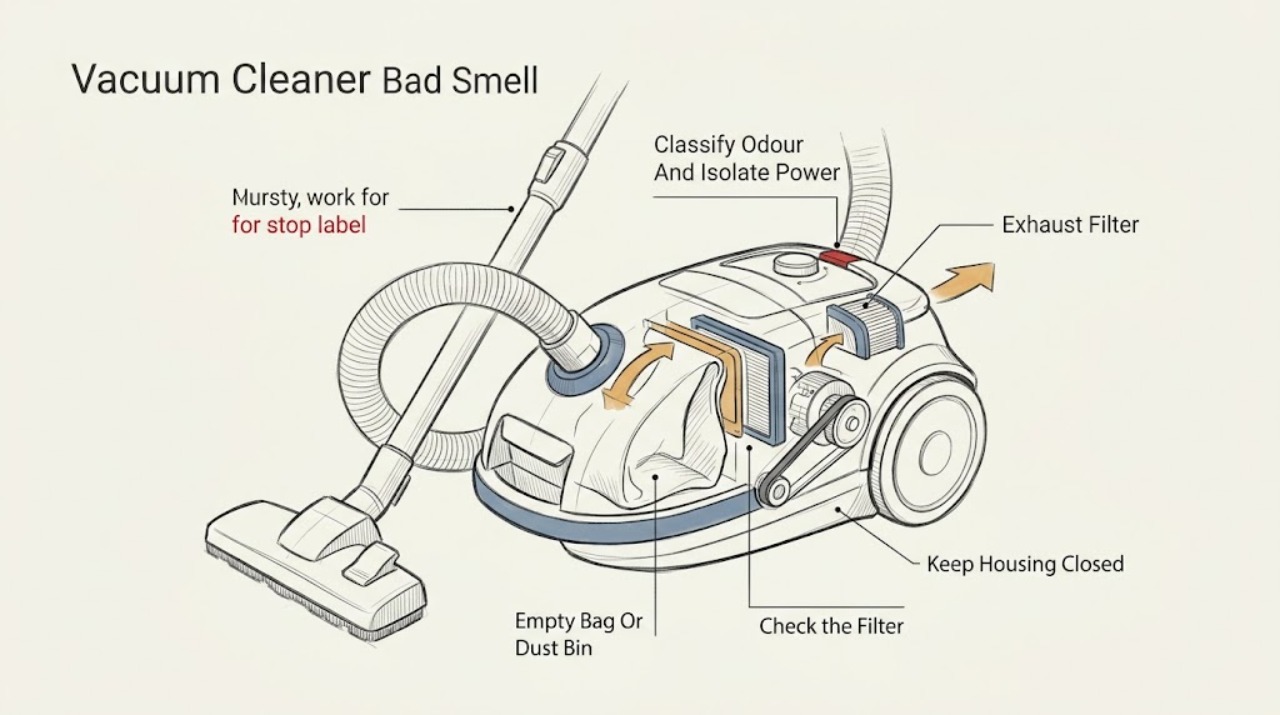
Hoover Vacuum Cleaner Bad Smell: Find the Source Before Cleaning or Replacing Parts
First identify the smell: a musty, pet, or food odour usually points to trapped debris in the bag or bin, filters, hose, or brush, while a hot-rubber or electrical burning smell is a stop-use symptom. Turn the Hoover off, unplug it or remove the battery where the model allows, and do not run it again to ‘test’ a burning smell.
-
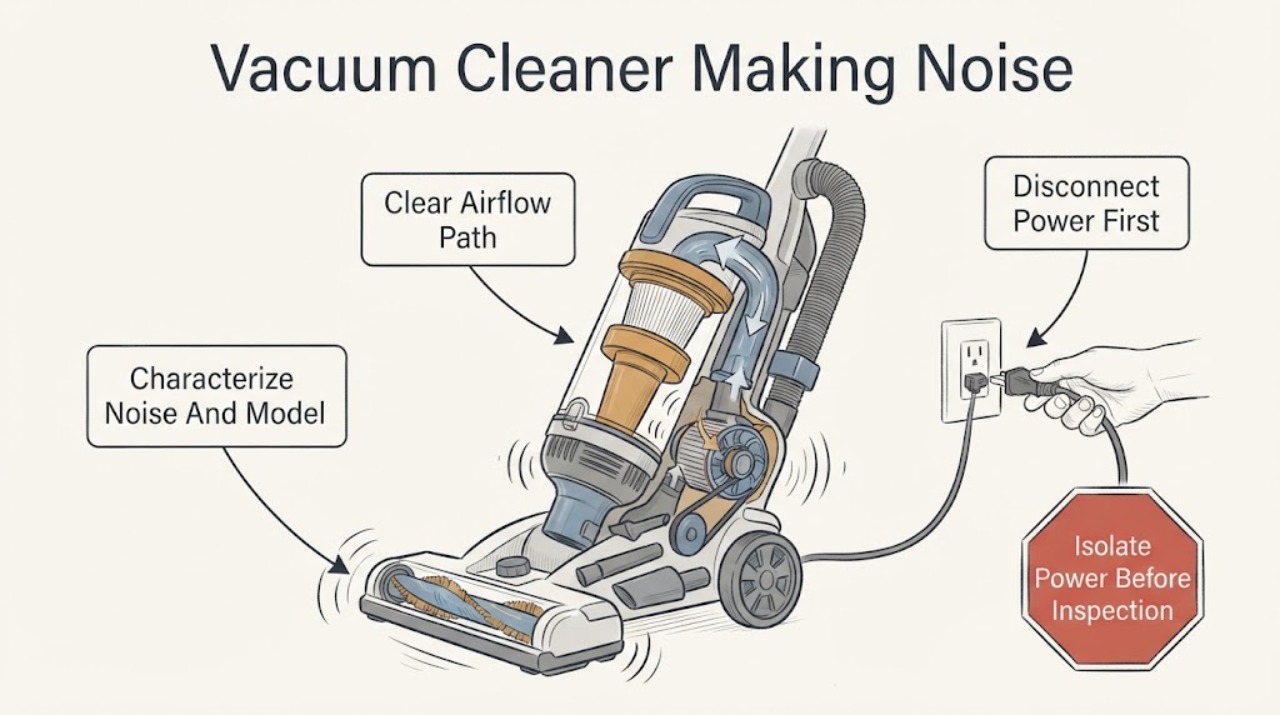
Hoover Vacuum Cleaner Making Noise: Check the Brush Roll, Air Path, and Filters
First describe the new sound and where it begins: a whistle or splutter with weak suction points toward a restricted air path, while a rattle, vibration, grinding, or squeal from the floor head points toward debris, a damaged brush roll, or a drive problem. Hoover's official Advice Centre says a vacuum can become noisy or vibrate when debris is tangled around the brush roll or agitator, and it requires the appliance to be disconnected from the mains before examination.
-
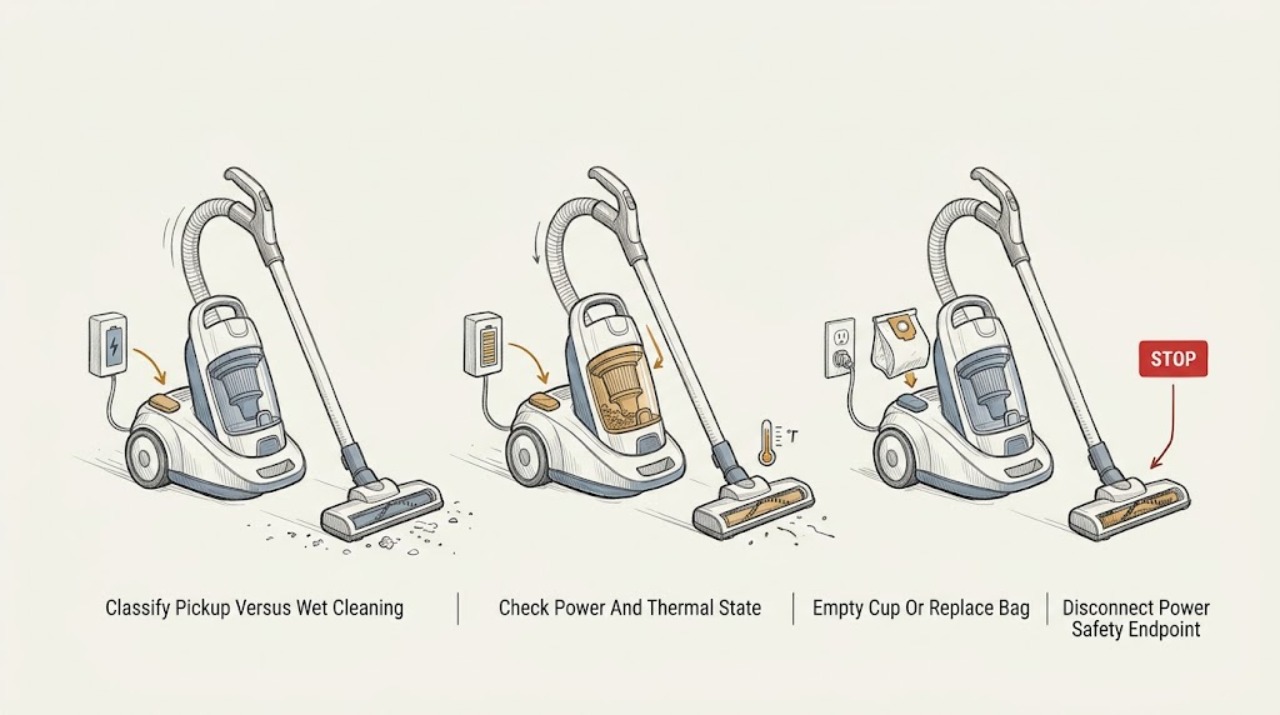
Hoover Vacuum Cleaner Not Cleaning: Restore Pickup Without Mixing Model Types
Treat “not cleaning” as a pickup or airflow problem unless the appliance is a Hoover carpet washer with a separate wet-cleaning complaint. Turn the vacuum off and disconnect the nozzle or remove the battery before checking whether the dust cup or bag is full, the filter is clogged, the hose or floor nozzle is blocked, or the brush is jammed.
-
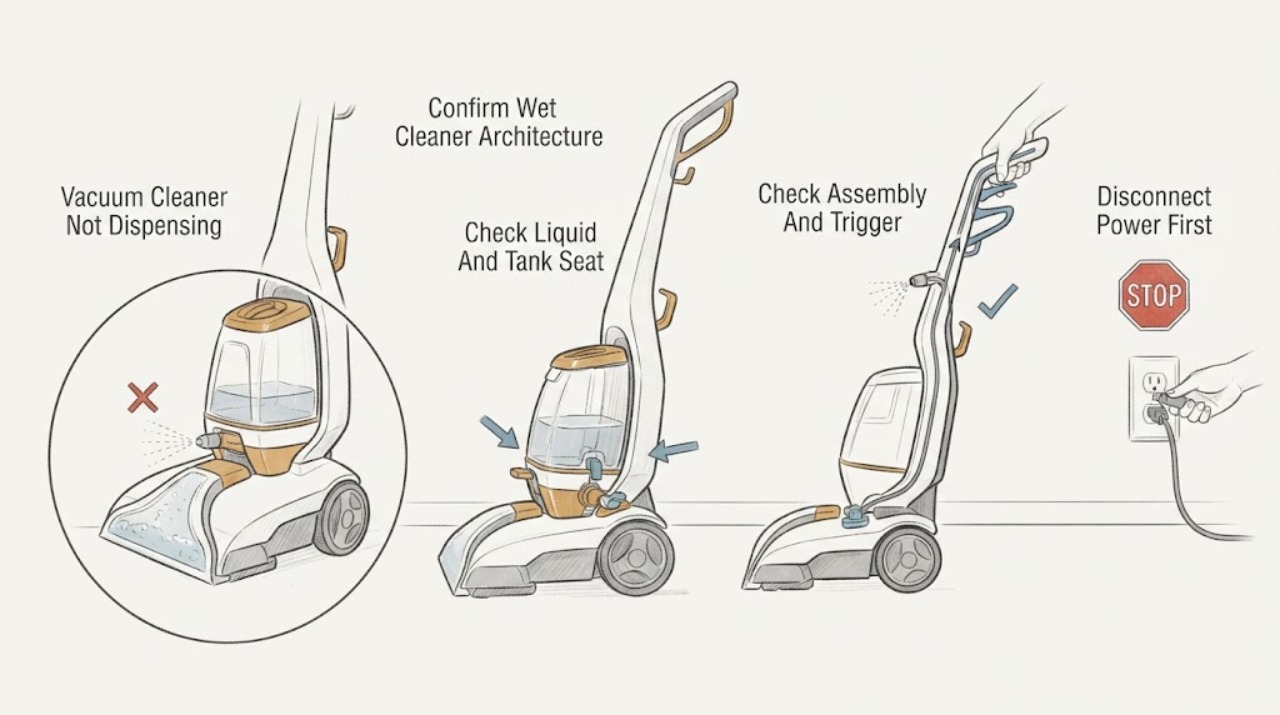
Hoover Vacuum Cleaner Not Dispensing: Check the Wet-Cleaner Tank, Pump, and Spray Path
First confirm that the Hoover product is a wet carpet cleaner, spot washer, or floor washer with a clean-water or solution tank and spray trigger; a dry vacuum has no liquid-dispensing path. Record the exact model because Hoover uses different wet-cleaning architectures.
-
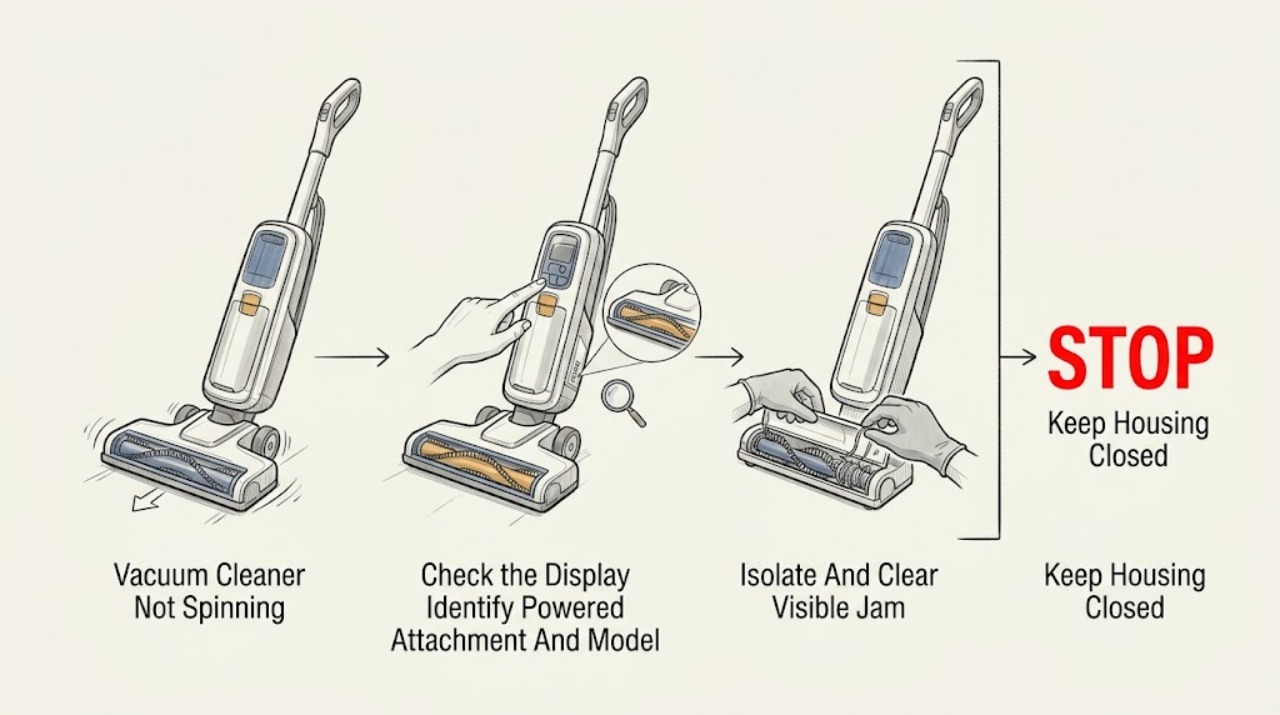
Hoover Vacuum Cleaner Not Spinning: Identify the Powered Brush and Clear Its Safe Causes
First confirm that the Hoover model and attachment actually contain a powered brush roll or rotating tool: a plain crevice, dusting, upholstery, or suction-only nozzle will not spin. Record the model/product code because Hoover's brush switch, floor selector, belt, brush release, and powered-head contacts vary by model.
-
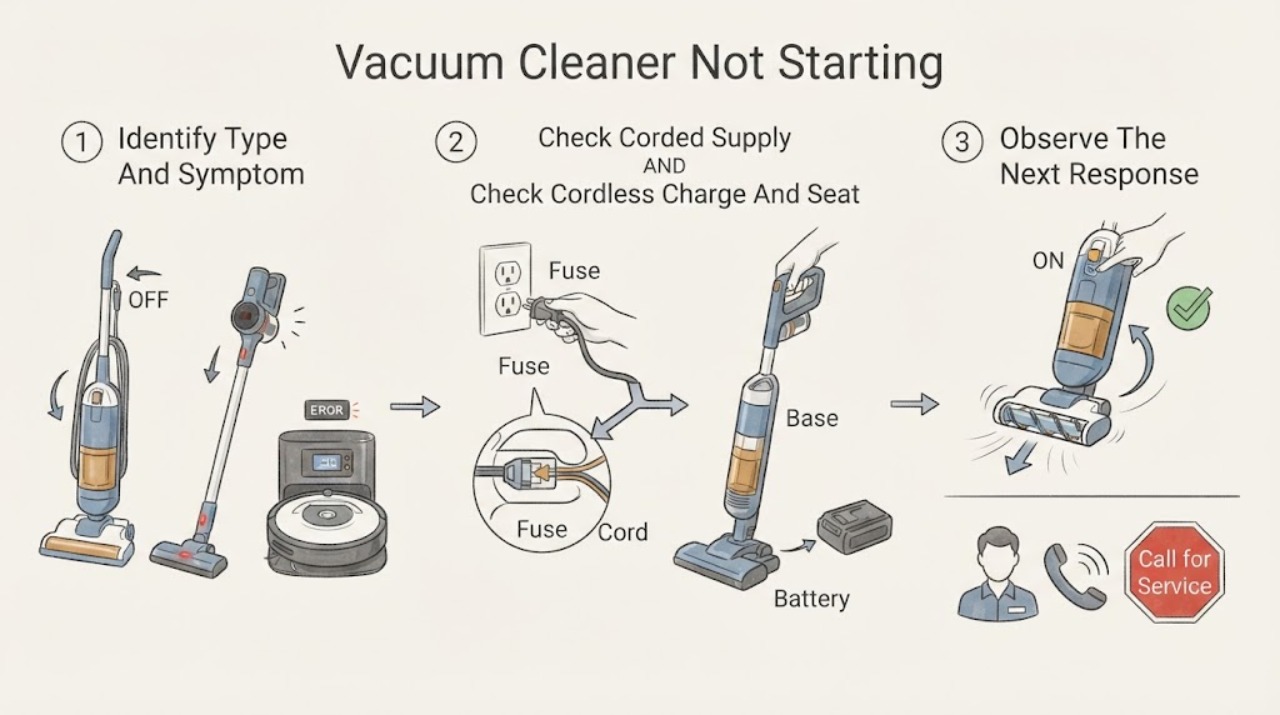
Hoover Vacuum Cleaner Not Starting
First identify whether this Hoover is corded, cordless, or a robot, because the safe checks are different. For a corded cleaner, check the switched socket with another safe appliance and inspect the accessible plug and supply; Hoover's official no-power guidance says to use a different socket or a competent electrician when the outlet supply is the problem.
-
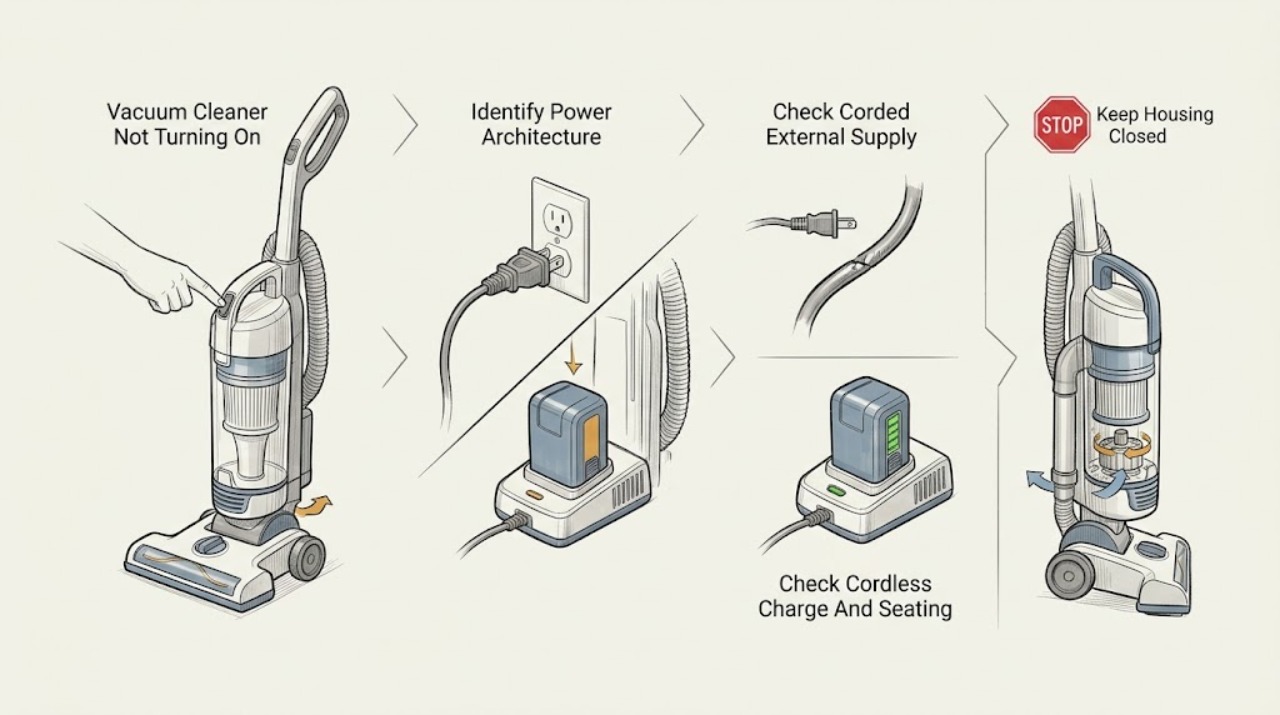
Hoover Vacuum Cleaner Not Turning On: Separate Power, Battery, and Thermal Cut-Out Symptoms
First decide whether the Hoover vacuum is completely without power or has a light/charging indication but the motor does not respond. For a corded model, check the plug, the household outlet and the labeled breaker from a dry, safe position; for a cordless model, use only the supplied charger, keep the cleaner switched off while charging, and confirm the model's battery indicator changes.
-
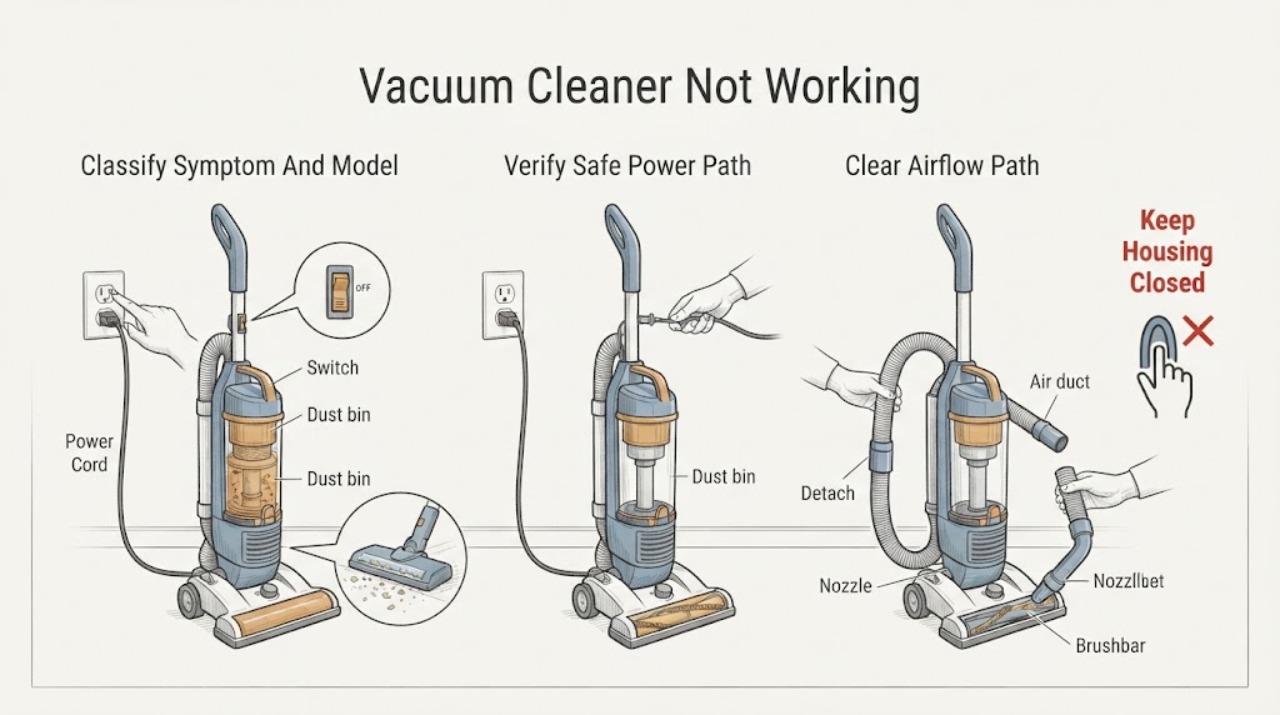
Hoover Vacuum Cleaner Not Working: Find the Failure Mode Safely
First decide what not working means: no light or motor, a motor that starts and stops, a running cleaner with poor pickup, a brushbar that does not turn, or a cleaner that has just cut out. Record the exact Hoover model and whether it is corded, cordless, upright, stick, or handheld.
-
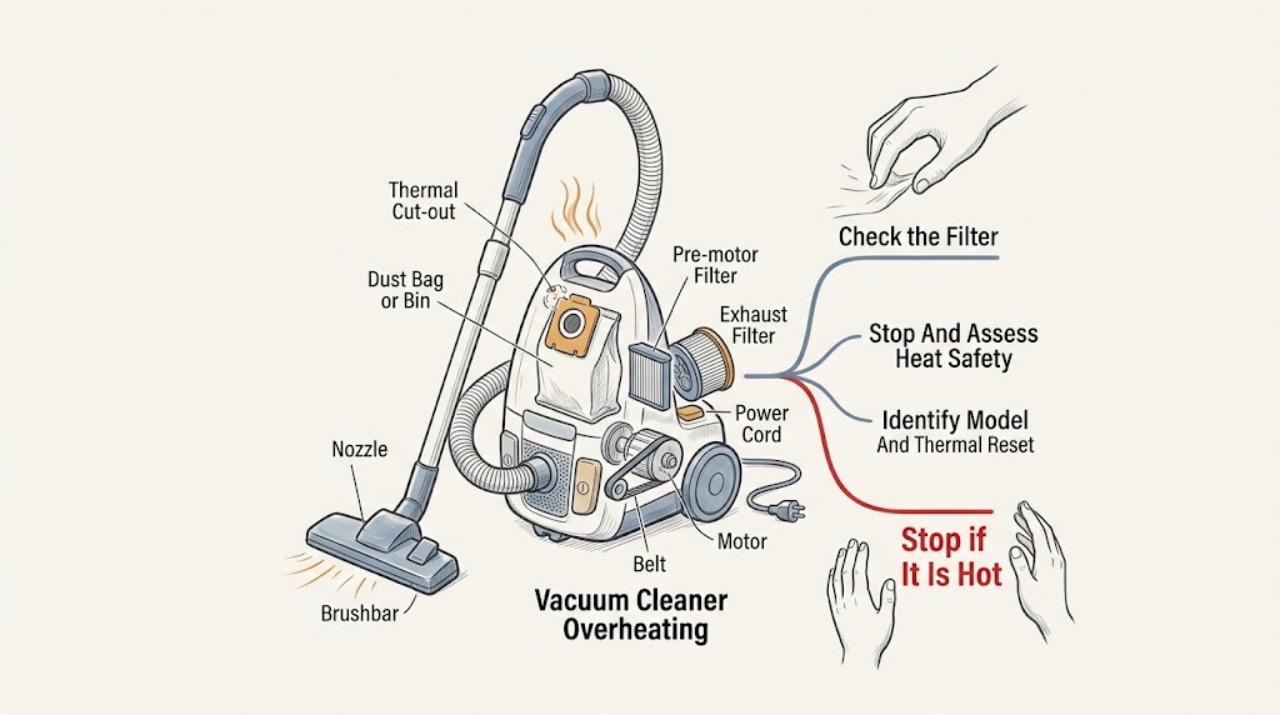
Hoover Vacuum Cleaner Overheating: Stop, Cool It, and Check Airflow Safely
Stop the cleaner, switch it off, unplug it or remove it from its charger, and let it cool before examining anything. Warm exhaust air alone can be normal because a vacuum uses airflow to cool its motor, but a cut-out, loss of suction, hot electrical smell, smoke, sparks, damaged cord, or repeated overheating is not a reason to keep running it.