
On this page
Start here
Quick answer
A Casablanca ceiling fan that has power but will not spin can have a failed capacitor, receiver, wiring harness, internal control, or motor, but the capacitor should not be assumed from the symptom alone. First turn the fan off and make sure the blades and mounting are safe, then check the wall control, remote battery or pairing, breaker, and the fan's direction switch. With power disconnected and the blades stopped, confirm they turn freely by hand; binding points to a mechanical or mounting problem rather than a capacitor. A humming fan that will not start, or a fan that runs only on one speed, makes a capacitor or speed-control fault more likely. Use the exact Casablanca model manual for any capacitor identification or replacement. Do not open the canopy, test live wiring, or substitute a capacitor by appearance; a licensed electrician should handle wiring, energized measurements, damaged mounting, heat, or a capacitor whose voltage and capacitance ratings are unknown.
Before you begin
Safety first
- This article supports external control checks and a power-off blade-freedom observation only. Qualified service handles live-power diagnosis, electrical isolation, capacitor/receiver/harness replacement, motor work, overhead housing access, and mounting repairs.
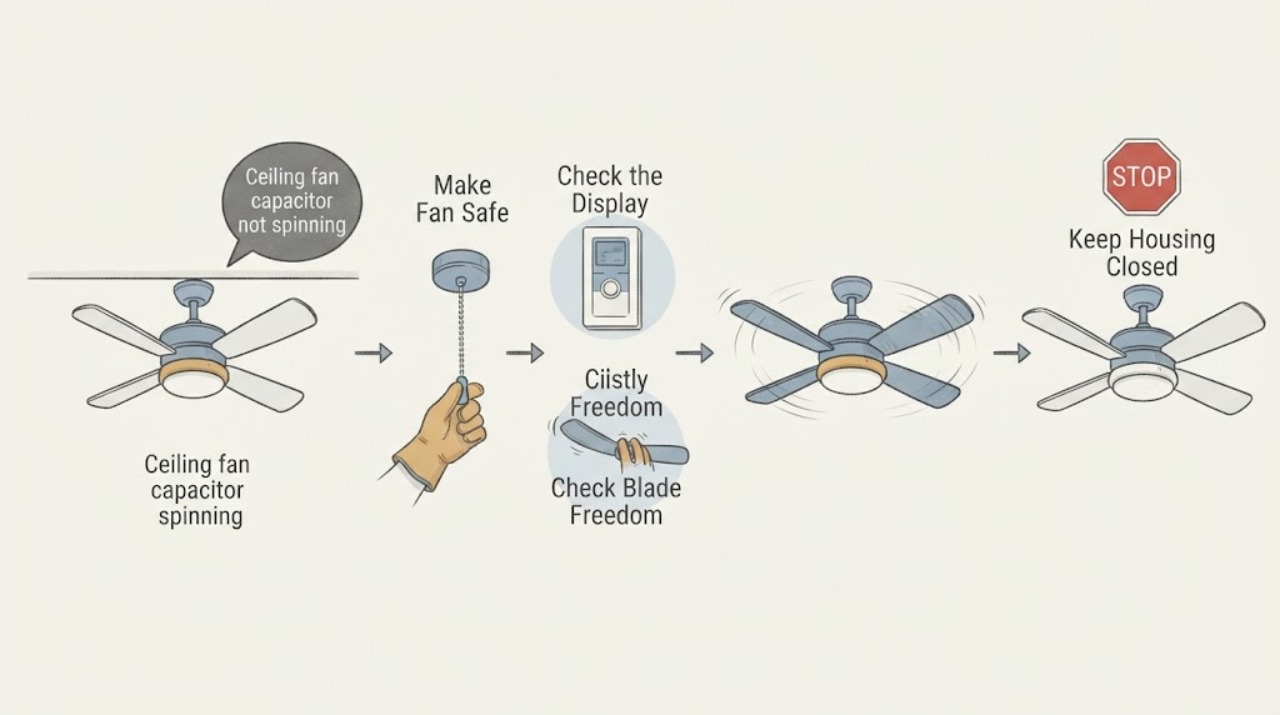
Work through in order
Diagnostic checks
Use only checks that match the exact appliance or system and its official guide.
-
Check 1
Turn the Casablanca fan off, keep people clear of the blades, and observe the fan's mount, canopy, downrod, and blades from floor level without touching the overhead assembly.
Expected result: Record a stable mount and intact blades, wobble or sag, a loose-looking canopy, cracked blade, dangling wire, scorch mark, or a hot or burning smell.
Next step: Leave the fan off and arrange qualified service for any mount, blade, wire, scorch, heat, or odor concern before applying power again.
Stop if: Do not stand beneath or touch a fan that is loose, damaged, sparking, smoking, or showing exposed conductors.
Why this matters
Why: A loose mount, damaged blade, exposed wire, or heat symptom is a structural or electrical safety issue and should not be diagnosed as a capacitor first. A stable fan permits low-risk control and blade checks.
-
Check 2
From a safe position, check the wall switch or Casablanca control, the remote's battery and power button, and the known fan circuit breaker; follow the model manual and make only one clearly safe reset.
Expected result: Record no light or response, a light that works while the fan does not, a dead or unpaired remote, a tripped breaker, a breaker that trips again, or normal control response with stationary blades.
Next step: Replace a known-depleted remote battery or follow the exact pairing steps if the manual permits; leave the circuit off and call an electrician if the breaker trips again or control power is uncertain.
Stop if: Do not reset a breaker repeatedly, remove a switch plate, or touch wiring to prove that the fan has power.
Why this matters
Why: No light or response points first to power, wall control, receiver, battery, or wiring. A working light with a non-spinning fan confirms some power reaches the fixture but does not distinguish capacitor, receiver, harness, or motor. A repeated trip is an electrical fault, not a capacitor confirmation.
-
Check 3
After the fan is off and the blades have stopped, turn off the fan circuit at the breaker and, from a stable position, gently check whether the blades rotate freely without scraping or resistance; do not climb or force the rotor.
Expected result: Record free and smooth movement, stiff or seized movement, scraping, a blade contacting the housing, or a blade that wobbles independently of the motor.
Next step: Leave power off and arrange service for resistance, scraping, wobble, or obstruction; do not lubricate or open the motor housing unless the manual specifically authorizes it.
Stop if: Do not force the blades, climb onto an unstable ladder, or inspect the motor while power is available.
Why this matters
Why: Free blades keep the capacitor, control, and motor as possible electrical paths. Stiff, scraping, or seized movement points toward a bearing, obstruction, blade, or motor-mechanical problem rather than a capacitor alone.
-
Check 4
With the fan stopped, verify that the Casablanca reverse switch is fully in one direction and then try the approved speed commands once; do not place the switch in an intermediate position or force it.
Expected result: Record no response, a fan that hums, a fan that starts only on one speed, a fan that runs on high but not lower speeds, or a fan that responds after the direction switch is fully engaged.
Next step: Use the one successful control result to select the capacitor/speed-control or power/receiver branch; arrange service rather than opening the switch housing.
Stop if: Do not cycle a hot or humming motor repeatedly, bypass the reverse switch, or use an unapproved dimmer or speed controller.
Why this matters
Why: A neutral or incomplete direction switch can prevent operation. A one-speed or hum-without-spin pattern makes the capacitor or speed-control path more likely, while no response at any speed keeps power, receiver, harness, and motor in contention.
-
Check 5
Read the Casablanca model label and the capacitor or speed-control information in the exact manual without removing the switch housing, capacitor, or wiring.
Expected result: Record the model, control type, whether the manual identifies a capacitor or wiring harness, the stated voltage/capacitance information if present, and whether a prior repair used an unknown part.
Next step: Give the model and control symptom to a qualified electrician or manufacturer support channel so the exact replacement and wiring procedure can be confirmed.
Stop if: Do not order by physical appearance, bridge the capacitor, substitute a different rating, or handle stored-charge electrical parts.
Why this matters
Why: A capacitor is a model-matched electrical component, not a universal cylinder. Unknown or mismatched ratings can cause a no-start, one-speed, or overheating symptom, but the label alone does not prove the capacitor failed.
-
Check 6
If you are qualified to do so, and only after locking out the fan circuit at the breaker, inspect visible connectors for looseness, burn marks, or corrosion according to the Casablanca wiring diagram; otherwise leave the housing closed.
Expected result: Record intact connectors and no heat damage, a loose plug, burn or corrosion, a damaged harness, or wiring that cannot be safely identified.
Next step: Keep power off and arrange licensed electrical service for any wiring defect, damage, unknown conductor, or unresolved no-spin condition; do not restore power with covers removed.
Stop if: Do not test energized wiring, handle a capacitor, loosen wire nuts, or work overhead if you are not trained and equipped for electrical isolation.
Why this matters
Why: A loose or damaged harness can interrupt motor or capacitor paths and can mimic a failed capacitor. Heat damage, unknown wiring, or an incorrect prior repair requires electrical diagnosis rather than re-seating parts by guesswork.
Use your observations
Decision map
Find the observation that best matches what you see, then follow the next safe action.
-
PATH 01Safety boundary
What you see
The fan light or control indicates power, the blades move freely with power off, and the motor hums or remains stationary at every speed.
Do this next
Provide the model and sound/control pattern to a qualified electrician or manufacturer support and request a model-specific capacitor and control diagnosis.
Why this path and its safety boundary
Why it matters: A capacitor, receiver, wiring harness, internal control, or motor fault is more likely than a breaker or seized blade; the symptom does not identify which component failed.
Safety stop: Do not leave a humming motor energized, bridge the capacitor, or substitute a part without confirmed ratings.
-
PATH 02Safety boundary
What you see
The fan runs on one speed, especially high, but will not start or change to other speeds while the remote/wall control responds.
Do this next
Have a qualified person identify the exact capacitor or speed-control assembly from the Casablanca model and test/replace it according to the manual.
Why this path and its safety boundary
Why it matters: The capacitor or speed-control path becomes more likely because capacitors help create the fan's speed steps; the receiver, harness, and control remain possible.
Safety stop: Do not assume a universal capacitor, run the fan continuously on the surviving speed if it heats or hums, or open the housing while energized.
-
PATH 03Safety boundary
What you see
The light and fan are both unresponsive, the remote is dead or unpaired, or the breaker is off while the blades otherwise move freely.
Do this next
Check the known-safe breaker and manual-approved battery or pairing step once; call an electrician for a repeated trip, absent power, or wiring uncertainty.
Why this path and its safety boundary
Why it matters: Power, wall control, battery/pairing, receiver, or wiring is more likely than a capacitor that only affects motor start or speed.
Safety stop: Do not remove the canopy, switch housing, or receiver to chase a capacitor fault.
-
PATH 04Safety boundary
What you see
The blades do not turn freely with the circuit off, scrape the housing, wobble independently, or the motor has a mechanical noise.
Do this next
Keep the fan off and arrange qualified ceiling-fan service to assess the blade set, motor, and mount.
Why this path and its safety boundary
Why it matters: A mechanical obstruction, bearing, blade, or mounting issue is more likely than an isolated capacitor failure and can overload the motor.
Safety stop: Do not force the rotor, lubricate a sealed motor, climb to the housing, or run the fan against resistance.
-
PATH 05Safety boundary
What you see
The fan does not run after a direction change and the reverse switch appears centered or not fully engaged, but there is no damage or odor.
Do this next
With the fan fully stopped, place the switch in the manual-specified end position and test once; call service if there is no response.
Why this path and its safety boundary
Why it matters: A direction switch left between positions can interrupt normal operation; this is distinct from a capacitor that cannot provide starting or speed torque.
Safety stop: Do not move the direction switch while blades are turning or force a damaged switch.
-
PATH 06Safety boundary
What you see
Power-off inspection finds a loose connector, burn mark, corrosion, damaged harness, hot housing, or an unknown prior capacitor repair.
Do this next
Leave the breaker off and obtain licensed electrical service; provide photos and the exact model without reconnecting or energizing the fan.
Why this path and its safety boundary
Why it matters: An electrical connection or component-damage fault is more likely than a simple capacitor swap and may create shock or fire risk.
Safety stop: Do not tape over damage, tighten energized connections, replace the capacitor by visual match, or restore power with covers open.
-
PATH 07Safety boundary
What you see
The blades move freely and controls respond, but there is no hum or consistent pattern, or a model-specific capacitor rating cannot be confirmed.
Do this next
Stop part substitution and arrange model-specific diagnosis by a qualified electrician or Casablanca/Hunter support using the model label and symptom history.
Why this path and its safety boundary
Why it matters: The available observations do not establish a capacitor failure; receiver, harness, motor, switch, or intermittent power remains possible.
Safety stop: Do not use a generic capacitor, open stored-charge components, or continue cycling a fan with an unexplained no-spin fault.
Helpful context
Understand the symptom
A capacitor is plausible, but the symptom has several look-alikes
A capacitor helps a multi-speed ceiling-fan motor start and controls its speed steps. A fan that hums but cannot start, or one that works only at one speed, makes the capacitor a useful suspect. The same visible symptom can come from a remote receiver, wall control, wiring, a seized bearing, a direction switch, or a motor fault. Casablanca's manual starts with power, controls, battery, blade freedom, and connections, so those observations should come before ordering a part.
Keep the ceiling fan mechanically and electrically safe
Turn the fan off before inspecting it and disconnect power at the breaker before any wiring or housing access. A ceiling fan is supported overhead and can create both falling-object and shock hazards if its mount, canopy, or wiring is disturbed. Do not use a dimmer or incompatible speed control as a substitute for the fan's approved control, and do not work on a fan with burn marks, a hot housing, exposed conductors, or a loose mount.
Match a capacitor to the exact Casablanca model
Capacitors differ by voltage, capacitance, lead arrangement, and motor design. An apparently similar part may give the wrong speed, overheat, or damage the control. Read the model label and manual, and have a qualified person confirm the required rating and wiring. If a correct capacitor does not restore operation, the receiver, harness, motor, or control remains unresolved; replacing parts in sequence without diagnosis is not a safe test.
Safety boundary
Stop conditions
- Turn off the fan and the circuit breaker before any wiring, canopy, switch-housing, receiver, or capacitor access; do not rely only on the wall switch.
- Do not test live wiring, handle a capacitor, bridge a component, or substitute a capacitor by appearance or an unverified rating.
- Do not run a fan that hums continuously, has stiff or scraping blades, a loose mount, cracked blades, a hot housing, scorch marks, smoke, or exposed wiring.
- Do not use an incompatible dimmer or speed controller, leave the reverse switch between positions, or force a control or rotor.
- If there is smoke, burning odor, sparking, a repeated breaker trip, exposed conductors, or a fan that may fall, keep clear, leave power off, and obtain licensed electrical or ceiling-fan service.
Only after diagnosis
Potential parts
- Casablanca model-matched capacitor
Consider this category only when a qualified person confirms a no-start, hum, or one-speed symptom is caused by the capacitor after power, controls, blade freedom, receiver, and wiring paths are assessed.
Match the exact Casablanca model, capacitance, voltage, lead arrangement, and manual; capacitors are not interchangeable by shape or wire count. - Casablanca receiver or wiring harness
Consider this category only when controls and power are present but receiver or harness testing identifies a communication or motor-power path failure rather than a capacitor fault.
Confirm exact model, control system, receiver pairing, connector arrangement, and manufacturer instructions before ordering; electrical access requires power isolation. - Casablanca wall control or remote
Consider this category only when the fan and wiring are otherwise serviceable and a failed, unpaired, or incompatible control is confirmed.
Match the exact Casablanca model and receiver/control system; do not substitute a dimmer or generic speed control. - ceiling-fan motor or complete fan assembly
Consider this category only when qualified diagnosis confirms motor or mechanical failure after capacitor, receiver, harness, controls, power, and blade freedom are ruled out.
Confirm the exact model, mounting system, blade set, controls, and replacement procedure; overhead structural and electrical work should be qualified.
When checks do not resolve it
Need a professional?
Arrange qualified electrical or ceiling-fan service when the Casablanca fan has power but will not spin, hums, runs on only one speed, has a suspected capacitor, or remains stationary after the model-specific control, battery, breaker, direction, and blade-freedom checks. A licensed electrician should handle any capacitor, receiver, harness, motor, wiring, or overhead-housing diagnosis. Seek urgent help for a loose or falling mount, exposed wiring, smoke, burning odor, sparking, hot housing, repeated breaker trip, or a fan that cannot be switched off safely.
Safety scope: This article supports external control checks and a power-off blade-freedom observation only. Qualified service handles live-power diagnosis, electrical isolation, capacitor/receiver/harness replacement, motor work, overhead housing access, and mounting repairs.
Common questions
FAQ
Can a capacitor make a Casablanca ceiling fan stop spinning?
Yes, a failed capacitor can prevent starting or leave a multi-speed fan stuck on one speed, but a receiver, wiring harness, control, motor, reverse switch, or mechanical resistance can look similar. Confirm power, controls, blade freedom, and the exact model before identifying a part.
Why does the Casablanca fan hum but not spin?
A humming no-start fan can have a capacitor or another motor-power/control fault. Turn it off rather than leaving the motor energized, and have a qualified person diagnose the model-matched capacitor, receiver, wiring, and motor.
The light works but the Casablanca fan blades do not. What does that mean?
It confirms that some power reaches the fixture, not that the fan motor circuit is healthy. A capacitor, receiver, harness, internal control, or motor can still be involved. Check the remote/control and blade freedom safely, then arrange model-specific service.
Can I install any ceiling-fan capacitor with the same shape?
No. Capacitors differ in voltage, capacitance, leads, and motor application. Use the exact Casablanca model documentation and a qualified technician to confirm the replacement; never select by appearance or bridge the component.
What should I check before blaming the capacitor?
Check the known-safe breaker and control, remote battery or pairing, direction switch position, and whether the blades rotate freely with power disconnected. A loose mount, stiff rotor, repeated breaker trip, or no control response points away from a capacitor-only diagnosis.
When should I stop using the Casablanca ceiling fan?
Stop for a fan that will not turn off, repeated breaker trips, smoke, burning odor, sparking, exposed wiring, a hot housing, cracked blades, a loose mount, or stiff/scraping rotation. Leave power off and obtain licensed electrical or ceiling-fan service.
Read the exact guide
Official sources
- How to Fix a Ceiling Fan That Won't Turn On, Wobbles, or Makes NoiseHunter Fan · Official Hunter guidance that explicitly says non-Hunter owners should confirm any step with their own manufacturer's manual; it is used here for general ceiling-fan diagnostic distinctions, not Casablanca part fitment.
- Ceiling Fan Parts and Functions – Hunter Fan Support Site and Help CenterHunter Fan · Official Hunter parts glossary used to distinguish fan components; Casablanca's exact construction and part fit must be confirmed from its model documentation.
- M8509-01 Casablanca Ceiling Fan Installation and Operation ManualCasablanca Fan Company · Official Casablanca Fan Company manual hosted in the Hunter support asset system; exact model instructions control a particular fan.
- Ceiling Fan Capacitor Replacement – Hunter FanHunter Fan · Official Hunter capacitor guidance; it does not establish a Casablanca capacitor's rating or compatibility and directs owners to the exact fan manual.
Community feedback
Share a repair observation
Share a plain-text repair observation. Accepted observations are published automatically; this page may take a moment to update.