
On this page
Start here
Quick answer
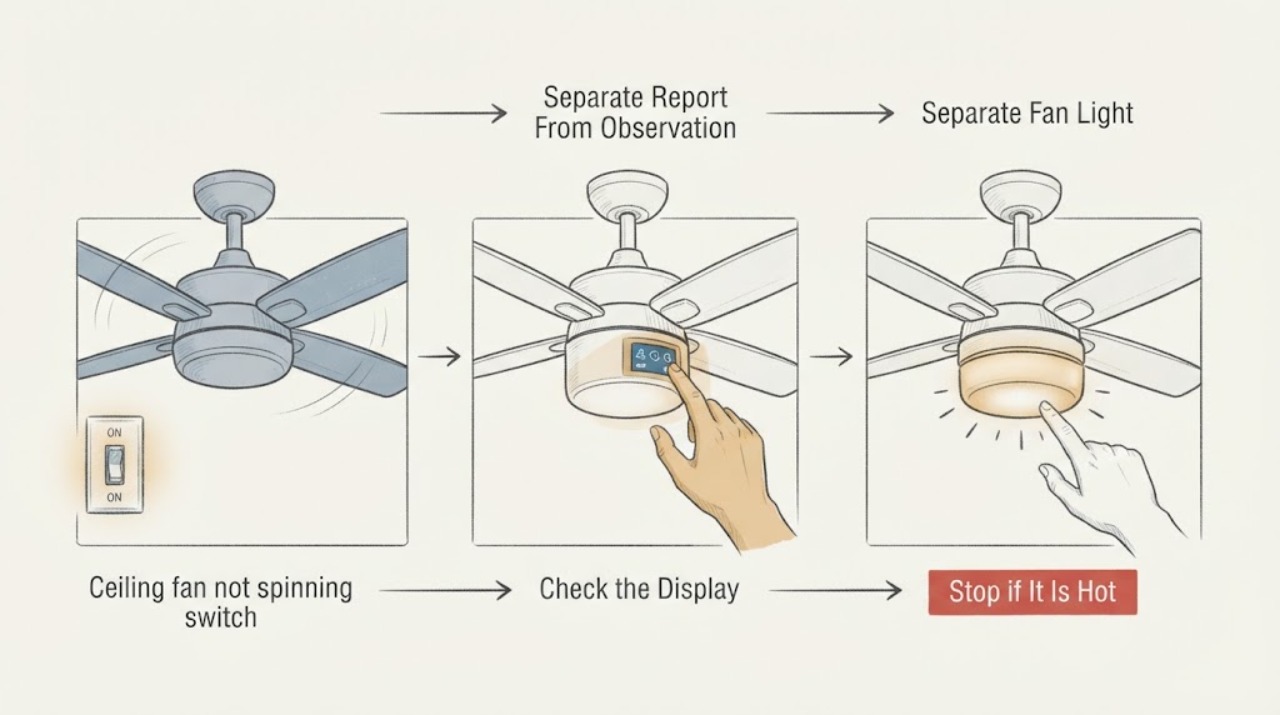
If a ceiling fan is not spinning even though someone reports power at the switch, treat that report as unverified. From the floor, compare the wall indicator or other load with the fan light, remote or wall-control response, and any click or hum from the motor. Do not measure live wiring, remove covers, handle a receiver or capacitor, or climb; arrange qualified service when the result is unresolved or unsafe.
Before you begin
Safety first
- The professional verifies the circuit and control path safely, distinguishes the light, receiver, capacitor, wiring, and motor paths, and selects model-compatible parts only after diagnosis.
Work through in order
Diagnostic checks
Use only checks that match the exact appliance or system and its official guide.
-
Check 1
Treat the statement that the wall switch has power as a report, not proof. From the floor and without touching conductors, note whether a wall-switch indicator, another load on the same control, or a nearby light responds.
Expected result: Choose the actual visible result: indicator only, other load only, both, neither, or uncertain.
Next step: Record exactly what responded, what did not, and whether the result changes when the normal control is used; do not take a cover off or make a live measurement.
Stop if: Stop if there is exposed wiring, heat, a burning smell, sparking, water near electrical equipment, or any need to open a box, use a meter, bypass a control, or climb.
Why this matters
Why: An indicator or other load can show that a control is receiving some supply, but it does not prove that the fan box, receiver, or motor is energized. No indicator also does not by itself prove a whole-circuit outage.
-
Check 2
Use the normal accessible controls from the floor to test the fan and light separately, if the installation has a light: note whether the light works, the fan gives a click or hum, the control indicator responds, or there is no response.
Expected result: Record one of: light works and fan does not; both fail; fan works but light does not; control responds but neither output changes; or behavior is intermittent.
Next step: Use the result to choose a control-versus-fan service path; do not repeatedly cycle a hot, noisy, or smelly fan.
Stop if: Stop normal operation for grinding, loud humming, smoke, burning odor, unusual heat, wobble, loose-looking parts, or movement that appears unsafe.
Why this matters
Why: A working light with a motionless fan points toward a fan-control, receiver, capacitor, wiring-harness, or motor path, while a dead light and dead fan leave the supply or shared control unresolved. A fan that runs but has a dark light is a different light-kit path.
-
Check 3
Check only the user-facing control path: install fresh remote batteries if the remote is accessible, confirm its display or indicator responds, and follow the model manual's non-invasive pairing instruction if the control recently changed or lost pairing.
Expected result: Record whether the remote indicator/display responds, whether pairing was recently lost, and whether a pull chain or wall control is also present.
Next step: If the control responds but the fan remains still, give the technician the control type, model number, and result instead of opening the canopy to reach a receiver.
Stop if: Do not remove the canopy, expose a receiver, alter dip switches, handle wiring, or perform any energized test; stop if the only access is overhead or requires a ladder.
Why this matters
Why: A responsive remote or wall control does not prove that its receiver is passing a command to the motor. A dead remote indicator makes the remote or its battery a plausible first branch, but does not establish a ceiling wiring fault.
-
Check 4
From a safe ground-level viewpoint, observe the blades and motor housing while a normal control command is made once; do not touch the blades or housing and do not reach toward the fan.
Expected result: Record still with no sound, click without motion, hum without motion, brief twitch, slow start, or visible wobble; also note whether the result is repeatable.
Next step: Photograph or write down the response and its timing, then stop testing if the fan does not start normally or any hazard appears.
Stop if: Stop immediately for smoke, burning smell, abnormal heat, sparking, falling or loose parts, severe wobble, or any need to climb or remove a housing.
Why this matters
Why: A click, hum, brief twitch, or no sound helps distinguish a command or receiver symptom from a possible capacitor, wiring-harness, or motor symptom, but none of these observations identifies an internal part by itself.
-
Check 5
Read the model and control details from an already-accessible manual, label, purchase record, or phone app; note whether the fan uses a pull chain, a wall control, a remote receiver, or a smart control.
Expected result: Record the label information and whether the failure began after installation, a control swap, a power interruption, or without a known event.
Next step: Provide the exact model, control type, installation date, and event timeline to the manufacturer or qualified electrician so any capacitor, remote, or wall control recommendation is model-checked.
Stop if: Do not infer a part from a photograph alone and do not open the fan, switch box, or ceiling box to obtain a label.
Why this matters
Why: Ceiling-fan controls and receivers are not interchangeable by appearance. A recent control replacement, installation, or power event makes pairing and compatibility more plausible than an assumed motor failure.
-
Check 6
Decide whether the fan can remain unused while service is arranged, using only the safe observations already collected.
Expected result: Answer yes if there is an electrical or mechanical warning sign, unsafe access, or no reliable way to tell what the wall control actually powers; otherwise answer no and arrange planned assessment.
Next step: Keep people clear and request qualified electrical or fan service for hazards, inaccessible equipment, repeated control failure, or an unresolved motionless fan.
Stop if: Do not bypass the wall control, leave a suspected fault operating, climb, remove covers, test energized wiring, or attempt capacitor, receiver, motor, or wiring repair.
Why this matters
Why: A quiet, stable fan with a clear control symptom can usually be scheduled for assessment; electrical or mechanical warning signs require prompt isolation and professional attention.
Use your observations
Decision map
Find the observation that best matches what you see, then follow the next safe action.
-
PATH 01Safety boundary
What you see
Only a wall indicator or another load responds, and the fan and light do not.
Do this next
Stop at observation and request a qualified electrician to verify the circuit and fan connection safely.
Why this path and its safety boundary
Why it matters: The reported switch condition does not establish power at the fan. The control, circuit path, connection, or fan may still be unpowered.
Safety stop: No live testing, switch-box or canopy opening, bypassing, or ladder access.
-
PATH 02Safety boundary
What you see
The light works but the fan remains still after a normal control command.
Do this next
Provide the model and control-response notes to a qualified fan technician or electrician; order a part only after model-specific diagnosis.
Why this path and its safety boundary
Why it matters: The light result makes a shared supply failure less certain and moves attention to the fan control, receiver, capacitor, wiring harness, or motor path, without proving which one failed.
Safety stop: Do not open the housing, touch wiring, or replace a capacitor or receiver as a guess.
-
PATH 03Safety boundary
What you see
The remote or wall control shows a response, but neither fan nor light changes.
Do this next
Use only the model manual's accessible pairing guidance, then arrange professional diagnosis if the output remains absent.
Why this path and its safety boundary
Why it matters: The user interface may be functioning while pairing, receiver compatibility, shared supply, or internal wiring remains unresolved.
Safety stop: Do not reach the receiver, change internal switches, cycle unknown breakers repeatedly, or perform energized measurements.
-
PATH 04Safety boundary
What you see
There is humming, heat, burning odor, sparking, wobble, loose material, or the fan is inaccessible from the floor.
Do this next
Stop using the fan, keep people clear, and request prompt qualified electrical or fan service; use the local disconnect only if it can be operated safely without contact with damage.
Why this path and its safety boundary
Why it matters: Further user operation or access could create shock, fire, falling-object, or mechanical injury risk.
Safety stop: No climbing, touching, opening, pulling, support, cutting, live testing, or continued operation.
-
PATH 05Safety boundary
What you see
The fan works but its light does not, or the symptom is intermittent and cannot be reproduced safely.
Do this next
Document the exact output and timeline and arrange model-specific service if it persists.
Why this path and its safety boundary
Why it matters: This is a light-kit/control branch or an unresolved intermittent fault, not proof that the fan motor is the cause.
Safety stop: Do not open the light kit or repeat tests that cause heat, noise, odor, or unsafe movement.
Helpful context
Understand the symptom
A ceiling fan that will not spin while someone reports power at the switch needs a split diagnosis. A switch indicator or another load is only an observation about the control point; it is not proof that the fan box, receiver, or motor has usable power. Compare the fan output with the light, remote or wall-control response, audible motor behavior, and the installation timeline from a safe floor-level position.
Manufacturer guidance identifies separate fan, light, remote, receiver, capacitor, and internal-control paths and directs model-specific support for parts. This page keeps the user check to accessible controls and visible behavior. Do not measure energized wiring, remove a canopy or switch cover, handle a receiver or capacitor, or climb to the fan.
Safety boundary
Stop conditions
- Stop for heat, burning odor, sparking, wobble, falling or loose parts, exposed wiring, water near electrical equipment, unsafe access, or an instruction that requires a ladder, opening a cover, bypassing a control, or live testing.
- Do not diagnose the fan's actual power, receiver, capacitor, motor, or wiring by touching conductors or dismantling the fan; provide the observations to a qualified electrician or fan technician.
Only after diagnosis
Potential parts
- ceiling fan capacitor
A capacitor can affect starting or speed on some fans, but a motionless fan with a reported powered switch does not prove capacitor failure.
Only consider this after a qualified professional confirms the diagnosis and matches the exact fan model, electrical rating, control design, and manufacturer fitment. - ceiling fan remote
A remote is relevant only when the control path or pairing is diagnosed, not merely because the fan does not spin.
Only consider this after a qualified professional confirms the diagnosis and matches the exact fan model, electrical rating, control design, and manufacturer fitment. - fan wall control
A wall control must be rated and matched to the fan and receiver; do not substitute a control or dimmer based on appearance.
Only consider this after a qualified professional confirms the diagnosis and matches the exact fan model, electrical rating, control design, and manufacturer fitment.
When checks do not resolve it
Need a professional?
Use prompt service for heat, burning odor, sparking, wobble, exposed wiring, water, or unsafe access. Arrange planned assessment when the fan remains still after safe control observations or the reported switch condition cannot be verified.
Safety scope: The professional verifies the circuit and control path safely, distinguishes the light, receiver, capacitor, wiring, and motor paths, and selects model-compatible parts only after diagnosis.
Have this ready
- The exact fan location, model or label information, and when the fan stopped spinning
- Whether a light, remote indicator, wall control, or another load responds
- Whether the fan clicks, hums, twitches, heats, smells, wobbles, or remains silent
- Photos taken from a safe floor-level position and any access limitation
Common questions
FAQ
Does switch power prove the ceiling fan has power?
No. A lit switch indicator or working nearby load only shows that something at the control point responds; it does not verify power at the fan, receiver, or motor.
What should I compare when the fan will not spin?
Note whether the light works, the control indicator responds, and the fan clicks, hums, twitches, or stays silent. Keep those observations floor-level and do not remove a cover or measure live wiring.
Could the receiver or capacitor be the cause?
A remote, wall control, receiver, capacitor, wiring harness, or motor may be involved, but the observation cannot identify the failed part. Use the model and control type for professional diagnosis.
When should I stop troubleshooting?
Stop for burning odor, heat, sparking, wobble, loose parts, exposed wiring, water, unsafe access, or any step that would require a ladder, opening a housing, or energized testing.
Read the exact guide
Official sources
- Ceiling Fan Parts and Functions – Hunter Fan Support Site and Help CenterHunter Fan · Supports the meaning of a remote receiver, capacitor, motor, light kit, and control components; exact fan designs vary by model.
- Safety Education MaterialsU.S. Consumer Product Safety Commission · Supports escalation and caution around household electrical hazards; it is not used to claim that a switch report verifies fan power.
- How to Fix a Ceiling Fan That Won't Turn On, Wobbles, or Makes Noise – Hunter FanHunter Fan · Supports the distinction between fan output, light output, remote or wall control, receiver, capacitor, wiring harness, and motor paths; its model-specific guidance is used here only as a reason to escalate internal work.
Community feedback
Share a repair observation
Share a plain-text repair observation. Accepted observations are published automatically; this page may take a moment to update.