
On this page
Start here
Quick answer
When a Casablanca ceiling fan does not spin from its wall control, first determine whether the control is powered and responding, whether the fan light still works, and whether the problem affects one fan or several. Check the fan's external power and the wall control battery or indicator only as the exact model manual allows, then use the model's pairing procedure if control communication is in doubt. With power safely off at the breaker, confirm that the blades are not obstructed and can move freely without removing the canopy. A wall control that responds but cannot start the motor can point to a receiver, control connection, motor, or capacitor fault; a control that is dead can point to its battery, supply, pairing, or branch wiring. Do not open the wall box or canopy, test live wiring, bypass a receiver, or keep cycling power; arrange qualified electrical or fan service when the external checks fail.
Before you begin
Safety first
- This article covers model identification, external control and power observations, an applicable battery change, a model-directed pairing step, and a free-movement check with power off. It does not authorize opening the wall box or canopy, live electrical testing, receiver bypass, capacitor testing, wiring changes, or component replacement.
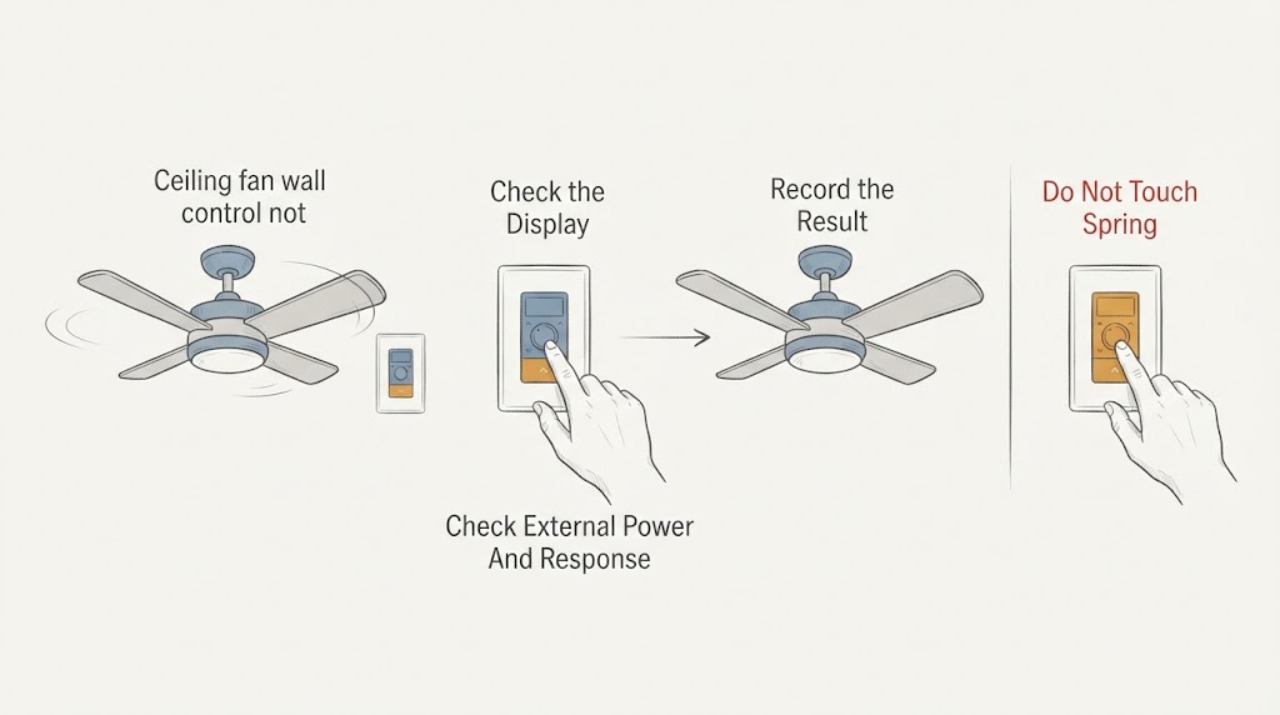
Work through in order
Diagnostic checks
Use only checks that match the exact appliance or system and its official guide.
-
Check 1
Read the Casablanca fan model label and identify whether the wall control is a battery-powered transmitter, a line-powered wall control, or part of a pull-chain and receiver system; record the control and receiver markings without removing the wall plate or canopy.
Expected result: The model and control are known, the control type is unclear, or the installed control does not match the model documentation.
Next step: Use the exact Casablanca manual for the identified model. If the control or receiver identity is unclear, give photographs and model markings to a qualified fan technician rather than guessing at compatibility.
Stop if: Do not substitute a dimmer or speed control, remove a wall control, or open a receiver enclosure to identify it.
Why this matters
Why: A wrong control family or unknown receiver can make an otherwise powered fan appear not to spin. A clear model match lets the manual define the safe battery, power, pairing, and service steps.
-
Check 2
From ordinary access, confirm the wall switch is on, check the labeled breaker, and press a normal fan-power or speed command once; note whether the light, control indicator, or another fan response changes, without opening the electrical panel.
Expected result: The control and light are both dead, the light responds but the blades do not, the breaker is off or tripped, or the control responds intermittently.
Next step: If the breaker is visibly tripped and no hazard sign is present, follow the model and household panel instructions for one external reset. If it trips again, leave it off and arrange electrical diagnosis; otherwise continue with the control-specific checks.
Stop if: Do not open the panel, repeatedly cycle a breaker, hold a switch on, or continue after heat, odor, buzzing, sparks, smoke, or moisture is noticed.
Why this matters
Why: No light or control response makes supply, wall control, battery, receiver, or pairing more likely. A working light with a stationary fan narrows the issue toward the fan command path, receiver, motor, capacitor, or motor connection. A tripped breaker is a protection event, not a setting to defeat.
-
Check 3
If this Casablanca wall control uses a battery, inspect its external battery compartment for a correct installation and replace the battery with the model-specified type; if it is line-powered, skip this step and do not remove the wall control.
Expected result: The control wakes or responds after the battery change, remains completely unresponsive, or the installed control has no user-accessible battery.
Next step: Use the exact model instructions for the next pairing or reset step. If the control remains unresponsive or its wiring is inaccessible, leave the fan unused and arrange service.
Stop if: Do not pull the wall control from the box, touch its wires, short battery contacts, or install an unverified control.
Why this matters
Why: A response after a battery change supports a control-power issue. Continued silence makes pairing, wall-switch supply, receiver, or control failure more likely. A line-powered control requires an electrical supply check rather than a battery substitution.
-
Check 4
If power and the control appear normal but commands do not start the fan, follow only the exact Casablanca manual's pairing or re-pairing sequence, including any requirement to keep other nearby fans out of the pairing process; perform it once rather than repeatedly cycling power.
Expected result: The fan acknowledges pairing, only one of several fans responds, the control still changes the light but not the fan, or no response occurs.
Next step: Record the exact model, control behavior, and pairing result. If pairing fails, stop using improvised sequences and arrange qualified fan service.
Stop if: Do not pair an unknown control, change dip switches or wiring by trial and error, or expose the receiver or wall-box conductors.
Why this matters
Why: A successful acknowledgement supports a communication or pairing issue. Cross-response among several fans suggests control interference or an incorrect pairing relationship. Light-only response leaves the fan receiver or motor path unresolved. No response after a model-correct sequence points toward supply, receiver, control, or wiring service.
-
Check 5
Turn the fan circuit off at its breaker, verify the fan has stopped, and gently check from floor level that the blades can move freely and are not visibly blocked or contacting a fixture; do not climb or remove parts for this check.
Expected result: The blades move freely, are obstructed, are stiff or seized, or the fan has an unstable mount or visible damage.
Next step: Remove only an object that is plainly reachable without climbing or touching wiring. For stiffness, damage, wobble, or a mount concern, leave power off and arrange fan service.
Stop if: Do not touch wiring, support the fan from a ladder while powered, loosen the canopy, or force a seized motor.
Why this matters
Why: Free blades make a simple obstruction less likely and keep the control, receiver, motor, or capacitor in focus. An obstruction, stiff movement, damaged blade, or unstable mount is a mechanical service concern and should not be overcome with a control command.
-
Check 6
After the external checks, compare the wall control's light command and fan command under the same model-approved power state; record whether the light works, both functions fail, or the fan starts only intermittently, without opening the canopy or attempting live tests.
Expected result: The light works consistently while the fan remains still, both functions are dead, or the fan starts and stops unpredictably.
Next step: Give the technician the model, control type, pairing result, breaker history, blade movement, and light-versus-fan pattern. Leave the circuit off when operation is intermittent or a fault sign is present.
Stop if: Do not open the canopy, test a capacitor, splice wires, bypass the receiver, or run the fan with exposed parts.
Why this matters
Why: Light-only operation makes the fan receiver output, motor, capacitor, or motor connection more likely. Both functions failing makes supply, wall control, receiver, or pairing more likely. Intermittent operation can indicate a loose connection, control fault, or failing motor component and should not be chased by repeated resets.
Use your observations
Decision map
Find the observation that best matches what you see, then follow the next safe action.
-
PATH 01Safety boundary
What you see
The wall control is dark or unresponsive, the light is also off, the battery is weak where applicable, or the fan responds after a model-correct pairing sequence.
Do this next
Use the exact model instructions for the battery, wall-switch, and pairing boundary. If the control remains dead or pairing fails, arrange qualified fan or electrical service.
Why this path and its safety boundary
Why it matters: Control power, wall-switch supply, pairing, or receiver communication is more likely than a seized motor.
Safety stop: Do not remove the wall control, change control wiring, or pair an unknown control by trial and error.
-
PATH 02Safety boundary
What you see
The light responds consistently but the Casablanca blades remain still, while the blades move freely with power off and the control sends a normal command.
Do this next
Leave internal work to a qualified technician and provide the model, control behavior, and light-versus-fan result. Do not replace a capacitor or receiver without diagnosis.
Why this path and its safety boundary
Why it matters: The fan command path, receiver output, motor, capacitor, or internal motor connection is more likely than a wall-control battery issue.
Safety stop: Do not open the canopy, test live wiring or a capacitor, or bypass the receiver.
-
PATH 03Safety boundary
What you see
The fan and light are both dead, the breaker is tripped or will not stay on, the symptom follows other electrical work, or several fixtures on the branch are affected.
Do this next
Keep the circuit off after one safe external reset attempt and arrange qualified electrical diagnosis. Do not assume the wall control is the cause until supply is verified professionally.
Why this path and its safety boundary
Why it matters: A branch supply, breaker, wall-switch connection, or wiring fault is more likely than an isolated fan motor fault.
Safety stop: Stop immediately for warmth, buzzing, burning odor, smoke, sparks, moisture, or a breaker that trips again.
-
PATH 04Safety boundary
What you see
The blades cannot move freely with power off, a blade or mount is damaged, the fan wobbles severely, or the motor is stiff or seized.
Do this next
Leave power off, remove only a plainly reachable obstruction, and arrange qualified fan service for any stiffness, damage, mount, or motor concern.
Why this path and its safety boundary
Why it matters: A mechanical obstruction, blade, mount, bearing, or motor problem is more likely than a pairing issue.
Safety stop: Do not force the blades, climb to the fan, loosen support hardware, or run it while damaged.
Helpful context
Understand the symptom
Start with the symptom split
If the wall control has no response and the fan light is also off, start with the external power path, control battery where applicable, and pairing or wall-switch state. If the light responds but the blades do not, communication may be reaching the receiver while the motor path remains at fault. If another Casablanca fan changes behavior when this control is used, treat control pairing or multiple-fan interference as a separate branch rather than replacing parts immediately.
Casablanca controls are model-dependent
Casablanca fans do not all use the same wall control, receiver, or pairing method. Hunter's Casablanca support notes that compatible control options depend on the fan model, especially for pull-chain models. Read the model label and use the matching manual; a generic dimmer, wall switch, or remote sequence can leave the fan unresponsive or create an unsafe wiring condition.
Keep wiring and motor diagnosis behind the service boundary
A Casablanca installation manual shows separate connections among the ceiling supply, receiver, and fan, and tells the installer to disconnect power before electrical work. A user can document external symptoms and check free movement with power off, but opening the wall box, canopy, receiver, or motor housing is electrical and mechanical service work.
Safety boundary
Stop conditions
- Do not remove a wall plate, canopy, receiver, or motor cover; touch conductors; test live voltage; or splice or move wiring as a homeowner check.
- Do not bypass the receiver, defeat a wall-control interlock, change dip switches by trial and error, or install a generic dimmer or speed control.
- Stop for smoke, sparks, buzzing, warmth, burning odor, discoloration, moisture, damaged insulation, a tripped breaker that returns, or an unstable fan mount.
- Do not force a seized blade or motor, run a damaged or loose fan, or reconnect power to recreate an intermittent fault.
- Do not order a wall control, receiver, capacitor, motor, or wiring part until the exact fan model and qualified diagnosis establish the required component.
Only after diagnosis
Potential parts
- Casablanca wall control or receiver
Consider this category only when the exact model is identified and qualified diagnosis finds failed control communication or a receiver that does not pass the required fan command.
Confirm the exact fan, control, receiver, and pairing system before ordering; Casablanca control families are not interchangeable by appearance. - fan capacitor or motor-control component
Consider this category only when the control and receiver communicate, the blades move freely, and qualified diagnosis identifies a motor-start or speed-control fault.
Confirm the exact model, motor design, electrical ratings, and manufacturer procedure; do not test or substitute a capacitor without qualified service. - ceiling fan motor assembly
Consider this category only after a qualified technician rules out control, receiver, supply, wiring, capacitor, and mechanical obstruction causes and confirms a motor fault.
Confirm the exact model and mounting and control arrangement before ordering; a similar-looking motor may not be a safe or compatible replacement.
When checks do not resolve it
Need a professional?
Arrange qualified fan or electrical service when the Casablanca wall control remains unresponsive after its model-directed battery and pairing checks, the fan does not spin while the light works, the breaker trips or will not stay on, a hardwired connection needs inspection, blades are stiff or damaged, or operation is intermittent. Seek prompt help for smoke, sparks, burning odor, warmth, buzzing, moisture, damaged insulation, or an unstable mount.
Safety scope: This article covers model identification, external control and power observations, an applicable battery change, a model-directed pairing step, and a free-movement check with power off. It does not authorize opening the wall box or canopy, live electrical testing, receiver bypass, capacitor testing, wiring changes, or component replacement.
Common questions
FAQ
Why does my Casablanca wall control work but the fan will not spin?
If the light responds and the control appears to communicate, the fan receiver output, motor, capacitor, or internal motor connection becomes more likely. Confirm that the blades move freely with power off, then arrange qualified diagnosis rather than opening the canopy or bypassing the receiver.
Could a weak wall-control battery stop a Casablanca fan from spinning?
It can on models whose wall control uses a battery. Replace it only through the external, model-directed battery compartment. A line-powered control has a different supply path, so do not remove it to look for wiring.
Do I need to pair a Casablanca wall control again?
Pairing can be relevant after a control or power event, but the sequence depends on the exact Casablanca model and receiver. Follow only that manual's sequence once. If pairing fails or several fans respond incorrectly, arrange qualified fan service.
What if the blades are hard to turn by hand?
With the fan circuit safely off, a stiff or obstructed blade path points toward a mechanical issue rather than a wall-control setting. Do not force the blades or climb to remove parts; leave power off and arrange fan service.
When is a non-spinning Casablanca fan an electrical emergency?
Treat smoke, sparks, burning odor, warmth, buzzing, discoloration, moisture, damaged insulation, a returning breaker trip, or an unstable mount as urgent warning signs. Keep the circuit off, stay clear of exposed or wet equipment, and obtain qualified help.
Read the exact guide
Official sources
- Which controls can I use with Casablanca pull chain fan?Hunter Fan Support / Casablanca Fans · Official Hunter support article used to show that Casablanca control compatibility depends on the fan model and installed control system.
- Understanding Your Home Electrical SystemElectrical Safety Foundation International · Electrical Safety Foundation International guidance used for breaker reset limits, branch protection, arc or ground fault context, and electrician escalation.
- Casablanca Ceiling Fan Installation and Operation Manual (M8511-01)Casablanca Fan Company · Official Casablanca manual hosted by Hunter Fan used for model-specific control, breaker, blade, pairing, wiring, and power-off boundaries; the exact fan manual controls when models differ.
- Casablanca Fans Consumer SupportHunter Fan Support / Casablanca Fans · Official Hunter support page for Casablanca used to direct model identification and model-specific installation or troubleshooting materials.
- Electrical Safety: ChecklistNational Fire Protection Association · National Fire Protection Association checklist used for stop conditions involving recurring trips, warm or discolored outlets, burning odor, sparks, and damaged electrical equipment.
Community feedback
Share a repair observation
Share a plain-text repair observation. Accepted observations are published automatically; this page may take a moment to update.