
On this page
Start here
Quick answer
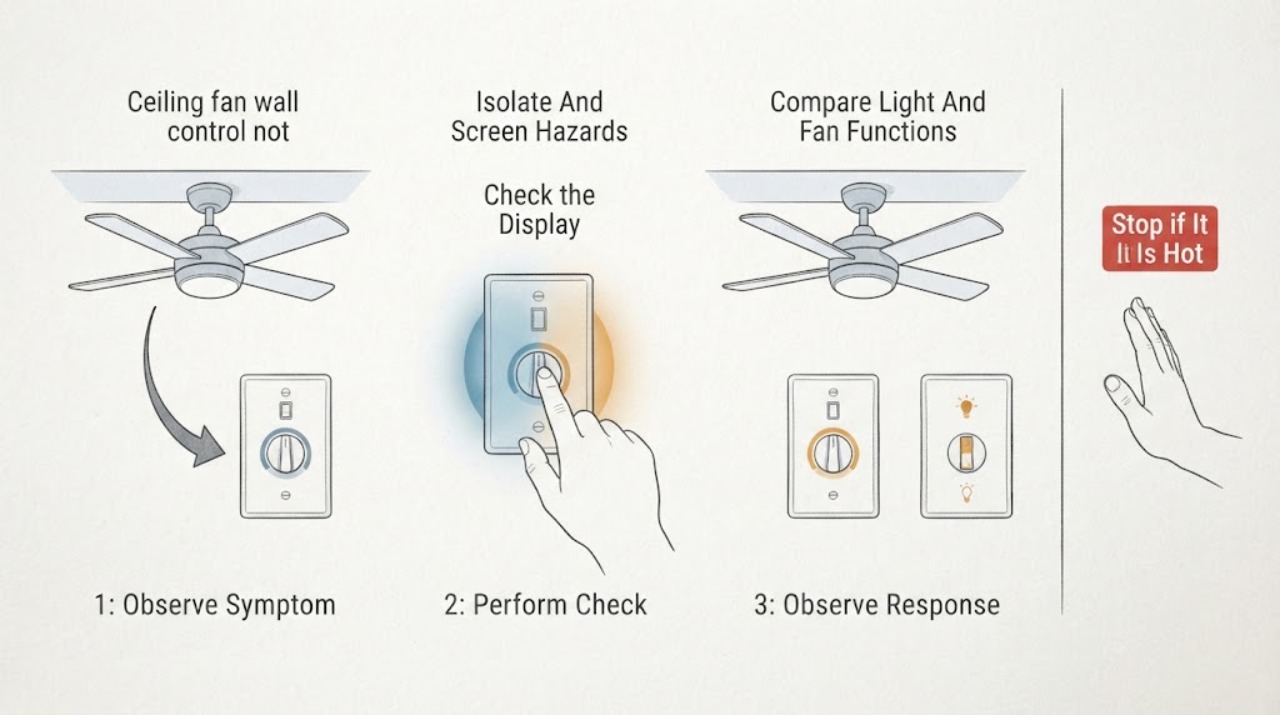
Turn the ceiling-fan wall control off before looking for a cause. If the control or fan is hot, buzzing, sparking, discolored, loose, or smells burnt, leave the circuit off if it is safe to do so and call a qualified electrician. Otherwise, compare the wall control, any remote, the room's master switch, and the circuit-breaker status, then note whether the light or any other fan function responds. Check only the outside of the control for an LED, battery, or setting indication and use pairing instructions only from the exact fan manual. A working light with a non-spinning fan can point toward the fan's receiver, motor, or capacitor path; a dead control and dead light can point toward supply or control wiring. These observations do not identify a failed part, and the wall control must not be opened or tested live.
Work through in order
Diagnostic checks
Use only checks that match the exact appliance or system and its official guide.
-
Check 1
Set the wall control to OFF and stop using the fan before inspecting anything. From floor level, look and listen for heat, buzzing, crackling, sparks, smoke, burnt odor, discoloration, a loose plate, a loose fan body, or a hanging blade. Do not remove the plate or reach toward the fan.
Expected result: The control and fan are cool, quiet, and intact, or there is a heat, sound, odor, visible damage, or mounting concern.
Next step: For a warning sign, leave the circuit off if that can be done without approaching a hazard and arrange qualified electrical service. Otherwise continue with the control and function observations below.
Stop if: Stop immediately for sparks, smoke, a burning smell, hot or melting plastic, a loose fan, a falling blade, or any shock sensation; keep clear and contact an electrician or emergency service as appropriate.
Why this matters
Why: A clean external condition permits limited user-level checks; any warning sign makes this an electrical or physical-safety issue rather than a pairing or parts-selection exercise.
-
Check 2
After the initial OFF check and only if there is no hazard, identify the normal wall switch or wall control, any separate master switch, any remote, and the labeled circuit-breaker position from outside the panel. Do not open the electrical panel or repeatedly reset a breaker. Make one normal control attempt only if the equipment is cool, intact, and the manufacturer's instructions allow normal operation.
Expected result: The wall control has no response, the remote responds but the wall control does not, the master switch or breaker is off, or both the wall control and remote are unresponsive.
Next step: Record exactly which control produced which response and arrange an electrician when the control path, breaker, or supply is uncertain. Do not remove covers or perform wiring tests.
Stop if: Stop and leave the breaker off if it trips again, will not remain on, smells hot, or shows heat or damage. Do not bypass, oversize, or repeatedly reset it.
Why this matters
Why: A remote-only response points toward the wall-control path or compatibility; no response from any control makes supply, receiver, or fan electronics possible. A breaker that trips again is not a setting to work around.
-
Check 3
Using only the ordinary wall control or remote and keeping clear of the blades, note whether the light responds, whether any indicator or beep responds, and whether the fan remains completely still or makes a hum, twitch, or other sound. Do not push the blades or run the fan repeatedly.
Expected result: The light works but the fan does not spin, neither function works, the fan twitches or hums, or the fan starts and then stops.
Next step: Keep the fan off and include the exact response in the service request. Do not access the canopy, motor, capacitor, or internal receiver.
Stop if: Stop at once for grinding, loud buzzing, heat, smoke, sparking, wobble, or a loose blade or housing; isolate the area and call a professional.
Why this matters
Why: Separate light and fan responses help distinguish a control-command or receiver path from a fan motor, capacitor, or internal electronics issue, but the observation cannot confirm any one component. A hum or twitch can also indicate a fault or hazard.
-
Check 4
Inspect only the user-facing wall-control buttons, LED, display, and any remote battery compartment that opens normally without tools. Record whether an indicator is lit, whether batteries are visibly depleted or leaking, and whether a model label or pairing status is readable. Do not remove a wall plate, open a remote receiver, or expose wiring.
Expected result: The control has a normal indicator, no indicator, a low-battery indication, a damaged or leaking battery, or a pairing/unpaired indication.
Next step: Use only the exact manufacturer's user instructions for an external battery change or pairing check; if the model is unknown, stop at the observation and give the model label to a professional. Never substitute a control solely by appearance.
Stop if: Stop for battery leakage, heat, damaged plastic, exposed contacts, or any need to open the wall control or receiver. Keep the circuit off and call a qualified electrician.
Why this matters
Why: A control or battery indication may explain a command failure, while no indicator can also result from a missing supply or a design with no indicator. A pairing state is model-specific and does not prove a wall-control failure.
-
Check 5
From the floor, record the fan and wall-control brand/model labels that are already visible, the number of fan speeds offered by the control, whether a dimmer is present, and any external cable or plate damage that can be seen without removing anything. Do not climb or inspect the canopy label.
Expected result: The control is a conventional speed control, a dimmer, an electronic wall control, or a wall-mounted remote; the fan appears to use an AC-style or electronic motor control; or the identity remains unknown.
Next step: Give the exact visible labels, control type, light/fan results, and any visible damage to the electrician or manufacturer support. Have the professional verify compatibility before replacing a control.
Stop if: Stop if determining the label would require a ladder, touching the fan, removing a cover, exposing wires, or disturbing a loose component.
Why this matters
Why: Control compatibility depends on the fan's control system, motor type, speed/light functions, and manufacturer instructions. A conventional dimmer or mismatched control can cause poor or absent operation, but identity alone does not establish the fault.
Use your observations
Decision map
Find the observation that best matches what you see, then follow the next safe action.
-
PATH 01Safety boundary
What you see
The wall control or fan is hot, buzzing, sparking, smoking, discolored, burnt-smelling, wet, or physically loose.
Do this next
This is a safety fault, not a pairing or capacitor troubleshooting branch.
Why this path and its safety boundary
Safety stop: Do not touch the control, open a box, test live, or re-energize the fan to reproduce the symptom.
-
PATH 02Safety boundary
What you see
The remote operates the fan or light but the wall control does not.
Do this next
The wall-control path, its battery or pairing state, or control compatibility becomes more likely than a completely dead fan, but no component is confirmed.
Why this path and its safety boundary
Safety stop: Stop if pairing would require opening a receiver, exposing wiring, repeated power cycling, or a control that becomes hot or noisy.
-
PATH 03Safety boundary
What you see
Neither wall control nor remote produces a response, or the breaker will not stay on.
Do this next
Supply, switch path, receiver, or fan electronics are all possible; this cannot be isolated safely by guessing at a replacement part.
Why this path and its safety boundary
Safety stop: Do not bypass the breaker, fit a larger breaker, remove the panel cover, or repeat resets.
-
PATH 04Safety boundary
What you see
The light works but the fan remains still, twitches, hums, or stops immediately.
Do this next
The fan command path, receiver, motor, capacitor, or internal control may be involved; the wall control alone is not proven to be the cause.
Why this path and its safety boundary
Safety stop: Stop immediately for heat, smoke, sparking, grinding, wobble, or a loose blade or housing.
-
PATH 05Safety boundary
What you see
The control type, motor type, brand/model, or pairing state cannot be identified externally.
Do this next
A replacement wall control or remote would be a guess and may be incompatible.
Why this path and its safety boundary
Safety stop: Do not install a generic control, use a dimmer as a speed control, or remove covers to find a receiver.
Helpful context
Understand the symptom
A wall control may interrupt power, send a command to a receiver, or control speed through electronics, depending on the ceiling-fan design. A conventional wall control is not automatically interchangeable with an electronic control for a different motor type. The safest useful diagnosis is to map which user-facing controls and functions respond, preserve the exact model information, and let an electrician or qualified fan technician handle wiring, canopy access, motor electronics, and capacitor work.
Keep people away from the fan if a blade, light, housing, or mounting point looks loose. Do not climb, remove the wall plate, open the canopy, push the blades to start them, bridge wires, or keep cycling power when there is a warning sign.
Only after diagnosis
Potential parts
- fan wall control
Consider this category only when a qualified diagnosis shows the wall-control path is faulty and the exact fan/control system requires that type of control.
Confirm the fan brand, model, motor/control type, speed and light functions, wiring arrangement, and manufacturer fit information; appearance alone is not compatibility proof. - ceiling fan remote
Consider this category only when the fan's receiver and control system are confirmed to use a compatible remote and the existing command path is diagnosed as faulty.
Pairing method, receiver, motor type, and model-specific control protocol must be confirmed from the exact manufacturer documentation before selection. - ceiling fan capacitor
Consider this category only if a qualified technician confirms a capacitor-related motor symptom after supply and control checks.
Capacitance, voltage rating, wiring, motor design, and safe access must be verified by the professional; do not select one from a non-spinning symptom alone.
When checks do not resolve it
Need a professional?
Call a qualified electrician for a non-spinning fan that persists after the safe external checks, for a breaker that trips, an unresponsive wall-control path, uncertain control compatibility, or any wiring or mounting concern. Treat heat, burning odor, buzzing, sparks, smoke, shock, a loose fan, or falling-blade risk as an immediate stop condition.
Have this ready
- Provide the fan and wall-control brand/model labels visible from the floor, whether the breaker stayed on, wall-control and remote responses, light response, any hum or twitch, LED or battery indication, pairing status, and visible heat, odor, damage, or looseness.
Common questions
FAQ
If the light works, why will the ceiling fan not spin?
The light and fan can use separate control paths. A working light with a still, humming, or twitching fan can involve the wall-control command, receiver, motor, capacitor, or internal electronics. It does not prove which part failed, so do not open the canopy or replace a capacitor from the symptom alone.
Can I use any wall switch or dimmer with a ceiling fan?
No. Control compatibility depends on the fan's motor and control system, speed and light functions, electrical ratings, and manufacturer instructions. An ordinary dimmer may make a fan hum or operate incorrectly; verify the exact model or ask an electrician.
Should I keep resetting the breaker if the fan does not spin?
No. If the breaker trips again, will not stay on, or shows heat or damage, leave the circuit off if safe and call a qualified electrician. Never bypass or oversize a breaker and do not open the panel for this check.
Is it safe to push the blades to start the fan?
No. Keep hands away from the blades and do not climb or open the fan. A still fan can have an electrical or mechanical fault, and pushing it does not safely identify the cause.
Read the exact guide
Official sources
- Energy Conservation Program: Energy Conservation Standards for Ceiling FansU.S. Department of Energy · Supports the caution that wired controls and electronic controls are not universally interchangeable across motor types and that some electronic controls are model-specific.
- Ceiling Fan Remote Wall Control: Models 99373, 99375, 99393Hunter Fan Company · Used for the general safety boundary that power must be off before wiring and that uncertain connections should be handled by a qualified electrician; the cited models are not assigned to this article.
- Ceiling Fan Accessories and Purchasing ChoicesENERGY STAR · Supports checking that a wall control matches the fan's speed, light, current, and brand requirements and distinguishing fan controls from ordinary dimmers.
Community feedback
Share a repair observation
Share a plain-text repair observation. Accepted observations are published automatically; this page may take a moment to update.