
On this page
Start here
Quick answer
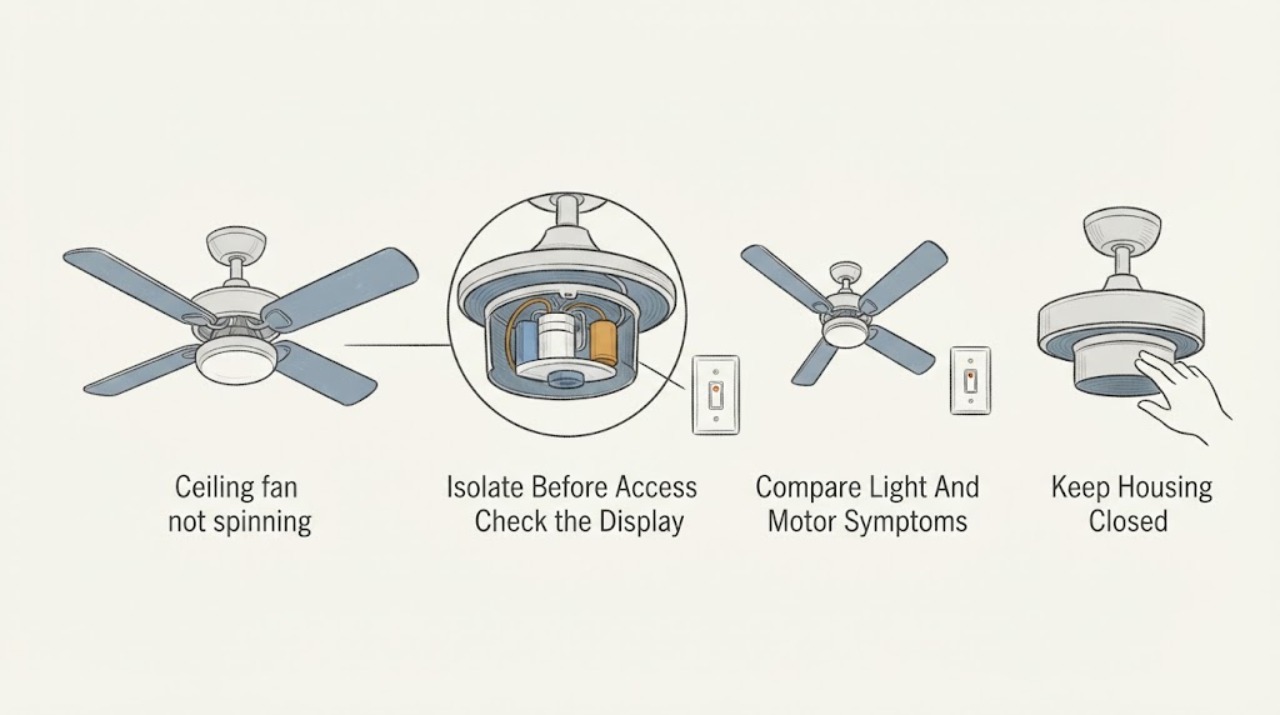
A ceiling fan that will not spin is not automatically a capacitor failure. First turn the fan off, keep hands and tools away from the fixture, and use only safe external observations: check the breaker and wall control position, confirm the remote or pull control is being used normally, look for a visible obstruction from the floor, and note whether the light works or the motor hums. A capacitor is one possible cause when the fan has power but will not start or has selective speed symptoms, but the exact model and manufacturer guidance are needed before any part is selected. Do not open the canopy or switch housing, test live wiring, discharge a capacitor, or attempt replacement. Burning odor, heat, sparks, exposed wiring, loose mounting, or repeated breaker trips requires power-off professional service.
Work through in order
Diagnostic checks
Use only checks that match the exact appliance or system and its official guide.
-
Check 1
Turn the fan off at its wall control, remote, or pull control, and turn off the circuit breaker before any fixture inspection or service access; from the floor, verify that the fan has stopped and do not touch the blades or housing.
Expected result: A stopped, de-energized fixture is the safe starting state. If the fan or light remains energized, the control identification is unclear, or the breaker cannot be identified safely, do not continue.
Next step: Keep the breaker off for any inspection beyond the wall control, remote, or a floor-level visual check. If the fan is only being observed externally, continue without touching the fixture.
Stop if: Stop immediately for an unidentified circuit, inability to de-energize safely, exposed wiring, heat, burning odor, smoke, sparks, or a fan that is loose at the ceiling.
Why this matters
Why: Electrical access changes the risk level. Hunter recommends turning the fan off and turning off power at the breaker before inspecting wiring, while the user-level checks below do not require opening the fixture.
-
Check 2
From a normal standing position, note the wall switch, pull-control position, remote display or buttons, and breaker handle position; do not remove the panel cover, repeatedly reset the breaker, or keep cycling the fan.
Expected result: A control that is off, an unresponsive remote, or a breaker that has tripped is different from a control that responds normally while the blades remain still. A breaker that trips again or a control that is hot or discolored is an escalation signal.
Next step: If the breaker is on and controls respond normally, continue by recording the light and sound symptom. If the breaker will not stay on or a control shows heat or damage, leave the fan off and call an electrician.
Stop if: Stop if the breaker trips again, the switch or remote receiver appears damaged, there is burning odor or discoloration, or any reset would require opening an electrical enclosure.
Why this matters
Why: Hunter lists the breaker, wall switch, remote batteries, and controls among the first checks for a fan that will not turn on. This observation can identify a control-side issue but cannot distinguish an internal capacitor from another internal component.
-
Check 3
Using the normal control only once when it is safe to do so, record whether the light operates, whether the motor is silent or hums, and whether any speed or direction indication changes; turn the control off and do not repeat a failed start.
Expected result: A working light with silent blades, a working light with a hum but no rotation, a fan that runs on one speed only, and a completely dead fan are different symptom groups. Any heat, unusual odor, smoke, or visible damage changes the situation to an immediate stop.
Next step: Record the exact symptom and model information for the manufacturer or electrician. Do not infer a capacitor replacement from a hum alone and do not access the internal housing.
Stop if: Stop and keep power off for heat, burning smell, sparks, smoke, a cracked housing, loose mounting, or any sign of electrical damage.
Why this matters
Why: Hunter identifies the capacitor, wiring harness, receiver, and internal controls as possible causes when the motor has power but blades do not spin, and identifies a capacitor as one possible explanation for selective speed loss. These are diagnostic possibilities, not a user confirmation of a bad capacitor.
-
Check 4
From the floor, look for a visible object, hanging cord, fallen trim, or other obstruction near the blade path and note any wobble or loose-looking mounting; do not touch the blades, push them, climb, or reach overhead.
Expected result: A clearly visible obstruction outside the blade path is different from a blade that appears damaged, a housing that moves, a downrod that is not secure, or a fan that is hanging unevenly. A visual inspection cannot verify internal resistance or a capacitor condition.
Next step: If an obstruction is safely removable without contacting the fixture, clear only the surrounding room area and leave the fan off. If anything is attached to or inside the fixture, or the mount looks loose, isolate the area and call a professional.
Stop if: Stop if the fan is wobbling severely, hanging, cracked, contacting an object, or requires a ladder, blade contact, or overhead reach to inspect.
Why this matters
Why: A mechanical obstruction or unsafe mount can mimic an electrical no-spin symptom and can create an impact hazard. ENERGY STAR emphasizes appropriate fan-rated support, and Hunter identifies mounting and loose components as relevant fan issues.
-
Check 5
Collect the visible brand, model, date or paperwork, control type, light result, sound, speed history, and breaker behavior from safe locations; do not climb to read a ceiling label or open the canopy, switch housing, motor, or capacitor compartment.
Expected result: A readable model from paperwork or a floor-level label supports a model-specific parts lookup. An unknown model, inaccessible label, missing current key information, or symptoms involving wiring, mounting, or repeated trips requires the technician to identify the part.
Next step: Give the model and symptom record to the manufacturer or a licensed electrician and ask them to determine whether the capacitor, control, receiver, wiring, motor, or complete fan needs service. Leave the fan de-energized until the path is clear.
Stop if: Stop if obtaining the model requires ladder work, opening the fixture, live testing, capacitor handling, or any attempt to bypass a control or safety device.
Why this matters
Why: Hunter states that model information is needed for the correct replacement part and that capacitors are part of the fan's electrical system. Matching by appearance or a generic rating can cause an unsafe or incompatible repair.
Use your observations
Decision map
Find the observation that best matches what you see, then follow the next safe action.
-
PATH 01Next step
What you see
The breaker and external controls appear normal, the light works, and the fan produces a hum or selective-speed symptom without heat or damage.
Do this next
Record the model and exact symptom and ask the manufacturer or electrician to evaluate the capacitor and other internal controls; do not diagnose the capacitor from the symptom alone.
-
PATH 02Next step
What you see
The fixture is stable, no object contacts the blades, and the inspection remains floor-level.
Do this next
Continue only with external observations and a service record; keep the fan off if it still will not start.
-
PATH 03Next step
What you see
No heat, burning odor, smoke, sparks, exposed wiring, water, or repeated breaker trips are present.
Do this next
Arrange a normal electrician or manufacturer support evaluation with the model and symptom record.
Helpful context
Understand the symptom
Why the capacitor is only one possibility
A capacitor helps a motor start and can influence speed, but a stopped fan can also involve the wall control, remote, receiver, breaker, wiring, internal control, motor, or a visible mechanical obstruction. Hunter's troubleshooting guidance lists several of these possibilities and says model-specific instructions should control the next step. A symptom can narrow the service request without proving which internal component failed.
Stay at the user-observation boundary
The safe checks here are made from the floor or at an ordinary wall control. Do not climb, touch a blade, push the motor by hand, remove a canopy, expose wiring, or test a capacitor. ENERGY STAR notes that the fan is supported by a fan-rated electrical box and that installation depends on manufacturer instructions; an overhead fixture is not a good place to improvise a repair.
Record the symptom before service
The most useful record is whether the fan is completely unresponsive, whether its light works, whether there is a hum or heat, whether one speed worked previously, and whether the failure followed a power event. Add the visible brand and model information from the fan label or paperwork if it can be obtained without climbing or opening the fixture.
Only after diagnosis
Potential parts
- ceiling fan capacitor
Consider a capacitor only after the manufacturer or electrician confirms that the model uses one and that the observed symptom is consistent with capacitor service rather than a control, receiver, wiring, motor, or mechanical problem.
Match the exact fan model, capacitor specification, wiring configuration, and manufacturer guidance; do not open, discharge, test, or replace this electrical component as a generic repair. - ceiling fan remote
Consider a remote only if the fan's external power path is normal and the control symptom points to a failed, unpaired, or incompatible remote rather than an internal fan fault.
Confirm the fan model, receiver, control frequency or protocol, and manufacturer pairing requirements before selecting a replacement; do not bypass the receiver. - fan wall control
Consider a wall control only when the existing control is identified as incompatible or defective and the fan manufacturer confirms the replacement is suitable.
Match the fan motor and light control requirements, model, wiring system, and manufacturer instructions; a conventional dimmer may not be suitable for a fan motor.
When checks do not resolve it
Need a professional?
Call a licensed electrician or the fan manufacturer when the fan has power but will not spin, hums, loses selected speeds, or needs an internal capacitor, receiver, wiring, or motor diagnosis. Call promptly for a loose mount, cracked housing, heat, burning odor, smoke, sparks, exposed wiring, water, or repeated breaker trips. Do not perform live testing, capacitor discharge, internal access, or replacement.
Have this ready
- Visible brand and model from safe paperwork or floor-level location
- Wall control, remote, or pull-control type and observed response
- Whether the light works, whether the motor is silent or humming, and which speeds previously worked
- Breaker behavior, visible obstruction or mounting concern, heat/odor history, and when the failure began
Common questions
FAQ
Does a ceiling fan that hums but does not spin definitely have a bad capacitor?
No. A capacitor is one possibility along with the receiver, wiring harness, internal controls, motor, or a mechanical problem. Record the hum, light behavior, controls, breaker behavior, and model, then ask the manufacturer or electrician to identify the cause.
What can I safely check when the ceiling fan will not spin?
Stay at the floor-level, external boundary: note the breaker and wall-control position, remote or pull-control response, light result, sound, visible obstruction, and mounting appearance. Do not touch blades, climb, open the fixture, or test live wiring.
Can I replace a ceiling fan capacitor myself?
This article does not provide capacitor access, discharge, or replacement instructions. Capacitors are internal electrical components and the correct part is model-specific. Have the manufacturer or a qualified electrician determine whether service is appropriate.
When should I stop using the ceiling fan immediately?
Turn it off and keep the breaker off when safe for burning odor, heat, smoke, sparks, exposed wiring, water, repeated breaker trips, a loose mount, severe wobble, cracked housing, or a blade obstruction. Keep people clear and seek professional electrical service.
Read the exact guide
Official sources
- Ceiling Fan Parts and FunctionsHunter Fan Support · Manufacturer terminology reference; it does not authorize user access to internal electrical parts.
- Ceiling Fan Installation and Usage TipsENERGY STAR · Government-backed efficiency program guidance supporting safe mounting and manufacturer-instruction limits; it is not an internal repair manual.
- How to Fix a Ceiling Fan That Won't Turn On, Wobbles, or Makes NoiseHunter Fan · Manufacturer guidance used to distinguish control, receiver, wiring, motor, and capacitor possibilities; exact repair depends on the fan model.
Community feedback
Share a repair observation
Share a plain-text repair observation. Accepted observations are published automatically; this page may take a moment to update.