
On this page
Start here
Quick answer
If a Casablanca ceiling fan will not spin, first verify the wall switch, breaker, pull chain or remote command, and the fan's reverse switch; a reverse switch left between positions can prevent operation. With the power off at the wall switch and breaker, make sure the blades move freely without an obstruction. If the light works but the motor does not, or the fan hums without turning, the receiver, wiring harness, capacitor, motor, or control may need model-specific diagnosis. Do not remove the canopy, touch wiring, bypass a control, or test energized parts. A loose mount, wobble, crackling, hot or burning odor, sparks, damaged cord or wiring, or a breaker that trips again requires the fan to remain off and qualified electrical service.
Before you begin
Safety first
- Canopy wiring, switch-housing connections, receiver or capacitor replacement, motor diagnosis, mounting repair, and live electrical testing require a qualified professional. The user can check normal controls, model instructions, and blade freedom only with power safely isolated.
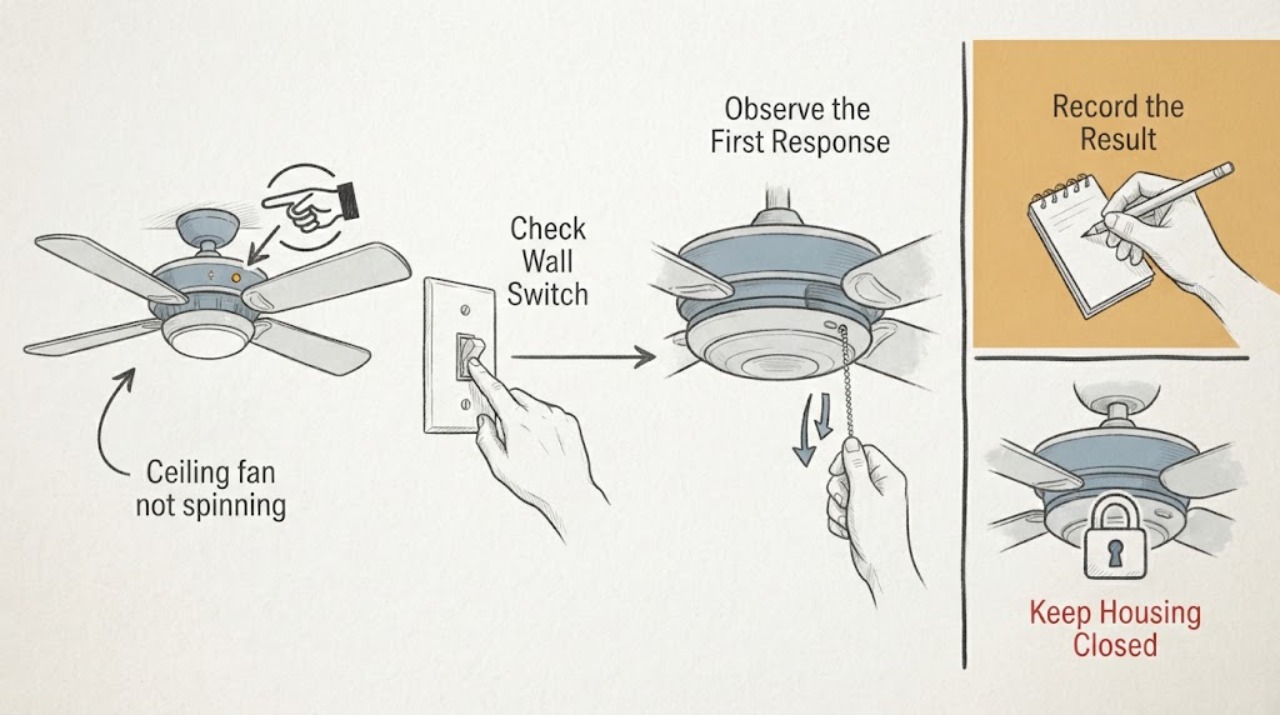
Work through in order
Diagnostic checks
Use only checks that match the exact appliance or system and its official guide.
-
Check 1
Check the Casablanca fan's wall switch, breaker, pull chain or remote power command, and any remote batteries using only normal controls; if the breaker is tripped, do not reset it repeatedly or approach a hot, wet, sparking, or damaged panel.
Expected result: The wall switch or breaker is off, the remote or pull chain is not commanding the fan, the light works but the fan does not, or all visible controls appear correct.
Next step: Correct only the normal switch, pull-chain, remote, or battery condition described in the manual. If the fan remains stopped or the breaker trips again, leave it off and arrange qualified electrical service.
Why this matters
Why: An off supply or control command can prevent the motor from starting. A working light with a stopped fan keeps the fan control path, receiver, wiring, capacitor, or motor in consideration rather than proving the whole fan has power.
-
Check 2
With the fan switched off, confirm that the motor reversing switch is fully to one side or the other rather than centered, and use the model manual for any remote direction command; do not open the motor housing.
Expected result: The reverse switch was centered or ambiguous, it is fully engaged but the fan still will not spin, or the direction control is remote-only.
Next step: Set the control only as the exact manual directs and allow the fan to remain stopped before changing direction. If it still will not start, continue with the power-off blade check and do not remove covers.
Why this matters
Why: A reverse switch between positions can interrupt normal operation. A fully engaged switch with no movement points beyond direction selection to the supply, receiver, wiring, capacitor, or motor.
-
Check 3
Turn the wall switch and breaker off, wait for the blades to stop, and gently check whether the blades rotate freely by hand without scraping, binding, or striking anything; do not energize the fan while touching the blades.
Expected result: The blades turn freely, resist movement, scrape or bind, or a visible object or blade damage is present.
Next step: Remove only a loose, clearly accessible object with power isolated. Do not bend blades, open the motor, or operate a fan that binds, scrapes, wobbles, or has damaged parts; arrange service instead.
Why this matters
Why: Free movement makes a mechanical lock less likely and leaves controls or the motor circuit in consideration. Binding, scraping, an obstruction, or blade damage can prevent startup and may create a safety or balance problem.
-
Check 4
If the fan has a remote or receiver, follow the exact Casablanca model manual to verify the remote command and pairing status without opening the canopy; note whether the light responds, the motor hums, or there is no response.
Expected result: The remote batteries or pairing were incorrect, the light responds but the motor does not, the motor hums without blade movement, or neither function responds.
Next step: Apply only the documented battery or pairing step once. If the motor remains stopped, do not replace an electrical component by guesswork; provide the model and symptom to qualified service.
Why this matters
Why: A remote or receiver setup issue can block the motor command. Light-only response or humming with no rotation can indicate a receiver, wiring harness, capacitor, or motor issue; no response also keeps the supply and wall control in consideration.
-
Check 5
From a safe distance, look and listen for wobble, loose mounting, crackling, sizzling, a hot housing, burning odor, sparks, damaged wiring, water, or a breaker that trips when the fan is commanded on; do not touch the fixture to check temperature.
Expected result: Any mechanical instability, heat, odor, crackling, sparks, visible wiring damage, water, or repeated breaker trip is present.
Next step: Stop using the fan and keep clear. Isolate power only if safe to do so; for active sparking, smoke, fire, or an immediate electrical hazard, leave the area and use emergency assistance. Arrange qualified electrical service.
Why this matters
Why: The fan may have an electrical, mechanical, mounting, or moisture hazard that cannot be safely narrowed with user checks.
Use your observations
Decision map
Find the observation that best matches what you see, then follow the next safe action.
-
PATH 01Next step
What you see
The switch, breaker, remote or pull chain was off, or the reverse switch was centered, and the fan starts after the documented external control is corrected.
Do this next
Use the fan normally while monitoring for recurrence, wobble, heat, or unusual noise. If it stops again, record the exact control and timing pattern rather than repeatedly cycling power.
Why this path and its safety boundary
Why it matters: A control-state or direction-setting problem was more likely than a failed motor.
-
PATH 02Next step
What you see
The light responds or the fan hums, the blades move freely with power off, but the blades never start after the remote and direction controls are confirmed.
Do this next
Leave the fan off and arrange qualified service with the model number and symptom. Do not open the canopy or substitute a receiver, capacitor, or harness without model-specific diagnosis.
Why this path and its safety boundary
Why it matters: A receiver, wiring harness, capacitor, internal control, or motor fault is more likely than a blade obstruction; the exact part cannot be identified from this pattern alone.
-
PATH 03Next step
What you see
The blades bind, scrape, wobble, or strike something when power is isolated, or the fan has a loose or damaged visible part.
Do this next
Keep the fan off and arrange service. Remove only an obvious loose object with power isolated; do not bend blades, tighten concealed mounting hardware from a ladder without proper support, or open the motor housing.
Why this path and its safety boundary
Why it matters: A mechanical, blade, mounting, or installation problem is more likely and can make continued operation unsafe.
-
PATH 04Next step
What you see
The fan and light are both unresponsive, the breaker will not stay on, or the issue began after installation, wall-control replacement, or remote conversion.
Do this next
Leave the circuit and fan off and have a qualified electrician verify the supply, control system, ceiling-box connections, and model-specific wiring. Do not access the canopy or switch housing as a live troubleshooting step.
Why this path and its safety boundary
Why it matters: A supply, wall-control compatibility, receiver, or installation-wiring issue is more likely than a simple direction setting.
-
PATH 05Next step
What you see
There is crackling, sizzling, burning odor, smoke, sparks, water, severe heat, or a visibly unstable mount, even if the fan briefly starts.
Do this next
Stop using the fan, keep clear, and isolate power only if safe. Use emergency assistance for smoke, fire, or active sparking, then arrange qualified electrical service.
Why this path and its safety boundary
Why it matters: An electrical, moisture, or mechanical hazard is more urgent than restoring rotation.
Helpful context
Understand the symptom
Start at the control path, not the motor housing
A Casablanca fan can appear dead because the wall switch or breaker is off, a pull chain is in the off position, the remote command or batteries are not working, or the reverse switch is not fully engaged. Check these external controls before treating the motor as failed. The fan light may have a different control path, so a working light does not prove that the fan motor is receiving the correct command.
A stopped fan and a locked fan are different symptoms
With power isolated, blades should move freely by hand without scraping or binding. If they do not, an obstruction, blade or motor-housing issue may be present. If they move freely but the fan will not start, the control, receiver, wiring harness, capacitor, or motor remains in consideration. Do not reach into the housing or spin the blades while powered.
Recent installation changes the likely path
If the fan stopped after installation, a wall-control change, or remote pairing, control compatibility, receiver setup, or wiring may be involved. Hunter notes that wiring differs between pull-chain, wall-switch, and remote systems. Verify only the documented remote or switch settings; canopy and switch-housing wiring should be checked with power isolated by someone qualified.
Noise or heat changes the safety decision
A faint hum can come from a control issue, while crackling, sizzling, or an odor suggests an electrical fault. A fan that is hot, wobbling, scraping, or making a new electrical noise should not be repeatedly restarted. Keep it off and give the technician the sound, control, and power pattern.
Safety boundary
Stop conditions
- Do not open the canopy or switch housing, handle wiring, touch a capacitor, bypass a receiver or control, or test energized parts. Power must be isolated before any wiring work by a qualified person.
- Keep the fan off and arrange qualified service when it will not spin after normal control checks, the blades bind or wobble, the light works but the motor does not, the breaker trips, or the model-specific receiver or harness is in question.
- If there is smoke, fire, active sparking, burning odor, severe heat, water at electrical parts, damaged wiring, or an unstable mount, leave the area as appropriate and use emergency assistance for an immediate hazard.
Only after diagnosis
Potential parts
- ceiling fan receiver or wiring harness
Consider this category only after the fan has confirmed supply and control inputs, the blades move freely with power off, and a model-specific diagnosis identifies the receiver or harness as the failed path.
Receiver and harness fit depends on the exact Casablanca model and control system; confirm the model manual or manufacturer's fit information before selecting a part.
When checks do not resolve it
Need a professional?
Safety scope: Canopy wiring, switch-housing connections, receiver or capacitor replacement, motor diagnosis, mounting repair, and live electrical testing require a qualified professional. The user can check normal controls, model instructions, and blade freedom only with power safely isolated.
Common questions
FAQ
Why will my Casablanca fan light work but the blades will not spin?
The light and motor can use different control paths. With blades free and normal controls confirmed, a receiver, wiring harness, capacitor, internal control, or motor issue remains possible. Leave the fan off and arrange model-specific service rather than opening the canopy.
Can a centered reverse switch stop a ceiling fan from spinning?
Yes, a motor reversing switch between positions can prevent normal operation. With the fan off, set it fully to one side or the other as the exact manual directs. If the fan remains stopped, the cause is not established and further electrical work needs a qualified person.
What if my Casablanca ceiling fan hums but does not turn?
If the blades rotate freely with power isolated, humming without rotation can point to a receiver, wiring harness, capacitor, motor, or internal control issue. Do not keep running it or touch internal components; arrange qualified service.
Should I spin the blades by hand to start the fan?
Only check blade freedom with the wall switch and breaker off. Do not hand-start or touch the blades while energized. Binding, scraping, wobble, or resistance indicates a mechanical issue that should be serviced.
When should I call an electrician for a ceiling fan that will not spin?
Call when the fan remains stopped after normal switch, remote, battery, reverse-switch, and breaker checks, or when the light works but the motor does not. Call promptly for loose wiring, a tripping breaker, crackling, sparks, heat, burning odor, water, wobble, or an unstable mount.
Read the exact guide
Official sources
- Wiring Your Fan On a Single or Dual Wall SwitchHunter Fan Support · Hunter and shared Casablanca control-system installation guidance; use the exact Casablanca manual for model wiring
- What can I do if my fan is making a noise?Hunter Fan Support · Hunter fan support guidance that can inform shared Casablanca fan symptoms; exact model controls and parts vary
- My fan stopped working. What do I do?Hunter Fan (Casablanca brand support) · Shared Hunter support guidance surfaced with the Casablanca brand; exact steps and parts depend on the Casablanca fan model
Community feedback
Share a repair observation
Share a plain-text repair observation. Accepted observations are published automatically; this page may take a moment to update.