
On this page
Start here
Quick answer
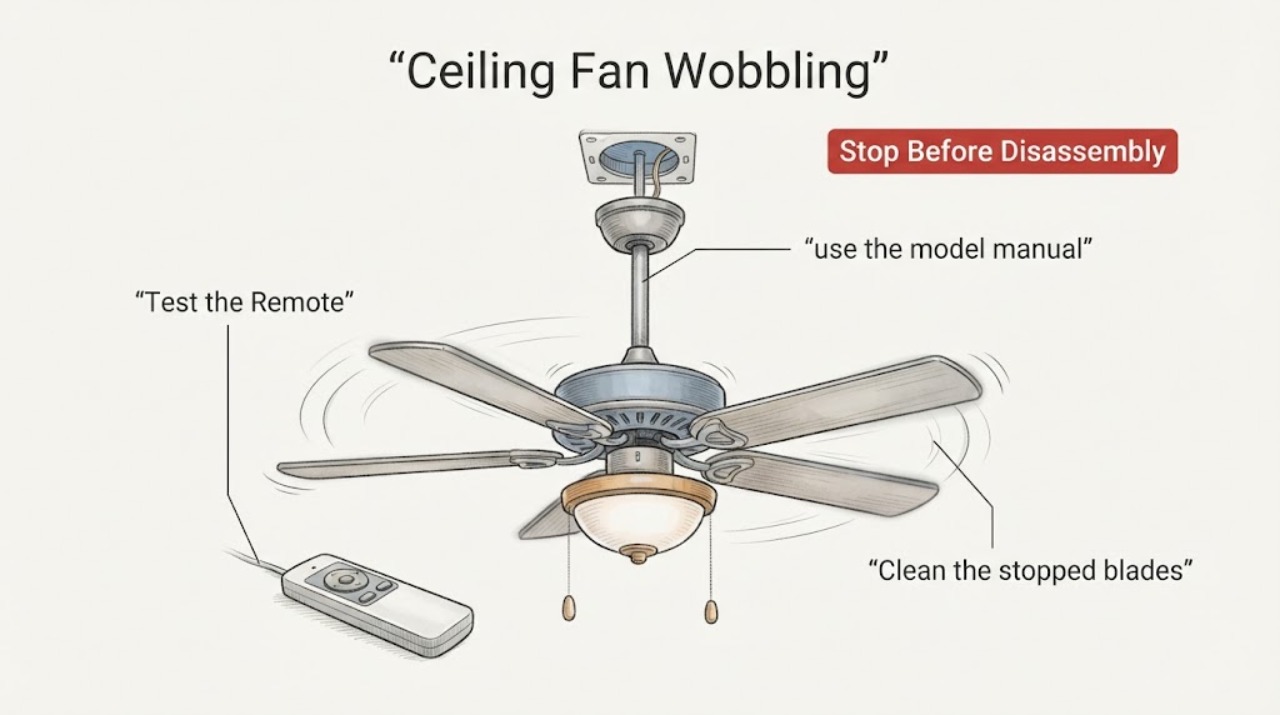
A wobbling Casablanca ceiling fan is usually an alignment, loose-hardware, blade, mounting, or balance problem, but a severe or new wobble can also indicate an unsafe mount. Turn the fan off and let the blades stop before checking that the blade clearance is safe, the blade and blade-iron screws are snug, the blades are not cracked or warped, and the downrod/hanger-ball assembly is seated as described by the exact Casablanca model manual. Dust or unequal blade weight can also disturb balance. If those external checks are sound, use the balance kit supplied or approved for the model, following its stop-and-test sequence. Do not bend blade holders, reach into a rotating fan, support a loose fan from a ladder, alter wiring, or keep running a fan that swings severely, scrapes, loosens its light kit, or moves at the ceiling. Isolate power and arrange a qualified electrician or fan technician when the mount, outlet box, wiring, or ceiling structure is in doubt.
Work through in order
Diagnostic checks
Use only checks that match the exact appliance or system and its official guide.
-
Check 1
Turn the Casablanca fan off with its wall control, remote, or pull chain, wait for every blade to stop, and stand clear while inspecting the fan's movement history. Check that blade tips have safe clearance from walls, fixtures, and furniture; do not touch a blade or use a ladder under a moving fan.
Expected result: The wobble is slight and unchanged, the fan swings severely, the blades or light kit move independently, or the fan shifts where the canopy meets the ceiling.
Next step: For severe or ceiling-level movement, switch off the circuit breaker or disconnect as safely identified and arrange qualified service. For a slight wobble with a stable mount, continue with the fan-stopped hardware and blade inspection.
Stop if: Stop immediately for a fan pulling away from the ceiling, a falling or loose light kit, scraping, cracked blades, exposed wiring, sparking, or any need to hold the fan while standing on a ladder.
Why this matters
Why: A small, stable wobble can be an imbalance or alignment issue. Severe swing, independent movement of parts, or movement at the ceiling suggests loose mounting, damaged hardware, or a structural/electrical support problem rather than a simple balancing adjustment.
-
Check 2
With power isolated and the fan fully stopped, use the Casablanca model manual to inspect the visible blade screws, blade-iron screws, light-kit fasteners, canopy, downrod set screw, and hanger-ball seating. Tighten only hardware the manual identifies and do not bend blade holders or substitute fasteners.
Expected result: A blade or blade iron screw is loose, a light kit or canopy is loose, the downrod/hanger ball is not seated as specified, or all visible hardware is secure.
Next step: Correct only a clearly identified loose fastener or seating issue, restore the cover, and perform one brief low-speed test from a clear position. If the fan still wobbles or the mount is uncertain, stop and arrange service.
Stop if: Stop for stripped threads, a spinning or moving ceiling box, a downrod that will not seat, damaged brackets, loose wiring, or any need to remove the mounting assembly without the exact manual and safe power isolation.
Why this matters
Why: Loose or incorrectly seated hardware can create wobble and vibration. Secure hardware may shift attention to blade shape/weight, an unseen mounting-box issue, or a motor/support fault; it does not prove the ceiling mount is safe.
-
Check 3
Clean the stopped blades and motor housing with a soft brush or cloth, then inspect each blade edge-on for a crack, bow, twist, or different blade height. Do not bend a blade or blade iron to make the tips line up.
Expected result: Uneven dust is present, one blade is warped or cracked, blade tips are at different heights, or the blades appear intact and aligned.
Next step: Clean and retest only when the blades and mount are intact. For a cracked, bowed, twisted, or persistently misaligned blade, stop using the fan and identify model-approved replacement or professional service; do not mix unverified blades.
Stop if: Stop for any blade crack, sharp edge, bent blade iron, loose blade, fan movement at the ceiling, or a need to reach above an unstable ladder position.
Why this matters
Why: Uneven dust can alter balance, while a warped or damaged blade cannot be corrected reliably by a balance weight. Unequal blade height can arise from blade installation or support alignment and needs the model procedure.
-
Check 4
If the blades, visible hardware, and mount are sound and the Casablanca manual permits balancing, attach the supplied or model-approved balancing clip to one stopped blade, run the fan briefly at the manual's test setting from a clear position, stop it, and repeat one blade at a time.
Expected result: One blade and clip position reduces the wobble, every position has little effect, or the wobble increases or becomes unsafe during testing.
Next step: If a position clearly improves the wobble, place the balancing weight exactly as the kit instructions direct, remove the clip, and retest cautiously. If no position helps, stop using the fan and arrange qualified diagnosis.
Stop if: Stop for severe swing, clip or weight movement, scraping, unusual noise, a loose light kit, or any need to approach rotating blades or improvise a weight.
Why this matters
Why: A repeatable improvement from one clip position supports a blade-weight imbalance. Little or no response makes mounting, blade alignment, support, motor, or an incompatible kit more likely; increasing wobble means the test must stop.
-
Check 5
After any permitted adjustment, test the fan briefly at low and then normal operating speed while watching the canopy, downrod, blades, and light kit from a safe distance. Record whether wobble is reduced, unchanged, or accompanied by noise, vibration, or electrical symptoms.
Expected result: The fan runs smoothly, wobble remains, wobble returns at a higher speed, the canopy or light kit vibrates, or the fan makes a new electrical or mechanical noise.
Next step: Turn the fan off if wobble persists or any new symptom appears. Isolate power when safe and arrange a qualified electrician or fan technician to inspect the support, wiring, motor, and model-specific parts.
Stop if: Stop for increasing wobble, movement at the ceiling, grinding or scraping, smell of overheated wiring, sparking, repeated breaker trips, or a falling/loosening light component.
Why this matters
Why: A smooth result supports a successful balance or fastener correction. Persistent or speed-dependent wobble makes alignment, support, blade damage, or motor issues more likely; new noise or movement can indicate a safety fault.
Use your observations
Decision map
Find the observation that best matches what you see, then follow the next safe action.
-
PATH 01Safety boundary
What you see
Does the fan move at the ceiling, canopy, downrod, or light kit rather than only appearing to oscillate at the blade tips?
Do this next
Treat the symptom as a mounting, support, or hardware problem. Turn power off at the circuit or disconnect if safe and arrange qualified service before balancing.
Why this path and its safety boundary
Why it matters: A stable mount with blade-tip oscillation is a different decision from a fan that is physically loose at the ceiling.
Safety stop: If the mount is stable, continue with blade fastener, dust, alignment, damage, and balance checks.
-
PATH 02Next step
What you see
Are all blade and blade-iron screws secure, blades intact and aligned, and the light kit/canopy free of loose movement?
Do this next
Correct only model-documented fastener or seating issues with power isolated. Replace or service damaged parts through the model-specific path; do not bend supports or mix blade sets.
Why this path and its safety boundary
Why it matters: A loose fastener, cracked blade, or uneven blade can explain wobble before a balancing kit is needed. A sound visible assembly moves the diagnosis toward hanger-ball seating, bracket/box support, or motor alignment.
-
PATH 03Next step
What you see
Does a model-permitted balancing clip clearly reduce wobble at one blade and position?
Do this next
Install the weight only as the kit instructions direct if the improvement is clear. Otherwise stop using the fan and arrange qualified diagnosis.
Why this path and its safety boundary
Why it matters: A repeatable improvement supports a small blade-weight imbalance. No response or worsening wobble makes mounting, alignment, damage, or an unsuitable kit more likely.
-
PATH 04Next step
What you see
Does wobble persist, worsen at speed, or accompany scraping, grinding, electrical odor, breaker trips, or a loosening light fixture?
Do this next
Turn the fan off, isolate power if safe, keep people clear, and arrange a qualified electrician or fan technician. Do not continue balance trials.
Why this path and its safety boundary
Why it matters: The condition exceeds a routine blade-balance pattern and may involve the support, motor, wiring, or a damaged component; continued operation can increase injury or property risk.
Helpful context
Understand the symptom
A clear room does not rule out a fan-balance problem
A fan can wobble with no object touching the blades. Hunter identifies dust buildup, loose screws, warped blades, bent blade irons, uneven weight, and installation or mounting issues as possible causes. Casablanca's current consumer support is hosted through Hunter's support system, so use the Casablanca model number and its manual when checking the assembly rather than assuming every fan uses the same hardware.
Separate blade balance from a loose ceiling mount
A wobble that changes when a balance clip is moved points toward blade weight or alignment; a fan that shifts at the canopy, downrod, or ceiling connection points toward mounting or support. A cracked, bowed, or twisted blade cannot be made safe by adding a weight. If the fan moves at the ceiling, stop using it and isolate power before any inspection of the mount.
Balance only after the fasteners and blades are sound
The balance-kit sequence comes after checking installation and securing fasteners. With the fan stopped between trials, a clip can help identify the blade and location that reduce the wobble; an adhesive weight is then placed according to the kit instructions. This method is for a small imbalance, not a loose outlet box, bent support, cracked blade, damaged motor, or fan that is visibly separating from the ceiling.
Safety boundary
Stop conditions
- Stop the fan and isolate power if safe for severe or increasing wobble, movement at the ceiling, a loose or falling light kit, exposed wiring, sparking, overheated odor, scraping, or a damaged blade; keep people clear of the area.
- Do not bend blade holders, reach between rotating blades, hold the fan from a ladder, improvise weights or fasteners, or work on wiring without a confirmed circuit isolation.
- Do not continue balancing when the mount, hanger ball, ceiling outlet box, blade, motor, or light kit is damaged or uncertain.
- Stop after secure visible hardware and a model-permitted balance test fail to reduce wobble, or whenever the wobble returns at normal speed.
Common questions
FAQ
Why is my Casablanca ceiling fan wobbling?
Common possibilities include loose blade or blade-iron screws, uneven dust, warped or cracked blades, a mis-seated downrod or hanger ball, a loose mount, or blade imbalance. Start with power off and the Casablanca model manual; a clear room does not rule out a mounting or balance problem.
Can I fix a wobbling Casablanca fan with a balance kit?
A balance kit can help with a small blade-weight imbalance after the blades and mount are secure. Use the kit and model instructions, stop the fan between each clip test, and stop entirely if the fan swings severely, moves at the ceiling, or has a damaged blade or support.
Should I tighten the screws on a wobbling ceiling fan?
With power isolated and the fan stopped, you may check and snug only the hardware identified by the exact model manual. Check blade, blade-iron, canopy, downrod, and light-kit fasteners as applicable, but do not bend blade holders, substitute fasteners, or disturb wiring.
What if one Casablanca fan blade is warped or cracked?
A warped or cracked blade should not be corrected with a balancing weight or bent back into shape. Stop using the fan, identify the exact model, and arrange model-approved blade replacement or qualified service; do not mix unverified blade sets.
When is a wobbling ceiling fan unsafe?
Treat severe or increasing swing, movement at the ceiling, scraping or grinding, a loosening light kit, cracked blades, exposed wiring, sparking, overheating odor, or repeated breaker trips as unsafe. Turn the fan off, isolate power if safe, keep people clear, and call a qualified electrician or fan technician.
Read the exact guide
Official sources
- How to Balance a Ceiling Fan | Fix a Wobbly Fan with Simple StepsHunter Fan · Manufacturer guidance on wobble causes, blade clearance, mount/hardware checks, dust, warped blades, and the clip-and-weight balancing sequence
- Casablanca Fans Consumer SupportHunter Fan Support · Current Casablanca consumer support path, model-number preparation, and official installation/troubleshooting resources
- Why is my fan wobbling?Hunter Fan Support · Manufacturer support guidance on safe clearance, tightening ceiling-plate/downrod/set-screw hardware, model-manual use, and balance-kit escalation
Community feedback
Share a repair observation
Share a plain-text repair observation. Accepted observations are published automatically; this page may take a moment to update.