
On this page
Start here
Quick answer
If a ceiling fan buzz changes with the selected speed, compare the sound at each normal speed without opening the fan. A buzz that tracks only the fan speed points toward the speed-control path, such as a capacitor, electronic wall control, or receiver; a buzz that stays at one pitch while the blades or housing vibrate points more toward mechanical resonance or a loose external part. Turn the fan and light off immediately for heat, burning smell, crackling, sparking, smoke, or a hot switch, and call an electrician. Check whether the light changes the sound, whether a remote and wall control behave differently, and what is visible after power is off. Do not perform live tests, remove the canopy or top cover, reach above the fan, or replace an electrical part by appearance.
Before you begin
Safety first
- This article covers floor-level observation and installed normal controls only. A qualified professional must handle live testing, wiring, canopy or switch-housing access, capacitor or receiver work, overhead mounting, and permanent repair.
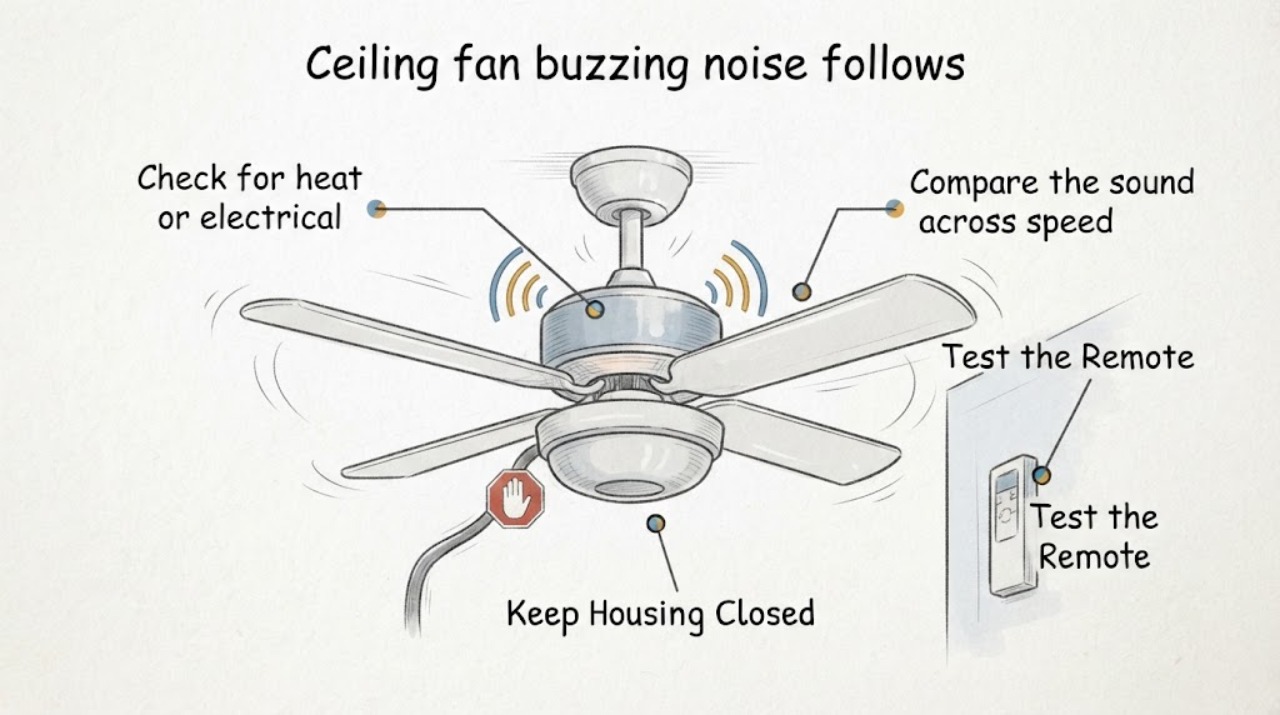
Work through in order
Diagnostic checks
Use only checks that match the exact appliance or system and its official guide.
-
Check for heat or electrical warning signs
From the floor, look and listen for a hot switch or wall control, burning odor, crackling, sparking, smoke, scorch marks, flickering, exposed insulation, or a fan housing that appears overheated.
Expected result: Any warning sign changes this from a noise comparison to an electrical safety issue. No visible warning sign allows only limited normal-control observation and does not clear hidden wiring or an energized component.
Next step: If no warning sign is present, record the speed setting and sound location without touching the fan.
Stop if: Do not touch a hot control or housing, remove a cover, investigate exposed wiring, or keep operating after smoke, heat, or crackling appears.
Why this matters
Why: Turn the fan and light off at the normal switch if it is safe to do so, leave them unused, and arrange electrician service when a warning sign is present.
-
Compare the sound across speed settings
Using the installed pull chain, wall control, or remote only, note whether the buzz is absent, present, or strongest at low, medium, or high speed. Avoid repeated cycles and stop if the fan wobbles, hesitates, or sounds harsher.
Expected result: A buzz that changes with fan speed makes the speed-control path relevant. A buzz at one setting only can reflect an electrical control or a mechanical resonance at that speed; a buzz that does not track the setting points toward another source.
Next step: Record the strongest setting and continue by comparing whether the light or control method changes the sound.
Stop if: Do not run the fan repeatedly to reproduce the buzz, touch moving blades, or reach toward the motor housing.
Why this matters
Why: The speed relationship is a diagnostic clue, not permission to open the switch housing or test a capacitor.
-
Compare wall control, pull chain, and remote behavior
If more than one installed control is already available, use each normal control once at the same fan speed and note whether the buzz changes, disappears, or appears only with one control. Do not add a dimmer, bypass a receiver, or pair an unverified control.
Expected result: A buzz limited to one wall control or remote path points toward that control, its electronic signal, or the receiver. The same buzz from every control points more toward the fan's capacitor, motor, mounting, or wiring.
Next step: Save the control method, fan model, and result for a technician before ordering a wall control or remote.
Stop if: Do not remove the receiver, change internal switch settings, use a wall dimmer for the fan, or perform wiring tests.
Why this matters
Why: Control compatibility matters because a speed control or receiver must match the fan design; a generic control is not automatically safe or compatible.
-
Check whether the light changes the buzz
With the fan stopped or at the same safe speed, use the installed light control once with the light off and once with it on, only if there is no heat, flicker, odor, or other warning sign. Note whether the buzz comes from the light kit, wall control, or fan motor area.
Expected result: If the buzz appears or changes only when the light is on, the bulb, dimming control, light driver, or light-kit connection becomes relevant. If it is unchanged with the light off, the speed-control or mechanical path remains more likely.
Next step: Record the bulb type and control behavior from a safe viewpoint and ask a qualified professional to confirm compatibility.
Stop if: Do not remove the light shade or bulb if hot, loosen a socket, open the light kit, or test the light wiring.
Why this matters
Why: Separating light state from fan speed prevents replacing a fan capacitor when the sound belongs to the light circuit or its control.
-
Inspect the stopped fan from the floor
Turn the fan and light off at their normal control and, if needed and safely accessible, turn off the circuit at the breaker; wait until all motion has stopped. From the floor, look for a visibly loose shade, shifted trim, blade damage, a hanging part, ceiling movement, scorch mark, or damaged insulation.
Expected result: A visible loose or damaged external part, blade wobble, or ceiling movement supports a mechanical or mounting service path. A clean, still appearance does not rule out a receiver, capacitor, motor, or concealed wiring issue.
Next step: Photograph the stopped fan and provide the visible result with the speed and control observations.
Stop if: Do not climb, steady the fan by hand, remove the canopy or top cover, probe the ceiling box, or restore power to a damaged fan.
Why this matters
Why: Power-off appearance helps distinguish visible mechanical resonance from an electrical control problem without requiring a live measurement or disassembly.
-
Prepare a model-specific service handoff
Record the fan and control model numbers from visible labels or existing paperwork, the speed setting where the buzz is strongest, whether the light changes it, which control was used, and every power-off observation. Include a short recording only if it can be made from a safe standing position.
Expected result: A complete record can separate a control-linked buzz, a light-only buzz, a speed-specific mechanical resonance, and a warning sign requiring immediate service.
Next step: Ask a qualified electrician or fan technician to diagnose the cause and confirm any compatible replacement.
Stop if: Do not remove the housing, access energized wiring, work above the fan, or install a part based only on a visual match.
Why this matters
Why: Capacitors, fan controls, receivers, and remotes vary by model and control system; the symptom alone is not enough to select a part.
Use your observations
Decision map
Find the observation that best matches what you see, then follow the next safe action.
-
PATH 01Safety boundary
What you see
The buzz changes with the fan speed and is present regardless of whether the light is on.
Do this next
Provide the strongest speed, control method, model number, and recording to a qualified professional for model-specific diagnosis.
Why this path and its safety boundary
Why it matters: The capacitor, electronic speed control, receiver, or motor path is more relevant than a light-only fault.
Safety stop: Do not open the switch housing, replace a capacitor, bypass a receiver, or measure live wiring.
-
PATH 02Safety boundary
What you see
The buzz is strongest at one speed and the stopped fan shows visible vibration, loose trim, blade damage, or ceiling movement.
Do this next
Leave the fan unused and request inspection of the mounting and mechanical parts from a qualified technician.
Why this path and its safety boundary
Why it matters: A mechanical resonance, mounting, blade, or external trim issue may be amplifying the sound at that speed.
Safety stop: Do not balance blades from a ladder, tighten overhead hardware, steady the fan by hand, or remove parts.
-
PATH 03Safety boundary
What you see
The buzz appears only with one wall control, remote, or receiver path.
Do this next
Record the control type and fan model and confirm compatibility before replacing the control or receiver.
Why this path and its safety boundary
Why it matters: The control signal, electronic control, or receiver may be incompatible or failing even if the motor runs.
Safety stop: Do not add a dimmer, rewire the fan, change receiver settings, or use an unverified replacement.
-
PATH 04Safety boundary
What you see
The buzz appears or changes only when the light is on.
Do this next
Leave the light off if the sound or flicker persists and ask a qualified professional to check the bulb and light-control compatibility.
Why this path and its safety boundary
Why it matters: The bulb, dimming control, light driver, or light-kit connection is more relevant than the fan speed circuit.
Safety stop: Do not remove a hot bulb or shade, open the light kit, or test its wiring.
-
PATH 05Safety boundary
What you see
Heat, burning odor, crackling, smoke, sparking, scorch marks, flickering, exposed wiring, or unexpected movement is observed.
Do this next
Turn the fan and light off if safe, keep people clear, and arrange prompt electrician service; use emergency help for active smoke or fire.
Why this path and its safety boundary
Why it matters: The fan may present an electrical, fire, falling, or shock hazard beyond user observation.
Safety stop: Do not operate, touch, climb, open, or attempt to repair the fan.
Helpful context
Understand the symptom
Why the speed pattern matters
A ceiling fan's speed can be selected by a pull chain, wall control, remote receiver, or electronic control. A sound that rises, falls, or appears only at one setting makes that control path relevant; a sound that remains while the fan is stopped or comes from a loose light shade or blade area points elsewhere. The pattern narrows the inspection but does not prove that a capacitor, receiver, or motor has failed.
Compare the fan, control, and light separately
Use only the already-installed normal controls and make the fewest safe observations needed. Record whether the buzz occurs at low, medium, and high speed, whether it changes with a wall control or remote, and whether the light is on. Then switch the fan and light off and inspect from the floor for a hanging shade, visibly loose trim, wobble, scorch mark, or damaged insulation. Do not touch the blades, housing, wiring, or ceiling box.
The likely repair boundary depends on the result
A speed-linked electrical hum can involve the control, receiver, capacitor, or motor and needs model-specific compatibility information. A vibration that changes with blade position or is visible after power is off can involve balance, mounting, trim, or another mechanical part. If the light alone causes the buzz, the bulb, dimming control, or light electronics become relevant. Wiring, heat, crackling, and any work above the fan belong to a qualified electrician.
Safety boundary
Stop conditions
- Turn the fan and light off and stop use for heat, burning odor, crackling, sparking, smoke, scorch marks, exposed wiring, flickering, wobble, or unexpected movement.
- Keep every check at floor level and use only installed normal controls; do not perform live tests, remove the canopy or top cover, or reach above the fan.
- Do not bypass a receiver, install a dimmer, replace a capacitor, alter wiring, or select an electrical component by appearance.
- A persistent speed-linked buzz, a light-only buzz, or any wiring or mounting concern needs model-specific assessment by a qualified electrician or fan technician.
Only after diagnosis
Potential parts
- ceiling fan capacitor
A speed-linked buzz can also come from a wall control, receiver, motor, or mechanical resonance, so the capacitor is not established by the symptom.
Match the fan model, capacitor specification, control system, and manufacturer instructions; electrical installation is professional work. - fan wall control
A buzz limited to one control path makes this part plausible, but compatibility and wiring must be confirmed first.
Confirm that the control is designed for the fan's motor and existing receiver or wiring; do not substitute a general light dimmer. - ceiling fan remote
A remote is relevant only when the noise or speed behavior is specific to that control path, not for every fan buzz.
Match the fan model, receiver family, and control protocol before ordering; pairing or receiver access may require professional help.
When checks do not resolve it
Need a professional?
Call a qualified electrician or fan technician when the buzz persists, follows a speed or control setting, changes with the light, or requires access above the fan, wiring work, control replacement, capacitor diagnosis, receiver access, or mounting inspection. Use prompt service for heat, smoke, burning odor, crackling, sparks, flicker, visible damage, wobble, or unexpected movement.
Safety scope: This article covers floor-level observation and installed normal controls only. A qualified professional must handle live testing, wiring, canopy or switch-housing access, capacitor or receiver work, overhead mounting, and permanent repair.
Common questions
FAQ
Does a buzz that follows fan speed prove the capacitor is bad?
No. A speed-linked buzz can involve the capacitor, electronic wall control, receiver, motor, or mechanical resonance. Compare the control method, light state, sound location, and stopped-fan appearance before selecting a part.
What if the buzz happens only when the light is on?
The bulb, dimming control, light driver, or light-kit connection becomes more relevant than the fan speed circuit. Leave the light off if there is heat, flicker, odor, or crackling and have a professional check compatibility.
Can I open the fan canopy to check the receiver or capacitor?
No. Do not remove the canopy or top cover, perform live tests, access overhead wiring, bypass the receiver, or replace a capacitor as a user check. Record the model and control behavior for a qualified professional.
When is a ceiling fan buzz an electrical emergency?
Treat heat, burning odor, smoke, crackling, sparking, scorch marks, flickering, exposed wiring, or unexpected movement as stop-use signs. Turn the fan and light off if safe, keep people clear, and arrange prompt electrician service.
Read the exact guide
Official sources
- Why is my fan humming?Hunter Fan · The opened manufacturer guidance explains that capacitor-based fan controls create distinct speed steps while variable electronic speed controls can create a hum; it is used as general control-path context, not as a model-specific diagnosis.
- CPSC Guide to Home Wiring HazardsU.S. Consumer Product Safety Commission · The opened CPSC guide identifies buzzing, overheating, odors, sparks, flickering, and shocks as electrical warning signs and directs hazardous electrical work to qualified professionals.
- Ceiling Fan Parts and FunctionsHunter Fan · The opened manufacturer glossary identifies capacitors as speed-control components, receivers as remote-control components, and isolators as vibration-damping parts; it supports separating electrical-control and mechanical-resonance branches without prescribing disassembly.
Community feedback
Share a repair observation
Share a plain-text repair observation. Accepted observations are published automatically; this page may take a moment to update.