
On this page
Start here
Quick answer
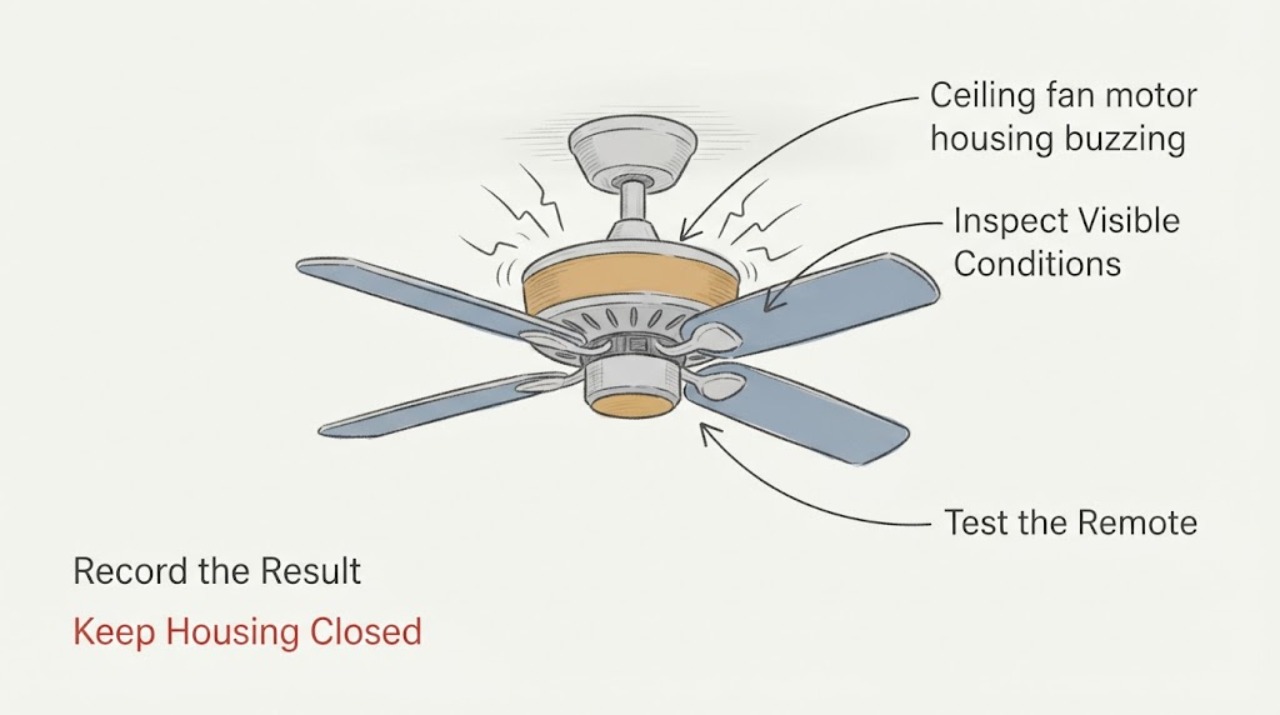
Treat buzzing from a ceiling-fan motor housing as an observation and safety decision, not as a reason to open the housing. From the floor, note whether the sound changes with fan speed, the light, or the wall control, and look for wobble, visible contact, heat, odor, smoke, or crackling. If there is heat, a burning or unusual odor, smoke, crackling, visible damage, or a buzzing breaker, stop using the fan and, only if safely accessible, switch it off and turn off its breaker; leave electrical diagnosis to a qualified electrician. If the fan is cool and stable but the buzz persists, record the sound pattern and arrange professional inspection of the motor, receiver, control compatibility, mounting, and wiring.
Work through in order
Diagnostic checks
Use only checks that match the exact appliance or system and its official guide.
-
Check 1
From a normal standing position, observe the fan, the nearby wall control, and the circuit-breaker area for one safety screen: heat, smoke, crackling or sizzling, a burning or unusual odor, visible arcing, or a breaker that is buzzing or hot. If the fan switch or breaker is safely reachable without touching the fan, switch it off; leave the area and contact emergency help for smoke or fire.
Expected result: There is no heat, odor, smoke, crackling, visible damage, or breaker noise, or one of those hazards is present.
Next step: For any hazard, keep the fan off, do not touch or open it, and call a qualified electrician or emergency service as appropriate. If the screen is clear, continue only with the brief, non-contact observations below.
Stop if: Stop immediately for heat, smoke, burning odor, crackling, sparks, visible melting, or a hot/noisy breaker; do not restore power to test again.
Why this matters
Why: A cool, quiet safety screen allows limited observation from a safe distance. Heat, odor, smoke, crackling, arcing, or a noisy or hot breaker can indicate an electrical or fire hazard and cannot be screened out by tightening a visible part.
-
Check 2
If the safety screen is clear and the fan is normally usable, listen from the floor during one brief, ordinary operating observation. Note whether the buzz occurs only at one speed, across all speeds, only when the light is on, or only when a wall control or remote is used. Turn the fan off after the observation and do not repeat a suspicious cycle.
Expected result: The sound follows a particular speed or control, follows the light, or remains present regardless of the selected fan state.
Next step: Record the exact control and state that produced the sound, then use the manufacturer-specific manual or arrange an electrician visit. Do not substitute a dimmer or speed control, bridge a control, or open the fan to investigate.
Stop if: Stop the observation if the sound becomes crackling, the fan slows unexpectedly, the housing heats, an odor appears, or the breaker reacts.
Why this matters
Why: A speed- or control-linked buzz can be associated with control interference or compatibility; a light-linked buzz points toward the light/control path; a buzz at every state keeps motor, receiver, mounting, or wiring in the differential. This observation does not identify a part for replacement.
-
Check 3
From the floor and without a ladder, inspect the visible outline of the motor housing, canopy, blades, light kit, and downrod. Look for a housing or canopy touching the ceiling, a hanging gap, a dropped or visibly missing external fastener, blade wobble, rubbing, or a part that moves independently. Do not reach up, press the housing, or spin the blades to test it.
Expected result: The housing and visible parts appear stable and clear of contact, or there is wobble, rubbing, a visible gap, or an independently moving part.
Next step: Keep the fan off if any instability or contact is visible and have a qualified electrician or fan technician inspect the mounting and mechanical parts. If nothing is visible, do not infer that concealed screws or wiring are safe.
Stop if: Stop and keep people clear if the fan leans, swings, drops a part, rubs, or appears detached from its support.
Why this matters
Why: A visible contact or loose-looking external part can transmit vibration and create a buzz, but the mounting and support cannot be safely confirmed from below. Wobble, rubbing, or movement can also precede a falling-part hazard.
-
Check 4
Identify the control arrangement without opening anything: wall switch, variable-speed control, pull chain, remote, and whether the light and fan share the control. From the floor, note any flicker, delayed response, unwanted speed change, or buzzing that begins when a different control is selected. Do not change wiring or repeatedly reset the control.
Expected result: The buzz coincides with a nonstandard or recently changed control, or the fan has erratic response or noise independent of control selection.
Next step: Photograph the control face and fan identification label only from a safe position, keep the fan off if the response is erratic, and provide the model and symptom timeline to the manufacturer or electrician.
Stop if: Stop if a switch plate, remote receiver area, or control becomes hot, smells unusual, sparks, or shows discoloration.
Why this matters
Why: The first pattern supports checking control compatibility with the exact fan model; erratic response or a control-independent buzz warrants electrical and fan diagnosis rather than a generic control replacement.
-
Check 5
Document the issue for service: record when the buzz began, whether it followed installation, a control change, a light-bulb change, or a storm, and whether the noise is mechanical hum, electrical buzz, rubbing, or crackling. Take a short recording from the floor only if doing so does not require another operating cycle.
Expected result: The record shows a stable low hum without heat or movement, or a new/worsening sound with another symptom.
Next step: Keep the fan off when the cause is uncertain and arrange service. Give the professional the model, control type, sound pattern, safety-screen result, and any visible movement or damage.
Stop if: Stop using the fan and isolate the area if the sound worsens, a part loosens, the fan wobbles, or any heat, odor, smoke, or crackling appears.
Why this matters
Why: A stable low hum still needs model-specific compatibility and mounting review; a new or worsening sound with heat, odor, wobble, flicker, or slowing raises the urgency for professional assessment.
Use your observations
Decision map
Find the observation that best matches what you see, then follow the next safe action.
-
PATH 01Next step
What you see
Heat, burning or unusual odor, smoke, crackling, sparks, visible melting, or a hot/noisy breaker is present.
Do this next
If safe to reach without approaching the fan, switch it off and turn off the circuit breaker; do not restore power. Leave for smoke or fire and contact emergency help, or arrange a qualified electrician for a non-fire electrical hazard.
-
PATH 02Next step
What you see
The fan is cool and stable, and the buzz follows a particular speed control, dimming state, or light state.
Do this next
Keep use brief or discontinue it, record the state that triggers the sound, and have the exact fan and control compatibility checked by the manufacturer or an electrician.
-
PATH 03Next step
What you see
The buzz is accompanied by wobble, rubbing, housing-to-ceiling contact, a hanging gap, or an independently moving visible part.
Do this next
Stop using the fan and keep people below it clear. Arrange inspection of the support, mounting, and mechanical assembly; do not climb or attempt to tighten concealed parts.
-
PATH 04Next step
What you see
The fan is cool and stable but the buzz persists across controls or begins to worsen.
Do this next
Keep it off when unattended and arrange professional diagnosis of the motor housing, receiver, control, mounting, and wiring. Do not select a replacement component from sound alone.
Helpful context
Understand the symptom
What a motor-housing buzz can mean
A buzz heard near the motor housing may actually be resonance or contact between the housing and ceiling, a loose external part, an incompatible speed control, a receiver, the light circuit, or the motor itself. The sound location is not enough to identify the failed part. A safe observation of when the sound occurs is more useful than removing a canopy or cover.
Keep electrical work out of the homeowner checks
Do not remove the motor housing, canopy, switch cover, receiver, or wiring, and do not use a ladder or reach toward the fan. Do not touch a hot housing, exposed conductor, loose hanging part, or breaker that is sparking. Never keep re-energizing a fan to reproduce a hazardous sound.
Only after diagnosis
Potential parts
- ceiling fan capacitor
Only consider this category if a professional diagnosis identifies a failed capacitor as the source of the symptom.
Confirm the exact fan model and electrical specifications with the manufacturer or qualified technician; do not infer compatibility from appearance. - fan wall control
Only consider a wall-control category when the buzz is linked to the existing control and a qualified assessment finds the control incompatible or defective.
The control must be approved for the exact fan and wiring arrangement; do not substitute a generic dimmer or perform wiring changes as a homeowner. - ceiling fan remote
Only consider a remote or receiver category if the control path is diagnosed as the source and the exact fan system supports that replacement.
Verify model-specific receiver and control compatibility with the manufacturer or technician before ordering.
When checks do not resolve it
Need a professional?
Call promptly for any heat, odor, smoke, crackling, sparks, breaker noise, wobble, rubbing, visible damage, erratic response, or a persistent motor-housing buzz whose source is not clear.
Have this ready
- Provide the fan model if visible from a safe position, control type, when the buzz began, which speed or light state triggers it, a safe audio recording if already available, and the results of the heat, odor, movement, and breaker observations.
Common questions
FAQ
Is a ceiling-fan motor housing buzz always an electrical fault?
No. Housing or ceiling resonance, a loose visible part, a control interaction, a receiver, or the motor can all be possibilities. Heat, odor, smoke, crackling, sparks, wobble, or a noisy breaker change the situation to a safety escalation.
Can I open the motor housing to find the buzzing part?
No. Keep the housing, canopy, receiver, switch box, and wiring closed. Observe from the floor, keep the fan off when the cause is uncertain, and have a qualified electrician or fan technician inspect it.
What if the buzz happens only on one speed?
Record the speed and control state, then stop or limit use until the fan-specific control and motor are assessed. A speed-linked sound can involve control interference, but it does not identify a replacement part by itself.
What should I do if the fan buzzes with a burning smell?
Stop using it immediately. If the switch or breaker can be reached safely without approaching the fan, turn it off and do not restore power. Leave for smoke or fire and seek emergency help; otherwise arrange qualified electrical service.
Read the exact guide
Official sources
- Ceiling Fans Support FAQWestinghouse Lighting · Used to explain why a loud hum can be amplified by housing or ceiling resonance and why a fan-specific variable-speed control matters; it is not a universal repair procedure.
- Ceiling Fan Owner's ManualHunter Fan · Used for the general safety boundary that power must be disconnected before troubleshooting wiring and that uncertain electrical work belongs to a licensed electrician; the manual is model-specific.
- What can I do if my fan is making a noise?Hunter Fan Support · Used for general fan-noise distinctions and the instruction to escalate wiring, breaker, crackling, odor, receiver, or motor concerns; exact model guidance remains controlling.
Community feedback
Share a repair observation
Share a plain-text repair observation. Accepted observations are published automatically; this page may take a moment to update.