
On this page
Start here
Quick answer
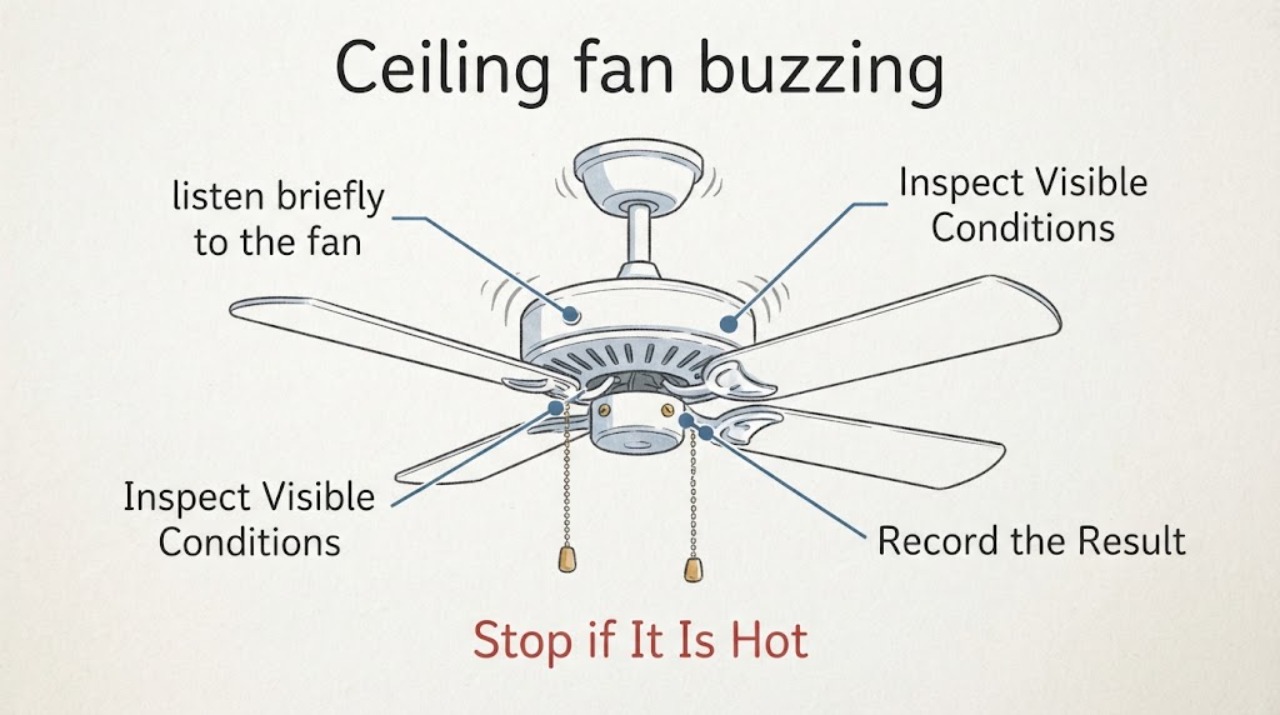
First decide whether the buzz is mechanical, control-related, or an electrical warning. From the floor, note when the sound starts, where it is loudest, whether it changes with fan speed or the light, and whether the fan wobbles or shows heat, smoke, crackling, or a burning smell. If there is heat, smoke, crackling, or a burning odor, stop using the fan and turn off power from a safely accessible switch or breaker, then call a qualified electrician. Do not climb, open the canopy or motor housing, handle a capacitor or wiring, perform a live test, or keep running a fan under a hazard.
Work through in order
Diagnostic checks
Use only checks that match the exact appliance or system and its official guide.
-
Locate and describe the buzz from the floor
From a normal standing position on the floor, listen briefly to the fan without touching it or standing directly beneath moving blades. If the fan is already off, do not climb or open anything to get closer; note the sound only during a normal, low-risk use observation.
Expected result: Record whether the sound is a steady hum, intermittent buzz, click, scrape, rattle, or crackle, and whether it seems loudest at the motor housing, light kit, wall control, remote receiver area, or ceiling mount.
Next step: Write down the sound and its apparent location, then compare it with the fan-speed and light observations only if there is no heat, odor, smoke, crackling, or wobble hazard.
Stop if: Stop immediately if you hear crackling, see smoke, smell burning, feel unusual heat from the room or fixture, or see the fan shifting or dropping parts.
Why this matters
Why: A steady hum tied to a control or light can point toward the control path, while a scrape, rattle, or movement at the fan can indicate a mechanical or mounting issue. A crackle or sound with an odor is an electrical warning, not a normal noise to diagnose by repeated operation.
-
Compare normal fan-speed behavior
Using only the fan's ordinary wall switch, pull chain, or remote control from the floor, observe the fan briefly at its normal available settings. Do not repeatedly cycle a noisy fan, use a ladder, reach toward the blades, or open the control or canopy.
Expected result: Note whether the buzz appears only at one speed, changes pitch as speed changes, starts at every speed, or continues after the blades stop. Record whether the fan starts, changes speed, and stops normally.
Next step: Stop using the noisy setting and give the pattern to the manufacturer or electrician with the fan model information. Do not choose a capacitor or controller solely from the sound.
Stop if: Stop the test if the fan hesitates, stalls, changes speed unpredictably, wobbles, becomes hot, or produces an odor, smoke, or crackling.
Why this matters
Why: A buzz that follows one speed or control setting can implicate the control system or an incompatible control path. A buzz that persists with the blades stopped may be in the light or control circuit. A buzz with poor starting, stalled blades, or abnormal motion needs professional assessment rather than more testing.
-
Separate the light-kit sound from the fan sound
From the floor, observe the fan and light separately using their normal controls, only for a short period and only when there is no heat, odor, smoke, crackling, or wobble. Do not remove a shade, bulb, light kit, or control cover.
Expected result: Note whether the buzz begins only when the light is switched on, changes when the light level changes, continues with the light off, or is accompanied by visible flicker or a loose-looking shade.
Next step: Leave the light or fan off if it is the source of the buzz and record the bulb type or visible model information without climbing. Ask the manufacturer or electrician to identify a compatible control or light component.
Stop if: Stop and turn off power safely if the light flickers severely, smokes, smells burnt, becomes unusually hot, or makes a crackling sound.
Why this matters
Why: A buzz limited to the light can point toward the bulb, light control, or light-kit electronics, but the exact compatible replacement depends on the fan model. Flicker, heat, crackling, or a smell raises the priority to electrical service.
-
Observe movement, heat, and visible mounting condition
From floor level and outside the blade sweep, look at the fan's overall movement, canopy position, light shade, and any visible change after a brief normal observation. Do not touch the fixture, use a ladder, tighten hardware overhead, or open the motor or canopy.
Expected result: Note excessive wobble, a canopy that appears to shift, a light shade that vibrates, a blade that appears misaligned, dust or discoloration near the motor, or heat and odor detectable without contact.
Next step: Keep people out from under the fan, photograph visible conditions from the floor, and arrange service. Do not attempt overhead adjustment or internal inspection.
Stop if: Stop immediately if the fixture moves at the ceiling, a blade or shade appears loose, smoke or odor appears, or the fan becomes hot.
Why this matters
Why: Wobble or visible movement can make a buzzing sound mechanical and can also create a falling-object risk. Heat, discoloration, smoke, or burning odor suggests an electrical or motor problem and requires the fan to remain off until inspected.
Use your observations
Decision map
Find the observation that best matches what you see, then follow the next safe action.
-
PATH 01Safety boundary
What you see
The buzz is steady but limited to one fan speed or a control setting, with no heat, odor, smoke, wobble, or crackling.
Do this next
Leave the noisy setting unused and provide the speed pattern and model information to the manufacturer or a qualified electrician. A control or receiver may be involved, but compatibility must be checked before replacement.
Why this path and its safety boundary
Safety stop: Do not open the control, alter wiring, replace a capacitor, or keep testing repeatedly.
-
PATH 02Safety boundary
What you see
The buzz occurs only with the light on, or the light flickers, hums, or makes the fixture vibrate.
Do this next
Leave the light off and arrange manufacturer or electrician service. Provide the visible bulb or light-kit information and whether the fan itself is quiet with the light off.
Why this path and its safety boundary
Safety stop: Stop use and turn off power safely if there is heat, smoke, crackling, a burning smell, or visible damage.
-
PATH 03Safety boundary
What you see
The fan wobbles, the canopy or light assembly shifts, a blade appears loose, or parts may fall.
Do this next
Turn the fan off, keep people out from underneath, and arrange a qualified fan installer or electrician inspection from floor level. Do not climb or attempt overhead tightening.
Why this path and its safety boundary
Safety stop: Do not run the fan again until the mounting and moving parts have been inspected.
-
PATH 04Safety boundary
What you see
There is heat, smoke, crackling, a burning odor, a stalled motor, or a buzz that is accompanied by abnormal electrical behavior.
Do this next
Stop using the fan and turn off power from a safely accessible switch or breaker without touching the fixture. Leave the area if smoke or fire is present and contact emergency services; otherwise call a qualified electrician.
Why this path and its safety boundary
Safety stop: Do not perform a live test, open the canopy or motor housing, handle wiring or a capacitor, or restore power until the cause has been professionally assessed.
Helpful context
Understand the symptom
What a ceiling-fan buzz can indicate
A low hum can come from a speed-control system, light control, receiver, or motor, while a rattle or clicking sound can come from moving hardware. The sound's timing and location are more useful than guessing at a part. A model-specific manual is needed before any service decision, and electrical or internal fan work belongs to a qualified professional.
Use a short observation window
Keep people out from under a fan that is wobbling or has loose-looking parts. Do not use a ladder to look closer. If the fan has any heat, smoke, crackling, or burning odor, stop the observation immediately, switch it off, and arrange electrical service rather than repeating the test.
Only after diagnosis
Potential parts
- ceiling fan capacitor
Consider this category only if the manufacturer or electrician confirms a capacitor-related speed or motor symptom for the exact fan model.
Match the exact fan model and electrical specifications through the manufacturer or qualified service provider; do not open the motor housing or handle a capacitor as a homeowner diagnosis. - fan wall control
Consider this category only if the buzz follows a wall-control setting and a qualified professional confirms that the control is compatible with the fan.
Confirm the fan's control type, wiring arrangement, load requirements, and model compatibility before selection; electrical installation belongs to a qualified electrician. - ceiling fan remote
Consider this category only when the fan uses a remote system and the manufacturer or service professional confirms the remote or receiver path is the cause.
Match the exact fan and receiver family, pairing method, and control features; a visually similar remote is not proof of compatibility.
When checks do not resolve it
Need a professional?
Call a qualified electrician or fan service professional when the buzz persists, follows a control or light setting, accompanies wobble or visible movement, or involves a motor, receiver, capacitor, wiring, heat, smoke, crackling, or burning odor.
Have this ready
- Provide the fan brand and model if visible from the floor, the sound type and location, which speed or light setting triggers it, whether the fan wobbles or heats, and any odor, smoke, flicker, or crackling. Do not climb or remove the canopy to obtain the model or a close-up.
Common questions
FAQ
Is a ceiling fan hum always dangerous?
No, a mild hum can be related to a control system, but sound alone cannot clear the fan. Treat crackling, heat, smoke, burning odor, wobble, or abnormal operation as stop-use signs and arrange professional inspection.
Can I replace the capacitor or open the fan canopy to find the buzz?
Do not open the canopy or motor housing or handle a capacitor as a homeowner diagnosis. Record the sound pattern from the floor and have a qualified electrician or manufacturer service professional identify the compatible repair.
What should I do if the buzzing fan smells hot or burnt?
Stop using it and turn off power from a safely accessible switch or breaker. If there is smoke or fire, leave the area and contact emergency services; otherwise arrange qualified electrical service before restoring power.
Read the exact guide
Official sources
- Air Conditioner and Fan SafetyElectrical Safety Foundation International · Supports referring electrical fan installation and service to a qualified electrician and treating powered fan equipment as an electrical safety concern.
- Why is my fan humming?Hunter Fan · Supports distinguishing control-related hum from crackling, odor, motor, wiring, or circuit concerns; model-specific documentation remains necessary.
- Ceiling FansU.S. Consumer Product Safety Commission · Supports checking the exact model and serial information for applicable recalls when a fan has visible safety symptoms; it is not a diagnosis of this unidentified fan.
Community feedback
Share a repair observation
Share a plain-text repair observation. Accepted observations are published automatically; this page may take a moment to update.