
On this page
Start here
Quick answer
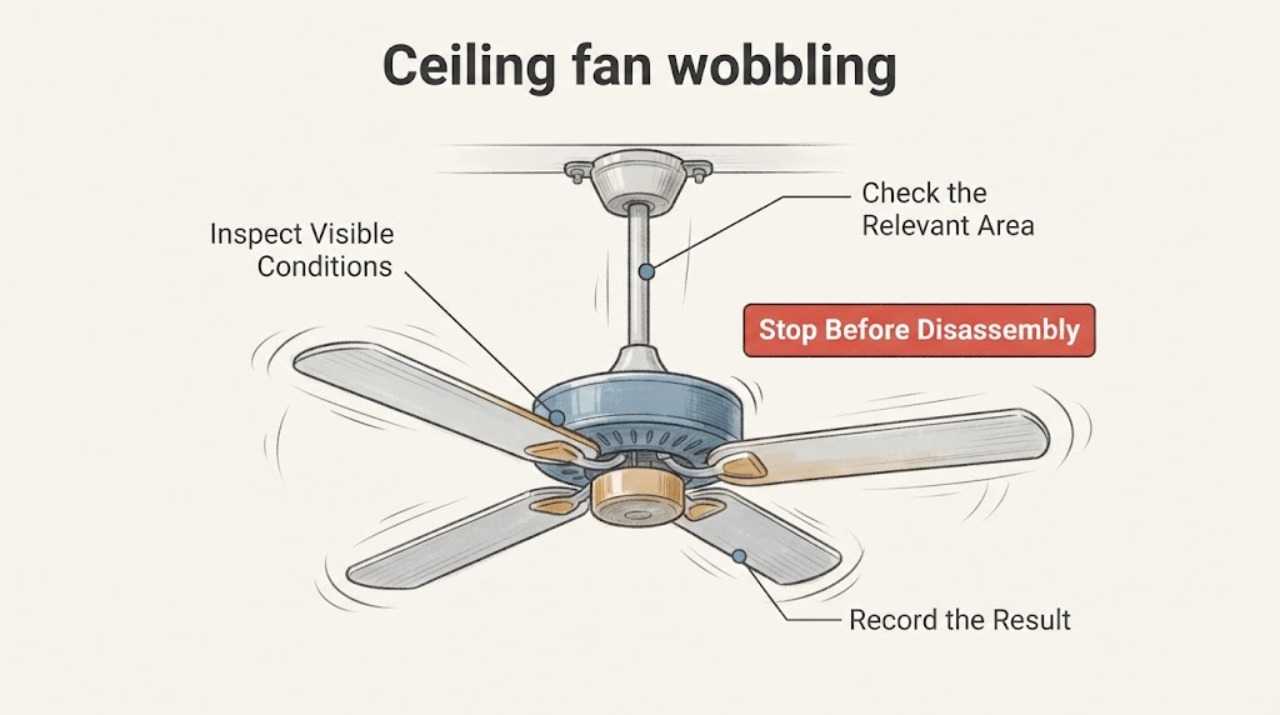
A ceiling fan that wobbles slightly can have an uneven blade set, loose visible components, or an installation/alignment problem, but a fan that swings severely, has a moving ceiling mount, makes scraping or impact sounds, shows a damaged blade, or feels hot should be switched off and left unused until an electrician or qualified fan professional inspects it. From the floor, record which speed changes the wobble, whether the sound follows the rotation, whether any blade or downrod looks visibly damaged or displaced, and whether heat or odor is present. Do not climb, touch moving blades, run a severely wobbling fan, reach into the canopy, adjust fasteners above reach, or attempt manual balancing.
Before you begin
Safety first
- Do not climb, touch moving blades, run a severe wobble, manually balance blades, remove a canopy, access fasteners or wiring, or use a part to conceal a support defect.
Work through in order
Diagnostic checks
Use only checks that match the exact appliance or system and its official guide.
-
Check 1
From the floor, look at the fan while it is off and note whether the motor housing, downrod, canopy outline, or ceiling connection appears tilted, separated, or moving relative to the ceiling; do not touch or push any part.
Expected result: A stationary tilt, a visible gap at the ceiling, a downrod that is not straight, or a mount that shifts is more concerning than a consistent small blade-height difference.
Next step: Keep the fan off, clear the area below it, and arrange an electrician or qualified fan professional to inspect the support and electrical box.
Stop if: Stop immediately if the mount moves, the fan is hanging unevenly, the ceiling material is cracking, or any part appears loose enough to fall.
Why this matters
Why: Movement or separation at the support path can indicate an installation or mounting problem and should not be tested by running the fan.
-
Check 2
If the fan is stationary and the mount looks stable, use the wall control or remote for only the lowest available speed from a clear floor position; observe the amount and direction of wobble without approaching the fan.
Expected result: A mild wobble that changes with speed can be consistent with blade balance or alignment, while a sudden large swing, increasing movement, or a blade path that appears to approach a fixture or wall is unsafe to continue.
Next step: Switch the fan off after the brief observation and record the speed setting and whether the wobble appeared immediately or increased; leave it off if movement is more than mild.
Stop if: Do not start or continue the test if the fan already swings severely, the mount moves, a blade contacts anything, or the control causes unusual electrical noise.
Why this matters
Why: The speed response helps the professional distinguish a repeatable balance symptom from a support or clearance hazard, but it does not prove that a balance kit is appropriate.
-
Check 3
With the fan off and viewed from the floor, compare the visible blade shapes and tips, the light kit or shade if present, and the downrod line; look for a cracked, bowed, twisted, displaced, or visibly different blade without reaching it.
Expected result: One blade that looks damaged or sits differently, a loose-looking light shade, or a downrod that is not centered can create wobble or noise; no visible difference does not rule out an overhead hardware fault.
Next step: Photograph the condition from a safe distance, keep the fan off, and provide the fan model or identification marking to the professional so compatible parts can be checked.
Stop if: Stop if a blade is cracked, sagging, detached, or close to another object, or if any shade or trim appears able to fall.
Why this matters
Why: A visible defect changes the service request from simple balance assessment to inspection for a damaged blade, light assembly, or hanging system.
-
Check 4
From a safe floor position, listen during a brief safe observation and note whether the sound is a repeating tick, scrape, rattle, hum, or impact that follows blade rotation; do not place a hand on the motor or housing.
Expected result: A repeating scrape or impact suggests contact or a loose component, while a hum or heat-related odor raises an electrical or motor concern; a quiet but visible wobble still needs a support and balance assessment.
Next step: Switch the fan off. If there is burning odor, smoke, sparking, or unusual heat, turn off power at the wall control and breaker only if you can do so safely, then request urgent electrical service.
Stop if: Stop the test immediately for scraping, impact, smoke, sparking, burning odor, unusual heat, or a sound that becomes louder with speed.
Why this matters
Why: Sound and odor help prioritize the service call and identify when continued operation could worsen a mechanical or electrical fault.
-
Check 5
Record the context of the wobble from the floor: fan model or marking if readable without climbing, indoor or outdoor location, speed setting, recent installation or cleaning, storm or impact history, and whether the wobble is new or gradually increasing.
Expected result: A wobble that began after installation, a blade or fixture event, or a change in noise differs from a long-standing mild speed-specific wobble; an increasing trend raises urgency even when no damage is visible.
Next step: Send the notes and distance photos with the service request and keep the fan off if the cause is unknown, worsening, or accompanied by any warning sign.
Stop if: Stop using the fan if the wobble is worsening, the mounting area moves, the fan was struck, or a component appears damaged or overheated.
Why this matters
Why: The timeline helps the professional decide whether to inspect blade balance, the downrod and bracket, the fan-rated support box, or a damaged component first.
Use your observations
Decision map
Find the observation that best matches what you see, then follow the next safe action.
-
PATH 01Next step
What you see
The ceiling connection, canopy outline, downrod, or fan body moves or appears separated while the fan is off.
Do this next
Leave the fan off, keep people out from below it, and request an electrician or qualified fan professional to inspect the support and fan-rated box.
-
PATH 02Next step
What you see
The fan has severe or increasing swing, blade contact, scraping, impact sounds, visible damage, smoke, burning odor, or unusual heat.
Do this next
Stop use immediately. Isolate power only from a safe accessible control or breaker and arrange urgent electrical or fan service.
-
PATH 03Next step
What you see
The fan is stable when off and shows only a mild, repeatable wobble that varies by speed with no sound, heat, or visible damage.
Do this next
Keep people clear and have a professional assess blade balance and the hanging system. Do not attach balancing clips or weights from a ladder.
-
PATH 04Next step
What you see
One blade, light shade, or visible trim looks cracked, warped, displaced, or loose.
Do this next
Keep the fan off, photograph the component from the floor, and ask the professional to identify a compatible replacement rather than straightening or removing it.
-
PATH 05Next step
What you see
The wobble began after installation, cleaning, an impact, or a weather event, or the cause cannot be identified.
Do this next
Treat the timeline as a service clue and request inspection of the blade hardware, downrod, hanger bracket, fan-rated box, and any affected fixture.
Helpful context
Understand the symptom
Separate mild balance symptoms from a support problem
Hunter's opened support guidance groups wobble causes around blade clearance, the ceiling plate, downrod, set screw, other hardware, and balancing. Those are useful categories for a service call, not permission to reach an overhead assembly. A wobble that changes with speed can be a balance symptom; movement at the ceiling, a new tilt, or impact noise raises the concern to mounting or structural support. The safest first check is a visual record from the floor with the fan off or, only when it is stable and clear of people, a brief observation from a safe distance.
Do not make the fan the test instrument
Never hold a blade, push the downrod, place a hand near the motor, or add a clip or weight while the fan is rotating. Stop at the wall control and, when safe to do so, isolate power if there is heat, burning odor, sparking, or a loose mount. An electrician or fan technician can check the fan-rated box, hanger bracket, downrod connection, blade hardware, and balancing system from a safe working position.
Only after diagnosis
Potential parts
- ceiling fan balancing kit
Consider a balancing kit only after a professional confirms that the fan is securely mounted and the wobble is a balance issue rather than a damaged blade or support problem.
Confirm the fan model and the manufacturer's approved balancing method; do not attach clips or weights to a running fan or use them to mask a moving mount. - ceiling fan mounting bracket
Consider a replacement bracket only if inspection confirms that the existing bracket or its fan-rated support interface is damaged or incompatible.
A bracket must match the fan model, mounting system, ceiling box or structural support, and installation instructions; an arbitrary bracket is not a safe universal substitute. - fan downrod
Consider a downrod only if a professional identifies a bent, loose, or incompatible downrod as the source of the wobble.
Confirm model, diameter, connection style, length, finish, and approved hardware before ordering; do not change an overhead downrod without qualified installation.
When checks do not resolve it
Need a professional?
Call an electrician or qualified ceiling-fan professional when the mount moves, the wobble is severe or worsening, a blade or fixture is damaged, the fan makes scraping or impact sounds, or heat, smoke, sparking, or burning odor is present.
Safety scope: Do not climb, touch moving blades, run a severe wobble, manually balance blades, remove a canopy, access fasteners or wiring, or use a part to conceal a support defect.
Have this ready
- Provide the fan model or marking if readable from the floor, indoor or outdoor location, speed at which the wobble appears, whether the fan was recently installed or disturbed, distance photos of blades and the ceiling connection, and any sound, heat, odor, or visible movement.
Common questions
FAQ
Is a small ceiling-fan wobble always dangerous?
Not necessarily, but the cause cannot be identified safely from appearance alone. A mild, stable, speed-specific wobble without sound, heat, damage, or mount movement can be assessed by a professional for balance; a worsening or severe wobble should remain off.
Can I balance the blades myself?
Do not climb, touch the blades, or attach clips or weights while the fan is running. Have a qualified professional confirm that the mount and blades are sound before any approved balancing method is used.
What does a wobble that changes with speed mean?
A repeatable speed response can be consistent with blade balance or alignment, but it does not rule out a loose downrod, bracket, or support. Record the speed and have the complete hanging system assessed.
What should I do if the fan is hot or smells like burning?
Stop using it. Turn off the wall control and isolate the circuit at the breaker only if that can be done safely, keep clear of the fan, and request urgent electrical service. Do not open the motor housing or wiring area.
Read the exact guide
Official sources
- My fan stopped working. What do I do?Hunter Fan · Supports stopping operation and using model-specific professional guidance when the fan's behavior is abnormal; no wiring or canopy steps are reproduced here.
- Ceiling Fan Parts and FunctionsHunter Fan · Supports naming the blade, downrod, ceiling plate, hanger bracket, motor housing, and balancing kit in a service request without instructing overhead access.
- Why is my fan wobbling?Hunter Fan · Supports checking clearance, visible overhead hardware categories, and balancing as possible service paths; this article deliberately limits the reader to floor-level observation.
Community feedback
Share a repair observation
Share a plain-text repair observation. Accepted observations are published automatically; this page may take a moment to update.