
On this page
Start here
Quick answer
First determine whether the ceiling fan's light flickers, the fan motor cuts out, or other room lights flicker at the same time. A light-only issue can come from a loose or incompatible bulb, dimming control, remote receiver, or light-kit connection; a whole-room flicker, crackle, warm or discolored switch, burning odor, shock, arc, or repeated breaker trip can indicate a wiring hazard. Turn the fan and light off, let hot parts cool, and make only a stable, ordinary-access bulb or control check. Do not open the canopy, handle wiring, climb unsafely, or keep operating the fan when electrical warning signs are present; arrange a licensed electrician or manufacturer service.
Before you begin
Safety first
- This article covers observation and a stable, power-off bulb or documented control check only. Do not open the canopy, wall box, switch housing, or panel; handle wiring; bypass a limiter; use an unstable ladder; or continue operating a fixture with an electrical warning sign.
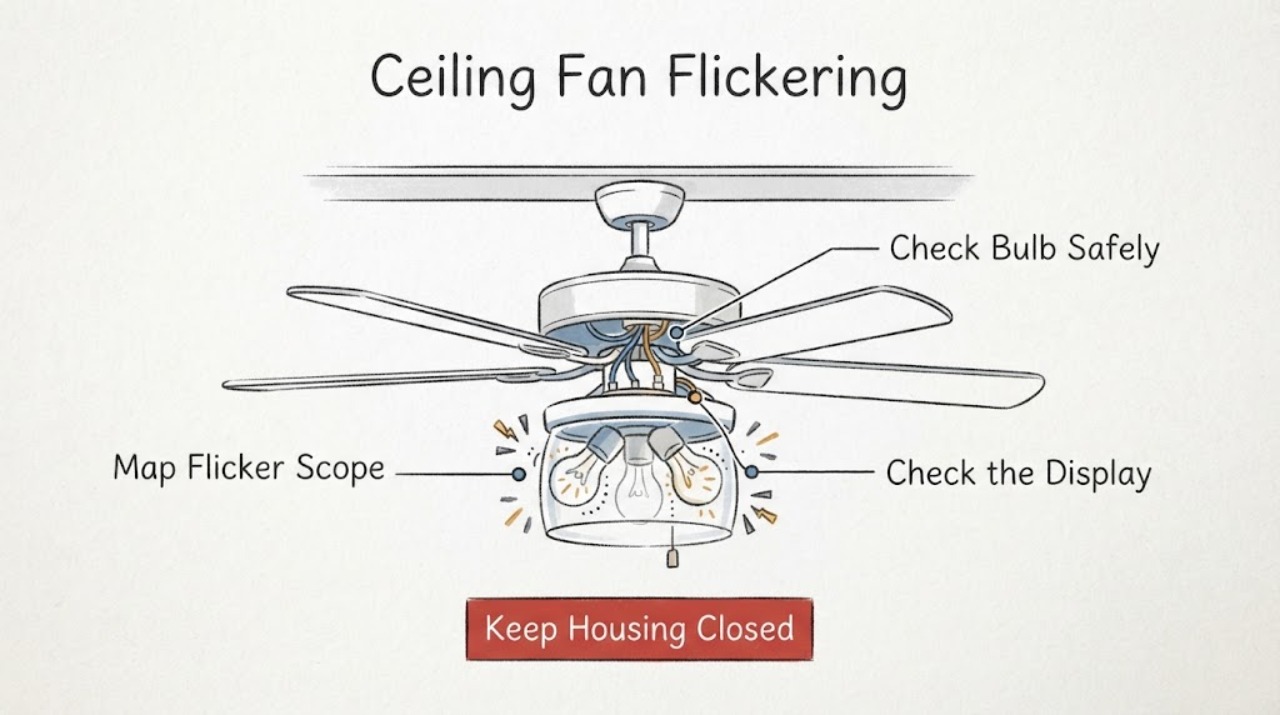
Work through in order
Diagnostic checks
Use only checks that match the exact appliance or system and its official guide.
-
Check 1
From the floor with the fan and light in their normal controls, observe whether the flicker affects one bulb, the entire fan light, the fan motor, or other lights in the room; do not touch the fixture while it is operating abnormally.
Expected result: Record whether the light flickers at one brightness, when dimmed, when the fan changes speed, when the remote is used, or whenever another load in the room switches on.
Next step: Keep the observation and fan model information together, then continue only with the appropriate cool, power-off bulb or control check.
Stop if: Stop immediately for arcing, crackling, smoke, burning odor, a warm or discolored switch or outlet, a shock or tingle, loose fan mounting, or a breaker that trips.
Why this matters
Why: One lamp or one brightness setting supports a bulb or light-control branch; fan-wide or room-wide flicker, speed-related changes, or synchronized changes suggest a control, supply, or wiring issue.
-
Check 2
If the issue is light-only and there are no warning signs, turn the wall switch and fan light control off, let the lamp cool, and from a stable ordinary position compare the installed bulb or module with the fan manual and the socket's wattage and base requirements.
Expected result: Record whether the bulb is loose, visibly damaged, the wrong base or type, above the fixture marking, or a non-dimmable bulb being used with a dimming control; do not open the light kit.
Next step: If the manual permits, fit one known-compatible bulb with the power off and test once; if the light is integrated or the fixture requires disassembly, request manufacturer or electrical service.
Stop if: Do not touch a hot lamp, cracked glass, exposed contacts, a wet fixture, or a light kit that cannot be reached without unsafe height access.
Why this matters
Why: A loose or incompatible bulb can cause an intermittent light-only symptom. A correct, intact bulb with continued flicker shifts attention to the control, receiver, light kit, or wiring.
-
Check 3
With the fixture off, identify whether the light is controlled by a dimmer, ordinary switch, pull chain, remote, smart control, or receiver, and compare that control with the fan's model manual without changing wiring.
Expected result: Record whether flicker occurs only in the dimming range, only under remote control, after a control pairing change, or with an ordinary full-on command; note any control that feels loose, hot, or noisy.
Next step: Use only the manual's normal control or pairing procedure once; if the control is incompatible or the symptom remains at full brightness, keep the light off and arrange service.
Stop if: Do not remove a wall plate, open a remote receiver, bypass a limiter, or continue when the switch or control is warm, discolored, buzzing, or gives a shock.
Why this matters
Why: A dimmer or remote mismatch can affect the light output, while a hot, loose, noisy, or discolored control is an electrical warning sign that needs inspection.
-
Check 4
From the floor, observe whether the flicker changes with fan speed, fan start or stop, another appliance switching on, or other room lights; do not add a load or repeatedly cycle the fan to provoke the symptom.
Expected result: Record whether only the fan light responds, whether the fan hums or cuts out, whether multiple lights dim, and whether the breaker or protective device trips.
Next step: Turn the fan and light off and give an electrician the timing and scope of the flicker; do not use an extension cord, improvised control, or alternate wiring path.
Stop if: Stop all use for crackling, arcing, burning odor, a hot switch or outlet, smoke, a shock, exposed insulation, or a breaker that trips again.
Why this matters
Why: A symptom tied to fan operation may involve the fan control, receiver, motor circuit, or light-kit connection; room-wide dimming, repeated trips, or changes with other loads point toward a branch or supply issue.
-
Check 5
If the fan is firmly mounted and no warning sign is present, turn off the fan-light control and the identified branch breaker before any electrician or manufacturer-approved visual inspection; ordinary users should stop at the external cover and should not access the wiring compartment.
Expected result: Record only visible external conditions such as a loose canopy, damaged cord or insulation, water intrusion, a cracked light cover, or a fan that moves at its mount; do not remove covers or manipulate conductors.
Next step: Leave the circuit off and arrange a licensed electrician or the fan manufacturer when flicker persists, the light is integrated, or any wiring or mounting issue is suspected.
Stop if: Do not open the canopy or switch housing, touch wiring, rely on the wall switch alone, climb unsafely, or restore power to a damaged fixture.
Why this matters
Why: Visible damage or movement supports service for mounting, light-kit, or wiring assessment. A clear exterior does not prove that concealed connections are safe.
-
Check 6
Classify the result as a corrected compatible-bulb issue, a control-only issue, a persistent fan-light flicker, a room or circuit-wide flicker, or an electrical hazard.
Expected result: Record the fan model, light type, control type, exact flicker conditions, bulb or control change, breaker behavior, and any heat, noise, odor, arc, shock, or mounting observation.
Next step: Keep the fan and light off as appropriate and provide the record and photos taken from the floor to a licensed electrician or the manufacturer.
Stop if: Do not continue operation, open wiring, bypass protection, or attempt repairs when arcing, overheating, smoke, odor, shock, damaged insulation, water, or repeated trips are present.
Why this matters
Why: Only a stable light after a compatible, power-off bulb or documented control check supports normal use. Persistent, fan-wide, room-wide, or hazard-linked flicker needs electrical diagnosis rather than more part swapping.
Use your observations
Decision map
Find the observation that best matches what you see, then follow the next safe action.
-
PATH 01Safety boundary
What you see
Only the fan light flickered, the bulb or control was incompatible or loose, and one compatible power-off bulb or documented control change restores steady light without warning signs.
Do this next
Use the fan only within the manual's bulb and control requirements and monitor for recurrence.
Why this path and its safety boundary
Why it matters: A light-kit compatibility or seating issue is plausible, but the concealed wiring has not been electrically tested.
Safety stop: Stop if flicker returns, the socket heats, the bulb or cover is damaged, or any odor, buzz, arc, or shock appears.
-
PATH 02Safety boundary
What you see
Flicker occurs only with a dimmer, remote, smart control, or one control state while the fan and other lights remain stable.
Do this next
Follow the exact manual's normal pairing or control procedure once; if it persists, request manufacturer or electrician diagnosis.
Why this path and its safety boundary
Why it matters: Control compatibility, pairing, receiver, or light-kit electronics may be involved; the specific system is model-dependent.
Safety stop: Do not bypass a limiter or receiver, open the control housing, or keep using a warm, noisy, discolored, or shocked control.
-
PATH 03Safety boundary
What you see
The fan motor cuts out, the light changes with fan speed or another load, or several room lights flicker together.
Do this next
Turn the fan and light off and arrange a licensed electrician; report the timing, affected lights, protective-device behavior, and fan model.
Why this path and its safety boundary
Why it matters: A fan control, receiver, branch circuit, connection, or wider supply issue is possible and cannot be isolated through bulb replacement.
Safety stop: Do not add loads, use an extension cord or improvised control, or open the fan canopy or wall box.
-
PATH 04Safety boundary
What you see
There is arcing, crackling, smoke, burning odor, a warm or discolored switch or outlet, damaged insulation, a shock or tingle, or repeated breaker trips.
Do this next
Stop using the fan and light, keep people away, and contact a licensed electrician or emergency service from a safe position; do not touch suspected service equipment.
Why this path and its safety boundary
Why it matters: The flicker is an electrical safety warning and may indicate overheating, arcing, damaged wiring, or an appliance fault.
Safety stop: Do not restore power, handle wiring, open the panel, or investigate an arc or smoke source yourself.
-
PATH 05Safety boundary
What you see
The fixture is out of safe reach, the fan moves at its mount, the canopy is loose, the light cover is damaged, or inspection would require an unstable ladder or contact with moving blades.
Do this next
Leave the fan off, keep the area clear, and arrange a qualified electrician or manufacturer service with photos taken from the floor.
Why this path and its safety boundary
Why it matters: Fall, impact, glass, and electrical risks make ordinary troubleshooting inappropriate.
Safety stop: Do not stand on furniture, lean a ladder against the fan, support the fan by its blades, or operate it while mounting is uncertain.
Helpful context
Understand the symptom
Separate a light-only flicker from a wiring fault
A ceiling fan with a light has several control paths: the lamp or LED module, a wall dimmer or switch, a remote and receiver, the light-kit connection, and the branch wiring. If only one lamp flickers while the fan runs steadily, compatibility or the light kit becomes the first low-risk check. If the fan motor stops, the light and fan change together, or other room lights respond when the fan changes speed, the supply or wiring deserves an electrician's assessment. Flickering is not proof of one failed part.
Use the bulb and control compatibility boundary
With power off and the fixture cool, confirm the bulb or integrated light module is the type the fan manual permits. A dimmer-compatible bulb is needed when the control actually dims; the socket and fixture wattage marking also matter. A remote receiver, wall control, or limiter may be model-specific. Do not bypass a limiter, substitute a random LED driver, or keep changing parts while the circuit is energized.
Treat heat, noise, odor, arcs, or shocks as a stop
ESFI and CPSC identify flickering, arcs, crackling or buzzing, warm or discolored electrical parts, burning insulation odor, damaged insulation, and even a mild shock as warning signs. Turn the fan and light off, keep people away, and have a qualified electrician inspect the circuit. A ceiling fan is also overhead equipment: do not use a chair or unstable ladder to reach the canopy, and do not work near moving blades or a fan that is loose at its mounting.
Only after diagnosis
Potential parts
- compatible ceiling-fan light bulb
Consider this only when the light-only flicker tracks to a loose, damaged, or incompatible bulb and the fixture manual permits a user-replaceable bulb.
Confirm socket, wattage, dimming capability, temperature rating, and the exact fan or light-kit instructions before ordering. - ceiling-fan wall control or remote receiver
Consider this only after the exact control system is identified and manufacturer or electrician diagnosis links the flicker to the control or receiver.
Control protocols, load ratings, receivers, and wiring vary by fan model; never bypass a safety limiter or substitute an unverified control. - ceiling-fan light-kit wiring harness
Consider this only when a qualified assessment finds a damaged or failed harness or light-kit connection after the circuit is made safe.
Harness connectors and light-kit designs are model-specific; this is not a homeowner diagnosis from flicker alone.
When checks do not resolve it
Need a professional?
Safety scope: This article covers observation and a stable, power-off bulb or documented control check only. Do not open the canopy, wall box, switch housing, or panel; handle wiring; bypass a limiter; use an unstable ladder; or continue operating a fixture with an electrical warning sign.
Common questions
FAQ
Why is only my ceiling fan light flickering?
A loose or incompatible bulb, dimmer mismatch, remote receiver, light-kit connection, or wiring issue can affect only the light. With power off and the fixture cool, compare the bulb with the manual and fixture marking; persistent flicker needs service.
Can an LED bulb cause a ceiling fan light to flicker?
It can if the bulb is not compatible with the fan's dimming control or fixture requirements. Confirm the socket, wattage, and dimming capability from a stable power-off position; do not bypass a limiter or control.
What does it mean if the fan light flickers when the fan changes speed?
The control, receiver, light kit, motor circuit, or branch wiring may be interacting. Turn the fan and light off and arrange a licensed electrician rather than opening the canopy or repeatedly cycling the fan.
Should I tighten the ceiling fan wiring myself?
Do not open the canopy or wall box as a first step. Turn the fan and light off, and use the model manual only for safe external information; concealed wiring, loose mounting, or persistent flicker should be inspected by a licensed electrician.
When is a flickering ceiling fan an electrical emergency?
Stop using it for arcing, crackling, smoke, burning odor, a warm or discolored switch or outlet, a shock or tingle, damaged insulation, water intrusion, or a breaker that trips again. Keep people away and contact qualified electrical or emergency service from a safe position.
Read the exact guide
Official sources
- CPSC Guide to Home Wiring HazardsU.S. Consumer Product Safety Commission · Official CPSC home-wiring safety guide; current local electrical requirements and qualified service apply.
- Replacing Your Ceiling Fan Light BulbsHunter Fan · Official Hunter fan-light guidance; another manufacturer's manual and fixture markings control a non-Hunter fan.
- My fan stopped working. What do I do?Hunter Fan · Official Hunter fan support; its wiring and connection procedure is model-specific and not a general permission to open another fan.
- Electrical Warning Signs – Video ShortElectrical Safety Foundation International · Electrical safety organization warning-sign guidance for residential systems; local code and a qualified electrician govern repairs.
- Home Wiring Safety TipsElectrical Safety Foundation International · Electrical safety organization guidance for home wiring; professional inspection is appropriate when warning signs appear.
- Don’t Overload Your HomeElectrical Safety Foundation International · Electrical safety guidance for residential circuits; it does not diagnose a particular fan or branch circuit.
Community feedback
Share a repair observation
Share a plain-text repair observation. Accepted observations are published automatically; this page may take a moment to update.