
On this page
Start here
Quick answer
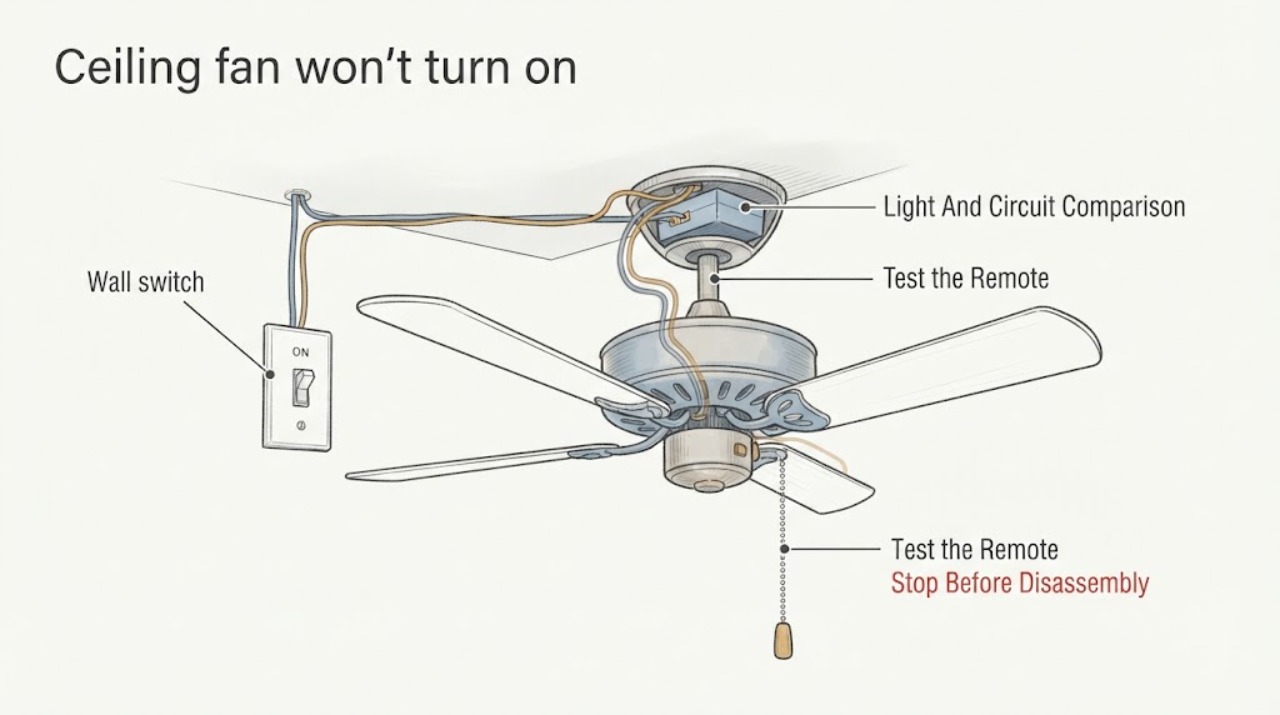
When a ceiling-fan wall switch is on but the blades never move, first determine whether the fan light, remote, pull chain, speed control, and other devices on the same circuit respond. Keep all wiring, switch-box, canopy, voltage, capacitor, receiver, and motor work for a licensed electrician. From the floor, with power off when required, check only the remote or pull control, reverse switch position, visible obstruction, and obvious heat or damage. Do not remove a cover, touch wiring, hand-spin powered blades, bypass a control, or repeatedly re-energize a circuit. Smoke, burning odor, arcing, a hot switch, damaged insulation, or any repeated trip is an immediate stop-use condition.
Work through in order
Diagnostic checks
Use only checks that match the exact appliance or system and its official guide.
-
Check 1
Stand clear of the fan and look from the floor at the wall control, fan, light kit, nearby ceiling, and room; do not climb, touch wiring, or reach toward the blades.
Expected result: Record smoke, burning odor, arcing, a hot or discolored switch, melted plastic, damaged insulation, water, a loose mount, falling parts, unusual heat, or a breaker that has tripped.
Next step: Stop using the fan. If it is safe from a dry position, leave the wall control off and isolate the circuit without touching wet or damaged equipment; arrange a licensed electrician. Keep people away from a loose or damaged fan.
Stop if: Do not touch wet electrical parts, re-energize a tripped circuit, climb to inspect, or run the fan after any hazard.
Why this matters
Why: These signs indicate fire, shock, water, or falling-object risk and override routine fan troubleshooting.
-
Check 2
With the switch left in its normal on position and both feet on the floor, note whether the attached light, remote indicator, or another known device on the same circuit operates; do not open the switch box or ceiling canopy.
Expected result: Light and fan both dead suggests a shared supply, switch, protection, or feed path. A working light with a motionless fan suggests a separate fan-control, receiver, speed, capacitor, or motor path; neither result proves wiring is safe.
Next step: Record the comparison, model, control type, and any breaker behavior for the electrician. Do not attempt a live switch or voltage test.
Stop if: Stop for a hot switch, odor, spark, smoke, damaged wiring, water, or a repeat protection trip.
Why this matters
Why: Different fan and light loads can share some supply while using separate controls. The condition still requires an electrician to distinguish a switch output or connection from a fan-internal fault.
-
Check 3
From the floor, use the normal control method: install known-good remote batteries if the manual permits, press the remote on command, or pull the chain once through its normal positions without forcing it.
Expected result: A remote indicator or fan response after a battery or documented pairing correction points to a control-state issue. A pull-chain that does not click normally, a remote that will not pair, or no response from either control points to a control, receiver, switch, or wiring service path.
Next step: Use only the exact model manual for pairing or control selection. If the fan remains still, leave the wiring untouched and have an electrician diagnose it.
Stop if: Do not climb, bridge the control, remove a receiver, open a switch housing, or continue after heat, odor, smoke, arcing, or a trip.
Why this matters
Why: Manufacturer guidance lists the pull chain and remote as separate on controls; a control symptom does not establish a failed motor or justify opening the receiver housing.
-
Check 4
If the fan has a visible external speed control or reverse switch that can be reached safely from the floor, confirm the speed is not off and the reverse switch is fully at one side rather than in a middle or neutral position.
Expected result: A reverse switch in the middle or a pull-chain speed set to off can prevent movement even when the wall switch is on. A correct setting with no motion shifts the report toward the switch feed, receiver, capacitor, motor, or wiring.
Next step: Correct only the accessible external setting using the manual and with the fan off; if it stays motionless, keep it off and arrange service.
Stop if: Do not reach above shoulder height, remove a cover to access the switch, or hand-spin the blades while power is available.
Why this matters
Why: Manufacturer instructions warn that some reversible fans do not operate with the direction switch in the middle, and control configurations differ by model.
-
Check 5
Only with the fan switched off and the circuit safely isolated as required by the exact manual, look from a safe position for a visible object touching the blades, a hanging fixture, or a blade that is visibly misaligned; do not reach up or remove parts.
Expected result: A visible obstruction, binding, scrape, loose blade, wobble, or contact with the housing supports a mechanical or mounting concern. Blades that appear free but never move leave the electrical and motor paths unresolved.
Next step: Keep the fan off and have a qualified person correct a mount, blade, housing, or internal obstruction; do not remove the canopy or motor cover yourself.
Stop if: Do not hand-spin blades if power may be present, climb, loosen blade or mounting hardware, or continue with a loose or damaged fixture.
Why this matters
Why: A mechanical obstruction can stop movement or create a falling-object hazard, but a free blade set does not rule out an internal control, capacitor, receiver, or motor fault.
-
Check 6
From the floor and without operating a suspect fan repeatedly, record whether the last attempt produced silence, a hum, click, buzz, scrape, stall, or visible heat at the wall control or fixture.
Expected result: Silence with a working light can indicate a control or feed path; hum or click without movement can indicate a motor-control path; scrape, impact, or wobble indicates mechanical risk. Heat, odor, smoke, or arcing ends the check.
Next step: Leave the fan off and give the exact sound, stage, and control state to the electrician. Do not repeat the attempt to compare sounds.
Stop if: Stop immediately for burning odor, smoke, arcing, hot controls, melted parts, severe vibration, or a protection trip.
Why this matters
Why: Sound narrows the electrician's service report but cannot safely distinguish a capacitor, receiver, motor, switch, or connection without model-specific testing.
-
Check 7
Observe whether other lights or outlets on the same room or labeled circuit are working, without opening an outlet, switch, junction box, or ceiling fixture.
Expected result: A whole-room outage or a protection device that will not stay on supports a circuit or supply issue. Other loads working while this fan remains still narrows the issue to the branch switch, fan wiring, control, or motor path.
Next step: Record the circuit behavior and have an electrician trace the supply and switch output. Do not use a non-contact tester or meter as a substitute for qualified diagnosis.
Stop if: Do not repeatedly reclose a breaker, use damaged electrical equipment, or continue after odor, heat, sparks, water, or smoke.
Why this matters
Why: The wall switch being physically on does not prove that a safe, correctly switched supply reaches the fan.
-
Check 8
Treat the specified ‘switch on but no movement’ condition as an electrician handoff if the fan remains still after the safe external controls and obstruction checks; do not remove the switch plate, canopy, or housing.
Expected result: The electrician may find no switched supply, a loose or damaged conductor, incorrect control compatibility, an open receiver or harness, a capacitor or motor fault, or a safe mechanical cause. The homeowner should not expose or measure those points.
Next step: Provide the electrician the model, light comparison, circuit state, remote or pull-chain result, reverse setting, blade observation, sound, and any safety signs.
Stop if: Do not open the switch box or canopy, touch conductors, test voltage, bypass a receiver, or alter wire connections.
Why this matters
Why: Manufacturer guidance calls for power isolation before wiring inspection and qualified electrical help for no-power, loose-wiring, or unresolved no-start conditions.
-
Check 9
Record the fan's manufacturer, model, control type, installation age if known, light behavior, and any recent switch, remote, or ceiling work, then consult the exact operating manual without following internal wiring instructions yourself.
Expected result: A model-specific control, receiver, speed-control, or mounting requirement may explain the symptom; an unknown model or recent wiring change makes a professional inspection more important.
Next step: Give the manual and model information to the electrician and leave the fan de-energized as appropriate until inspected.
Stop if: Do not infer compatibility, open a canopy from a ladder, or copy another fan's wiring diagram.
Why this matters
Why: Controls and wiring harnesses are not interchangeable, and a recent installation or switch change can mimic motor failure.
-
Check 10
Prepare a complete electrician handoff: switch position, light and circuit comparison, remote or pull control, speed and reverse position, blade obstruction, sound, recent work, model, and every heat, odor, spark, trip, or damage observation.
Expected result: This record distinguishes a shared supply issue, control-state issue, mechanical obstruction, wiring condition, and internal fan component symptom without requiring the homeowner to expose live parts.
Next step: Keep the fan off and arrange a licensed electrician. Do not restore power for a demonstration unless the electrician makes the installation safe and directs the test.
Stop if: Do not perform live tests, open boxes or covers, touch wiring, bypass controls, or hand-spin powered blades.
Why this matters
Why: The remaining diagnostic points—switch output, conductors, receiver, capacitor, motor, grounding, and mounting—are professional electrical or fixture work.
Use your observations
Decision map
Find the observation that best matches what you see, then follow the next safe action.
-
PATH 01Safety boundary
What you see
Smoke, burning odor, arcing, a hot or discolored switch, melted plastic, damaged insulation, water, a loose fixture, or a repeated breaker trip is present.
Do this next
Stop using it, isolate the circuit only from a dry safe position, keep people away, and arrange licensed electrical service.
Why this path and its safety boundary
Why it matters: The fan or circuit may present fire, shock, water, or falling-object danger.
Safety stop: Do not touch the fan, reclose the breaker, climb, or re-test.
-
PATH 02Safety boundary
What you see
The fan light and other devices on the same circuit are also dead, or the protection device is open.
Do this next
Check the labeled protection state once only if dry and safe; arrange an electrician for a dead circuit, repeat trip, or continuing outage.
Why this path and its safety boundary
Why it matters: A shared circuit, supply, switch, or protection problem is more likely than an isolated fan motor fault.
Safety stop: Do not repeatedly reclose protection or open electrical boxes.
-
PATH 03Safety boundary
What you see
The light or other fan function works but the blades do not move when the wall switch is on.
Do this next
Check only the remote, pull control, and external speed or reverse setting; then have an electrician inspect the fan path.
Why this path and its safety boundary
Why it matters: A separate fan control, receiver, speed path, capacitor, motor, or fan conductor is implicated; a live wire is not confirmed safe.
Safety stop: Do not remove the canopy, touch wiring, test voltage, or bypass a control.
-
PATH 04Safety boundary
What you see
A battery, documented remote pairing, pull-chain position, or fully engaged reverse switch restores movement with no safety symptom.
Do this next
Use the exact manual for normal control operation and monitor it; arrange service if no-start returns.
Why this path and its safety boundary
Why it matters: The original problem was consistent with a control state rather than proven wiring failure.
Safety stop: Stop for heat, odor, smoke, arcing, unusual noise, wobble, or a trip.
-
PATH 05Safety boundary
What you see
A visible object, blade contact, binding, loose blade, wobble, or unstable mount is present with the fan safely off.
Do this next
Keep the fan off and arrange qualified fixture service; do not reach into the housing or climb to remove parts.
Why this path and its safety boundary
Why it matters: A mechanical or mounting problem may prevent movement or create an impact hazard.
Safety stop: Do not hand-spin powered blades, loosen mounting hardware, or operate a loose or damaged fan.
-
PATH 06Safety boundary
What you see
The fan hums, clicks, buzzes, or stalls without movement, or produces scraping, impact, or severe vibration.
Do this next
Leave it off and report the sound and stage to a licensed electrician or qualified fan technician.
Why this path and its safety boundary
Why it matters: A control, capacitor, receiver, motor, or mechanical issue may be present, and repeated operation can worsen a fault.
Safety stop: Stop for burning odor, smoke, arcing, heat, a trip, or severe movement; do not repeat the test.
-
PATH 07Safety boundary
What you see
The wall switch is on, safe external controls are correct, blades are not visibly obstructed, and the fan still does not move.
Do this next
Arrange an electrician to inspect the circuit and fan using the exact model documentation.
Why this path and its safety boundary
Why it matters: The assigned wiring condition remains unresolved; switch output, conductor, receiver, capacitor, motor, or grounding work is possible.
Safety stop: Do not remove the switch plate or canopy, touch conductors, test voltage, or bypass controls.
-
PATH 08Safety boundary
What you see
The fan model, control type, recent installation changes, or wiring arrangement is unknown.
Do this next
Record the model and give it to the electrician; use only the model's operating manual for external controls.
Why this path and its safety boundary
Why it matters: A copied control, speed, receiver, or wiring procedure may be incompatible or unsafe.
Safety stop: Do not infer wire identity, compatibility, or part fit from appearance.
-
PATH 09Safety boundary
What you see
No safe external correction restores movement, or a switch, wiring, receiver, capacitor, motor, or ceiling connection is suspected.
Do this next
Keep the fan off and arrange licensed electrical service with the complete observation record.
Why this path and its safety boundary
Why it matters: The unresolved fault is inside the electrical or fixture system and is outside the homeowner check.
Safety stop: Do not attempt a live or internal test, rewire, bypass, or repeated power cycle.
-
PATH 10Safety boundary
What you see
The fan works normally after a documented external control correction and no safety symptom occurs.
Do this next
Monitor normal operation and stop for any repeat no-start, heat, odor, smoke, arcing, noise, wobble, or protection trip.
Why this path and its safety boundary
Why it matters: The observation supports a temporary control or setting issue but does not certify the wiring or motor.
Safety stop: Do not continue operation if a safety symptom appears.
Helpful context
Understand the symptom
Keep the wiring condition inside the electrical-service boundary
The specified condition—wall switch on but no fan movement—can be caused by a failed switch path, an open connection, a receiver or control problem, a capacitor or motor fault, or a mechanical obstruction. It cannot be identified safely from the switch position alone. Manufacturer guidance treats loose or missing power at the switch and fan as an electrical-service issue. Do not remove the switch plate, canopy, switch housing, or ceiling box, and do not use a tester or meter yourself.
Use the light as a clue, not proof of safe power
If an attached light works while the fan does not, the fan-control, receiver, speed, capacitor, or motor path may be different from the light path. If both light and fan are dead, a shared supply, switch, breaker, or connection is more likely. Either observation only narrows the electrician's report; it does not prove that any conductor is safe to touch.
Remote, pull-chain, and reverse controls are model dependent
A remote may have lost batteries or pairing, a pull-chain fan may be left off or at an incompatible speed setting, and a reversible fan can stop when its direction switch is in a neutral position. Check these controls only from the floor and only as the exact manual describes. Do not climb, open a housing, or bridge a control to make the motor run.
A freely moving blade does not clear the electrical fault
With the fan switched off and isolated according to the manufacturer's instructions, a gentle external check that the blades are not visibly blocked can distinguish a physical obstruction from a completely silent electrical symptom. Never hand-spin blades while powered. A free blade set with no movement still leaves the switch wiring, receiver, capacitor, motor, or control path for a professional.
Stop at heat, noise, or protection symptoms
A hum, click, or buzz without movement can indicate a control or motor-path issue, while scraping, binding, wobble, or a loose mount adds a mechanical or falling-object risk. Burning odor, smoke, arcing, a hot wall switch, melted plastic, damaged wire insulation, or a breaker that trips again is not a test result to pursue. Leave the fan off and arrange electrical service.
Safety boundary
Stop conditions
- Stop immediately for smoke, burning odor, arcing, a hot or discolored switch, melted plastic, damaged insulation, water, an unstable mount, or a repeated breaker or protection trip.
- Do not remove the switch plate, switch box, canopy, ceiling cover, or motor housing; do not touch wiring or perform a voltage or live continuity test.
- Do not hand-spin blades while power may be present, bypass a switch, receiver, speed control, or safety device, or repeatedly re-energize the circuit.
- Do not climb or work overhead to investigate a motionless, loose, wobbling, or damaged fan; keep people clear of a fixture that may fall.
- Do not select a capacitor, motor, receiver, harness, or control part without the exact model and a qualified diagnosis.
Only after diagnosis
Potential parts
- wall switch or compatible fan control
Consider this only when an electrician confirms the switch or control output is faulty and the replacement is compatible with the fan motor and control scheme.
Fan controls are not interchangeable with ordinary dimmers or across all motor types; confirm the exact fan model and electrical compatibility before selection. - remote receiver or wiring harness
This is relevant only when the model's control path and receiver or harness are diagnosed as the cause after supply and external control checks.
Receiver and harness fitment is model-specific; installation and wiring work should be handled by a qualified electrician. - fan capacitor
Consider this only when a qualified diagnosis links the no-movement or speed symptom to the capacitor rather than the switch, receiver, motor, or supply.
Capacitance, voltage rating, and physical wiring vary by model; do not select or replace one from a hum alone. - fan motor assembly
This is relevant only after an electrician confirms a motor fault and rules out the circuit, switch, receiver, capacitor, wiring, and mechanical mount.
Motor assemblies are model-specific and may make replacement of the whole fan more appropriate; confirm the exact model and structural safety.
When checks do not resolve it
Need a professional?
Call a licensed electrician when the fan remains motionless with the wall switch on after safe external control and obstruction checks, when light and fan behavior suggests separate control paths, when wiring or a switch is suspected, or whenever smoke, heat, odor, arcing, water, damage, wobble, or a repeated trip occurs.
Common questions
FAQ
Why won't my ceiling fan turn on when the wall switch is on?
The switch position does not prove that a safe switched supply reaches the fan. Compare the light and other same-circuit devices, check only the remote, pull control, speed, reverse setting, and visible obstruction, then have an electrician inspect the switch and fan wiring if it remains still.
What does it mean if the ceiling-fan light works but the fan does not?
The light and motor can have separate control paths. A working light with no blade movement can point to the fan control, receiver, capacitor, motor, or fan conductor, but it does not make the canopy or wiring safe to open. Arrange qualified electrical diagnosis.
Can a ceiling-fan remote or pull chain stop the fan from starting?
Yes. A remote may need its documented battery or pairing step, and a pull-chain fan may be left off. Check those controls from the floor and use the exact manual; never bypass a receiver or switch.
Should I test ceiling-fan wiring with a voltage tester?
For this wiring-focused condition, leave switch-box, canopy, conductors, and live testing to a licensed electrician. Manufacturer guidance requires power isolation before wiring inspection, and a physical switch position cannot certify that a conductor is safe.
When should I stop using a ceiling fan that will not turn on?
Stop immediately for smoke, burning odor, arcing, a hot or discolored switch, damaged insulation, water, severe wobble, an unstable mount, or a repeated breaker trip. Leave the fan off, keep clear, and arrange electrical service.
Read the exact guide
Official sources
- How to Fix a Ceiling Fan That Won't Turn On, Wobbles, or Makes NoiseHunter Fan · Hunter fans and general ceiling-fan troubleshooting concepts; use the exact fan manual for controls
- My fan stopped working. What do I do?Hunter Fan · Hunter fans and general ceiling-fan observations; confirm the specific manufacturer and model
- TRoubleshooting GuideWestinghouse Lighting · Westinghouse ceiling fan manual; verify the exact fan model before applying any control instruction
Community feedback
Share a repair observation
Share a plain-text repair observation. Accepted observations are published automatically; this page may take a moment to update.