
On this page
Start here
Quick answer
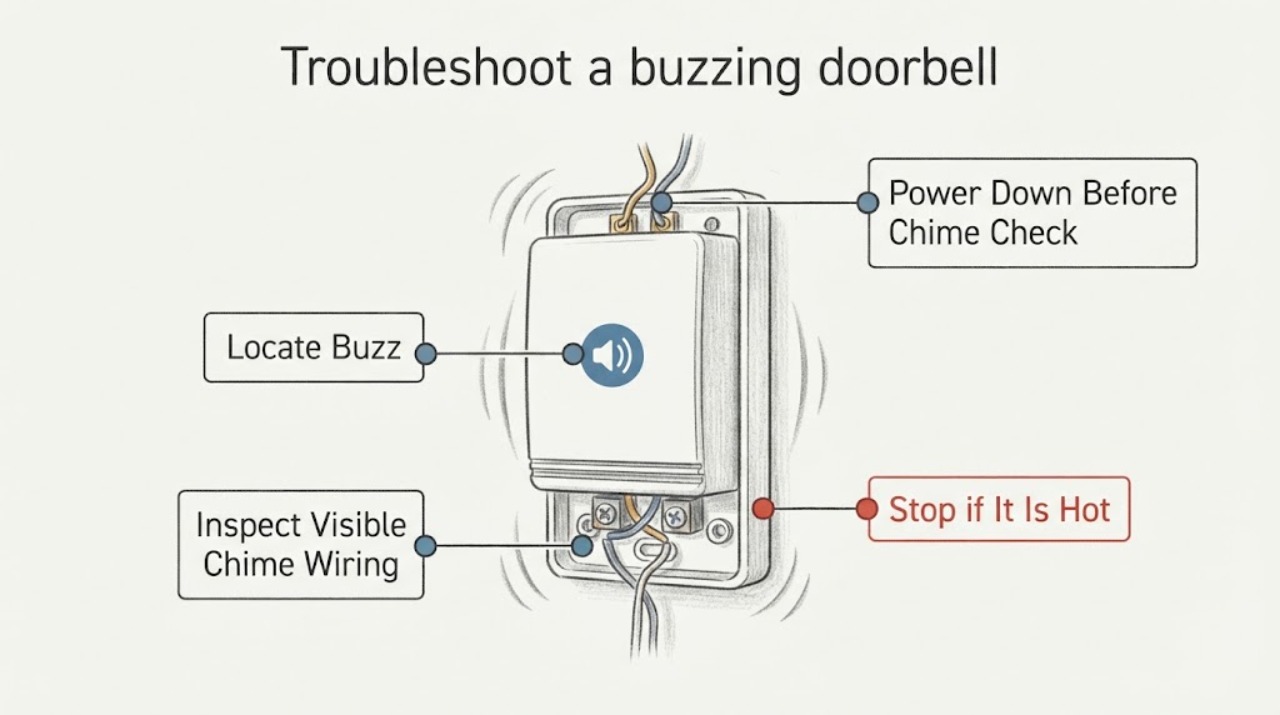
First identify whether the sound comes from the button, indoor chime, or transformer, and stop using the doorbell if any part is hot, smells burnt, smokes, or shows damaged wiring. For a wired smart doorbell, a buzzing chime can follow an incorrectly installed or missing chime connector, incompatible wiring, or an under-specified transformer; follow the exact device instructions. Turn power off at the breaker before opening a chime box or touching low-voltage wires, and do not remove the transformer, measure live wiring, or keep resetting power. If the transformer is hot, the wiring is unclear, or the buzz continues after a safe connector/wiring check, have a qualified electrician or doorbell installer diagnose it.
Work through in order
Diagnostic checks
Use only checks that match the exact appliance or system and its official guide.
-
Check 1
Without removing covers or touching wiring, listen from a safe distance at the exterior button, indoor chime, and visible transformer area. Press the doorbell once only if there is no heat, smoke, odor, or damaged wiring and the button is safe to use.
Expected result: The buzz is continuous at the chime, changes only when the button is pressed, comes from the transformer area, or is heard only through a wireless speaker/app.
Next step: Continue only with the branch matching the sound location. If the location is unclear, leave the system alone and arrange professional diagnosis.
Stop if: Stop immediately for a hot enclosure, burning smell, smoke, sparking, melted insulation, or a buzz that becomes louder or is accompanied by vibration or heat.
Why this matters
Why: The sound location narrows the circuit section: a chime response suggests chime/control wiring, a transformer buzz suggests power equipment, and an app-only sound suggests a wireless chime or software setting.
-
Check 2
If the sound is at the indoor chime and a wiring inspection is necessary, switch off the breaker supplying the doorbell/chime circuit before removing the chime cover. Do not rely on a low-voltage appearance as proof that wiring is safe, and do not open the transformer.
Expected result: The circuit is off at the breaker, and the chime can be inspected without exposed energized wiring, heat, or water damage.
Next step: With power off, take a visual inventory of the wire labels and connector placement only. If you cannot identify the circuit or wiring, close the cover and call a professional.
Stop if: Stop for a breaker that will not stay off, exposed mains wiring, scorched plastic, melted insulation, water intrusion, or any need to remove the transformer.
Why this matters
Why: Power must be removed before touching doorbell conductors; a hot, damaged, wet, or inaccessible chime is not a connector-adjustment job.
-
Check 3
With power confirmed off, inspect only the visible chime wires and any device-supplied chime connector. Look for a loose conductor, bare wire ends touching each other, a connector touching the chime's moving parts, or a connector that does not match the installed smart-doorbell model. Do not rewire by guessing.
Expected result: A wire is loose, bare conductors touch, the connector is absent or visibly mispositioned, the chime has more than three wires, or the wiring appears correct.
Next step: If the exact device instructions identify a simple connector placement correction, make only that documented correction with power off and the cover removed. Otherwise restore the cover and have an installer diagnose the circuit.
Stop if: Stop for unknown wire labels, more than three chime wires, intercom/gate integration, damaged insulation, or any correction that is not explicitly documented for the installed model.
Why this matters
Why: Loose or touching conductors and a missing, misplaced, or wrong-generation connector can cause continuous or unexpected chime behavior on supported smart-doorbell installations. A complex multi-wire system needs professional identification.
-
Check 4
If the doorbell is a wired smart model, look for the transformer's printed or molded rating only from an accessible, de-energized-safe location such as the chime area or near the electrical panel. Do not remove the transformer, its cover, or any electrical panel cover, and do not perform a live voltage test.
Expected result: The rating is clearly identified and matches the installed device's manual, the rating is unknown, or the rating is outside the device's documented requirements.
Next step: Use the exact device documentation to compare requirements. If the rating is unknown, incompatible, or the transformer is hot/noisy, leave power off and have a qualified electrician or installer replace or assess it.
Stop if: Stop for heat, a burnt odor, humming vibration from the transformer, exposed mains terminals, an unlabeled transformer, or any need to access live electrical parts.
Why this matters
Why: A transformer that cannot meet the doorbell's requirements can leave the chime unstable or buzzing; an unknown or incompatible rating requires professional confirmation rather than trial-and-error wiring.
-
Check 5
After a documented connector or visible wire correction, restore the cover, restore power, and test the button once from a clear position. Do not hold the button down, repeatedly cycle it, or reset the breaker to suppress the symptom.
Expected result: The chime operates normally without buzzing, the buzz returns immediately, or the transformer/chime becomes warm or emits an odor.
Next step: If the buzz returns or any heat/odor appears, switch the circuit off and arrange professional service. If normal, monitor for recurrence and retain the device wiring instructions.
Stop if: Stop and leave power off for continuous buzzing, overheating, burning smell, smoke, sparking, or a breaker that trips.
Why this matters
Why: A one-time normal ring after a documented correction suggests the immediate connector or contact issue changed; a returning buzz or heat indicates an unresolved wiring, load, chime, or transformer fault.
Use your observations
Decision map
Find the observation that best matches what you see, then follow the next safe action.
-
PATH 01Next step
What you see
The indoor chime buzzes or rings continuously even when nobody presses the button.
Do this next
Treat it as a chime-control or wiring problem; power down before inspecting the chime.
-
PATH 02Next step
What you see
Buzzing began after a wired smart doorbell was installed, or the chime connector is missing, misplaced, or from another device generation.
Do this next
Turn off power and correct the connector only by following the installed doorbell's exact instructions.
-
PATH 03Safety boundary
What you see
The transformer itself buzzes, is hot, has an unknown rating, or the doorbell model's documented power requirements are not met.
Do this next
Switch off the supplying circuit if it can be done safely and do not remove or test the transformer.
Why this path and its safety boundary
Safety stop: True
-
PATH 04Safety boundary
What you see
There is a burning smell, smoke, sparking, melted insulation, water near electrical parts, or a breaker trips.
Do this next
Leave the circuit off, keep clear, and do not reopen the chime or transformer.
Why this path and its safety boundary
Safety stop: True
-
PATH 05Next step
What you see
The buzz is heard only from a wireless speaker/chime or appears as a device/app behavior, with no wired chime or transformer involved.
Do this next
Use the installed device's app and manual to check chime enablement, battery/charge, and connection status.
-
PATH 06Next step
What you see
The sound location or wiring arrangement cannot be identified safely.
Do this next
Stop troubleshooting and leave the system untouched.
Helpful context
Understand the symptom
Find the part that is actually buzzing
A wired doorbell circuit commonly includes an exterior button, an indoor chime, wiring, and a transformer. The symptom changes the next check: a chime that buzzes continuously points toward chime wiring or its control, while a transformer that is audibly buzzing or hot needs electrical service. A wireless doorbell may instead be reporting a chime or speaker problem in its app, so do not assume every buzz is a transformer fault.
Why smart-doorbell installations are different
Some wired smart doorbells need a device-specific chime connector to provide continuous power to the doorbell and protect the chime. Google documents that a missing connector can cause chime buzzing or unexpected chimes, and that connector compatibility depends on the doorbell generation. Do not substitute a connector based on appearance; use the exact instructions for the installed model.
Keep the electrical boundary clear
The doorbell side is low voltage, but its transformer is connected to the home's electrical system. A label or installation record can help identify the transformer's rating, but removing the transformer, probing energized wires, or changing its primary-side connections is not a homeowner buzzing check. If the rating is unknown or the sound is accompanied by heat or a burnt odor, leave the circuit off and arrange professional service.
When checks do not resolve it
Need a professional?
The transformer buzzes, overheats, smells burnt, or has an unknown rating., The chime wiring has more than three wires, unusual labels, or intercom/gate integration., A breaker trips, wiring is damaged, or the buzz continues after the exact documented connector check., Any diagnosis would require opening the transformer, electrical panel, or energized wiring.
Common questions
FAQ
Why does my doorbell chime buzz continuously?
On a wired smart-doorbell installation, continuous chime behavior can follow miswiring or a missing or incorrect chime connector. Power down before inspecting it, follow the exact model instructions, and use a professional for complex wiring.
Is it safe to open the doorbell chime box?
Only inspect wiring after switching off the supplying breaker and only if you can identify the circuit and the work is limited to the documented low-voltage connection. Do not open the transformer or an electrical panel, and stop for damaged or unknown wiring.
Can a doorbell transformer cause buzzing?
It can be the source of the sound or an inadequate/unknown transformer can contribute to unstable operation on a smart doorbell. Do not remove or live-test it; a qualified electrician or installer should assess the rating, load, and wiring.
What if the doorbell started buzzing after installing a smart doorbell?
Check the installed model's instructions for its required chime connector and compatible transformer. A connector may be required to protect the chime and prevent buzzing, but connectors are device-generation-specific; do not substitute one by appearance.
What should I do if the transformer is hot or smells burnt?
Stop using the doorbell, switch off the circuit if safe, and keep away from the equipment. Do not dismantle or test the transformer; arrange qualified electrical service, and treat smoke or active fire as an emergency.
Read the exact guide
Official sources
- Get professional help to upgrade the doorbell system transformerGoogle Home and Nest Help · Transformer requirements and professional installation boundary
- Troubleshoot Nest doorbell chime issuesGoogle Home and Nest Help · Wired and wireless Nest doorbell chime behavior, wiring checks, chime connectors, and transformer troubleshooting
- Check Google Nest doorbell compatibilityGoogle Home and Nest Help · Doorbell wiring compatibility, transformer identification, electrical caution, and chime connector requirements
Community feedback
Share a repair observation
Share a plain-text repair observation. Accepted observations are published automatically; this page may take a moment to update.