
On this page
Start here
Quick answer
A doorbell that buzzes may have a button or switch that is stuck closed, a chime mechanism that is being held on, an incompatible or weak transformer, a misconfigured smart-doorbell chime, or a wiring fault. First identify where the sound comes from and whether it is continuous or only occurs when the button is pressed. Check only the button's external movement, the chime setting in the manufacturer's app when applicable, and visible signs such as heat, discoloration, smoke, or a burning odor. Do not remove a cover, touch wiring, bridge terminals, use a meter on the circuit, or open the transformer or chime. Stop using the doorbell for a hot or discolored switch plate, smoke, arcing, burning odor, repeated breaker trips, or a buzzing that continues after the button is released, and arrange qualified electrical service.
Before you begin
Safety first
- Keep the doorbell unused for continuous buzzing or any heat, discoloration, smoke, odor, arcing, moisture, shock/tingle, or repeated trip. Do not open covers, touch wiring, bridge terminals, probe the circuit, or perform energized work.
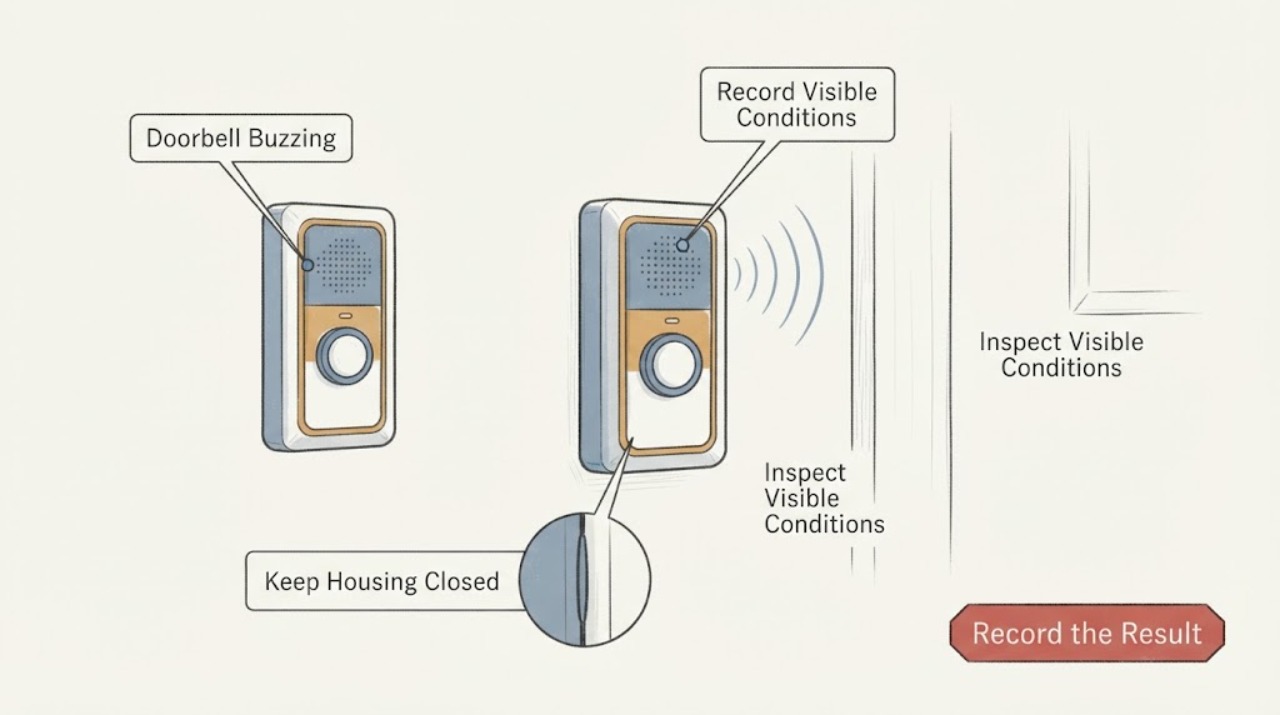
Work through in order
Diagnostic checks
Use only checks that match the exact appliance or system and its official guide.
-
Check 1
Without touching the doorbell, stand near the exterior button, indoor chime, and transformer location and identify the loudest source. Record whether the buzz is continuous, starts only while the button is held, begins after a press and continues, or occurs with no press. Do not put an ear or tool against an enclosure.
Expected result: The sound is at the button, at the indoor chime, at the transformer, or cannot be localized safely.
Next step: Use the matching branch below. If the source cannot be distinguished or the sound is loud, hot, or accompanied by odor, stop using the doorbell and request qualified service.
Why this matters
Why: A button-area sound keeps the switch and its mounting in scope; a chime-area sound points toward a held actuator, moving part, power module, chime configuration, or transformer interaction; a transformer hum needs electrical evaluation. Location alone is not a diagnosis.
-
Check 2
From the outside, look at the push button's face and gently press and release it once only if it is cool, dry, intact, and free of electrical warning signs. Observe whether it moves and returns normally, feels mechanically stuck, stays partly depressed, or starts the buzz only while held. Do not pry the button, remove its plate, or repeat the test.
Expected result: The button returns normally, feels stuck, the buzz stops after release, or the buzz continues with no press.
Next step: If the button is stuck, leave it unused and arrange doorbell or electrical service. If it returns normally but the buzz continues, do not assume the switch is the only fault; continue with external observations and model documentation.
Why this matters
Why: A stuck or slow-returning button can keep the call circuit active. A buzz that ends on release supports a switch or chime-actuator branch, while a buzz with no press also keeps the chime, transformer, smart-doorbell configuration, and wiring in scope.
-
Check 3
If the system is a smart or app-connected doorbell, use only the device's installed app while the hardware remains closed. Check whether the in-home chime is enabled and whether its selected type matches the actual mechanical or electronic chime; record any compatibility or power warning. Do not change wiring or add an accessory during this check.
Expected result: The app has a mismatched chime type, the in-home chime is disabled, a power warning is shown, or settings already match the hardware.
Next step: Apply only the manufacturer's documented software setting and perform one normal test. If buzzing remains, restore a safe quiet state and request service; do not bypass the chime or follow a different product's wiring diagram.
Why this matters
Why: A mismatched chime setting or incompatible power arrangement can make a chime buzz, sound partially, or behave as if the button is continuously active. A matching setting does not rule out a physical switch, transformer, or wiring fault.
-
Check 4
Look at the indoor chime from a safe standing position while it is quiet and while the symptom occurs. Without removing the cover, note whether a mechanical hammer is visibly held against a tone bar, an electronic chime repeats or sounds partially, or the chime only buzzes after the button press. Keep hands, tools, and liquids away from the enclosure.
Expected result: A mechanical part appears held, an electronic chime repeats or partially sounds, or the enclosure only hums without visible movement.
Next step: Stop repeated presses. Record the sound sequence and exact model, then ask a qualified technician to inspect the chime, switch circuit, transformer, and any approved adapter as a system.
Why this matters
Why: A held mechanical actuator can be caused by a stuck call input or power-module/configuration issue. Repeating or partial electronic behavior can indicate compatibility or available-power problems. A stationary enclosure that hums may have a transformer or internal electrical fault; none of these observations justifies opening it.
-
Check 5
From a dry, safe distance, inspect the accessible exterior of the transformer area for a hot enclosure, discoloration, moisture, smoke, or a burning smell. Do not touch the transformer, remove its cover, expose terminals, or perform a voltage test, even if the label appears to show a low-voltage rating.
Expected result: The transformer area is cool and dry with no visible damage, or it is hot, discolored, wet, smoking, or odorous.
Next step: For any warning sign, stop using the doorbell and isolate power only from a safe dry location if it can be done without approaching the hazard; obtain emergency help for smoke or arcing and qualified electrical service for other conditions.
Why this matters
Why: A normal exterior does not prove correct output or compatibility. Heat, discoloration, moisture, smoke, or odor is an electrical hazard and can involve the transformer, switch circuit, chime, or household supply.
-
Check 6
Check the user-visible doorbell history: whether the buzz began after installing a smart doorbell, replacing a button or chime, changing an app setting, or adding a second button. Record the exact device and chime model and whether front and rear buttons are both affected; do not disconnect either button.
Expected result: The buzzing started after an installation or configuration change, follows one button, follows both buttons, or has no known change.
Next step: Use the exact manufacturer's installation and compatibility documentation as information for the technician. Do not replicate a wiring change yourself or substitute an accessory without model confirmation.
Why this matters
Why: A post-installation symptom raises compatibility, adapter, power-module, or wiring-configuration questions. One affected button makes its switch or local cable more plausible; both affected inputs point more toward the shared chime, transformer, or common wiring.
-
Check 7
Observe the doorbell's effect on the home's electrical system without touching the panel: note any flickering lights, a protective device that has opened, a warm or discolored wall plate, or a tingle at the button. Do not reset a repeatedly opening protective device or operate a suspect switch.
Expected result: No household electrical sign is visible, or there is flicker, a trip, heat, discoloration, or a shock/tingle.
Next step: Leave the doorbell unused and arrange a qualified electrician. If there is smoke, active arcing, or an immediately dangerous condition, keep clear and use emergency services; do not investigate behind a cover.
Why this matters
Why: A quiet low-voltage symptom can remain localized, but flicker, heat, discoloration, a trip, or a shock/tingle makes a wiring or supply hazard more likely than a simple stuck button.
-
Check 8
Prepare a service note with the sound source, continuous-versus-press timing, button movement, chime type, smart-doorbell model and app setting if applicable, transformer label information visible without opening anything, recent installation changes, front/rear behavior, and every safety sign. Photograph only closed equipment from a dry, safe position.
Expected result: Buzzing remains after the single safe button observation and any model-documented software correction, or the switch/chime/transformer cause cannot be separated externally.
Next step: Request qualified electrical or doorbell service and supply the full sequence. Ask for diagnosis before approving a button, switch, chime, transformer, or adapter replacement.
Why this matters
Why: The remaining diagnosis requires controlled inspection of the switch contact, low-voltage circuit, chime actuator, transformer output and compatibility, power module, and any mains-side connection. The symptom does not identify a replacement switch by itself.
Use your observations
Decision map
Find the observation that best matches what you see, then follow the next safe action.
-
PATH 01Next step
What you see
The button feels stuck, stays depressed, or the buzz occurs only while it is pressed.
Do this next
Stop pressing it, leave the doorbell unused, and arrange qualified doorbell or electrical service. Do not remove the button or bridge its wires.
Why this path and its safety boundary
Why it matters: The switch or button mechanism can be holding the call circuit closed, although a chime or wiring fault can produce a similar response.
-
PATH 02Next step
What you see
The buzz continues after release or occurs without any button press.
Do this next
Stop repeated tests, record the timing and sound location, and request qualified service for a system-level check.
Why this path and its safety boundary
Why it matters: A continuously active input, indoor chime actuator, transformer, smart-doorbell power module, compatibility issue, or wiring fault remains possible.
-
PATH 03Next step
What you see
The buzzing began after a smart doorbell, chime, adapter, or button was installed or configured.
Do this next
Check only the manufacturer's app setting and compatibility page, then have a qualified installer review the closed installation. Do not use another product's adapter or diagram.
Why this path and its safety boundary
Why it matters: Model compatibility, chime-type selection, power-module placement, transformer capacity, or an installation error becomes more plausible.
-
PATH 04Next step
What you see
The sound is at the indoor chime and a mechanical actuator appears held, or an electronic chime repeats or only partially sounds.
Do this next
Keep the cover closed, stop repeated presses, and arrange qualified service with the exact chime and doorbell models.
Why this path and its safety boundary
Why it matters: The chime, its moving parts, power module, transformer relationship, or call input may be involved; the exterior switch is not proven defective.
-
PATH 05Next step
What you see
A hot or discolored enclosure, smoke, burning odor, visible arc, shock/tingle, moisture near electrical equipment, or repeated protective-device trip is present.
Do this next
Stop using the doorbell and keep clear. Isolate power only from a safe dry location if possible; use emergency help for smoke or active arcing and qualified electrical service for other hazards.
Why this path and its safety boundary
Why it matters: This is an electrical or fire-safety event, not an ordinary button adjustment.
-
PATH 06Next step
What you see
The button returns normally, no software/configuration issue is found, the equipment is cool and dry, and the buzz persists.
Do this next
Request a qualified electrician or doorbell technician to inspect the complete circuit and confirm model-specific compatibility before replacing a part.
Why this path and its safety boundary
Why it matters: The fault may be inside the chime, transformer, switch contacts, low-voltage wiring, power module, or a shared connection and cannot be safely isolated externally.
Helpful context
Understand the symptom
Locate the sound before naming the switch
A doorbell circuit normally includes an exterior push button, low-voltage wiring, a transformer, and an indoor mechanical or electronic chime. A buzz at the button, a buzz from the chime, and a hum from the transformer do not identify the same fault. Note whether the noise begins when the button is pressed, continues after release, or appears without anyone touching the button. The assigned switch branch is strongest when the button feels stuck or the chime reacts as if it is continuously being pressed, but do not remove the button or expose its contacts to prove that theory.
Smart chimes need model-specific settings
Electronic and smart doorbells may use an adapter, power module, or software chime-type setting so the indoor chime is not held partially energized. Ring instructs users to match the selected mechanical or digital chime type and check compatibility; Heath/Zenith gives a model-specific power-module remedy for a mechanical chime that buzzes after installation. Treat those instructions as model-specific: do not install a diode, adapter, resistor, or transformer based on a generic diagram.
Keep low-voltage appearance from hiding a mains hazard
Doorbell buttons and chime wiring may be low voltage, but a transformer can be connected to household mains and may be integrated into a chime enclosure. A buzzing switch or chime can also indicate a loose or overheating connection. ESFI recommends qualified electrical inspection for buzzing, heat, discoloration, odor, or repeated trips. Keep covers closed, do not probe or bridge terminals, and let an electrician establish which side of the system is safe to service.
Safety boundary
Stop conditions
- Stop immediately for smoke, burning odor, visible arcing, a hot or discolored switch/chime/transformer enclosure, a shock or tingle, moisture near electrical equipment, or a repeatedly opening protective device. Keep clear and obtain emergency or qualified electrical help as appropriate.
- Stop using the doorbell when the buzz is continuous, the button is stuck, or a chime actuator appears held. Do not keep pressing the button to compare sounds.
- Do not remove covers, disconnect or bridge button wires, touch wiring or terminals, open the transformer or chime, perform an energized electrical test, or substitute a diode, adapter, resistor, or transformer without model-specific professional guidance.
- Do not infer that the switch is defective from buzzing alone. A shared chime, transformer, power module, compatibility, or wiring fault can produce the same sound.
Only after diagnosis
Potential parts
- doorbell push button or switch
Consider this only if qualified inspection confirms that the button mechanism or switch contact remains closed or is mechanically failing, rather than the chime, transformer, power module, or wiring.
Button type, contact arrangement, environmental rating, and system voltage must be confirmed for the exact doorbell installation; buzzing alone does not establish fit. - doorbell transformer
Consider this only if professional diagnosis confirms an incorrect, weak, overloaded, or failed transformer after accounting for the chime, buttons, and connected smart-doorbell load.
Voltage, current or VA capacity, frequency, enclosure, and local installation rules must be matched by a qualified installer; do not choose from a generic rating. - indoor chime or approved power module
Consider this only when the chime actuator, electronic chime behavior, or model-specific power-module path is confirmed as the cause after switch and transformer checks.
Mechanical versus electronic chime type and the doorbell manufacturer's approved adapter or module must be confirmed before replacement.
When checks do not resolve it
Need a professional?
Call after recording the sound location and button timing, or immediately for a stuck button, continuous buzz, hot or discolored equipment, moisture, smoke, burning odor, arcing, shock/tingle, or a protective-device event.
Safety scope: Keep the doorbell unused for continuous buzzing or any heat, discoloration, smoke, odor, arcing, moisture, shock/tingle, or repeated trip. Do not open covers, touch wiring, bridge terminals, probe the circuit, or perform energized work.
Common questions
FAQ
Does a buzzing doorbell always mean the exterior button is bad?
No. A stuck button or switch can hold the call circuit closed, but buzzing can also come from the indoor chime, transformer, power module, incompatible chime setting, or wiring. Locate the sound and note whether it continues after release before asking for a part.
Can I remove the doorbell cover and check the wires?
Do not open the button, chime, or transformer as a routine homeowner check. A transformer enclosure may involve household mains, and exposed terminals can still be hazardous. Keep covers closed and have a qualified electrician inspect the circuit.
Why did the chime start buzzing after a smart doorbell installation?
A smart doorbell can change the load and how the chime is energized. Depending on the model, a matching chime-type setting, approved power module, and compatible transformer may be required. Use only the exact manufacturer's instructions; do not copy an accessory or wiring method from another model.
Is a soft transformer hum normal?
A sound described as a mild hum is not enough to declare a transformer safe or defective. Compare its timing with button presses and check from a safe distance for heat, discoloration, odor, smoke, moisture, or protective-device trips. Any warning sign requires stopping use and obtaining qualified electrical help.
When is buzzing an electrical emergency?
Treat smoke, visible arcing, a burning odor, a hot or discolored enclosure, a shock or tingle, moisture near electrical equipment, or a repeatedly opening protective device as an immediate stop condition. Keep clear, isolate power only from a safe dry location if possible, and use emergency help for smoke or active arcing.
Read the exact guide
Official sources
- Troubleshooting power for hardwired doorbellsRing · Ring-specific hardwired-doorbell guidance; do not generalize ratings or wiring to another system.
- CPSC Guide to Home Wiring HazardsU.S. Consumer Product Safety Commission · General U.S. home-wiring safety guidance; do not use it as a substitute for an on-site electrical assessment.
- Home Electrical SafetyElectrical Safety Foundation International · General residential electrical-safety guidance; local codes and emergency instructions also apply.
- Configuring and troubleshooting your in-home chimeRing · Ring-specific guidance; other doorbell models require their own manual and compatibility information.
- Door Chime Contractor KitResideo · Product-specific information used only to establish that wired chime systems can include a chime, push buttons, and a low-voltage transformer.
- 209185-06A English.pdfHeath/Zenith · Notifi Elite-specific manual; its power module, chime, and transformer instructions do not establish compatibility for other models.
- Electrical Fire Safety ChecklistElectrical Safety Foundation International · General residential safety checklist; it is not a doorbell repair procedure.
Community feedback
Share a repair observation
Share a plain-text repair observation. Accepted observations are published automatically; this page may take a moment to update.