
On this page
Start here
Quick answer
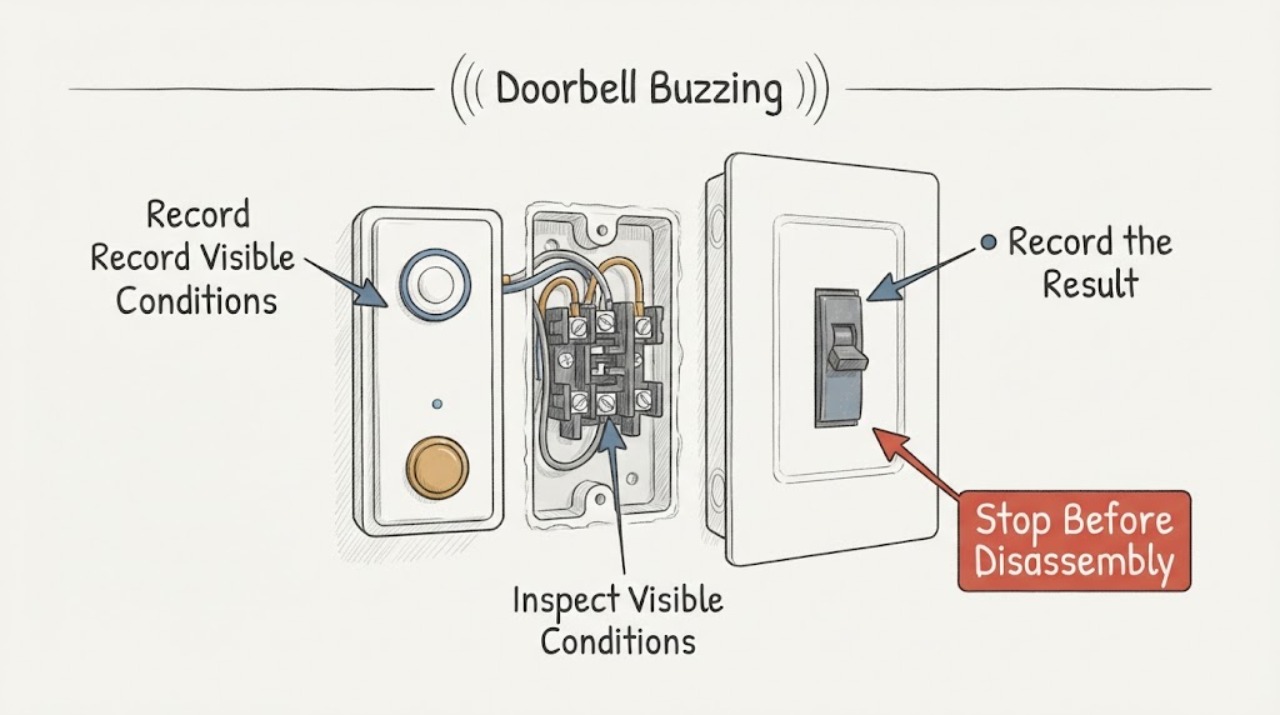
A doorbell buzz usually comes from the chime, its button circuit, or the low-voltage transformer, while a buzz at the breaker or wall can signal a separate electrical hazard. Listen from a safe position to locate the sound, note whether it changes when the button is pressed, and check only the outside of the chime, button, transformer area, plug, and breaker for heat, odor, damage, moisture, or arcing. Do not remove covers, touch wiring, measure voltage, or keep operating a hot or damaged system. Leave the circuit off and call a qualified electrician if the buzz is continuous, the transformer or chime is hot, the breaker trips, or any warning sign appears.
Work through in order
Diagnostic checks
Use only checks that match the exact appliance or system and its official guide.
-
Check 1
From a safe position, listen at the indoor chime, the outside button, the nearby transformer location, and the electrical panel without opening any enclosure. Record whether the sound is a steady hum, a rapid buzz, a rattle, or a crackle, and whether it begins only after a button press or continues with no one using the doorbell.
Expected result: The sound is clearly at the chime, follows the button press, comes from the transformer area, or comes from the panel, outlet, or wall wiring.
Next step: Keep the timing and location record. Continue only with external, dry, low-risk observations when there is no heat, smell, moisture, damage, or spark; arrange an electrician immediately for a panel, outlet, or wall sound.
Why this matters
Why: A chime or button-timed sound points toward the low-voltage doorbell circuit. A continuous transformer-area hum may indicate a loaded or failing transformer or chime circuit. A buzz or crackle at the panel, outlet, or wall is an electrical warning rather than a normal doorbell sound.
-
Check 2
Observe the button from the outside without removing it. Press and release it once normally, then note whether the chime stops promptly, remains engaged, or the buzzing starts only while the button is held. Do not press a sticky button repeatedly, hold it down, or remove its faceplate.
Expected result: Buzzing occurs only while the button is pressed; it continues after release; or it happens without a press.
Next step: Stop using the button and keep people from repeatedly testing it. If the sound persists, becomes hot, or the location is uncertain, leave the doorbell circuit off through a safe enclosed control if possible and call an electrician.
Why this matters
Why: A press-only buzz can involve the chime mechanism or a button circuit that is loading the system during activation. A sound that continues after release suggests a stuck button, wiring condition, chime, or transformer issue. A spontaneous sound points toward a persistent circuit load, connected smart device, or control fault.
-
Check 3
Look at the outside of the chime and the accessible transformer area for heat, browning, melting, a loose cover, dust blocking ventilation, water entry, or a burning odor. Do not touch a hot part, remove a chime cover, pull low-voltage wires, or approach a wet transformer.
Expected result: The chime or transformer area is cool and intact, or it is hot, discolored, damaged, wet, odorous, or making a harsh electrical sound.
Next step: For any warning sign, stop operation and arrange prompt electrical service. Do not try a new transformer, connect a replacement chime, or restore power as a test without confirming the system configuration and safe isolation.
Why this matters
Why: A cool intact enclosure does not prove the circuit is healthy, but heat, discoloration, odor, moisture, or harsh sound can indicate overload, a failing device, damaged insulation, or unsafe wiring.
-
Check 4
From outside the panel, identify the breaker or fuse that supplies the doorbell system if it is known, and check whether it is on, centered, or tripped. Also note whether other lights or outlets lost power. Do not remove the panel cover, reset a device repeatedly, or replace a fuse or breaker with another rating.
Expected result: Only the doorbell is affected; the doorbell breaker is tripped; several outlets or lights are affected; or the breaker trips again after a permitted single reset with no visible hazard.
Next step: If there is no hazard and the cause is an obvious disconnected load, one normal enclosed reset may be considered; if it trips again or will not hold, leave it off and call an electrician. Never use a higher-rated protective device.
Why this matters
Why: A doorbell-only symptom can remain in the low-voltage circuit or its transformer. A tripped or repeat-tripping protective device can indicate overload, short circuit, damaged equipment, or a fixed-wiring problem. A wider outage needs branch or panel diagnosis.
-
Check 5
If a TEST and RESET device is accessible in the same circuit area, such as a GFCI outlet, inspect it from a dry position and press RESET once only when the device and surrounding area are intact and dry. Do not test a wet or damaged device, remove its cover, or use a bypass plug.
Expected result: The reset restores the doorbell-related outlet or circuit; it will not reset; it trips again; or no protective outlet is present.
Next step: Keep the circuit off if reset fails or the device trips again. Arrange an electrician to check the protective device, transformer feed, and downstream wiring; do not install or rewire a GFCI yourself as a doorbell fix.
Why this matters
Why: A GFCI can interrupt power to its own outlet and downstream outlets, and moisture or leakage can cause the interruption. A non-resetting or repeat-tripping device needs diagnosis, not repeated button presses.
-
Check 6
Stop all checks if there is a hot or discolored breaker, outlet, chime, transformer, or wire; a burning odor; smoke; visible arc; shock or tingling; water near electrical equipment; or a breaker that trips immediately. Keep people away and operate an enclosed disconnect only from a dry, safe location and only when it does not require approaching exposed conductors.
Expected result: No warning sign is present, or an electrical, fire, shock, or water warning appears.
Next step: Leave the system off and arrange urgent electrical service. For smoke or fire, leave the building and contact emergency services from a safe location; do not restart the doorbell to collect more evidence.
Why this matters
Why: A warning sign changes the task from doorbell troubleshooting to an electrical safety event. Continued buzzing or repeated testing can worsen overheating, arcing, shock, or fire risk.
Use your observations
Decision map
Find the observation that best matches what you see, then follow the next safe action.
-
PATH 01Next step
What you see
The buzz is at the chime and begins only when the button is pressed.
Do this next
Stop pressing the button and have an electrician check the chime, button, transformer suitability, and low-voltage wiring without unsafe live work.
Why this path and its safety boundary
Why it matters: The chime mechanism or button circuit may be staying under load during activation.
-
PATH 02Next step
What you see
The chime continues buzzing after the button is released or buzzes without a press.
Do this next
Keep the button unused and arrange electrical service. Do not remove the chime cover or disconnect wires as a test.
Why this path and its safety boundary
Why it matters: A stuck button, persistent circuit load, smart-device interface, chime fault, transformer issue, or wiring fault is possible.
-
PATH 03Next step
What you see
The sound is strongest at the transformer and the enclosure is hot, discolored, or odorous.
Do this next
Leave the circuit off from a safe enclosed control and call an electrician. Do not touch, open, or replace the transformer yourself.
Why this path and its safety boundary
Why it matters: The transformer or its connected load may be overheating or failing.
-
PATH 04Next step
What you see
The sound comes from a breaker, outlet, or wall wiring rather than the doorbell chime.
Do this next
Stop using the affected circuit and arrange prompt electrical inspection. Do not remove covers or test live voltage.
Why this path and its safety boundary
Why it matters: A fixed electrical connection, protective device, or branch-circuit fault may be present.
-
PATH 05Next step
What you see
The doorbell breaker or an upstream GFCI is tripped and will not hold after one safe control operation.
Do this next
Leave the protective device off and have a qualified electrician inspect the circuit and doorbell equipment before it is energized again.
Why this path and its safety boundary
Why it matters: An overload, short circuit, ground fault, damaged device, or wiring issue remains unresolved.
-
PATH 06Next step
What you see
There is smoke, visible arcing, burning odor, shock, moisture, melting, or an immediately hot component.
Do this next
Keep clear and get emergency or qualified electrical help from a safe location. Do not operate or restart the system to verify the symptom.
Why this path and its safety boundary
Why it matters: This is an electrical emergency boundary, not a routine chime adjustment.
Helpful context
Understand the symptom
Locate the sound before choosing a cause
A mechanical chime may buzz when a plunger is held or a button circuit does not release cleanly. A transformer may hum continuously under load, and the button or low-voltage wiring can keep that load present. A sound at the breaker, receptacle, or wall is a different warning: it can accompany loose connections, overheating, or arcing. These systems vary, so sound location and timing are more useful than guessing a part.
Safety boundary
Do not remove a chime, transformer, outlet, or panel cover; touch wiring; bridge button terminals; measure live voltage; or bypass a breaker or protective device. Stop for a hot or discolored part, burning odor, crackling, smoke, visible spark, shock, moisture, or a breaker that trips. Keep the system off and arrange qualified electrical service.
Safety boundary
Stop conditions
- Do not remove chime, transformer, outlet, or panel covers; touch wiring; bridge button terminals; test live voltage; or bypass a breaker or protective device.
- Stop for heat, discoloration, melting, burning odor, crackling, smoke, visible spark, shock or tingling, moisture, or an immediate breaker trip.
- Do not keep pressing a buzzing button or repeatedly reset a breaker or GFCI. If it trips again or will not hold, leave it off for qualified diagnosis.
- Do not work on a wet transformer, outlet, panel, or floor area, and do not approach exposed electrical conductors.
When checks do not resolve it
Need a professional?
Call a qualified electrician when buzzing continues after the button is released, the transformer or chime is hot, the breaker or GFCI trips, the source is at an outlet or wall, wiring is damaged, or any odor, spark, smoke, moisture, shock, or discoloration appears. Use emergency services for smoke or fire.
Common questions
FAQ
Why does a doorbell chime buzz instead of ringing normally?
The chime may be staying energized during or after a button press, or the button, transformer, connected smart device, or low-voltage wiring may have a fault. Stop repeated testing and have the system checked if the buzz persists.
Is a humming doorbell transformer safe?
A sound alone cannot establish safety. If the transformer is hot, discolored, odorous, wet, or harshly noisy, leave the circuit off and call an electrician. Do not open or replace it as a test.
What if the doorbell breaker or GFCI keeps tripping?
Stop resetting it. A repeat trip can indicate an overload, ground fault, damaged device, short circuit, or wiring issue. Leave it off and have a qualified electrician inspect the doorbell circuit and connected equipment.
Read the exact guide
Official sources
- How to Use GFCIsElectrical Safety Foundation International · General residential GFCI safety guidance; follow the installed device instructions.
- CPSC Guide to Home Wiring HazardsU.S. Consumer Product Safety Commission · General residential electrical safety; doorbell transformer and chime configurations vary by installation.
- GFCI Fact SheetU.S. Consumer Product Safety Commission · Residential GFCI devices that may supply or protect a doorbell-related circuit; exact circuit layout varies.
Community feedback
Share a repair observation
Share a plain-text repair observation. Accepted observations are published automatically; this page may take a moment to update.