
On this page
Start here
Quick answer
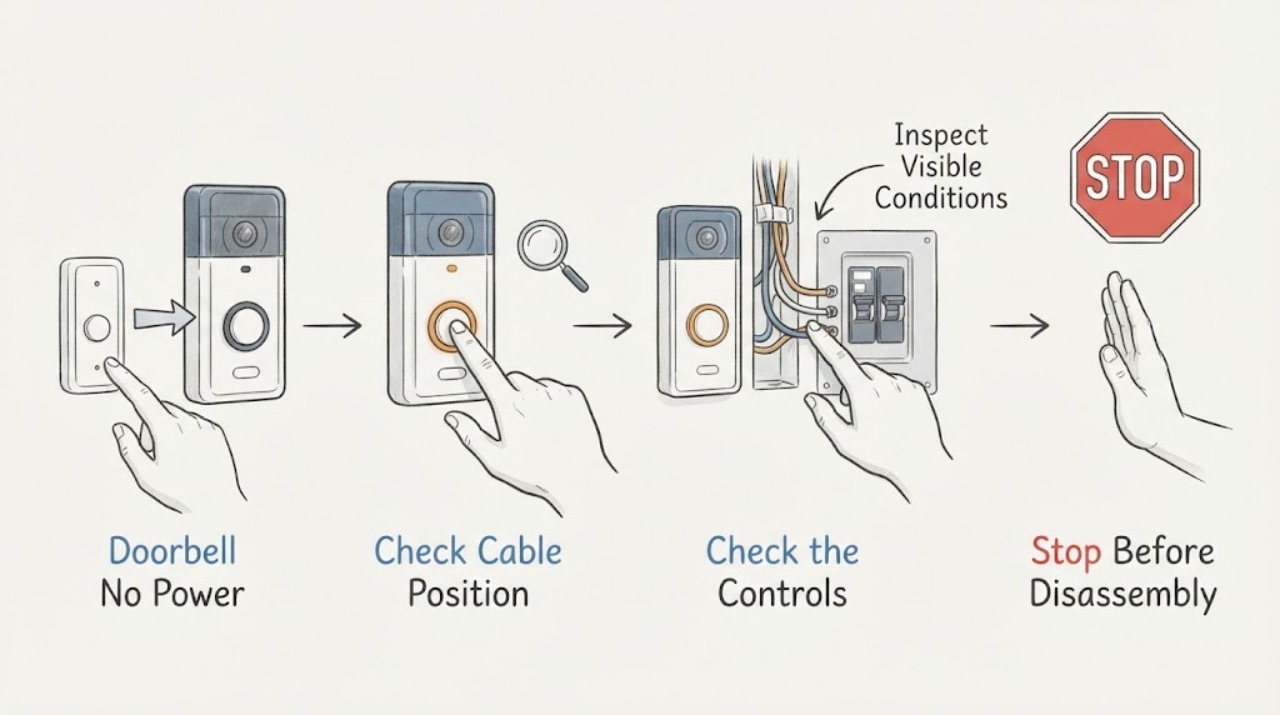
A doorbell with no power may be battery-powered with a depleted battery, a wired system with an interrupted breaker or transformer supply, a failed chime or button, or a wiring fault. First identify whether the doorbell and chime are wired or wireless, then check only the user-visible battery, app/status light, button and chime behavior, and the visible state of the labeled breaker or outlet. Do not remove a doorbell or chime cover, touch wiring, open a panel, measure live voltage, or bypass a chime connector. If there is smoke, arcing, a burning smell, damaged or wet wiring, shock, or a breaker that trips again, stop and obtain qualified electrical service.
Work through in order
Diagnostic checks
Use only checks that match the exact appliance or system and its official guide.
-
Check 1
Identify the doorbell setup from its model instructions, app, or visible device design: battery doorbell, wired button with a mechanical/electronic chime, smart wired doorbell, wireless button/chime, or an indoor power adapter. Do not remove any device or cover to identify it.
Expected result: Record whether the doorbell has a removable user battery, a status light or app connection, visible wires at the outside device, and whether the indoor chime is battery-powered or plugged in.
Next step: Follow the branch for battery, wireless, or wired equipment and do not apply wired transformer conclusions to a battery-only installation.
Why this matters
Why: A battery device can lose power without a circuit-breaker fault. A wired setup adds the breaker, transformer, chime, wiring, and device power path; a wireless chime may have a separate battery or outlet.
-
Check 2
For a battery doorbell or wireless chime, check the app/status light and replace or recharge the battery only through the model's normal user-accessible procedure. Do not open a sealed device or connect unknown wiring.
Expected result: Record whether the device powers up, shows a low-battery or fault indication, connects in the app, or remains completely unresponsive after the approved battery action.
Next step: If the battery device remains dead, use the exact model support path. Do not convert it to wired power or disturb old doorbell wires as a test.
Why this matters
Why: A restored status light or app connection supports a battery or charging issue. Continued loss of power points to the device, charger, wireless chime, or model-specific fault rather than proving a wired breaker or transformer fault.
-
Check 3
Press the doorbell button once in its normal user operation and observe the outside status light, the indoor chime, app notification, and any other visible response. Do not hold the button, open it, or press exposed contacts.
Expected result: Record each combination: no light/no chime, light but no chime, chime but no app response, app response but no chime, or intermittent operation. Note whether the chime is mechanical, electronic, or wireless if the model identifies it.
Next step: Use the observed pattern in the service note. Do not short the button wires or bypass the chime to create a test.
Why this matters
Why: A response at one point in the chain narrows the fault. For example, an outside status response with a silent chime points toward chime configuration, chime power, or the chime path; no response anywhere points toward device power or supply, but does not identify the wiring fault.
-
Check 4
Without removing an electrical-panel cover, read the visible breaker or outlet supplying the doorbell system if it is clearly labeled. If the system uses a plug-in adapter, confirm its plug is seated and inspect the outlet from a dry, safe position.
Expected result: Record whether the breaker appears on, off, or tripped-looking, whether the outlet is visibly powered by an ordinary safe check, and whether there is heat, discoloration, buzzing, smoke, odor, water, or exposed damage.
Next step: Only if the area is dry and free of warning signs, perform no more than one normal user reset of a clearly identified breaker. If it trips again, will not stay on, or the device remains dead, leave it alone and call an electrician.
Why this matters
Why: An off or tripped-looking supply can explain a dead wired doorbell or chime. A normal-looking breaker or outlet does not prove that the transformer, wiring, or low-voltage device is healthy.
-
Check 5
Look at the outside of the chime, doorbell, and any accessible transformer enclosure or label without opening covers, moving the unit, or touching wires. If an existing label is visible, record the model and stated input/output information exactly as printed.
Expected result: Record whether the transformer or chime label is present, whether the equipment is warm, wet, discolored, cracked, buzzing, or visibly damaged, and whether the doorbell model requires wired or battery operation.
Next step: Give the exact label and model to a qualified electrician or authorized installer. Do not open the chime or transformer to find a hidden label.
Why this matters
Why: A missing label, uncertain compatibility, damaged enclosure, or transformer-related symptom is a service clue, not permission to measure or replace the transformer. Model-specific wired doorbells can have different power requirements.
-
Check 6
Inspect only the exterior around the button, chime, adapter, and cable entry for moisture, loose-looking trim, animal damage, crushed cable, corrosion, or recent construction work. Do not touch exposed conductors or tighten terminals.
Expected result: Record the first visible damage or moisture location and whether the failure began after rain, a power outage, a device change, or work near the doorbell. Note any odor, heat, arcing, or buzzing from a safe distance.
Next step: If the exterior is wet or damaged, keep the system unused and arrange electrical service. Otherwise include the observations in the service note without manipulating the wiring.
Why this matters
Why: The first visible damage or the timing can distinguish weather exposure, accidental cable damage, and a supply event, but a visual inspection cannot establish continuity or safe voltage.
-
Check 7
Prepare a service note listing the setup type, brand/model, button/status response, chime response, app or battery result, visible breaker or adapter state, transformer label if already visible, timing, and any damage or warning signs.
Expected result: A complete chain-of-symptoms record shows whether power is lost at the device, chime, or entire wired system and prevents a technician from repeating unsafe or irrelevant tests.
Next step: Request electrical service for a wired doorbell with no power, or model-specific doorbell support for a battery/wireless device; do not choose a transformer or wiring repair from the symptom alone.
Why this matters
Why: If no approved battery action or single safe external breaker check restores the doorbell, the next useful step is professional diagnosis of the breaker, transformer, wiring, chime, and device.
Use your observations
Decision map
Find the observation that best matches what you see, then follow the next safe action.
-
PATH 01Safety boundary
What you see
Do this next
Use the model's normal battery or charging procedure and check its status/app response. Do not assume the home's doorbell breaker or transformer powers it.
Why this path and its safety boundary
Safety stop: Treat it as a wired or adapter-powered system and continue with the supply-path checks.
-
PATH 02Safety boundary
What you see
Do this next
Only if dry and free of warning signs, perform one normal user reset or restore the clearly labeled adapter connection. If it trips again, will not stay on, or the doorbell remains dead, stop and arrange electrical service.
Why this path and its safety boundary
Safety stop: Do not repeatedly reset or assume the low-voltage wiring and transformer are good; continue only with external observations.
-
PATH 03Safety boundary
What you see
Do this next
Report a chime power, chime configuration, connector, or chime-path symptom. Do not open the chime or bypass its connector; use the exact model guide or professional support.
Why this path and its safety boundary
Safety stop: If neither the device nor the chime responds, report a broader device-supply, transformer, breaker, or wiring symptom.
-
PATH 04Safety boundary
What you see
Do this next
Do not measure or replace it yourself. Give the exact doorbell model and visible transformer information to a certified electrician or authorized installer for compatibility and supply testing.
Why this path and its safety boundary
Safety stop: A readable label still does not prove that the transformer or wiring is delivering safe power; use the response pattern and service note.
-
PATH 05Safety boundary
What you see
Do this next
Stop immediately and keep people away. If safe without approaching the hazard, leave the doorbell system off; do not operate switches near suspected electrical damage. Obtain emergency help for active fire or immediate danger and qualified electrical service.
Why this path and its safety boundary
Safety stop: If the doorbell remains without power after safe checks, schedule professional diagnosis rather than opening the panel or wiring.
Helpful context
Understand the symptom
Start by separating battery and wired systems
A wireless chime or battery doorbell can be completely independent of a home's wired doorbell circuit. A wired button, chime, or smart doorbell normally depends on a low-voltage transformer and a circuit that is supplied from the home's electrical system. The same no-power report can therefore mean a flat device battery, no supply to the transformer, an incompatible or failed transformer, an open connection, a failed chime, or a failed doorbell. Record the model and visible behavior before treating the circuit breaker or wiring as the cause.
Keep wiring and transformer work professional
Doorbell wiring is low voltage at the device but its transformer is connected to the home's electrical supply. Do not remove the button, chime cover, wall plate, or transformer cover; do not pull wires, bridge terminals, disconnect a chime connector, measure voltage, or install a replacement transformer. Safe troubleshooting is limited to user-accessible batteries, app or status information, external observations, and the visible state of a clearly labeled breaker or plug-in power adapter.
Safety boundary
Stop conditions
- Stop immediately for smoke, sparks, arcing, burning smell, hot or discolored equipment, shock, exposed or wet wiring, water intrusion, or a breaker that trips again.
- Do not remove the doorbell, chime, transformer, or electrical-panel cover; do not touch terminals or wiring, measure live voltage, short the button, bypass a chime connector, or bridge a safety device.
- Do not repeatedly reset a breaker, repeatedly press a failing button, use a higher-rated transformer as a guess, or install an unverified replacement part.
- Stop if the installation is outdoors in unsafe weather, at height, near damaged masonry, or otherwise requires access that cannot be made safely from the ground.
When checks do not resolve it
Need a professional?
Call a qualified electrician for a wired doorbell with no power after one safe external supply check, a breaker that trips or will not stay on, uncertain transformer compatibility, damaged or wet wiring, or any need to open a panel, test voltage, repair wiring, or replace a transformer. Use the exact manufacturer support path for a battery or wireless device that remains unresponsive after its approved battery procedure.
Common questions
FAQ
Why does my doorbell have no power when the breaker looks on?
The breaker position does not prove that the transformer, low-voltage wiring, chime, and button are delivering power. The system may also be battery-powered or use a separate adapter. Record the setup and response pattern, but do not open covers or measure voltage yourself.
How do I know whether my doorbell is wired or wireless?
Use the exact model instructions or app and look only for visible signs such as an approved battery compartment, an app/status light, an indoor battery chime, a plug-in adapter, or already-visible exterior wiring. Do not remove the button or chime to inspect terminals.
Can I test the doorbell wires or replace the transformer myself?
Not as a generic no-power check. Transformer and doorbell requirements vary by model, and testing or replacement can expose electrical supply wiring. A qualified electrician or authorized installer should measure the circuit, verify compatibility, and replace a transformer when needed.
What should I do if the doorbell breaker trips again?
Do not keep resetting it. Leave the system off, keep away from wet or damaged equipment, and arrange qualified electrical service. Smoke, arcing, burning smell, heat, shock, or exposed wiring requires immediate stopping and appropriate emergency help for an active hazard.
Read the exact guide
Official sources
- Get professional help to upgrade the doorbell system transformerGoogle Home and Nest Help · Google Nest wired doorbell transformer requirements and certified electrician boundary.
- Check Google Nest doorbell compatibilityGoogle Home and Nest Help · Google Nest wired and battery doorbell power, chime, transformer compatibility, and professional voltage-check boundaries.
- Ring Video Doorbell Setup and Installation GuideRing · Ring wired doorbell installation, breaker isolation, transformer compatibility, wiring, and status-light behavior.
Community feedback
Share a repair observation
Share a plain-text repair observation. Accepted observations are published automatically; this page may take a moment to update.