
On this page
Start here
Quick answer
A Minka-Aire ceiling fan buzz can come from loose blade-holder or mounting hardware, normal motor or control noise, an incompatible dimmer or wall control, a receiver or light-kit issue, house wiring, a circuit-breaker problem, or a motor fault. First turn the fan and light off and note whether the sound follows the blades, light, speed setting, or wall control. If the fan is new, Minka-Aire suggests allowing a short break-in period and checking the blade-holder screws, outlet-box support, and hanger-bracket screws; perform only a safe, power-off check of reachable hardware and follow the model manual. Stop immediately for crackling, sizzling, burning or electrical odor, heat, smoke, sparks, visible wiring, a loose fan, or a buzzing breaker, and use a qualified electrician. Do not open the canopy, handle wiring, bypass a control, reach into moving blades, or keep operating a fan with an electrical warning.
Before you begin
Safety first
- Owner checks are limited to ordinary controls, safe sound localization, and visible reachable hardware with power off and blades stopped. A qualified electrician or fan technician must handle wiring, canopy, receiver, motor, capacitor, light kit, wall control, breaker, and mounting-system work.
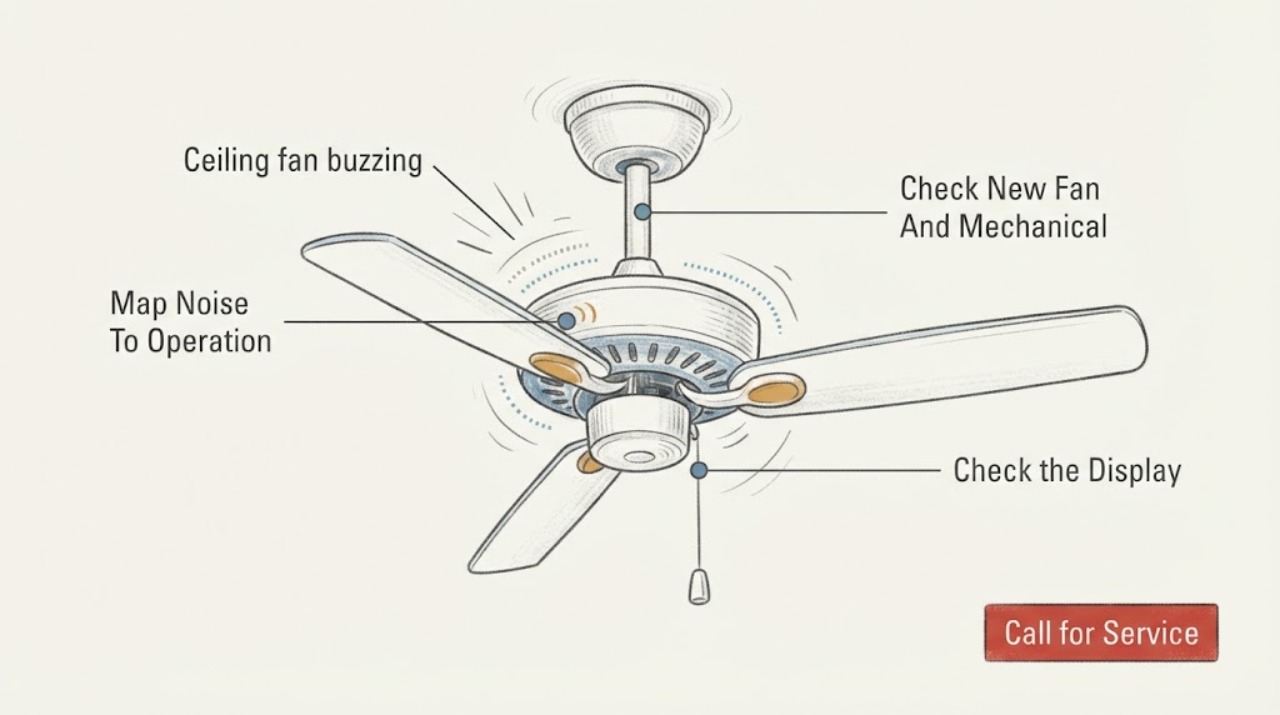
Work through in order
Diagnostic checks
Use only checks that match the exact appliance or system and its official guide.
-
Check 1
From a safe position, turn the fan and light off separately and note whether the buzz starts with the motor, with the light, with a particular speed, or at the wall control or breaker. Do not repeatedly cycle a fan that sounds electrically abnormal.
Expected result: Record a buzz only with the fan running, only with the light on, before blades move, at one speed, at the wall control or breaker, or a sound that persists after shutdown.
Next step: Stop using the affected function and document the exact trigger. Arrange qualified electrical or fan service when the sound is electrical, persistent, worsening, or not clearly limited to a safe mechanical source.
Stop if: Stop immediately for crackling, sizzling, smoke, sparks, burning or electrical odor, heat, visible wiring, a loose ceiling mount, or a buzzing breaker.
Why this matters
Why: A motor-speed pattern makes motor, receiver, or speed-control paths more relevant; a light-only pattern makes the bulb, light kit, receiver, or dimming control more relevant. A buzz at the wall control or breaker points toward wiring or electrical equipment, not blade balance. A sound that persists after shutdown requires prompt service.
-
Check 2
If the Minka-Aire fan is newly installed, turn it off, wait for the blades to stop, and allow the manufacturer's stated break-in period before judging a minor noise. With power off, inspect only visibly reachable blade-holder, hanger-bracket, and mounting hardware from a stable position; do not open the canopy.
Expected result: Record a new fan with a diminishing noise, tight visible hardware, a visibly loose blade holder, a loose-looking mount, ceiling movement, or a noise that does not change after break-in.
Next step: Use only the model manual's safe, reachable check for visible hardware. Stop operating a loose or moving fan and arrange qualified fan or electrical service; do not support, remove, or remount it yourself.
Stop if: Do not climb to the fan, loosen the canopy, reach above your head into the mount, or continue operation when the fan moves at the ceiling or hardware appears loose.
Why this matters
Why: Minka-Aire says many new-fan noises may settle during break-in and specifically identifies blade-holder, outlet-box, and hanger-bracket security. A loose ceiling mount can create vibration and a falling-fixture hazard; it is not a normal buzz to ignore.
-
Check 3
With the fan off, compare the sound with the light off and on only if the light operates normally. Record the wall control, remote, receiver, and bulb type from ordinary labels or the model manual; do not substitute a dimmer, bypass a receiver, or open the light kit.
Expected result: Record a light-only buzz, a buzz that changes with speed or a control setting, a fan-only buzz, a wrong or unknown control type, or no change between controls.
Next step: Use the exact Minka-Aire manual to verify control and bulb requirements. Leave the suspect function off and request manufacturer or qualified electrician guidance if the buzz persists or compatibility is uncertain.
Stop if: Do not handle bulbs while hot, open the light kit, alter control wiring, install a third-party dimmer, or continue if there is heat, odor, flicker, crackling, or smoke.
Why this matters
Why: A light-only sound can involve the lamp, light kit, dimmer, or receiver. A speed-dependent electrical hum can involve a variable control or receiver. A control mismatch can create noise and may be incompatible with the Minka-Aire system; this observation does not prove which device is faulty.
-
Check 4
From a dry, safe position, note the fan wall switch and known circuit-breaker status without removing covers or touching wiring. Do not repeatedly reset a breaker to reproduce a buzz.
Expected result: Record a normal breaker, a trip that stays off, a breaker that buzzes or feels hot, scorch marks, a burning smell, flickering lights, or another load affected on the circuit.
Next step: Leave a repeatedly tripping, hot, buzzing, or damaged circuit off and contact a qualified electrician. Provide the noise location and whether the light or fan was running.
Stop if: Do not open the electrical panel, touch exposed conductors, test live voltage, bypass protection, or reset a breaker again after an immediate repeat trip.
Why this matters
Why: A buzzing or hot breaker, scorched equipment, flicker, or repeated trip indicates an electrical fault or overload path and is not a ceiling-fan adjustment. A normal breaker does not rule out a receiver, motor, control, or connection fault at the fan.
-
Check 5
From the floor, observe whether the fan runs smoothly, wobbles, changes speed normally, and stops without grinding or scraping. Never touch or restrain a blade while it moves, and do not spin it by hand as an electrical test.
Expected result: Record smooth operation with a steady buzz, wobble, scraping or rubbing, a stalled or hesitant start, speed changes that alter the noise, or a fan that stops unexpectedly.
Next step: Turn the fan off for wobble, rubbing, hesitation, sudden stopping, or a worsening sound and arrange qualified fan service. Do not remove the motor housing or attempt a capacitor or receiver repair.
Stop if: Do not reach into blades, remove guards or housing, touch the motor or capacitor, or operate a fan that is loose, hot, smoking, or making a grinding sound.
Why this matters
Why: A steady buzz with normal motion keeps control, receiver, motor, or electrical hum possible. Wobble, rubbing, or a stalled start makes mounting, blade hardware, motor, or control problems more relevant. A motor symptom cannot be distinguished safely by sound alone.
-
Check 6
Prepare the service request with the Minka-Aire model number if visible from ordinary access, installation age, exact noise location and trigger, speed or light relationship, control type, visible mounting observations, breaker behavior, and any odor, heat, flicker, wobble, or power event.
Expected result: Confirm that the record contains external observations only and that no canopy, wiring, receiver, light kit, motor, capacitor, breaker, or mounting system was disturbed.
Next step: Request qualified electrician or fan service and provide the model and evidence. Let the professional de-energize, inspect, and test wiring, controls, receiver, motor, mount, and light components.
Stop if: Stop all user troubleshooting when the next step requires canopy or panel access, electrical measurement, wiring, receiver, motor, capacitor, or mounting work.
Why this matters
Why: The timeline helps a technician separate mechanical mounting noise from control, receiver, motor, light, wiring, and breaker causes. It also lets the model manufacturer check the correct manual and control compatibility without an unsupported part guess.
Use your observations
Decision map
Find the observation that best matches what you see, then follow the next safe action.
-
PATH 01Next step
What you see
The fan is new, the noise is diminishing, there is no electrical odor or heat, and visible blade-holder and mounting hardware appears secure from a safe position.
Do this next
Observe only through the model manual's break-in guidance. If the buzz remains, worsens, or is clearly electrical, stop the fan and request Minka-Aire or qualified service.
-
PATH 02Next step
What you see
The buzz accompanies wobble, ceiling movement, rattling, scraping, a loose-looking mount, or visibly loose hardware.
Do this next
Turn the fan off and keep clear. Arrange qualified fan or electrical service for the support, hanger bracket, blade hardware, and motor assembly; do not climb or remount it yourself.
-
PATH 03Next step
What you see
The buzz appears only with the light or changes with speed, remote, wall control, bulb, or dimmer behavior, while the fan is mechanically steady.
Do this next
Leave the affected function off and have the exact Minka-Aire control, receiver, light, and bulb compatibility checked by the manufacturer or a qualified electrician. Do not bypass a receiver or rewire a dimmer.
-
PATH 04Next step
What you see
The sound is strongest at a wall control, outlet, or breaker, or there is flicker, heat, scorch marking, burning odor, repeated tripping, crackling, or sizzling.
Do this next
Stop using the fan and leave the suspect circuit off if safe. Keep clear and contact a qualified electrician; do not open the panel or reset repeatedly.
-
PATH 05Next step
What you see
The buzz follows motor speed or starts before blade movement, with normal visible mounting and no light-only or breaker warning.
Do this next
Stop repeated testing and arrange Minka-Aire or qualified fan service for the receiver, motor, speed control, and internal connections. Sound alone cannot justify a motor or receiver replacement.
Helpful context
Understand the symptom
Locate the buzz before choosing a part
A buzz that changes with fan speed or starts before the blades move suggests a control, receiver, motor, or electrical path; a vibration or rattle at the canopy or blade holder makes installation or loose hardware more relevant. A sound that appears only with the light can involve the lamp, light kit, dimming control, or receiver. These are diagnostic paths, not proof of a failed component. Minka-Aire specifically points owners toward blade-holder, outlet-box, and hanger-bracket security for a noisy fan, while electrical buzzing at wiring or a breaker belongs with an electrician.
Use a power-off, reach-safe check only
Turn the fan off, wait for the blades to stop completely, and turn off the fan circuit before any maintenance or hardware inspection. From the floor or another stable, safe position, check only visible and reachable blade-holder or mounting fasteners against the model manual; do not remove the canopy or expose wiring. Minka-Aire's manual warns against inserting anything into rotating blades and calls for power to be off before repairs. If the fan is loose at the ceiling or the check requires a ladder, tools, wiring access, or support of the fixture, stop and arrange service.
A dimmer or receiver can make an electrical hum
If the sound changes with a wall control, speed setting, or light operation, check the control type and bulb information against the Minka-Aire manual without rewiring anything. Generic manufacturer guidance notes that incompatible dimmer controls, a receiver, house wiring, a breaker, or a motor can produce an electrical buzz. A control compatibility question is safer to document for the model manufacturer or electrician than to solve by bypassing a receiver or substituting a wall switch.
Safety boundary
Stop conditions
- Turn the fan off and wait for complete blade stoppage before any maintenance; do not reach into moving blades or remove the canopy as a homeowner troubleshooting step.
- Do not open wiring, receiver, motor, capacitor, light-kit, wall-control, or breaker enclosures, perform live electrical tests, bypass protection, or substitute an incompatible control.
- Stop using the fan for smoke, sparks, crackling, sizzling, burning odor, heat, visible wiring, a buzzing breaker, repeated trips, wobble, scraping, or a loose ceiling support.
Only after diagnosis
Potential parts
- Minka-Aire compatible wall control or receiver
Consider a control or receiver only when professional testing links the buzz to that device; a speed-related sound can also come from wiring, motor, light, or mounting.
Confirm the exact Minka-Aire model, control family, receiver revision, voltage, pairing, and approved compatibility before sourcing; do not bypass or rewire the control. - Minka-Aire motor or motor-control component
Consider a motor or internal control component only after service testing rules out loose mounting, blade hardware, light, receiver, wall control, and house wiring.
Have the manufacturer or technician confirm the exact model, motor type, control electronics, connectors, and approved fit before replacement. - Minka-Aire blade-holder or mounting hardware
Consider hardware only when inspection identifies a loose, damaged, or model-specific blade-holder or support component; do not source hardware from sound alone.
Confirm the exact fan model, hardware specification, support box, and manufacturer-approved part before any qualified repair.
When checks do not resolve it
Need a professional?
Call qualified fan or electrical service when a Minka-Aire fan continues buzzing after safe external checks, when the sound follows speed or controls, or when the fan wobbles, hesitates, scrapes, or is loose. Stop immediately for crackling, sizzling, smoke, sparks, burning or electrical odor, heat, visible wiring, a buzzing breaker, repeated trips, or a loose ceiling mount; keep clear and use appropriate electrician or emergency help.
Safety scope: Owner checks are limited to ordinary controls, safe sound localization, and visible reachable hardware with power off and blades stopped. A qualified electrician or fan technician must handle wiring, canopy, receiver, motor, capacitor, light kit, wall control, breaker, and mounting-system work.
Have this ready
- Give the professional the Minka-Aire model, installation age, noise location and trigger, speed and light relationship, control type, mounting observations, breaker behavior, and any heat, odor, flicker, wobble, or power-event history.
Common questions
FAQ
Why is my Minka-Aire ceiling fan buzzing?
Possible causes include blade or mounting hardware, a receiver or motor, a wall control or dimmer, the light kit or bulb, house wiring, or a breaker. Locate when the sound starts and whether it follows speed or light use, but do not diagnose an internal component by sound alone.
Is a new Minka-Aire fan buzzing normal?
Minka-Aire says many noises on a new fan may settle during a short break-in period and points owners to blade-holder, outlet-box, and hanger-bracket security. A loose, hot, electrical, worsening, or persistent buzz is not a reason to keep operating it; request service.
Can a dimmer or wall control cause the buzz?
It can. A control or receiver may be incompatible or may create electrical hum, especially when the sound changes with speed or light operation. Use the exact Minka-Aire manual for compatibility and do not bypass or rewire the control yourself.
Should I tighten the fan screws?
Only consider a safe, power-off visual check of reachable blade-holder or mounting hardware if the model manual allows it. Do not climb, open the canopy, support the fan, or touch wiring; a loose or moving ceiling mount needs qualified service.
What if the buzzing is at the breaker?
Stop using the fan and keep the suspect circuit off if safe. A buzzing, hot, damaged, or repeatedly tripping breaker is an electrical warning; do not open the panel or reset it repeatedly. Contact a qualified electrician.
When is a Minka-Aire buzz an emergency?
Stop immediately for crackling, sizzling, smoke, sparks, burning or electrical odor, heat, visible wiring, a buzzing breaker, repeated trips, or a loose ceiling support. Keep clear and use appropriate electrician or emergency help.
Read the exact guide
Official sources
- Installation InstructionsMinka Lighting LLC · An official Minka-Aire instruction manual used for safety and noise-troubleshooting boundaries; the user's exact model manual takes precedence.
- What can I do if my fan is making a noise?Hunter Fan · Hunter's manufacturer guidance used for general ceiling-fan noise categories only; Minka-Aire model instructions govern Minka-Aire compatibility.
- FAQMinka Lighting LLC · Minka-Aire's official FAQ used for brand-specific noise checks; exact fan model manuals govern installation and repair.
Community feedback
Share a repair observation
Share a plain-text repair observation. Accepted observations are published automatically; this page may take a moment to update.