
On this page
Start here
Quick answer
A Square D breaker that will not reset may still be in its tripped position, or it may be responding to an overload, short circuit, ground fault, arc fault, connected appliance problem, or an internal or connection fault. From outside the closed panel, identify whether the handle is in the middle or otherwise not fully OFF, then move it firmly all the way to OFF before trying ON once, as Schneider Electric describes for QO branch breakers. If it immediately trips again, will not move, feels loose, or there is heat, burning odor, buzzing, moisture, visible damage, or a fault indicator, leave it OFF and arrange qualified electrical service. Do not remove the panel cover, change the breaker rating, hold the handle ON, or repeatedly reset it to keep a fault energized.
Before you begin
Safety first
- This article supports front-of-panel observation, removal of accessible loads, and one manufacturer-described handle reset only when the enclosure is closed, dry, and intact. A qualified electrician must handle panel access, wiring, breaker removal or replacement, fault testing, and any suspected damage.
Work through in order
Diagnostic checks
Use only checks that match the exact appliance or system and its official guide.
-
Check 1
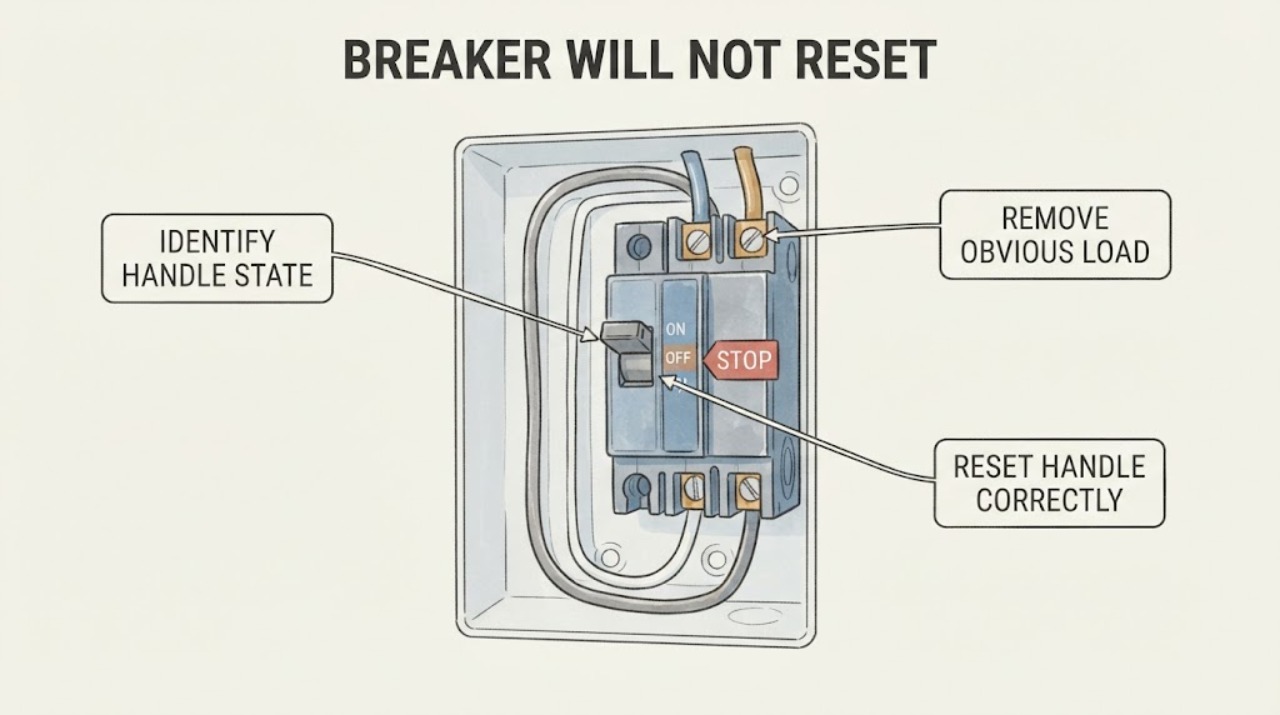
Stand to the side of the closed electrical panel and read the breaker face and panel directory without removing the cover; identify the Square D family marking, the labeled circuit, and whether the handle is fully ON, fully OFF, or between those positions.
Expected result: A QO handle may sit near the middle after a trip and may show a visible trip indication; a handle that is fully OFF may simply have been switched off, while an unclear or damaged position cannot be classified safely.
Next step: If the panel and handle are dry, intact, and clearly accessible, continue to one controlled reset attempt; otherwise leave the circuit off and arrange qualified electrical service.
Stop if: Do not remove the dead front, touch exposed metal, open the breaker case, or continue if there is moisture, burning odor, buzzing, heat, crack, or visible arcing damage.
Why this matters
Why: A middle or ambiguous position can prevent a direct move to ON because the trip mechanism has not been reset. The family and markings also determine which manufacturer instructions apply; appearance alone does not establish interchangeability.
-
Check 2
From ordinary room access, turn off or unplug accessible equipment on the labeled circuit, but do not handle an appliance or cord that is hot, wet, damaged, sparking, or producing an odor.
Expected result: Note whether a particular appliance, tool, heater, lighting load, or recent use coincided with the trip, and whether the circuit appears heavily loaded; do not infer the circuit rating from the appliance or plug alone.
Next step: Leave suspect or damaged equipment disconnected and attempt the breaker reset only if the panel remains closed, dry, intact, and free of danger signs.
Stop if: Stop if equipment is wet, hot, smoking, sparking, damaged, or connected in a way that requires opening a box or disconnecting wiring; arrange qualified service.
Why this matters
Why: A coincident high-demand load or a particular appliance can be associated with an overload or equipment fault, but removing plugs does not rule out a wiring, short-circuit, arc-fault, or ground-fault condition.
-
Check 3
With the panel cover closed and no danger signs present, push the tripped Square D handle firmly all the way to OFF, then move it fully to ON; make only this controlled reset attempt and do not hold the handle in position.
Expected result: The handle may click and remain ON, move back to the tripped position immediately, refuse to reach OFF, or feel mechanically loose or abnormal.
Next step: If it stays ON, restore loads one at a time only if each is dry and intact and stop at the first recurrence; if it trips or will not reset, leave it OFF and arrange electrical diagnosis.
Stop if: Do not repeatedly reset, hold the handle ON, bypass the trip mechanism, or use a tool to move the handle.
Why this matters
Why: A handle that stays ON after loads were reduced may have cleared a temporary trip, while an immediate trip or a handle that will not reset indicates an unresolved fault or breaker problem. Force or repeated cycling cannot distinguish those causes safely.
-
Check 4
Without touching the breaker or opening the panel, look and listen for a hot or discolored face, melted plastic, crack, moisture, buzzing, burning odor, smoke, or visible evidence of arcing around the closed enclosure.
Expected result: Classify the enclosure as cool and intact, visibly damaged or overheated, wet, noisy, or affected by smoke or an odor; do not use touch as a temperature test.
Next step: For any warning sign, keep clear, avoid operating the circuit, and arrange prompt qualified electrical inspection; for smoke or active fire, leave the area and use emergency procedures.
Stop if: Do not spray water, open the panel, tighten connections, remove the breaker, or clean inside the enclosure as a homeowner step.
Why this matters
Why: Overheating, damage, moisture, noise, or odor can indicate a connection, enclosure, breaker, or circuit hazard that a reset will not correct. A normal appearance does not prove hidden wiring is sound.
-
Check 5
After the controlled attempt, record whether the same breaker trips again, whether the trip occurs with one load or no load, whether another breaker or outlet is affected, and whether the Square D breaker has a test button or indicator; do not remove wires or perform internal tests.
Expected result: A repeat trip with one appliance, a trip with all accessible loads disconnected, a fault indicator, or a problem affecting other circuits gives a different service lead than one isolated temporary trip.
Next step: Leave the breaker OFF when the fault repeats or the cause is uncertain, and provide the electrician with the panel markings, circuit label, load history, indicator state, and reset result.
Stop if: Do not change the breaker amperage, substitute a different Square D family, remove the panel cover, disconnect conductors, or keep resetting for convenience.
Why this matters
Why: The pattern can help an electrician separate a connected appliance issue from an overload, short circuit, ground or arc fault, breaker failure, or a broader panel or supply problem. It cannot establish which component is safe to replace.
Use your observations
Decision map
Find the observation that best matches what you see, then follow the next safe action.
-
PATH 01Safety boundary
What you see
The handle was in a tripped or middle position, the panel was dry and intact, accessible loads were reduced, and the handle stayed ON after one full OFF-to-ON reset.
Do this next
Keep suspect loads disconnected and restore only dry, intact loads one at a time while watching for a repeat trip; stop at the first recurrence.
Why this path and its safety boundary
Why it matters: A temporary overload or connected-load event is possible, but the reset does not prove the circuit or every appliance is free of a fault.
Safety stop: Leave the breaker OFF and arrange service if it trips again, a device becomes hot or damaged, or the cause cannot be identified.
-
PATH 02Safety boundary
What you see
The breaker moves through the reset sequence but trips immediately again, with or without accessible loads connected.
Do this next
Leave the breaker OFF, keep suspect equipment disconnected, and arrange qualified electrical diagnosis.
Why this path and its safety boundary
Why it matters: An unresolved overload, short circuit, ground fault, arc fault, wiring problem, appliance fault, or breaker problem is possible; repeated resets can re-energize the hazard.
Safety stop: Do not hold the breaker ON, change its rating, disconnect wires, or use repeated resets as a test.
-
PATH 03Safety boundary
What you see
The handle will not move fully to OFF, feels loose or jammed, or the breaker does not behave as the marked positions describe.
Do this next
Stop operating it and arrange qualified electrical service; provide the exact Square D family and panel markings.
Why this path and its safety boundary
Why it matters: The mechanism, mounting, or breaker condition cannot be safely diagnosed from the handle alone and may require replacement or panel inspection.
Safety stop: Do not force the handle with a tool, open the molded case, remove the breaker, or reach behind the panel cover.
-
PATH 04Safety boundary
What you see
The breaker or enclosure is hot, discolored, cracked, wet, buzzing, smoky, or has a burning odor.
Do this next
Keep clear and leave the circuit off if it can be done without touching the hazard; arrange prompt qualified inspection, and use emergency procedures for smoke or fire.
Why this path and its safety boundary
Why it matters: The appearance is a potential electrical, connection, enclosure, or arc-flash hazard, not a routine reset situation.
Safety stop: Do not touch, spray, open, tighten, clean, or continue operating the equipment.
-
PATH 05Safety boundary
What you see
The Square D breaker has a test button or fault indicator and will not reset, or it trips again after a fault indication.
Do this next
Record the exact marking and indicator state, leave the breaker OFF if the fault persists, and have an authorized or qualified person follow the applicable product instructions.
Why this path and its safety boundary
Why it matters: The breaker may be an arc-fault, ground-fault, or dual-function device with product-specific diagnostic behavior; the indicator alone does not identify a safe homeowner repair.
Safety stop: Do not disconnect load wires, open the panel, defeat the protection, or improvise a test sequence.
-
PATH 06Safety boundary
What you see
The breaker or panel marking is unreadable, a replacement is being considered, or someone suggests using a higher rating or another Square D family.
Do this next
Have a qualified electrician identify the panel and circuit and select an approved compatible breaker or repair.
Why this path and its safety boundary
Why it matters: Compatibility, rating, panel listing, wiring, and fault-interruption requirements are unresolved; a visual match is not enough.
Safety stop: Do not install a larger rating, substitute QO for Homeline or vice versa, or use a breaker with altered labels or damage.
Helpful context
Understand the symptom
A handle that looks ON may still be tripped
Square D QO breakers can show a middle handle position after a trip, and Schneider Electric describes a Visi-Trip indication on applicable QO breakers. From the front of the closed panel, compare the handle with the printed ON and OFF positions. Do not remove the dead front or touch anything behind it just to identify the position. QO and Homeline are distinct product families, so use the panel and breaker markings rather than assuming a replacement or procedure from appearance alone.
Reset once only after reducing an obvious connected load
If the handle is tripped and there are no danger signs, turn off or unplug accessible loads on that labeled circuit, without handling damaged or wet equipment. Move the breaker fully to OFF, then fully to ON. A successful reset with normal operation points to a possible temporary overload, but it does not prove the circuit is safe if the same symptom returns. Do not keep resetting to restore power to a faulty appliance or circuit.
Arc-fault and ground-fault breakers need their own instructions
A Square D QO, QOB, or Homeline breaker with a test button or fault indicator can trip for ground-fault, arc-fault, short-circuit, or overload conditions. Schneider Electric's diagnostic procedure is product-specific and its instructions state that electrical troubleshooting should be done by an authorized person. For a homeowner, record the button or indicator state and the exact breaker markings; do not open the panel, disconnect wires, or perform a diagnostic test that the product instructions do not clearly assign to you.
A breaker that will not reset is a stop signal, not a stronger-push problem
If the handle will not reach OFF, will not stay ON, trips instantly, or the breaker or enclosure is hot, discolored, cracked, wet, buzzing, or smells burned, leave it alone. Schneider Electric says a Square D molded-case breaker should not be opened and that equipment inspection and service require qualified electrical personnel. Keep the area clear and arrange an electrician; a breaker replacement must match the panel and circuit, and changing to a larger rating is not a repair.
Safety boundary
Stop conditions
- Do not remove the panel cover, touch exposed conductors, open the molded breaker case, disconnect wires, or perform internal testing as a routine homeowner check.
- Do not hold a breaker ON, repeatedly reset it, use a tool to force the handle, or bypass its trip function.
- Do not replace a breaker with a higher rating or substitute a different Square D family without a qualified compatibility assessment.
- Leave the circuit OFF for an immediate repeat trip, a handle that will not reset, a fault indicator, or an uncertain cause.
- Stop and arrange prompt qualified electrical service for heat, burning odor, buzzing, smoke, arcing, discoloration, cracked parts, moisture, or water near the panel.
Only after diagnosis
Potential parts
- compatible Square D branch breaker
Consider replacement only after a qualified electrician confirms that the breaker itself has failed and identifies the listed panel family, pole arrangement, rating, protection type, and approved product.
Match the exact panel labeling and manufacturer instructions; QO and Homeline families are not interchangeable by appearance alone. - Square D arc-fault or ground-fault breaker
Consider this category only when the panel and circuit require that protection type and a qualified electrician confirms the fault and compatible replacement.
Confirm the exact panel, neutral arrangement, protection function, markings, and installation instructions; do not substitute a standard breaker to defeat protection. - panel directory or circuit identification label
A replacement label may be useful only when the existing directory is missing or no longer identifies circuits accurately after professional diagnosis.
Circuit identification must be verified by an electrician; a label does not change the breaker rating or authorize panel work.
When checks do not resolve it
Need a professional?
Arrange qualified electrical service when the Square D breaker will not move fully to OFF and back to ON, trips again immediately, trips with accessible loads disconnected, has a test button or fault indicator that remains unresolved, or the cause is uncertain. Escalate promptly for heat, burning odor, buzzing, smoke, visible arcing, discoloration, cracks, moisture, or water near the panel. Do not remove the panel cover or change the breaker rating.
Safety scope: This article supports front-of-panel observation, removal of accessible loads, and one manufacturer-described handle reset only when the enclosure is closed, dry, and intact. A qualified electrician must handle panel access, wiring, breaker removal or replacement, fault testing, and any suspected damage.
Common questions
FAQ
How do I reset a Square D breaker that is in the middle position?
From the front of a closed, dry, intact panel, move the tripped handle fully to OFF and then fully to ON. If it immediately trips, will not move, or there are warning signs, leave it OFF and arrange qualified electrical service.
Why will my Square D breaker not stay on after I reset it?
The circuit may still have an overload, short circuit, ground fault, arc fault, connected appliance fault, breaker failure, or another wiring issue. Disconnect only accessible, dry, intact loads and make one controlled reset attempt; do not keep resetting or hold the handle ON.
Should I turn off all the other breakers before resetting one Square D breaker?
Do not open the panel or change other breakers as a troubleshooting shortcut. Identify the labeled circuit from the closed panel, reduce accessible loads on that circuit, and follow the exact panel or breaker instructions. A qualified electrician should handle any broader isolation or testing.
Can I replace a Square D breaker with a higher amp rating?
No. A larger rating is not a repair and can leave the wiring inadequately protected. QO and Homeline families are not interchangeable by appearance. A qualified electrician must identify the panel, circuit, protection type, and approved compatible replacement.
When should I call an electrician for a Square D breaker that will not reset?
Call when the handle will not move fully to OFF and ON, trips again immediately, trips with accessible loads disconnected, has an unresolved test indicator, or the cause is uncertain. Escalate promptly for heat, burning odor, buzzing, smoke, arcing, discoloration, cracks, moisture, or water near the panel.
Read the exact guide
Official sources
- CPSC Guide to Home Wiring HazardsU.S. Consumer Product Safety Commission · General U.S. consumer electrical-safety guidance; the installed panel manufacturer's instructions and local requirements also apply.
- Video: What is the Handle position of a QO branch breaker when ON, OFF and Tripped?Schneider Electric USA · Schneider Electric guidance for QO branch breakers; the exact panel and breaker instructions control a particular installation.
- QO, QOB and HOM Arc Fault (CAFI) and Dual Function (DF) circuit breaker troubleshooting tips using Time Saver Diagnostics.Schneider Electric USA · Schneider Electric instructions for applicable arc-fault and dual-function breakers with test buttons; do not apply the diagnostic sequence to an unknown device.
- Section 2— Visual Inspection and Preventive MaintenanceSchneider Electric · Schneider Electric field maintenance guidance for molded-case circuit breakers; homeowner observations do not replace qualified electrical maintenance.
Community feedback
Share a repair observation
Share a plain-text repair observation. Accepted observations are published automatically; this page may take a moment to update.